
anyloop B0F941DVBR
anyloop Fitness Tracker User Manual
Model: B0F941DVBR
Brand: anyloop
Introduction
This manual provides detailed instructions for the setup, operation, maintenance, and troubleshooting of your anyloop Fitness Tracker. Designed for compatibility with both Android and iOS devices, this smart watch features an AMOLED display, comprehensive health monitoring (heart rate, blood oxygen, sleep, stress), multiple sports modes, and smart notifications. Please read this manual thoroughly to ensure optimal performance and longevity of your device.

Image: The anyloop Fitness Tracker in its primary green color, showcasing its rectangular AMOLED display and silicone band. A smaller black variant is visible in the background.
What's in the Box
Upon unboxing your anyloop Fitness Tracker, please verify that all the following components are present:
- anyloop Fitness Tracker Unit
- Magnetic Charging Cable
- User Manual
Setup Guide
Follow these steps to set up your anyloop Fitness Tracker and pair it with your smartphone.

Image: A step-by-step visual guide illustrating the pairing process for the fitness tracker, including QR code scanning, Bluetooth activation, app registration, device addition, and confirmation.
- Download the anyloop App: Scan the QR code provided in the manual or on the watch screen, or search for "anyloop" in your smartphone's app store (compatible with iOS 9.0+ and Android 5.0+). Download and install the application.
- Enable Bluetooth: Ensure Bluetooth is enabled on your smartphone.
- Register Account: Open the anyloop app and follow the on-screen instructions to register your account.
- Add Device: In the app, navigate to "More settings" or "Add Device" and select your fitness tracker from the list of available devices. Keep the watch close to your phone during this process.
- Confirm Pairing: On your watch, accept the binding request to confirm the pairing. Once successful, the watch face will automatically display.
Operating Instructions
Health Monitoring
Your anyloop Fitness Tracker provides comprehensive health data to help you monitor your well-being.
- Heart Rate Monitoring: Continuously monitors your heart rate, providing real-time data and alerts for low/high heart rates.
- Blood Oxygen (SpO2) Monitoring: Tracks your blood oxygen levels throughout the day.
- Sleep Tracking: Accurately measures sleep quality, including deep sleep, light sleep, and awake periods, supporting nap tracking for improved sleep habits.
- Stress Tracking: Manual stress monitoring feature assesses your physical and mental well-being.
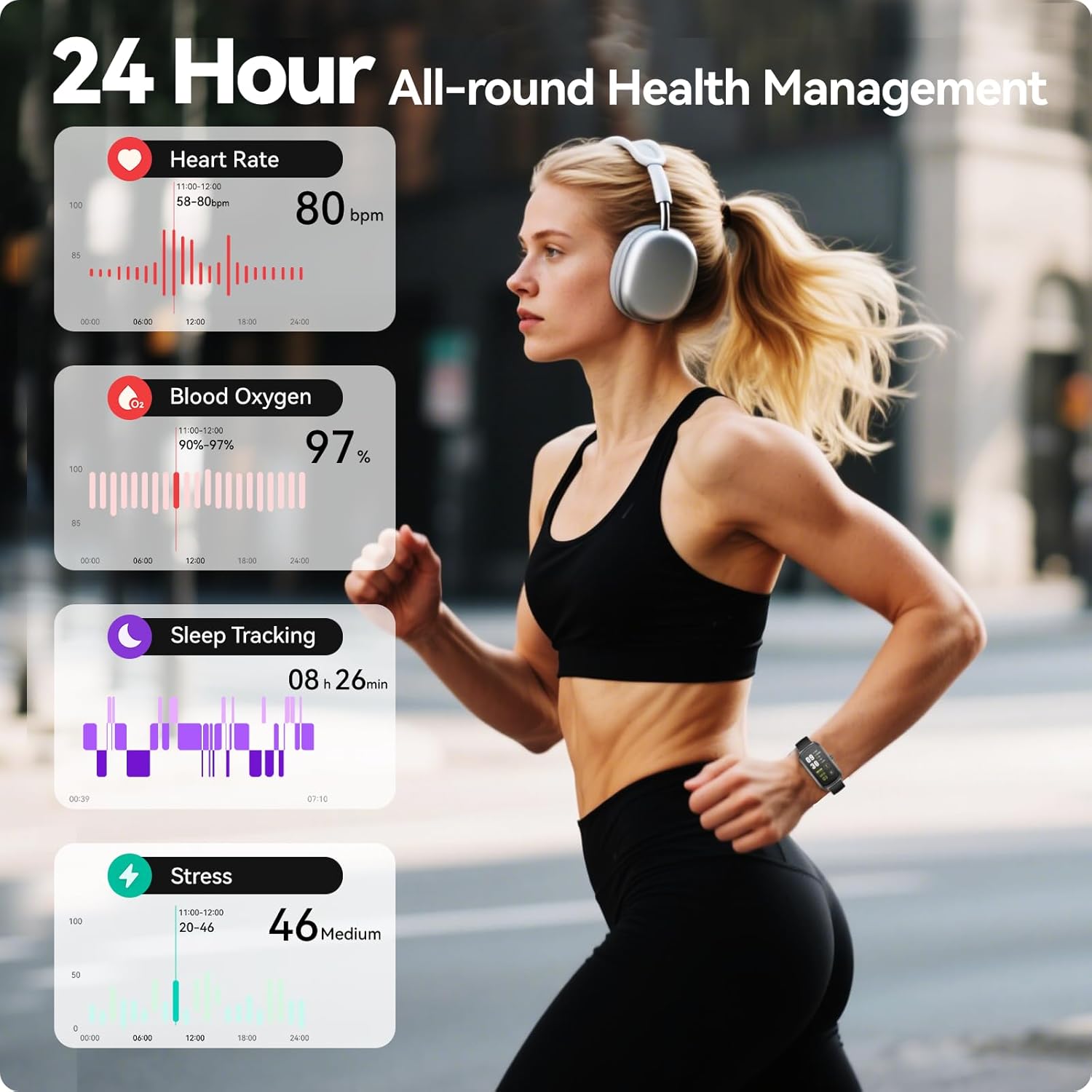
Image: A visual representation of the 24-hour health management features, including graphs for heart rate, blood oxygen saturation, sleep patterns, and stress levels, displayed alongside a person exercising.
Multi-Sport Modes
The fitness tracker supports over 100 sport modes, recording essential data such as heart rate, steps, calories burned, and distance during your workouts.
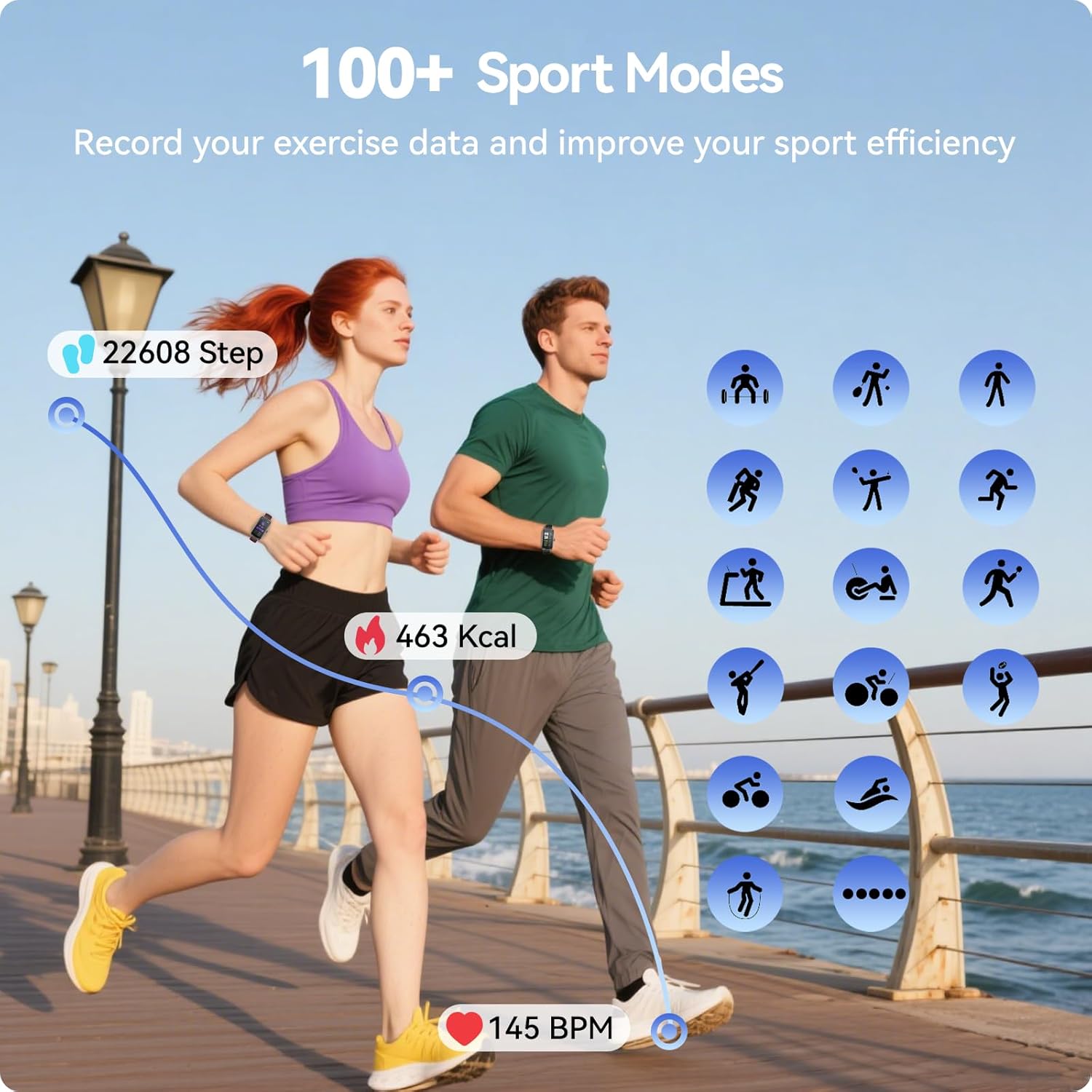
Image: An illustration of the 100+ sport modes feature, showing icons for different activities like running, cycling, and yoga, along with real-time tracking of steps, calories, and heart rate during exercise.
Smart Notifications
Stay connected with timely alerts for calls, messages, emails, and social media notifications directly on your wrist through vibrations and on-screen displays.

Image: The fitness tracker displaying incoming call and message notifications, demonstrating its communication capabilities while connected to a smartphone.
Customizable Watch Faces
The 1.58-inch AMOLED full touch screen offers a vibrant display. Choose from over 200 watch faces in the anyloop app or customize your own using personal photos.
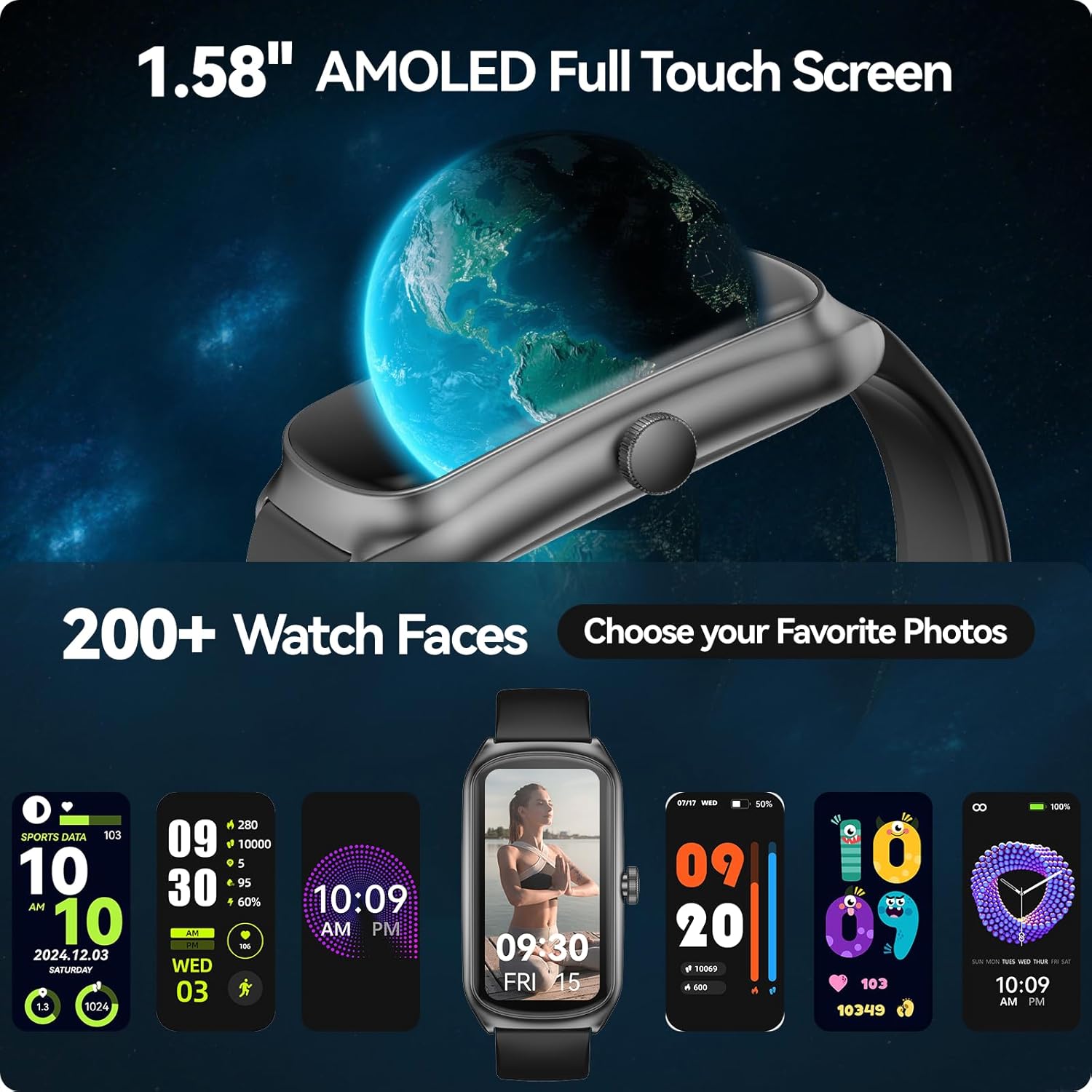
Image: A close-up of the 1.58-inch AMOLED full touch screen, showcasing its clarity and the variety of over 200 customizable watch faces available, including options to use personal photos.
IP68 Waterproof Rating
The device is IP68 waterproof, providing protection for daily activities such as hand washing, rain, and surface swimming. Note: Do not use the watch in hot water, baths, saunas, or for diving.
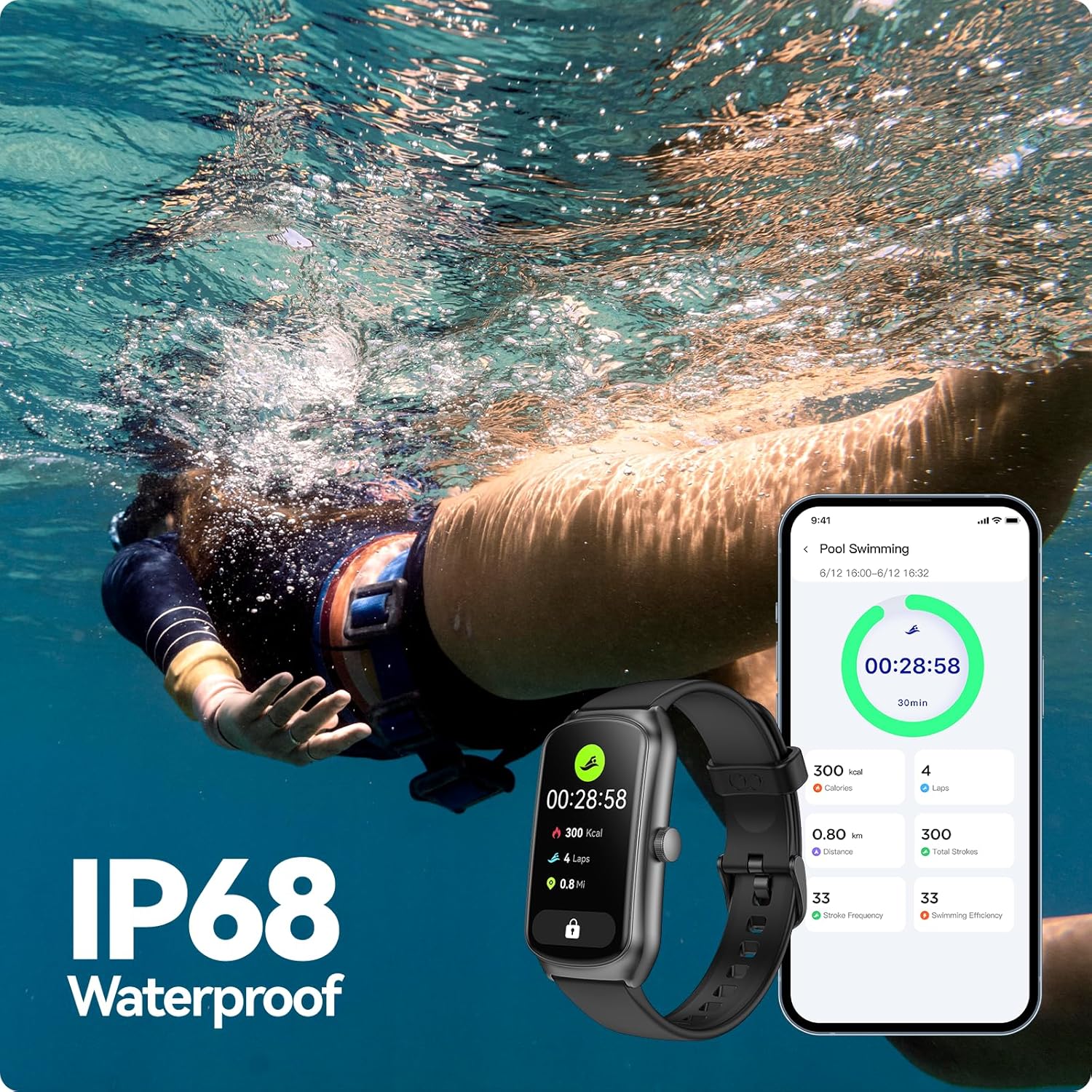
Image: The fitness tracker submerged in water, demonstrating its IP68 waterproof capability during a swimming activity, with a mobile app displaying swimming metrics.
Long Battery Life
Equipped with a 250mAh battery, a full charge takes approximately 1.5 hours. The device offers up to 21 days of standby time or 10-12 days of typical daily use.
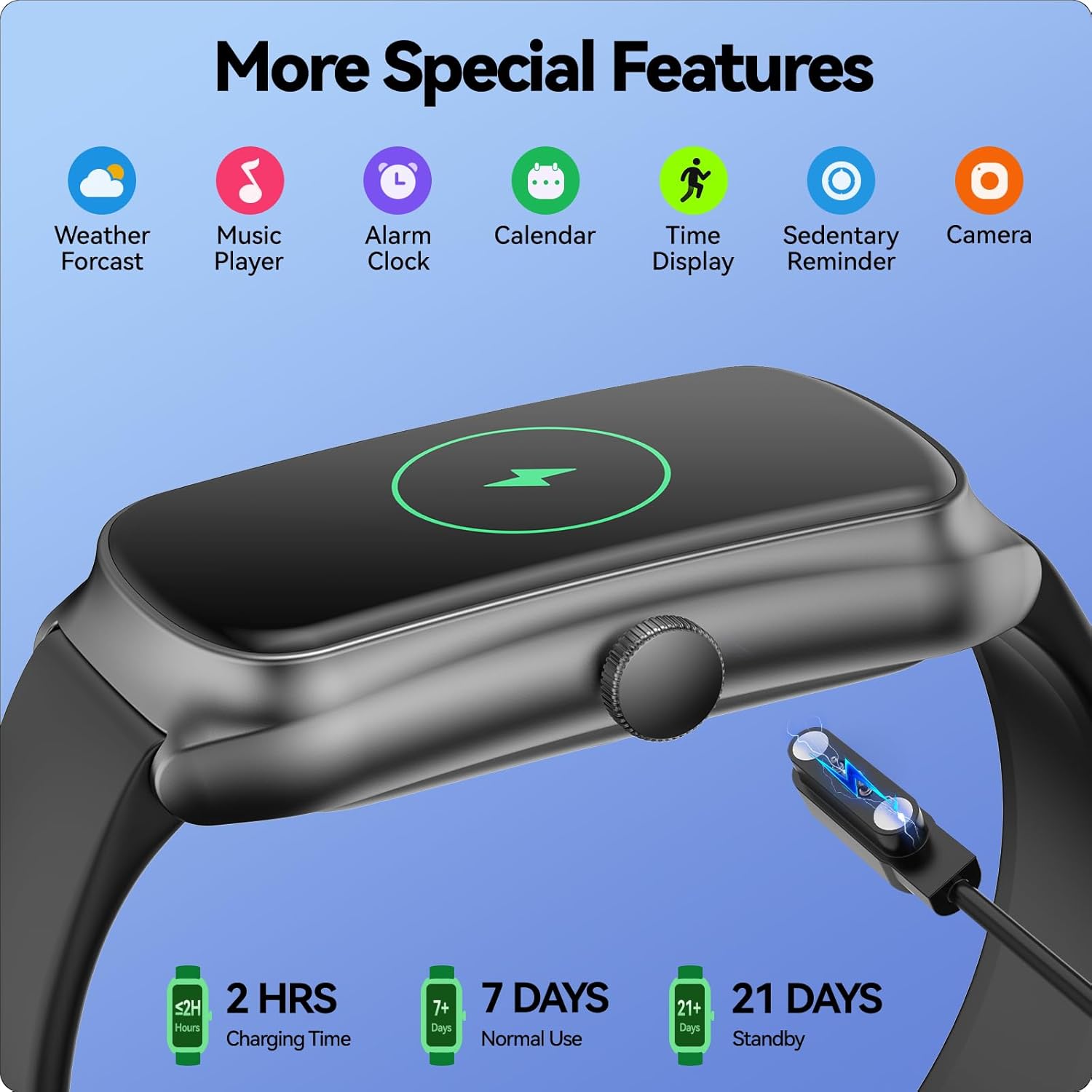
Image: A close-up of the fitness tracker's side, illustrating its magnetic charging port and highlighting battery life metrics: 2 hours charging time, 7+ days normal use, and 21+ days standby.
Women's Health Tracking
The tracker includes features to track menstrual cycles and record physical indicators through an intuitive monthly calendar view within the app.

Image: A visual representation of the women's health tracking feature, displaying a calendar interface on the watch and phone screen for monitoring menstrual cycles and ovulation days.
Maintenance
Proper maintenance ensures the longevity and optimal performance of your fitness tracker.
- Cleaning: Regularly clean the watch and band with a soft, damp cloth. Avoid harsh chemicals or abrasive materials. Ensure the charging contacts are clean and dry before charging.
- Charging: Use only the provided magnetic charging cable. Ensure the charging pins align correctly with the watch's charging contacts. Avoid overcharging the device.
- Storage: When not in use for extended periods, store the device in a cool, dry place away from direct sunlight and extreme temperatures.
- Water Exposure: While IP68 waterproof, avoid prolonged submersion in water, especially hot water, and do not press buttons underwater. Dry the watch thoroughly after exposure to water.
Troubleshooting
If you encounter issues with your anyloop Fitness Tracker, refer to the following common solutions:
| Problem | Possible Solution |
|---|---|
| Watch not turning on/charging | Ensure the charging cable is securely connected to both the watch and a power source. Clean the charging contacts on the watch and cable. Try a different USB port or power adapter. Allow the watch to charge for at least 30 minutes before attempting to turn it on. |
| Unable to pair with smartphone | Make sure Bluetooth is enabled on your phone. Ensure the watch is sufficiently charged. Restart both your phone and the watch. Forget the device in your phone's Bluetooth settings and try pairing again through the anyloop app. Keep the watch close to your phone during pairing. |
| Inaccurate health data (HR, SpO2, Steps) | Ensure the watch is worn snugly on your wrist, about one finger's width above the wrist bone. Avoid excessive movement during measurements. Clean the sensor on the back of the watch. Ensure your personal information (height, weight) is accurate in the app. |
| Notifications not appearing | Check if the watch is connected to your phone via Bluetooth. Verify notification permissions are enabled for the anyloop app in your phone's settings. Ensure notification settings are enabled within the anyloop app for specific applications. |
| Short battery life | Reduce screen brightness. Limit continuous heart rate monitoring or turn off features you don't frequently use. Ensure the watch is fully charged. Frequent use of GPS (if connected via phone) or constant screen-on time can drain the battery faster. |
Specifications
Key technical specifications for the anyloop Fitness Tracker:
| Feature | Detail |
|---|---|
| Model | B0F941DVBR |
| Brand | anyloop |
| Display | 1.58-inch AMOLED Full Touch Screen |
| Connectivity | Bluetooth |
| Operating System | Wear OS 1.5 (Note: This is the OS listed in the product data, actual OS may vary or be a custom firmware) |
| Battery Capacity | 250mAh (Lithium Polymer) |
| Battery Life | Up to 21 days standby, 10-12 days typical use |
| Charging Time | Approx. 1.5 hours |
| Water Resistance | IP68 (Daily hand washing, rain, surface swimming. Not for hot water, baths, saunas, diving.) |
| Item Weight | 7.1 ounces |
| Package Dimensions | 7.09 x 7.09 x 0.71 inches |
| Color | Green (for this specific variant) |
Warranty and Support
anyloop provides a 2-year warranty service for this product.
If you encounter any quality problems, operational issues, charging problems, or require further assistance, please contact anyloop customer support. Solutions will be provided within 24 hours.
For support, please visit the official anyloop store on Amazon: anyloop Store.
Related documentsB0F941DVBR


Ask a question about this manual
Ask about setup, troubleshooting, compatibility, parts, safety, or missing instructions. Manuals+ will review the question and use this page’s manual context to help answer it.