
Introduction
This instruction manual provides detailed guidance for the assembly, operation, and maintenance of your FiveWillowise Arched Cabinet. Please read all instructions carefully before beginning assembly and retain this manual for future reference.
Key Features
- Elegant Fluted and Artistic Arch Design: This storage cabinet features a unique waveform fluted panel, bringing visual interest while reflecting texture and elegance. Paired with an arched design for a premium look, its minimalist and distinctive style is a great decoration for any room in your home. It's a good choice whether you are looking for a modern style or a natural traditional style.
- Stylish Display Tempered Glass Doors: High-quality tempered glass doors provide a shatter-resistant and clear view of your stored items while keeping dust away. Perfect as a living room display cabinet, kitchen storage, dining room sideboard, or entryway organizer—seamlessly blends with modern & natural decor.
- Durable Material and Solid Wood Legs: This pantry cabinet with storage is made of high quality MDF for durability. The one-piece solid wood legs add extra stability, supporting the cabinet's tall 70.8" height without wobbling. An anti-tip mechanism is included on the back to prevent potential injuries and ensure safety. Essential console cabinet for the home.
- Large Space with Adjustable Shelves: This arched cabinet provides ample storage space to help organize and create a tidy environment. Measures 15.7"D x 31.1"W x 70.8"H, offering ample storage while fitting nicely in tight spaces like corners or narrow walls. 3 adjustable interior shelves allow you to modify the storage space to fit books, dishes, decor, or kitchen essentials.
Important Safety Information
Please follow the assembly instructions carefully to ensure the cabinet is stable and secure. Use appropriate safety gear when handling heavy or sharp objects. Keep the cabinet away from heat sources and do not overload the shelves to prevent tipping or damage. Always supervise children when they are near the cabinet. Ensure the anti-tip mechanism is properly installed to prevent accidental tipping.
Parts List
Refer to the included parts list in your product package for a complete inventory of all components and hardware required for assembly. Ensure all parts are present before beginning.
Setup & Assembly
Follow the step-by-step instructions and refer to the diagrams and video for visual guidance during assembly.
Assembly Video Guide
Official assembly video for the FiveWillowise Arched Storage Cabinet (70.8" Tall).
Step-by-Step Assembly Overview
- Assemble the Base Structure: Begin by attaching the side panels to the kick plates using the provided screws. Ensure a secure fit for stability.
- Connect Back Panels: Securely connect the back panels to the side panels and kick plates. Use nuts and screws to reinforce the connections.
- Install Waist Panels and Floor: Insert the waist face and waist panel, then install the floor panel. Fasten them with screws to create the lower cabinet structure.
- Attach Top Panel: Connect the top panel to the assembled back and side panels, securing it with screws.
- Insert Shelves: Install the shelf clasps at your desired height. Place the adjustable shelves onto these clasps.
- Install Lower Doors: Insert the two steel doors into their pivots and adjust the spring shafts on the top for proper alignment. Attach the door knobs.
- Assemble the Arch Top: Fold the small parts on the dome panel, then insert it into the dome front and back tubes. Secure with screws.
- Attach Arch Top to Cabinet: Fix the assembled arch top onto the main cabinet structure using screws.
- Install Glass Doors: Carefully install the two tempered glass doors into their pivots. Attach the door knobs.
- Secure to Wall: Fix the cabinet to the wall using the provided expansion screws to prevent tipping and ensure safety.

Image showing the overall dimensions of the cabinet: 15.7"D x 31.1"W x 70.8"H.

Image illustrating the solid wood legs and the adjustable shelf feature.

Image highlighting the fluted door panel and artistic arch design.
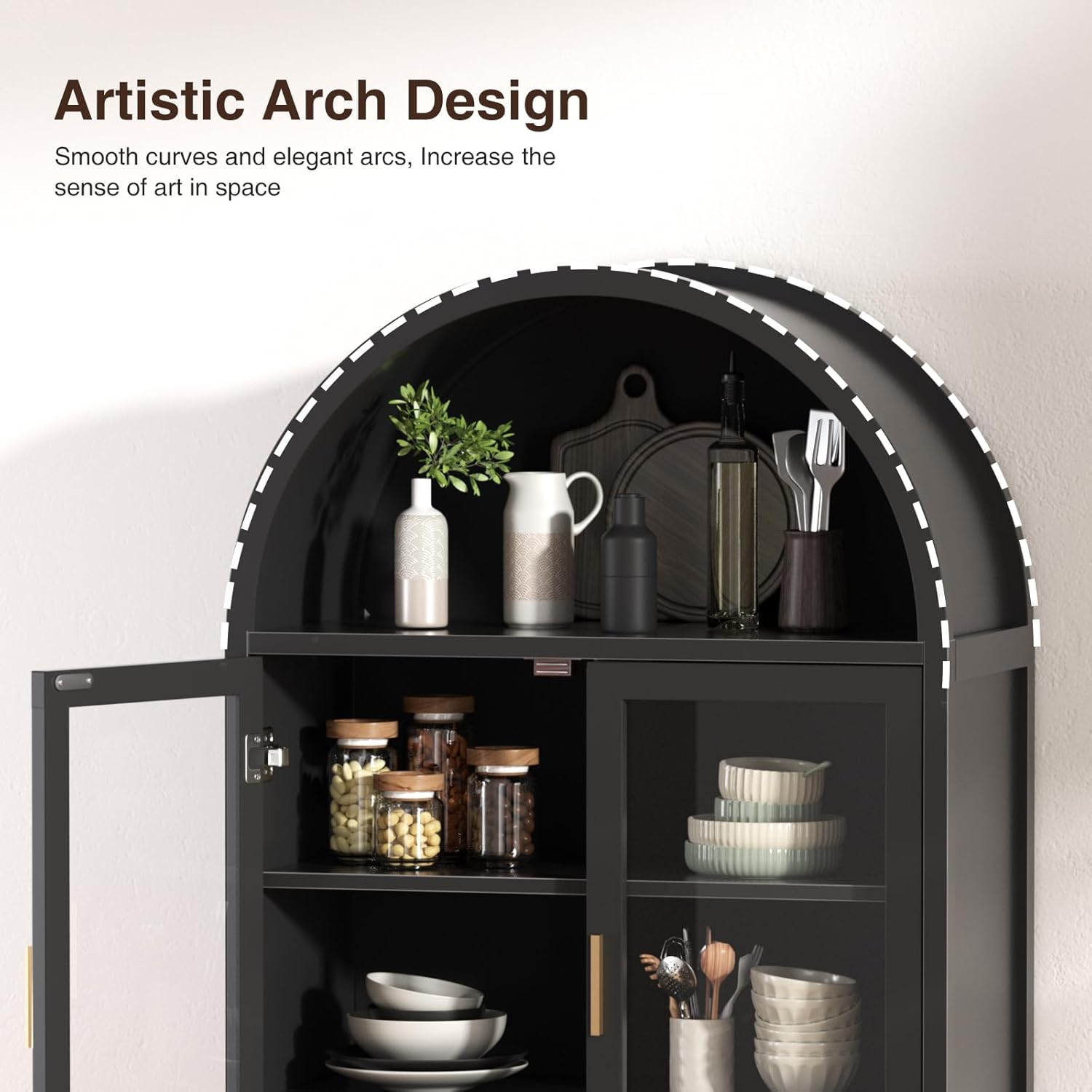
Image showcasing the artistic arch design at the top of the cabinet.
Operating Instructions
Adjustable Shelves
The cabinet features 3 adjustable interior shelves. To adjust a shelf, remove any items, lift the shelf, and reposition the shelf clasps into the desired holes on the side panels. Ensure the clasps are securely in place before placing items back on the shelf.
Door Operation
The cabinet doors are designed for smooth operation. Gently open and close the doors. Avoid forcing them to prevent damage to the hinges or panels.
Care and Maintenance
- Cleaning: Wipe surfaces with a soft, damp cloth. Avoid using harsh chemicals, abrasive cleaners, or polishes that may damage the finish.
- Dusting: Regularly dust the cabinet with a dry, soft cloth to prevent buildup.
- Hardware Check: Periodically check all screws and fittings to ensure they remain tight. Tighten as necessary to maintain stability.
- Avoid Overloading: Do not place excessively heavy items on the shelves to prevent bowing or collapse.
- Temperature and Humidity: Avoid placing the cabinet in direct sunlight or near heat sources, and maintain stable humidity levels to prevent warping or damage to the wood.
Troubleshooting
Door Alignment Issues
If you experience issues with door gaps or non-alignment, adjustments can be made to the hinges. Refer to the video below for detailed instructions on how to adjust the cabinet doors.
Video demonstrating solutions for door gaps or non-alignment on the cabinet.
Cabinet Wobbling
If the cabinet wobbles, ensure all assembly screws are tightened. Verify that the cabinet is placed on a level surface. If wobbling persists, recheck all connections and ensure the anti-tip mechanism is securely fastened to the wall.
Product Specifications
| Brand | FiveWillowise |
| Model Name | Fluted Storage Cabinet |
| Item Model Number | DA0278HS01A-RONG |
| Product Dimensions | 15.7"D x 31.1"W x 70.8"H |
| Color | Black |
| Material | Engineered Wood |
| Frame Material | Wood |
| Top Material Type | Engineered Wood |
| Number of Doors | 2 |
| Number of Shelves | 3 |
| Number of Compartments | 3 |
| Mounting Type | Stand |
| Installation Type | Freestanding |
| Assembly Required | Yes |
| Date First Available | May 19, 2025 |
Customer Support
FiveWillowise is committed to customer satisfaction. If you have any questions or encounter problems with your product, please contact our professional support team. We aim to resolve all issues within 24 hours.