
Parsonver FitNova R1
Parsonver Swimming Smart Watch User Manual
Model: FitNova R1
Introduction
The Parsonver FitNova R1 Smart Watch is a versatile and advanced wearable designed for fitness enthusiasts and everyday use. It features professional swimming analytics, built-in GPS, comprehensive health monitoring, and a vibrant AMOLED display. This manual provides detailed instructions to help you set up, operate, and maintain your new smartwatch.
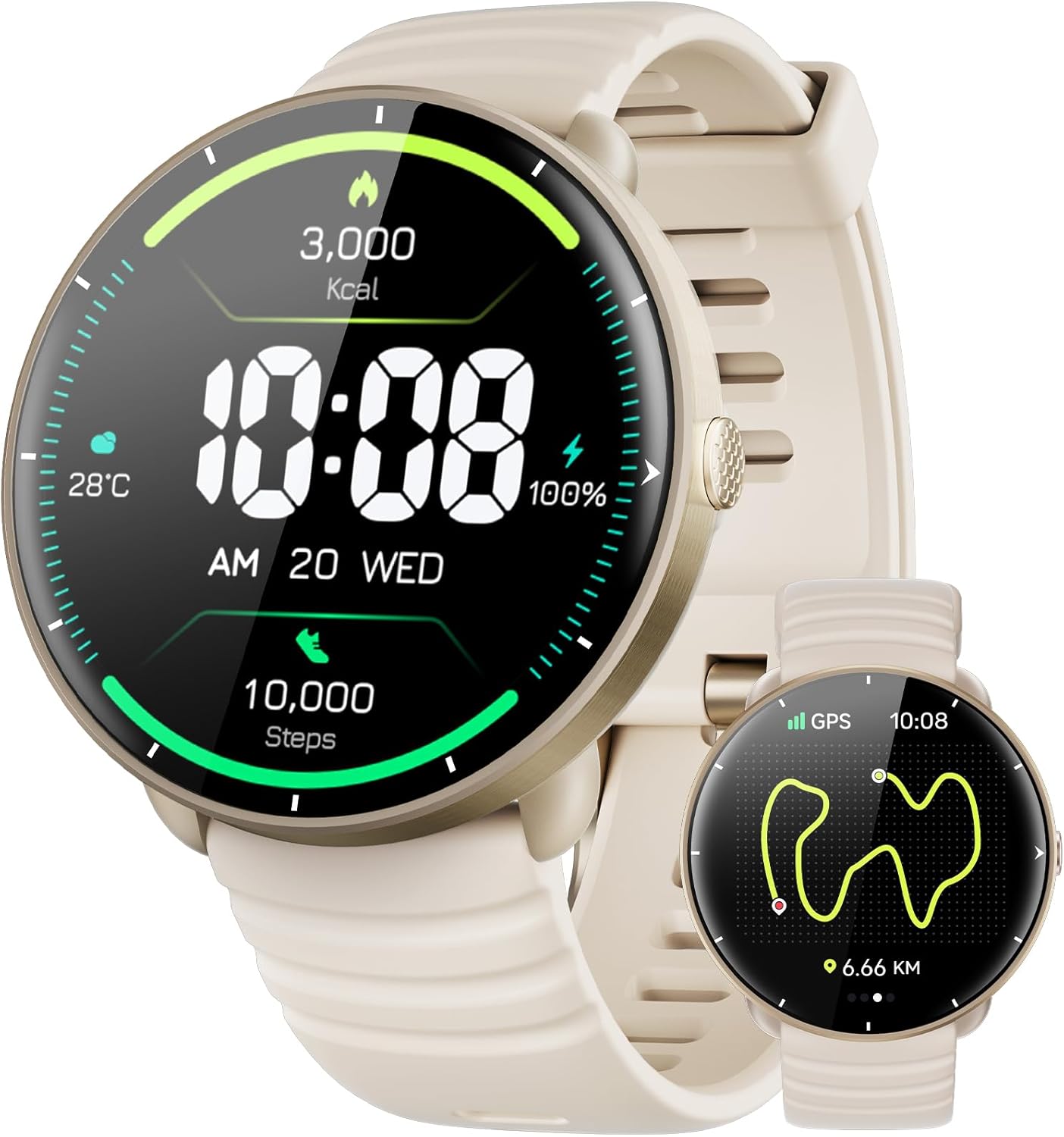
Figure 1: Parsonver FitNova R1 Smart Watch Overview
What's in the Box
Upon unboxing your Parsonver FitNova R1 Smart Watch, please ensure all the following components are present:
- 1x Smartwatch
- 1x Charging Cable
- 1x User Manual
Setup
1. Charging the Smart Watch
Before first use, fully charge your smartwatch. Connect the magnetic charging cable to the charging contacts on the back of the watch and plug the USB end into a power adapter (not included) or a computer USB port. A full charge typically takes approximately 2 hours.
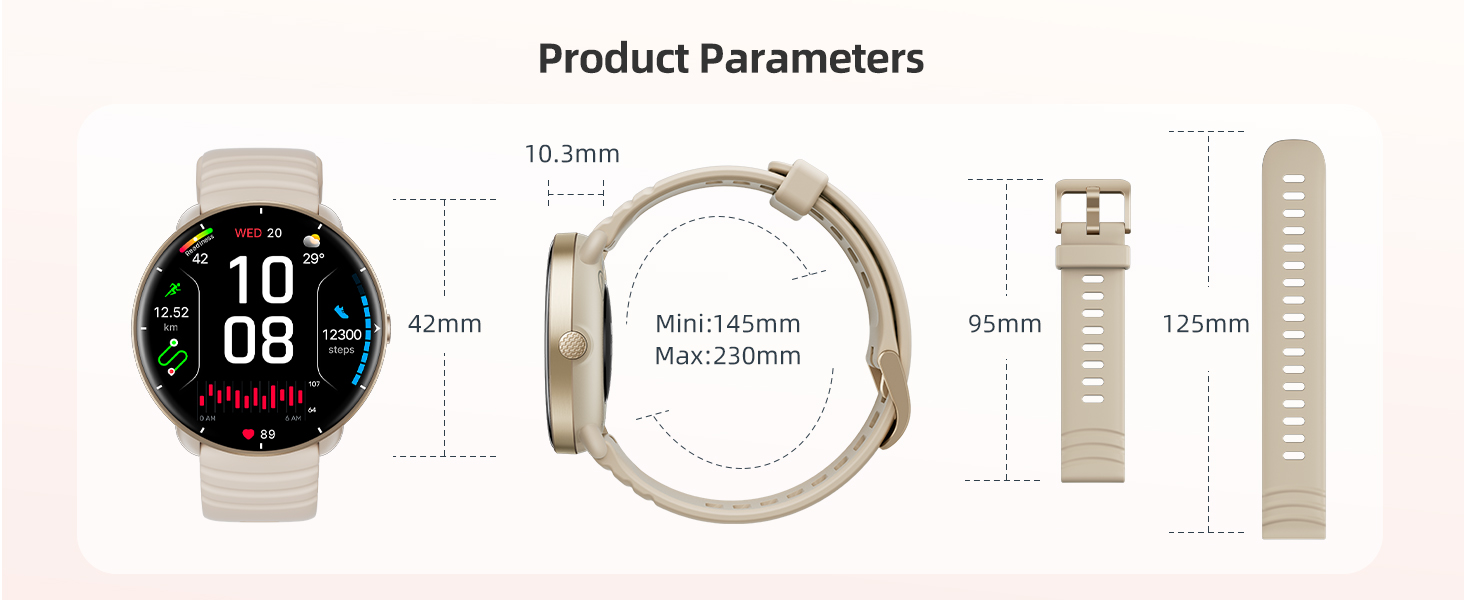
Figure 2: Charging the Smart Watch and Included Accessories
2. App Installation and Pairing
- Download the Companion App: Search for the "FitBeing" app (or the recommended companion app specified in the watch's quick start guide) on your smartphone's app store (Google Play Store for Android, Apple App Store for iOS). Ensure your smartphone runs Android 9.0+ or iOS 13.0+ for compatibility.
- Create an Account: Open the app and follow the on-screen instructions to create a new user account. You may also have the option to proceed as a guest, but creating an account is recommended for data synchronization and backup.
- Enable Bluetooth: Ensure Bluetooth is enabled on your smartphone.
- Pair the Watch: In the app, navigate to the device pairing section (often labeled "Add Device" or "My Device"). The app will search for nearby smartwatches. Select "FitNova R1" from the list of discovered devices.
- Confirm Pairing: A pairing request will appear on both your phone and the watch. Confirm the pairing on both devices to establish the connection.
- Complete Profile: Follow any remaining prompts in the app to complete your personal profile (e.g., height, weight, gender) for accurate fitness tracking.
Operating Instructions
Display and Watch Faces
The FitNova R1 features a 1.32-inch Ultra-HD AMOLED display (466x466 resolution, 60Hz refresh rate) for clear visuals. It supports an Always-On Display mode, keeping essential information visible. You can customize your watch face from over 200 options available in the companion app, including DIY faces using your own photos or even short videos.

Figure 3: 1.32" HD AMOLED Display
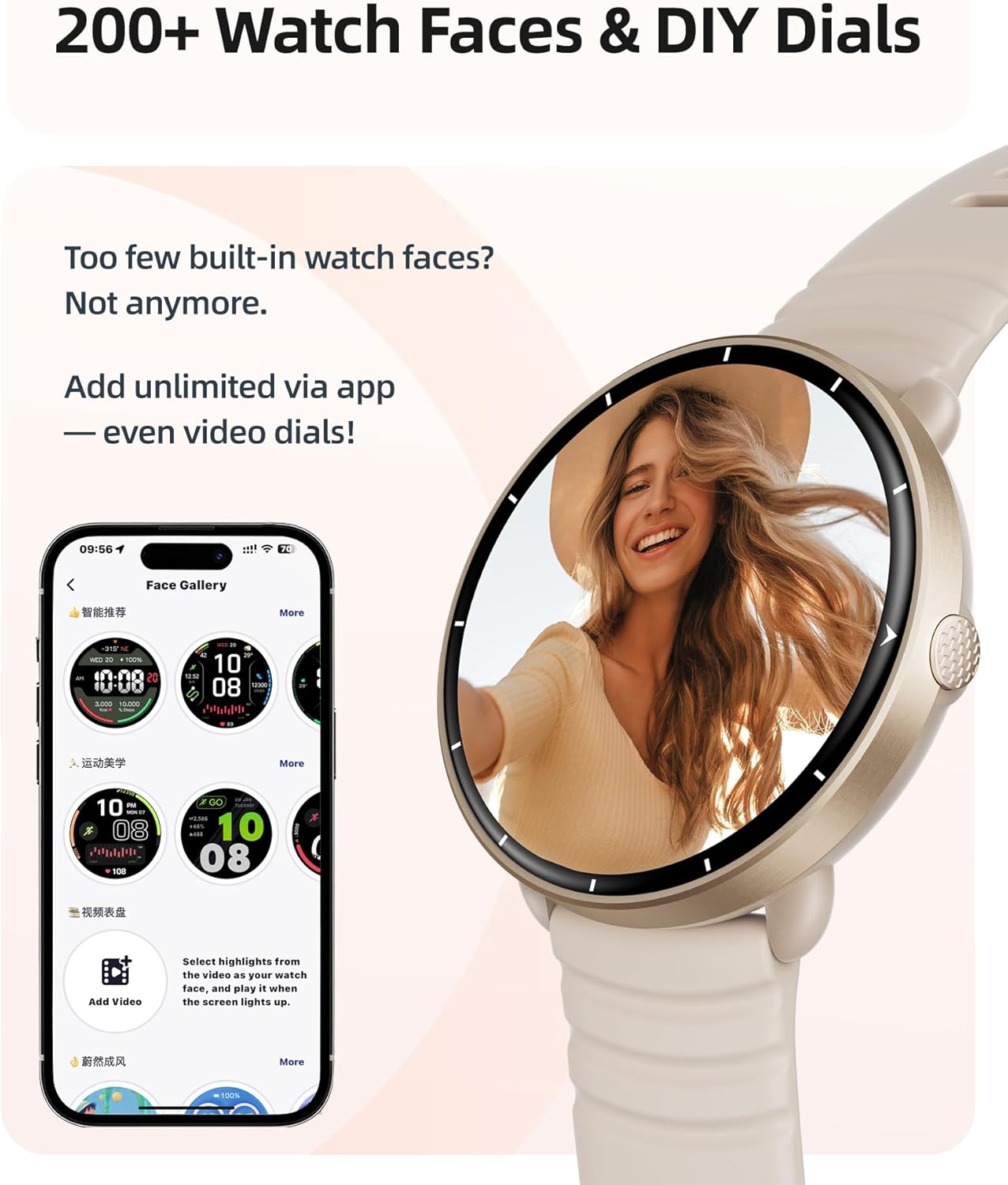
Figure 4: 200+ Watch Faces & DIY Dials
Sports Modes and Activity Tracking
The watch offers over 100 built-in sports modes, including running, cycling, swimming, HIIT, yoga, and strength training. It features automatic workout detection for common activities like running, walking, and cycling, pausing tracking when you stop and resuming when you move. The built-in GPS accurately tracks distance, pace, and calories during outdoor activities without needing your phone.

Figure 5: Built-in 100+ Sports Modes
Health Monitoring
Your FitNova R1 provides continuous health monitoring:
- Heart Rate: 24/7 real-time heart rate monitoring, including underwater.
- Sleep Tracking: Monitors deep, light, and REM sleep stages, providing insights for better sleep.
- Blood Oxygen (SpO2): Tracks blood oxygen levels.
- Stress Monitoring: Helps you understand and manage your stress levels.
- Women's Health: Supports tracking of menstrual cycles.

Figure 6: Advanced Health Monitoring
Smart Notifications
When connected to your smartphone, the watch displays incoming calls, text messages, and notifications from various apps (e.g., WhatsApp, Snapchat, Instagram, TikTok, Facebook, YouTube, Discord, LinkedIn, Telegram, Gmail, Messenger, X, Skype, Pinterest, Reddit, WeChat, QQ, Line, Viber, KakaoTalk, etc.) directly on your wrist.
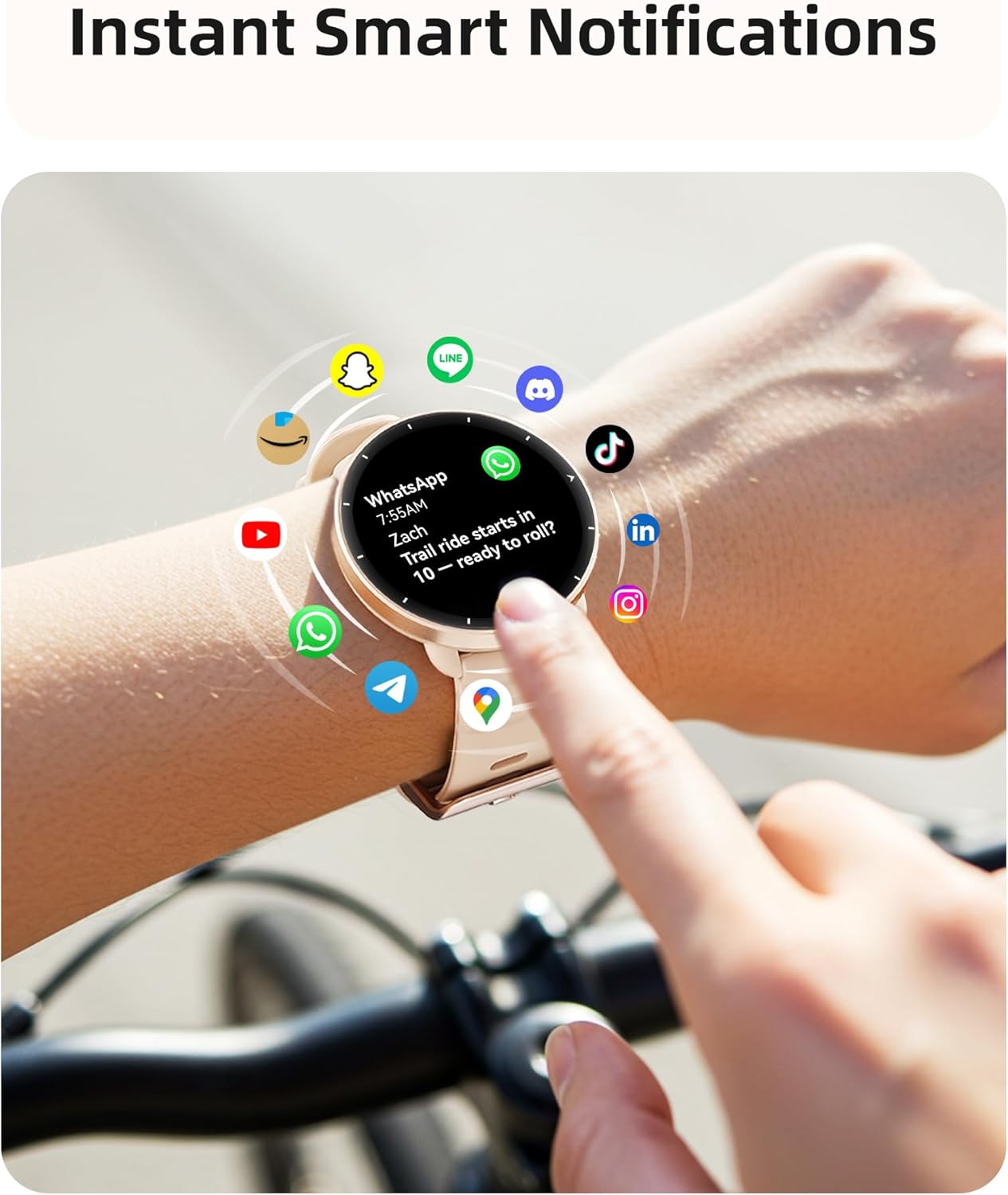
Figure 7: Instant Smart Notifications
Additional Smart Features
The FitNova R1 includes a range of practical features for daily convenience:
- Alarms, Timer, Stopwatch
- Weather updates
- Calculator
- Camera and Music Control for your smartphone
- World Clock
- Find My Phone function
- Built-in Compass
- Raise-to-wake gesture
- Focus and Do Not Disturb modes
- Reminders for goals, hydration, breathing exercises, and standing.

Figure 8: All-in-One Smartwatch Features
Swimming Features
The FitNova R1 is designed for serious swimmers with 5ATM waterproofing, allowing it to withstand pressures equivalent to 50 meters depth. It supports both pool and open water swimming modes.
- Pool Swim Mode: Customize pool lengths (10-100m) for accurate lap tracking. Features smart stroke recognition (freestyle, breaststroke, backstroke, etc.) and real-time metrics including distance, speed, stroke rate, SWOLF, and underwater heart rate.
- Open Water Swim Mode: Utilizes built-in GPS and compass for tracking in lakes, oceans, or rivers.
- AI Swim Analysis: Paired with the companion app, receive advanced analytics, trend tracking, and technique tips to improve your swimming performance.

Figure 9: Pool Swim Tracking & 5ATM Waterproof
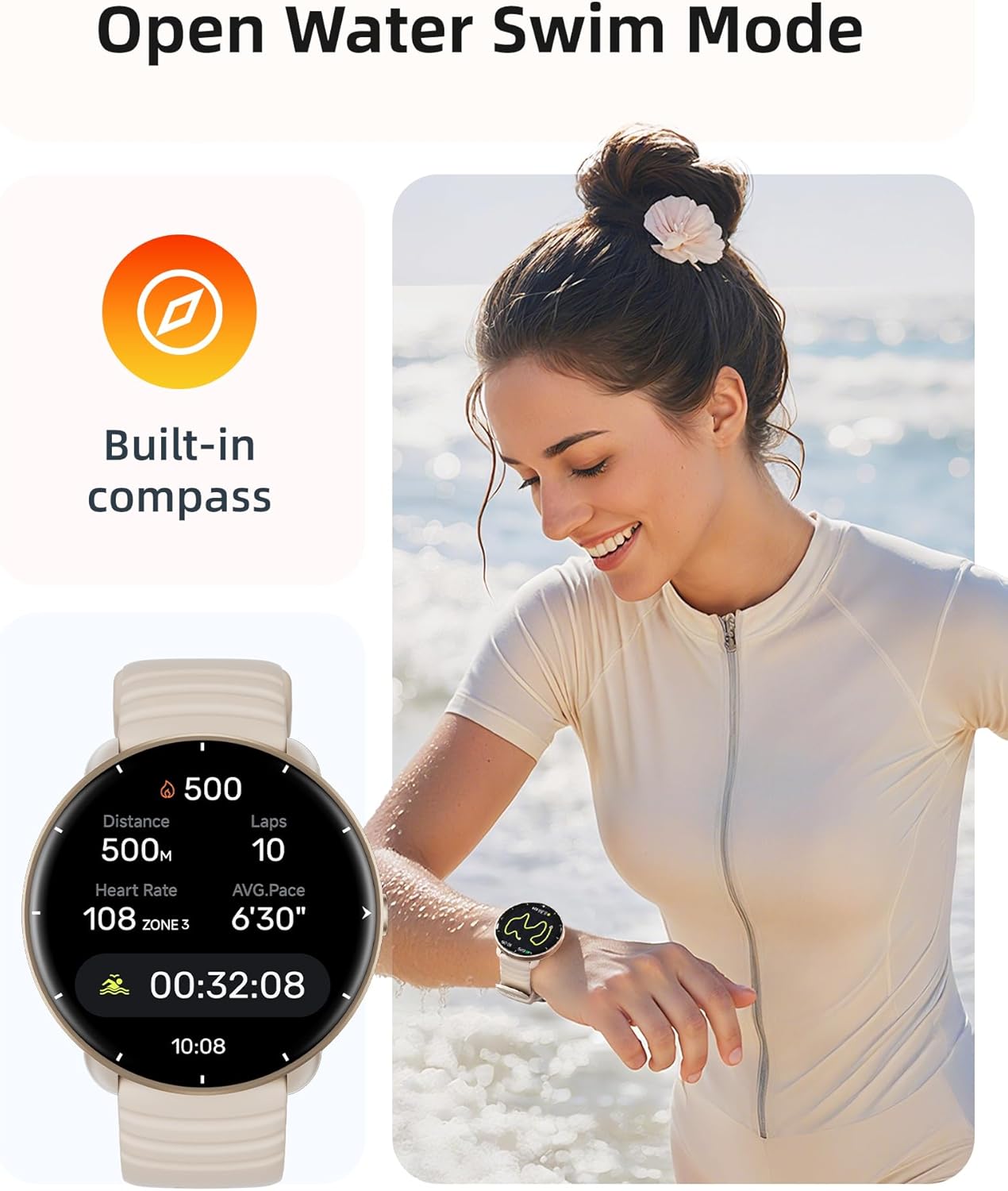
Figure 10: Open Water Swim Mode with Built-in Compass
Maintenance
- Cleaning: Regularly wipe the watch and strap with a soft, damp cloth. For stubborn dirt, use a mild soap solution and rinse thoroughly.
- Post-Swim Care: After swimming in chlorinated or saltwater, rinse the watch with fresh water to prevent corrosion and residue buildup.
- Avoid Extreme Conditions: Do not expose the watch to hot showers, saunas, or steam, as this can compromise its water resistance.
- Storage: Store the watch in a cool, dry place when not in use.
- Charging Contacts: Keep the charging contacts on the back of the watch clean and dry to ensure proper charging.
Troubleshooting
| Problem | Possible Cause | Solution |
|---|---|---|
| Watch won't turn on or respond. | Low battery; software crash. | Charge the watch for at least 30 minutes. If unresponsive, perform a forced restart (refer to quick start guide for specific button combination, usually pressing and holding the crown/button). |
| Cannot pair with smartphone. | Bluetooth off; watch not in pairing mode; app issues; interference. | Ensure Bluetooth is on for both devices. Restart both watch and phone. Try unpairing and re-pairing. Check app permissions. Move away from other Bluetooth devices. |
| Inaccurate GPS tracking. | Weak GPS signal; environmental factors. | Ensure you are in an open area with a clear view of the sky. Wait for the watch to acquire a strong GPS signal before starting an activity. Sync data with the app regularly. |
| Health metrics (HR, SpO2) seem incorrect. | Watch fit too loose/tight; sensor obstruction; movement during measurement. | Ensure the watch is snug but comfortable on your wrist, about one finger-width above the wrist bone. Clean the sensor on the back of the watch. Remain still during measurements. |
| Notifications not appearing. | App permissions; DND mode; app not running in background. | Check notification permissions for the companion app on your phone. Disable Do Not Disturb mode on the watch. Ensure the app is running in the background and not being closed by the phone's battery optimization. |
Specifications
- Model: FitNova R1
- Display: 1.32 Inches Ultra-HD AMOLED (466x466 pixels)
- Water Resistance: 5ATM (50 meters)
- GPS: Built-in GPS
- Battery Capacity: 300 mAh Lithium Polymer
- Charging Time: Approx. 2 hours
- Battery Life: 5-7 days (typical use), 40 days (standby)
- Connectivity: Bluetooth
- Operating System Compatibility: iOS 13.0+ / Android 9.0+
- Product Dimensions: 10.24 x 1.65 x 0.41 inches
- Item Weight: 1.41 ounces (40 Grams)
- Memory Storage Capacity: 256 MB
Warranty and Support
Parsonver products are designed and manufactured to the highest quality standards. For warranty information and customer support, please refer to the contact details provided on the official Parsonver website or within the companion app. Please retain your proof of purchase for any warranty claims.
For further assistance, you may also visit the Parsonver Store on Amazon.
Related documentsFitNova R1


Ask a question about this manual
Ask about setup, troubleshooting, compatibility, parts, safety, or missing instructions. Manuals+ will review the question and use this page’s manual context to help answer it.