
1. Introduction
The Jackery HomePower 2000 Ultra is an integrated power storage system designed for balcony power plants. It offers a 2kWh energy capacity, expandable up to 8kWh, and features a dual MPPT 2800W solar input. This all-in-one unit includes an inverter, is designed for plug & play operation, and carries an IP65 rating for water and dust resistance, making it suitable for outdoor use.
2. Safety Instructions
Read all safety instructions carefully before operating the device. Failure to follow these instructions may result in electric shock, fire, or serious injury.
- Always ensure the product is placed on a stable, flat surface.
- Do not disassemble, repair, or modify the unit. Contact authorized service personnel for any repairs.
- Keep the unit away from heat sources, open flames, and flammable materials.
- Ensure proper ventilation around the unit during operation and charging. Do not block ventilation openings.
- Despite its IP65 rating, avoid prolonged exposure to heavy rain or immersion in water. Ensure all ports are securely covered when not in use in wet conditions.
- This unit features an intelligent fire protection system. Do not tamper with internal components.

Figure 2.1: Intelligent Fire Protection System
The Jackery HomePower 2000 Ultra is designed with an intelligent fire protection system for enhanced safety, including detection, alarm, and automatic fire suppression capabilities.
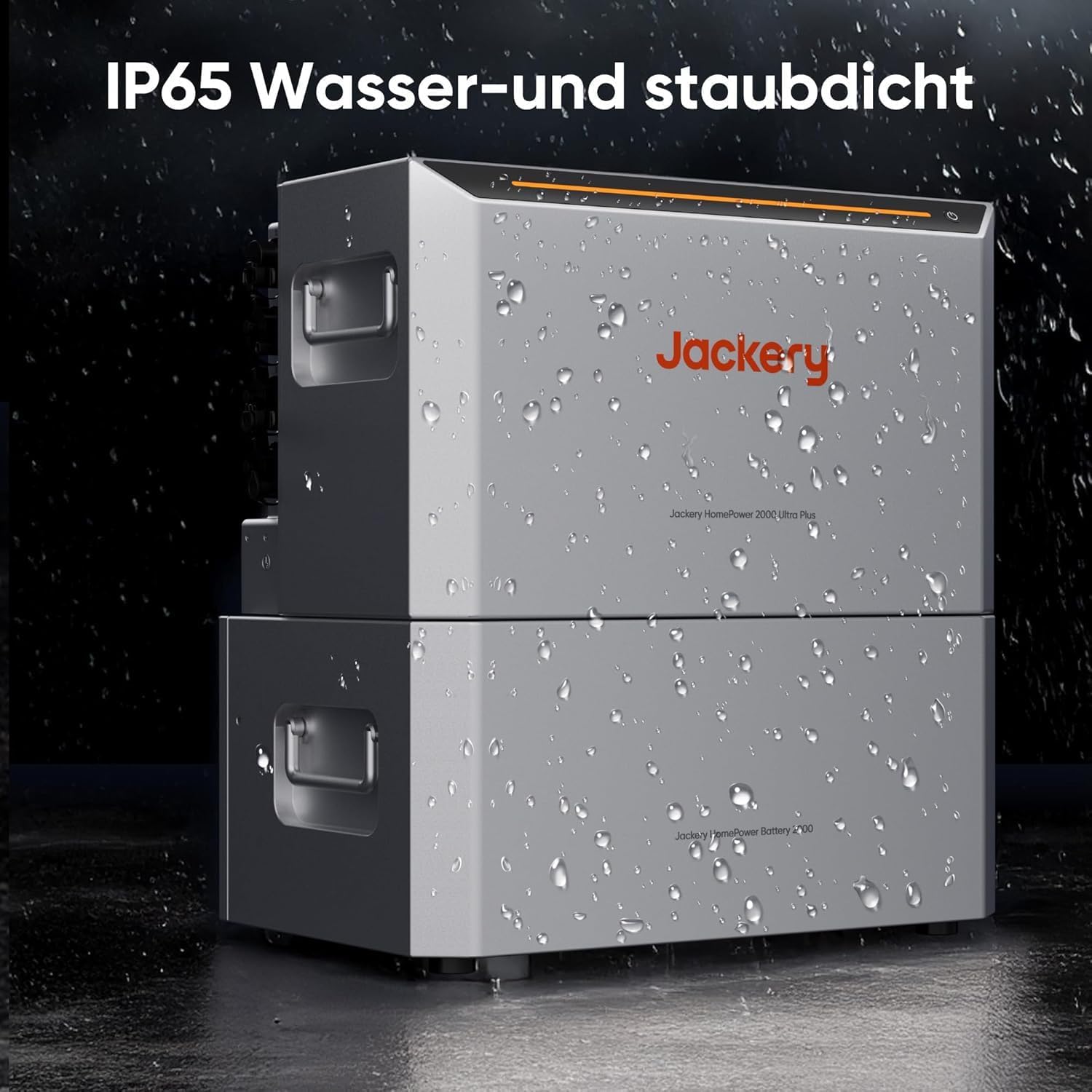
Figure 2.2: IP65 Water and Dust Resistance
The IP65 rating ensures the unit is protected against dust ingress and low-pressure water jets from any direction, making it suitable for outdoor balcony installations.
3. Product Overview
The HomePower 2000 Ultra is a compact, all-in-one unit. It can be expanded with additional battery packs to increase its total energy storage capacity.

Figure 3.1: Expandable Capacity
The system's modular design allows for flexible capacity expansion from 2 kWh up to 8 kWh by adding Jackery HomePower Battery 2000 units.
Package Contents:
- Jackery HomePower 2000 Ultra Main Unit
- AC Charging Cable
- Solar Charging Cable
- User Manual (this document)
- Other accessories (check packaging for full list)
4. Setup
4.1 Placement
Place the HomePower 2000 Ultra in a location that is stable, well-ventilated, and allows for optimal solar panel exposure if using solar charging. Ensure the unit is protected from direct sunlight if temperatures are high, and that all ports are sealed when exposed to rain or dust.
4.2 Initial Charging
Before first use, fully charge the HomePower 2000 Ultra. Connect the AC charging cable to a standard wall outlet and to the AC input port on the unit. The display will indicate charging status. Alternatively, connect compatible solar panels to the solar input ports.
4.3 Connecting Solar Panels
The unit supports a dual MPPT 2800W solar input. Connect compatible solar panels to the designated solar input ports. Ensure correct polarity and secure connections. The unit will automatically begin charging when sufficient sunlight is available.

Figure 4.1: Solar Input and System Connections
This image illustrates the connection of solar panels to the HomePower 2000 Ultra, highlighting its 2800W solar input capability and compatibility with an 800W micro-inverter.
4.4 Connecting to Micro-Inverter
For balcony power plant applications, connect the HomePower 2000 Ultra to a compatible 800W micro-inverter. Follow the micro-inverter's instructions for grid connection and safety protocols.
4.5 Expanding Capacity
To expand the capacity, connect additional Jackery HomePower Battery 2000 units to the main unit using the provided expansion cables. Refer to the expansion battery manual for detailed connection instructions.
5. Operating Instructions
5.1 Powering On/Off
Press and hold the main power button for a few seconds to turn the unit on or off. The display will illuminate upon activation.
5.2 Display and Indicators
The integrated display provides real-time information including battery charge level, input wattage, output wattage, and any operational warnings or error codes.
5.3 Charging the Unit
- Solar Charging: Connect solar panels to the unit. The dual MPPT controller optimizes charging efficiency from up to 2800W solar input.
- AC Charging: Connect the AC charging cable to a wall outlet. The unit supports up to 2300W AC input.
- Hybrid Charge: This feature allows for rapid charging, achieving 80% capacity in approximately 52 minutes.

Figure 5.1: Hybrid Charge Feature
The Hybrid Charge technology enables the HomePower 2000 Ultra to reach 80% charge in a rapid 52 minutes, minimizing downtime.
5.4 Discharging and Output
The unit provides a 1500W AC output. Connect your appliances or micro-inverter to the appropriate output ports. Ensure the total power draw does not exceed the unit's rated output.
5.5 App Control and Monitoring
Utilize the Jackery mobile application for advanced control and monitoring. The app allows for features such as dynamic tariff management to optimize charging based on electricity prices and precise power management with 10W accuracy in 3 seconds, compatible with Shelly devices.

Figure 5.2: Dynamic Tariff Management via App
The Jackery app enables users to manage charging based on dynamic electricity tariffs, allowing the system to charge at the lowest possible cost.

Figure 5.3: Precision Power Management with Shelly
The app, integrated with Shelly, provides precise monitoring of power flow, ensuring efficient energy use and minimizing waste with 10W accuracy.
6. Maintenance
6.1 Cleaning
Wipe the exterior of the unit with a soft, dry cloth. Do not use abrasive cleaners or solvents. Ensure all ports are clean and free of debris.
6.2 Storage
If storing the unit for an extended period, charge it to approximately 60-80% every three months to maintain battery health. Store in a cool, dry place away from direct sunlight and extreme temperatures.
6.3 Battery Care
The integrated battery is designed for a long cycle life. Avoid fully discharging the unit regularly to prolong battery lifespan. Operate within recommended temperature ranges.
7. Troubleshooting
If you encounter issues, refer to the following common problems and solutions:
- Unit not powering on: Ensure the battery is charged. Press and hold the power button firmly.
- Not charging via solar: Check solar panel connections, ensure panels are clean and receiving adequate sunlight. Verify cable integrity.
- No AC output: Ensure the AC output is enabled. Check if the load exceeds the 1500W limit. Disconnect and reconnect devices.
- Error codes on display: Refer to the specific error code in the comprehensive manual (if available) or contact customer support.
For persistent issues, contact Jackery customer support.
8. Specifications
| Feature | Specification |
|---|---|
| Model Number | HomePower 2000 Ultra |
| Part Number | JAKS-IN1K5-BA2K-EUA1 |
| UPC | 850066547397 |
| Capacity | 2 kWh (Expandable to 8 kWh) |
| Solar Input | 2800W (Dual MPPT) |
| Micro-inverter Compatibility | 800W |
| AC Input | 2300W |
| AC Output | 1500W |
| Dimensions (L x W x H) | 14.17 x 15.04 x 22.83 inches |
| Weight | 57.2 pounds (26 kg) |
| IP Rating | IP65 (Water and Dust Resistant) |
| Power Source | Solar Powered |
9. Warranty and Support
9.1 Warranty Information
Jackery products typically come with a limited warranty. Please refer to the official Jackery website or the warranty card included with your product for specific terms, conditions, and duration of your warranty.
9.2 Customer Support
For technical assistance, troubleshooting beyond this manual, or warranty claims, please contact Jackery customer support through their official website or the contact information provided in your product packaging. Have your model number and purchase details ready when contacting support.


