
Vaczon VCZ008GD
Vaczon 52-Inch Gold Ceiling Fan with Lights and Remote/APP
Model: VCZ008GD
Introduction
This manual provides detailed instructions for the installation, operation, and maintenance of your Vaczon 52-inch Gold Ceiling Fan. Please read this manual thoroughly before installation and use to ensure safe and efficient operation. Keep this manual for future reference.
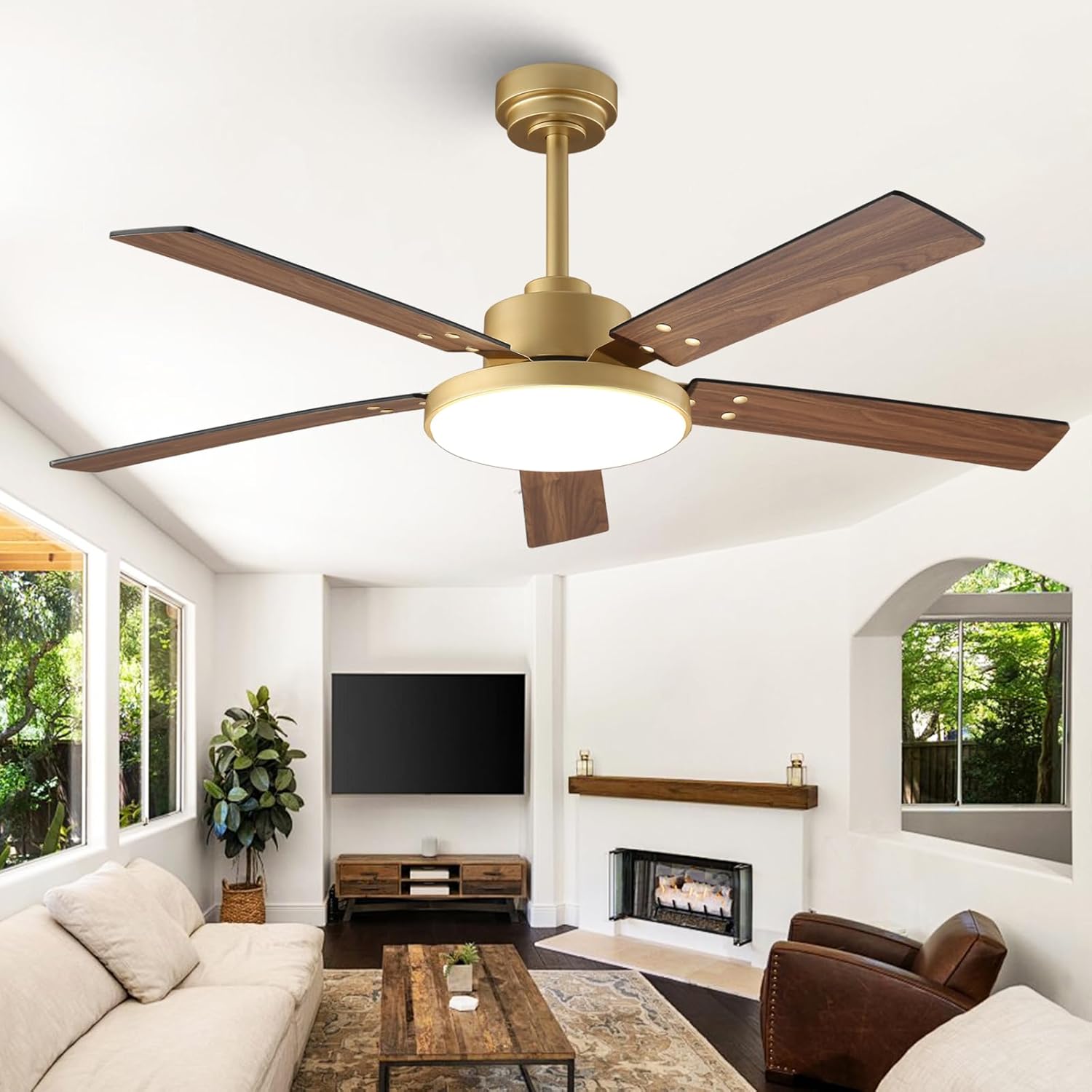
Image: The Vaczon 52-inch Gold Ceiling Fan with its sleek design and wooden blades, installed in a modern living room setting, providing both illumination and air circulation.
Safety Information
WARNING: To reduce the risk of fire, electric shock, or personal injury, always follow these basic precautions:
- Read all instructions before installing the fan.
- Ensure the power is turned off at the circuit breaker before installation or servicing.
- All wiring must be in accordance with national and local electrical codes. If you are unfamiliar with wiring, consult a qualified electrician.
- The fan must be mounted to a ceiling joist or support structure capable of supporting a minimum of 35 lbs (15.9 kg).
- Do not operate the fan with damaged blades. Replace any damaged blades immediately.
- Avoid placing objects in the path of the fan blades.
- Do not use the fan in wet locations or areas with high humidity.
What's in the Box
Your Vaczon 52-inch Gold Ceiling Fan package includes the following components:
- Ceiling Fan Unit (Motor Housing, Blades, Light Kit)
- Remote Control
- 6-inch Downrod
- 10-inch Downrod
- Mounting Hardware
- Instruction Manual
Setup and Installation
The Vaczon 52-inch ceiling fan is designed for straightforward installation. It includes two downrod sizes (6" and 10") to accommodate various ceiling heights and is suitable for downrod mount and sloped ceilings up to 15 degrees. A video guide is available to assist with the installation process.
Installation Steps Overview:
- Prepare for Installation: Turn off power at the circuit breaker. Ensure the mounting location can support the fan's weight.
- Assemble the Downrod: Choose the appropriate downrod (6-inch or 10-inch) for your ceiling height and attach it to the fan motor housing.
- Mount the Bracket: Secure the mounting bracket to the ceiling junction box.
- Hang the Fan: Carefully lift the fan assembly and hang it on the mounting bracket.
- Wire the Fan: Connect the electrical wires according to the wiring diagram provided in the detailed instructions. Ensure all connections are secure.
- Attach Blades: Securely attach the five fan blades to the motor housing.
- Install Light Kit: Connect and install the LED light panel to the fan unit.
- Final Checks: Ensure all connections are tight and the fan is securely mounted before restoring power.

Image: A detailed view of the Vaczon ceiling fan highlighting its solid and balanced construction, reversible DC motor, corrosion-resistant blades, and eye-protection LED lights, emphasizing ease of installation.

Image: A diagram illustrating the 52-inch dimensions of the fan, including the 6-inch and 10-inch downrod options, and recommendations for low, high, and sloped ceilings, suitable for rooms between 12ft x 12ft and 18ft x 18ft.
Operating Instructions
Your Vaczon ceiling fan offers convenient control via both a remote control and a smartphone application, allowing you to customize fan speed, light settings, and more.
Remote Control and App Operation:
The included remote control and the dedicated smartphone app provide comprehensive control over your fan's functions. Both methods allow you to:
- Adjust fan speed (6 levels).
- Set a timer for automatic shut-off.
- Customize light brightness (stepless dimming from 15% to 100%).
- Change light color temperature (3000K Warm White, 4200K Natural White, 6500K Cool White).
- Reverse fan direction for seasonal use.

Image: The Vaczon ceiling fan in a living room, showcasing the convenience of dual control via both the physical remote and a smartphone application, highlighting features like 6 speeds, reversible motor, eye-protecting LED light, and 3CCT stepless adjustment.
Fan Functions:
- 6 Adjustable Speeds: Select from six different fan speeds to achieve your desired airflow, ranging from a gentle breeze to strong circulation (up to 4896 CFM).
- Reversible DC Motor: The energy-efficient DC motor allows for year-round use. In summer, the fan circulates air downwards to create a cooling effect. In winter, reverse the motor to circulate warm air trapped near the ceiling, helping to reduce heating costs.
- Ultra-Quiet Operation: The advanced DC motor ensures whisper-quiet operation, making it ideal for bedrooms and living spaces where noise reduction is important.

Image: The Vaczon ceiling fan illustrating its ability to provide airflow from gentle to strong, with indicators for maximum air volume (6598.92 m³/h) and 6 adjustable wind speeds, ensuring ultimate comfort.

Image: The Vaczon ceiling fan demonstrating its ETL certified reversible DC motor, showing downward airflow for cooling in summer and upward airflow for warming in winter, optimizing energy savings.

Image: The Vaczon ceiling fan operating silently in a bedroom, with a graph illustrating its ultra-quiet performance at 25dB (whisper level) compared to 50dB (chatting level), ensuring a perfect breeze for restful sleep.
Light Functions:
- Integrated LED Light Panel: The fan features a 24W flicker-free LED light panel for wide and even illumination.
- 3 Color Temperatures (3CCT): Easily switch between 3000K (warm white), 4200K (neutral white), and 6500K (cool white) to match your mood or activity.
- Stepless Dimming: Adjust the light brightness smoothly from 15% to 100% to create the perfect ambiance.
- Eye-Friendly Design: The large LED panel is designed to provide comfortable, eye-protecting lighting.

Image: The Vaczon ceiling fan demonstrating its three color temperature options: 3000K (yellow light), 4200K (neutral light), and 6500K (white light), with stepless adjustment from 15% to 100% brightness, adapting to endless moods.

Image: The Vaczon ceiling fan highlighting its extra-large eye-friendly LED lamp panel, designed for wider coverage and illumination compared to standard light panels, ensuring broader light distribution.
Maintenance
Regular maintenance will help prolong the life and performance of your Vaczon ceiling fan.
- Cleaning: To avoid scratching the finish, clean the fan with a soft, damp cloth. Do not use abrasive cleaners or solvents.
- Blade Cleaning: Dust the fan blades regularly to prevent dust buildup, which can affect fan balance and performance.
- Light Panel: Wipe the LED light panel with a soft, dry cloth. Ensure the power is off before cleaning.
- Tighten Fasteners: Periodically check all screws and fasteners on the fan and mounting hardware to ensure they are secure.
Troubleshooting
If you experience issues with your Vaczon ceiling fan, refer to the following common problems and solutions:
| Problem | Possible Cause | Solution |
|---|---|---|
| Fan does not start. | No power to the fan; loose wire connections; remote control battery low. | Check circuit breaker. Ensure all wire connections are secure. Replace remote control battery. |
| Fan makes excessive noise. | Loose screws on fan blades or motor housing; unbalanced blades. | Tighten all screws. Check blade balance and adjust if necessary. |
| Light does not work. | Loose wire connection to light kit; LED panel issue. | Check light kit wiring. Ensure power is on. If issue persists, contact support. |
| Remote control not working. | Battery low or incorrectly inserted; remote not paired. | Replace battery. Ensure battery polarity is correct. Refer to pairing instructions in the full manual. |
If the problem persists after attempting these solutions, please contact Vaczon customer support for further assistance.
Specifications
| Feature | Detail |
|---|---|
| Brand | Vaczon |
| Model Name | VCZ008GD |
| Size | 52 inch |
| Color | Gold |
| Style | Modern |
| Room Type | Living Room, Bedroom, Kitchen, Patio (covered) |
| Indoor/Outdoor Usage | Indoor (suitable for covered patios, avoid direct rain) |
| Power Source | DC |
| Control Method | App, Remote Control |
| Voltage | 120 Volts |
| Wattage | 54 watts |
| Number of Blades | 5 |
| Light Type | 24W LED, Flicker-free |
| Color Temperature | 3000K / 4200K / 6500K (3CCT) |
| Dimming | Stepless (15%-100%) |
| Airflow | Up to 4896 CFM |
| Item Weight | 14.63 pounds |
| Certifications | FCC, DOE, ETL Listed |
Warranty and Support
Vaczon products are designed for quality and reliability. For specific warranty details, please refer to the warranty card included with your product or visit the official Vaczon website. Keep your purchase receipt as proof of purchase for warranty claims.
For technical support, troubleshooting assistance, or replacement parts, please contact Vaczon customer service:
- Online Support: Visit the Vaczon official website for FAQs and support resources.
- Email Support: Refer to your product packaging or the official website for contact email.
- Phone Support: Refer to your product packaging or the official website for contact number.
When contacting support, please have your model number (VCZ008GD) and purchase date available.
Ask a question about this manual
Ask about setup, troubleshooting, compatibility, parts, safety, or missing instructions. Manuals+ will review the question and use this page’s manual context to help answer it.