
Introduction
The Huepar Pro SW-150GQ Laser Measuring Tool is designed for precise and efficient distance measurement in various environments. Featuring a 4x brighter green laser beam, a built-in pointfinder camera with adjustable zoom, and Bluetooth connectivity for app integration, this device offers advanced functionality for both indoor and outdoor applications. It supports 22 intelligent measurement modes, including Point-to-Point (P2P) technology, and is built with IP68-rated waterproofing for durability.

Image: The Huepar Pro SW-150GQ Laser Measuring Tool shown with its carrying pouch, hand strap, and charging cable, alongside a smartphone displaying the companion app.
Setup and Basic Operation
Included Components
- 1 x Huepar Pro SW-150GQ Laser Distance Measure with Camera
- 1 x Auxiliary Measuring Target Plate
- 1 x Portable Carrying Bag & 1 x Hand Strap
- 1 x Type-C Charging Cord
- 1 x User Manual
Charging the Device
The device is powered by a long-lasting 2000mAh 3.7V Lithium Ion battery. Use the provided Type-C charging cord to charge the device. A full charge takes approximately 3 hours.

Image: The laser measuring tool connected to a power source via a Type-C USB cable, illustrating the charging process.
Power On/Off
- To power on: Long press the READ button.
- To power off: Long press the CLEAR button. The device will also automatically shut off after 300 seconds of no operation (default setting).
Display Overview
The 2.4-inch high-visibility color screen automatically rotates in four directions for easy reading. Key indicators include laser emission, reference point, data storage, battery level, Bluetooth status, and real-time angle.

Image: A close-up of the device's screen, highlighting the options for 6 different units of measurement and 3 reference points (front, tripod screw, rear).
Reference Points and Units
- Reference Points: Switch between 3 reference points (front, tripod screw, rear) for flexible measuring.
- Units: Select from 6 unit formats: 0.000m, 0.00m, 0.00ft, 0.0in, 1/32in, 0'00".
Operating Modes and Functions
The Huepar Pro SW-150GQ offers 22 intelligent measurement modes to handle various scenarios. Navigate through modes using the Fun button.
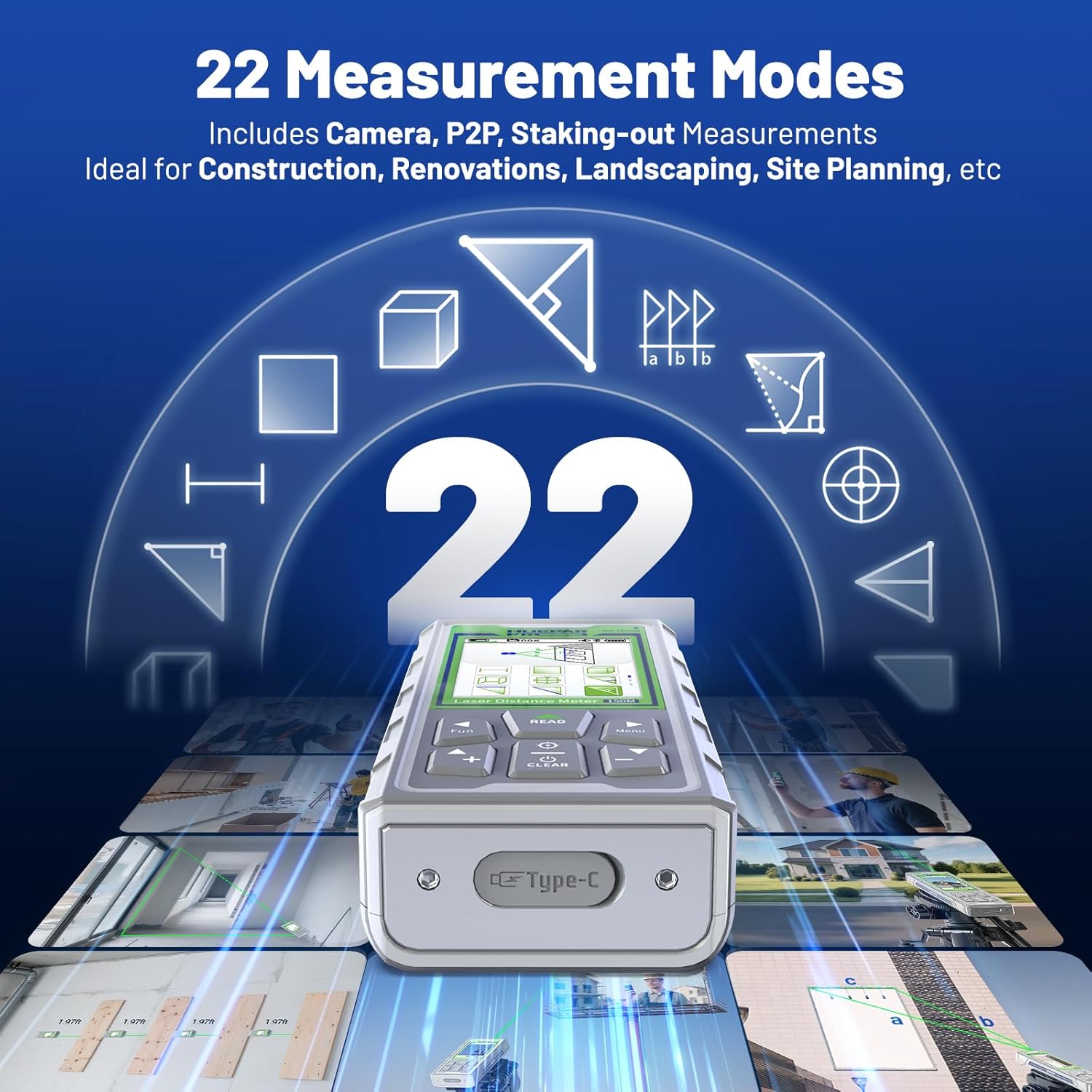
Image: The device's screen showing a graphical representation of the 22 available measurement modes, including distance, area, volume, and various Pythagorean calculations.
Key Measurement Modes:
- Single Measurement: Press READ to emit the laser, press again to display the result.
- Continuous Measurement: Long press READ to enter continuous measuring mode. Displays max, min, and current values.
- Area Measurement: Measure length and width, and the area is automatically calculated.
- Volume Measurement: Measure length, width, and height, and the volume is automatically calculated.
- Wall Area Measurement: Measure wall height and width, then measure additional wall widths. The total area is auto-calculated.
- Point-to-Point (P2P) Technology: Accurately measure the distance between any two points in space.
- Digital Viewfinder Camera: Built-in camera with adjustable 1x/2x/4x zoom to locate the laser spot at far distances, especially useful in bright sunlight.
- Electronic Level & Angle Sensor: Includes an electronic level and real-time angle sensor for smarter, more accurate measurements.
- Virtual Tape Measure: Simulates a real tape measure on the screen, showing the measured distance.
- Addition/Subtraction: Add or subtract measurements directly on the device.

Image: Visual examples of different measurement types, including section measurement, height tracking, cylindrical volume, continuous measurement, and addition/subtraction, as performed with the device.
Bluetooth Connectivity and Huepar APP
The device can pair with the free Huepar APP via Bluetooth for precise, real-time control. Through the app, you can switch measurement modes, select units, set reference points, save unlimited data, group data, draft floor plans, and mark photos with measurements.

Video: A detailed instructional video demonstrating the features and operation of the Huepar Pro Laser Measuring Tool, including app connectivity and various measurement modes.
Maintenance
- Cleaning: Use a soft, damp cloth to clean the device. Avoid abrasive cleaners or solvents.
- Storage: Store the device in its portable carrying bag in a cool, dry place when not in use.
- Battery Care: Charge the battery regularly, even if not in frequent use, to maintain battery health.
- Durability: The device is IP68-rated for waterproofing and dustproofing, ensuring durability in challenging environments.

Image: The device being shown in water and on rocky terrain, illustrating its IP68 waterproof and dustproof capabilities.
Troubleshooting
If you encounter issues with your Huepar Pro SW-150GQ, consider the following common solutions:
- Measurement Errors: Ensure the reference point is correctly set. For outdoor measurements or long distances, use the pointfinder camera to accurately target the laser spot. Ensure the device is stable during measurement.
- Connectivity Issues: Check that Bluetooth is enabled on both the device and your smartphone. Ensure the Huepar APP is updated to the latest version.
- Battery Not Charging: Verify the Type-C charging cable is securely connected to both the device and a working power source.
- Device Not Powering On: Ensure the battery is sufficiently charged. If the device has been idle for a long time, a longer press on the power button might be needed.
For persistent issues, refer to the detailed user manual included in the package or contact Huepar Pro customer support.
Specifications
| Feature | Detail |
|---|---|
| Brand | Huepar Pro |
| Model Number | SW-150GQ |
| Measurement Range | Up to 495 Feet |
| Accuracy | +/- 1/16 inch |
| Laser Type | Green Beam (Class II, <1 mW) |
| Display | 2.4" Color Display, Auto-Rotate Screen |
| Connectivity | Bluetooth (Huepar APP compatible) |
| Camera | Built-in Pointfinder Camera with 1x/2x/4x Zoom |
| Measurement Modes | 22 intelligent modes (Distance, Area, Volume, P2P, Pythagoras, etc.) |
| Reference Points | 3 (Front, Tripod Screw, Rear) |
| Units | 6 switchable formats (m, ft, in, 1/32in, 0'00") |
| Battery | 1 Nonstandard Battery (Lithium Ion, included) |
| Charging | Type-C USB Cable |
| Waterproof Rating | IP68 |
| Item Weight | 14.4 ounces |
| Material | Acrylonitrile Butadiene Styrene |
Warranty and Support
The Huepar Pro SW-150GQ Laser Measuring Tool comes with a 3-Year Warranty. For any product inquiries, technical support, or warranty claims, please refer to the contact information provided in your user manual or visit the official Huepar Pro website.