
1. Introduction
This manual provides essential information for the proper installation, operation, and maintenance of your Aeris SV18205 HRV Filter Kit. This kit is designed to ensure your Heat Recovery Ventilation (HRV) system operates efficiently by providing premium air filtration. Each kit contains two high-quality replacement filters.
The Aeris SV18205 filter kit is compatible with various HRV models, including 90H-V ECM HRV, E15 ECM HRV, EKO HRV 1.5, HRV160 ECM, and HRV150TE Broan-NuTone Core Filter systems.
2. Safety Information
- Always disconnect power to the HRV unit before attempting any installation or maintenance.
- Wear appropriate personal protective equipment (PPE), such as gloves, to prevent skin irritation from dust or filter materials.
- Ensure the replacement filters are correctly oriented and seated within the HRV unit to maintain proper airflow and filtration efficiency.
- Dispose of old filters according to local regulations.
3. Package Contents
Your Aeris SV18205 HRV Filter Kit includes:
- 2 x Aeris SV18205 HRV Replacement Filters (9.25 x 14.25 x 0.38 inches each)

Figure 1: Aeris SV18205 HRV Filter Kit (2-Pack)
4. Specifications
| Attribute | Detail |
|---|---|
| Brand | Aeris |
| Model Number | SV18205 |
| Item Weight | 1.6 ounces |
| Product Dimensions | 9.25 x 14.25 x 0.38 inches (each filter) |
| Material Type | Polyester or Polypropylene |
| Quantity | 2 filters per pack |
| UPC | 990312234067 |
5. Compatibility
The Aeris SV18205 HRV Filter Kit is compatible with the following Heat Recovery Ventilation (HRV) systems:
- 90H-V ECM HRV
- E15 ECM HRV
- EKO HRV 1.5
- HRV160 ECM
- HRV150TE Broan-NuTone Core Filter systems

Figure 2: Filter dimensions and compatibility information.
6. Installation Instructions
Follow these steps to replace the filters in your HRV system. Refer to your specific HRV unit's manual for exact access panel locations and procedures, as they may vary.
- Power Off: Locate the power switch for your HRV unit and turn it off. This is a critical safety step.
- Access Filters: Open the access panel(s) on your HRV unit. This usually involves unlatching clips or removing screws.
- Remove Old Filters: Carefully slide out the old, dirty filters. Note their orientation for correct installation of the new filters.
- Clean Compartment (Optional): While the filters are out, you may wish to gently vacuum any dust or debris from the filter compartment.
- Install New Filters: Slide the new Aeris SV18205 filters into the unit, ensuring they are correctly oriented and fully seated. The filters are designed to fit precisely (9.25 x 14.25 x 0.38 inches).
- Close Access Panel: Securely close the access panel(s) and fasten any clips or screws.
- Restore Power: Turn the power back on to your HRV unit.
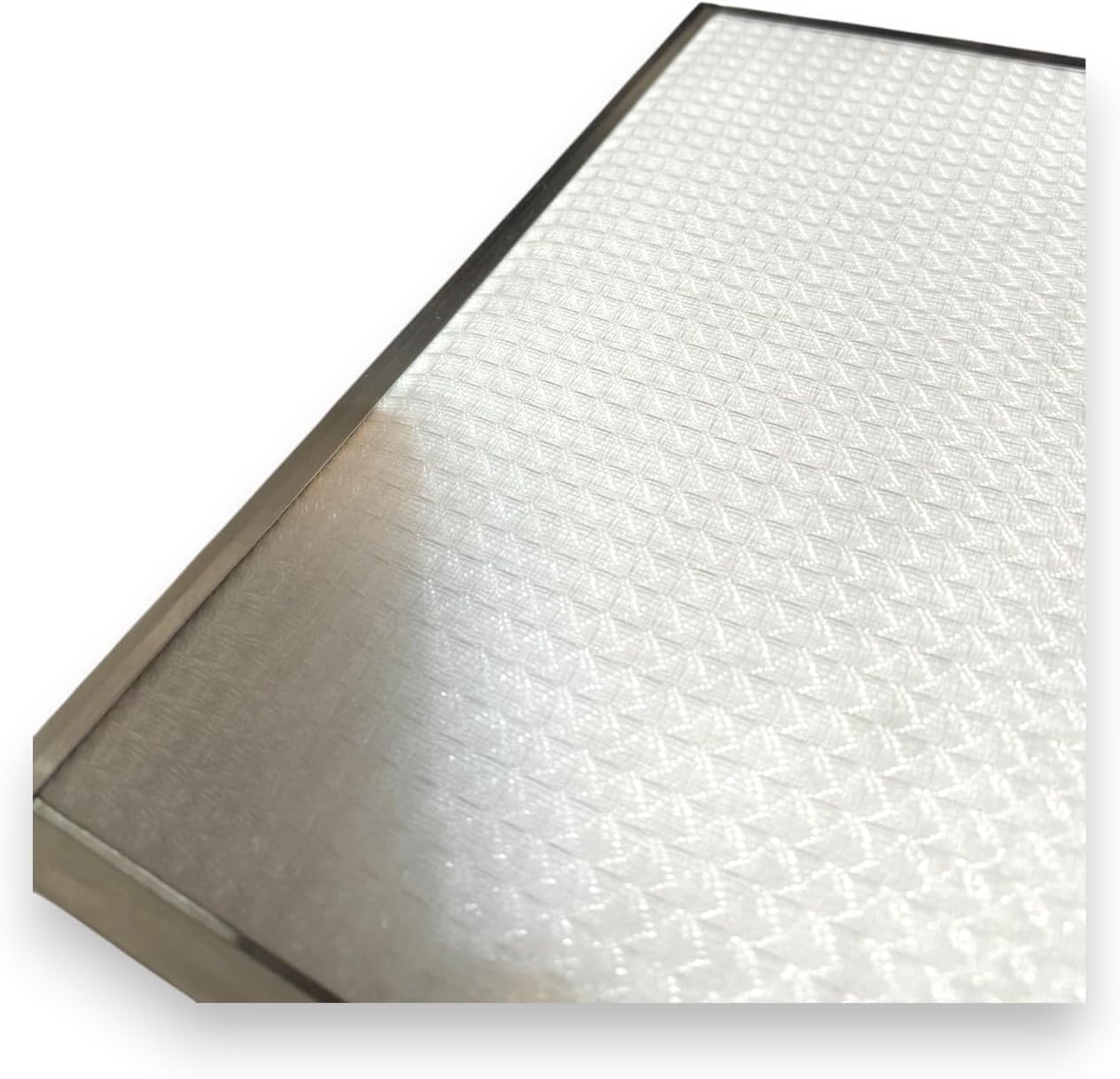
Figure 3: Close-up of the filter material and frame.

Figure 4: Detailed view of the filter's fibrous structure.
Installation Video Reference
Video 1: General guide for installing a HEPA filter kit compatible with Nutone/Broan systems. This video demonstrates the typical process for replacing filters in an HRV unit, which may be similar to the installation of the Aeris SV18205 filters.
7. Maintenance
Regular maintenance of your HRV filters is crucial for optimal system performance and indoor air quality. The SV18205 filters are designed for replacement, not cleaning.
- Replacement Schedule: It is recommended to inspect your filters every 3-6 months and replace them as needed, or at least once a year, depending on usage and environmental conditions.
- Signs of Clogging: Reduced airflow, increased energy consumption by the HRV unit, or visible dirt and debris on the filter surface indicate it's time for replacement.
8. Troubleshooting
If you experience issues with your HRV system after filter replacement, consider the following:
- Reduced Airflow:
- Ensure filters are correctly seated and not obstructed.
- Verify the HRV unit's access panel is securely closed.
- Check if the new filters are the correct size and type for your specific HRV model.
- Unusual Noises:
- Confirm filters are properly installed and not vibrating.
- Ensure no foreign objects are lodged in the HRV unit.
- System Not Starting:
- Check if the power to the HRV unit has been fully restored.
- Consult your HRV unit's primary instruction manual for system-specific troubleshooting.
9. Warranty Information
For specific warranty details regarding your Aeris SV18205 HRV Filter Kit, please refer to the packaging or contact Aeris customer support directly. Generally, replacement filters are covered against manufacturing defects.
10. Customer Support
If you have any questions or require further assistance with your Aeris SV18205 HRV Filter Kit, please contact your retailer or the manufacturer's customer service department. Contact information can typically be found on the product packaging or the official Aeris website.