
Introduction
Thank you for choosing the BLACK+DECKER 1100 Lumens Rechargeable Foldable LED Work Light. This manual provides essential information for the safe and efficient operation, maintenance, and troubleshooting of your new work light. Please read this manual thoroughly before use and retain it for future reference.
Safety Information
- Always read and understand all instructions before operating the light.
- Do not look directly into the LED light when it is on, as this may cause eye damage.
- Keep the light away from water and moisture to prevent electric shock or damage, despite its IP54 rating.
- Do not attempt to disassemble, repair, or modify the light. Contact qualified service personnel for repairs.
- Use only the provided USB-C cable for charging. Do not use damaged cables or chargers.
- Keep out of reach of children.
- Do not expose the light to extreme temperatures or open flames.
Product Overview
Key Features
- Bright Dual-Panel COB LED Output: Delivers 1,100 lumens with smooth, uniform light.
- Five Lighting Modes: Both panels high, both panels low, left panel only, right panel only, and SOS flash.
- Folding & Adjustable Panels: Two lighting panels fold and pivot up to 180° for versatile light spread.
- Compact Design: Measures 10.25 inches when folded, expands to 19.5 inches.
- Flexible Mounting Options: Magnetic base, folding stand, built-in hook, and ¼-20 tripod thread.
- USB-C Rechargeable: Built-in rechargeable battery offers up to 4 hours of runtime.
- Durable & Weather-Resistant: IP54 rated for protection against dust and light rain.
What's in the Box
- BLACK+DECKER 1,100LM COB Utility Light
- USB-C Charging Cable

Image: The BLACK+DECKER 1100 Lumens Rechargeable Foldable LED Work Light in its extended form, highlighting its features like magnet mounting, hanging hook, folding design, rechargeability, and weather resistance.
Setup
Initial Charging
Before first use, fully charge the work light. Connect the included USB-C cable to the charging port on the light and plug the other end into a compatible USB power adapter (not included). The battery indicator lights will show the charging progress. A full charge typically takes approximately 4 hours.

Image: The work light connected to a USB-C cable for charging, illustrating the charging process.
Operating Instructions
Powering On/Off and Mode Selection
- Power On (Both Panels High): Press the power button once. Both LED panels will illuminate at their highest brightness.
- Both Panels Low: Press the power button a second time. Both LED panels will dim to a lower brightness.
- Left Panel Only: Press the power button a third time. Only the left LED panel will remain illuminated.
- Right Panel Only: Press the power button a fourth time. Only the right LED panel will remain illuminated.
- SOS Flash Mode: Press and hold the power button for approximately 3 seconds to activate the SOS flashing mode for emergencies.
- Power Off: Press the power button a fifth time (or after SOS mode) to turn the light off.
Battery Indicator
The light features a battery power indicator (usually 4 small LEDs) near the power button. These LEDs show the remaining battery charge and charging status.
Video: Demonstrates the various lighting modes and folding capabilities of the BLACK+DECKER utility light.
Video: Shows the straightforward operation and bright output of the utility light, including its folding mechanism.
Mounting Options
The BLACK+DECKER work light offers multiple ways to position and secure it for hands-free illumination:
- Folding Stand: The two lighting panels can be folded and pivoted up to 180 degrees. When folded into an 'A' shape, the light can stand independently on a flat surface, providing directional lighting.
- Magnetic Mount: Integrated magnets on the ends of the light allow it to be securely attached to metal surfaces, such as car hoods, toolboxes, or metal shelving.
- Hanging Hook: Built-in hooks on both ends of the light can be extended to hang the light from pipes, wires, or other suitable fixtures.
- Tripod Mount: A ¼-20 tripod thread is located on the base, allowing the light to be mounted onto a standard camera tripod (tripod not included) for elevated or stable positioning.

Image: The work light with its panels folded and pivoted, demonstrating its adjustable design for various lighting angles.

Image: The work light in its compact, folded position, emphasizing its portability and ease of storage.
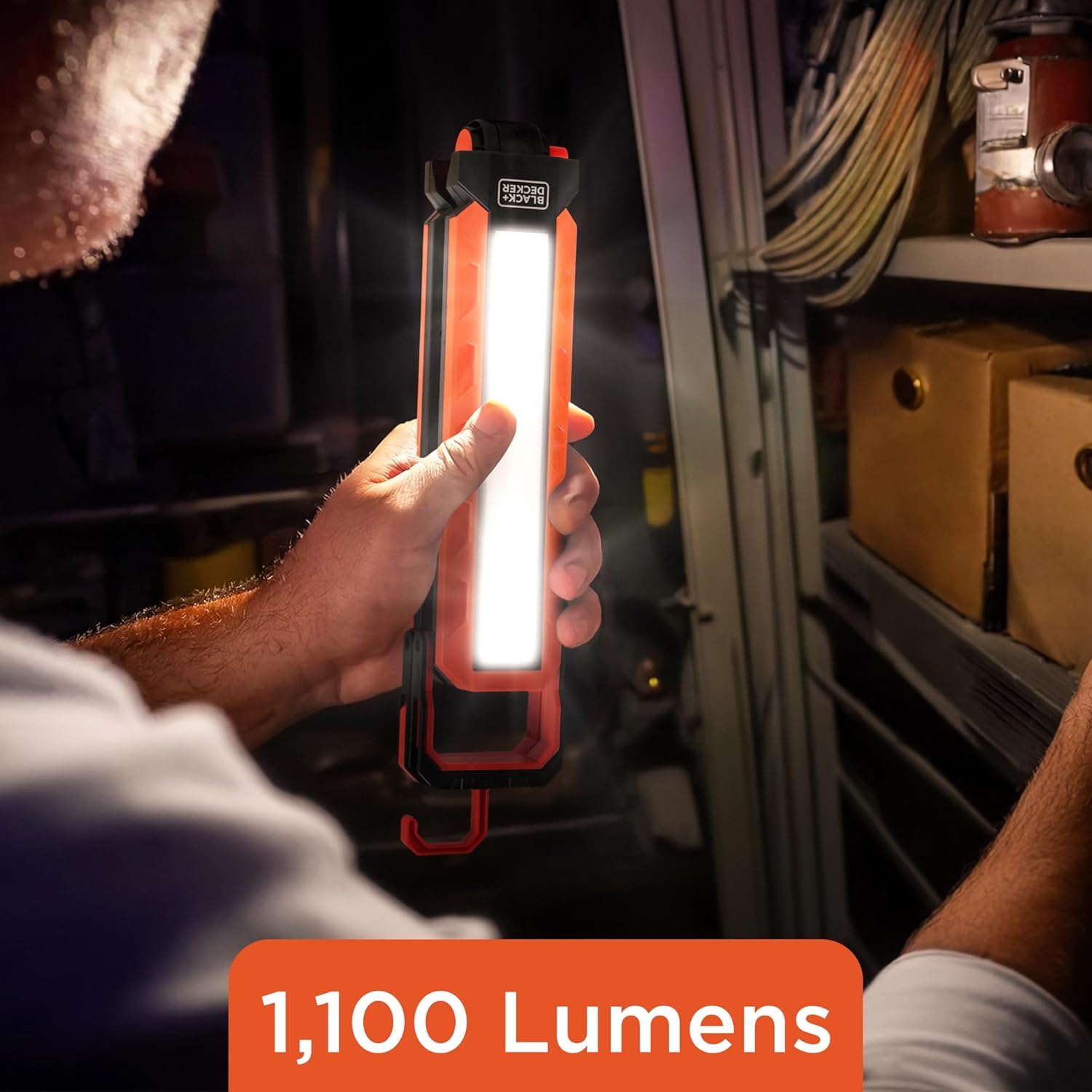
Image: The work light hanging by its integrated hook, providing overhead illumination.

Image: The work light attached magnetically to a metal surface, showcasing its hands-free magnetic mounting capability.

Image: A composite image showing the work light utilized in various mounting configurations, including hanging, magnetic attachment, and freestanding.

Image: The work light demonstrating its 180-degree foldout design, allowing for wide-area coverage or compact storage.
Maintenance
- Cleaning: Wipe the light with a soft, damp cloth. Do not use abrasive cleaners or solvents.
- Storage: Store the light in a cool, dry place away from direct sunlight and extreme temperatures. Ensure the light is fully charged before long-term storage to preserve battery life.
- Battery Care: To maximize battery lifespan, avoid completely draining the battery frequently. Recharge the light regularly, even if not in constant use.
Troubleshooting
| Problem | Possible Cause | Solution |
|---|---|---|
| Light does not turn on. | Battery is depleted. | Charge the light using the provided USB-C cable. |
| Light does not charge. | Charging cable or adapter is faulty. | Try a different USB-C cable and/or power adapter. Ensure the charging port is clean and free of debris. |
| Light output is dim. | Battery is low. | Recharge the light. |
| Light flickers. | Low battery or internal issue. | Charge the light. If flickering persists, contact customer support. |
Specifications
| Feature | Detail |
|---|---|
| Model Number | BPL3-1100-ORG |
| Light Output Maximum | 1100 Lumens |
| Number of Lights | 2 (COB LED panels) |
| Power Source | Battery Powered (Rechargeable Lithium-Ion Polymer) |
| Battery Life | Up to 4 Hours (depending on brightness level) |
| Charging Port | USB-C |
| Water Resistance Level | IP54 Weather Resistant |
| Product Dimensions (Folded) | Approx. 7 x 3 x 9 inches (10.25 inches length) |
| Product Dimensions (Extended) | Approx. 19.5 inches length |
| Item Weight | 1.19 pounds |
| Mounting Type | Magnetic, Hook, Tripod (¼-20 thread), Freestanding |
| Bulb Features | Five lighting modes, SOS flash, Magnetic base, Built-in hook |
Warranty and Support
This BLACK+DECKER product is manufactured by Jem Accessories. For warranty information or technical support, please refer to the warranty card included with your purchase or visit the official BLACK+DECKER website for customer service contact details. Please have your model number (BPL3-1100-ORG) and proof of purchase ready when contacting support.


