
1. Introduction
Thank you for choosing the Kmivo M082-4P Rechargeable LED Flashlights. This manual provides essential information for the safe and efficient use of your new flashlights. Please read it thoroughly before operation and retain it for future reference.
Package Contents
The Kmivo M082-4P package includes the following items:
- 4x Kmivo Rechargeable LED Flashlights (with built-in batteries)
- 4x USB Charging Cables
- 4x Lanyards
- 1x User Manual
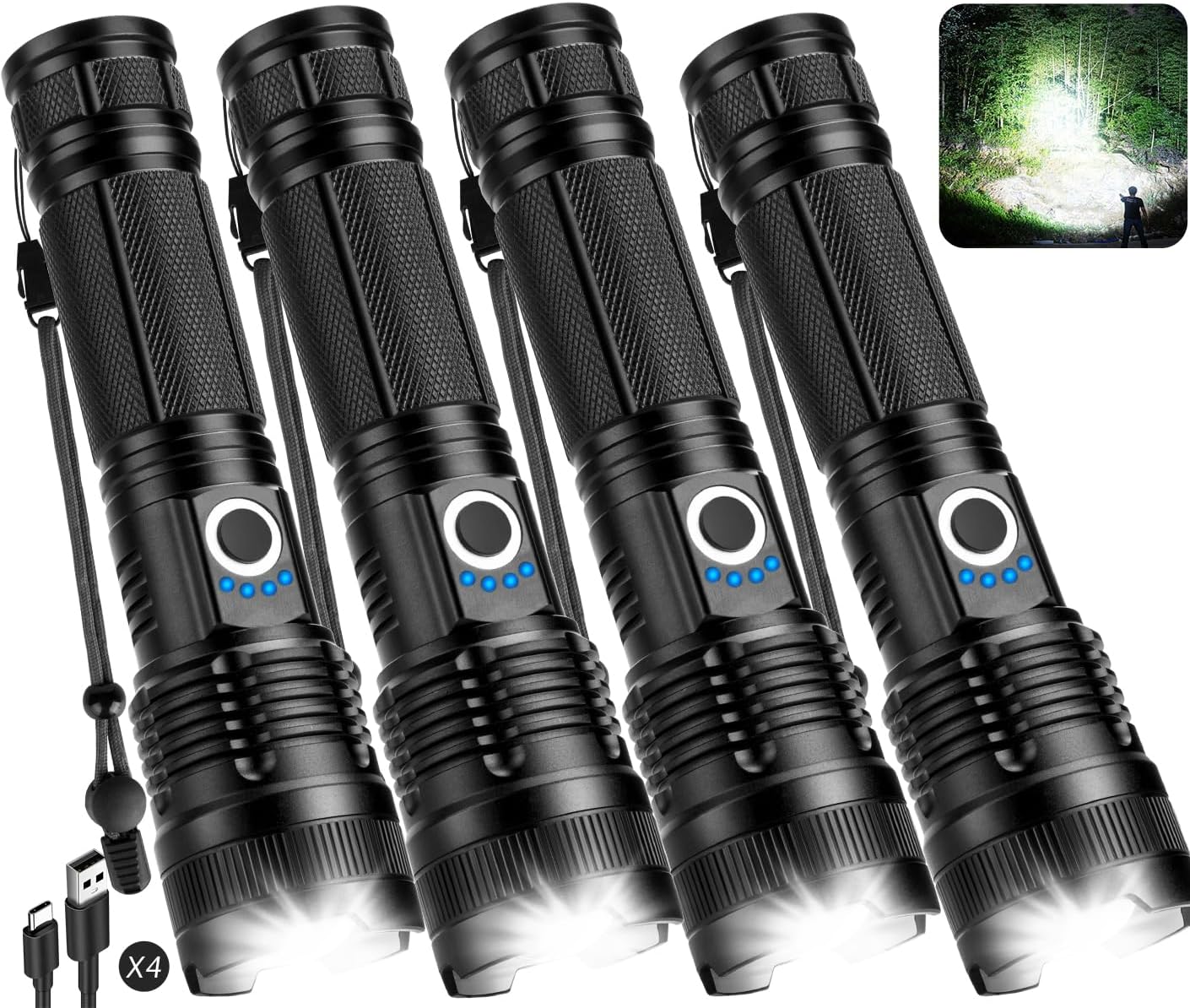
2. Product Overview
The Kmivo M082-4P flashlights are designed for versatility and durability, featuring high lumen output, multiple lighting modes, and a robust waterproof construction. They are suitable for various applications including home use, camping, hiking, and emergency situations.
Key Features
- High Brightness: Up to 90,000 lumens with an advanced P082-4 LED chip.
- Long Usage Time: Built-in 5000mAh rechargeable battery provides up to 15 hours of operation.
- Fast Charging: Smart charging port allows for approximately 3 hours to full charge.
- Battery Indicator: 4-level power indicator (25%, 50%, 75%, 100%).
- 5 Lighting Modes: High, Medium, Low, Strobe, and SOS.
- Adjustable Focus: Easily switch between wide flood and narrow spot beams.
- Durable & Waterproof: Constructed from aluminum with IPX6 water resistance.
Component Identification
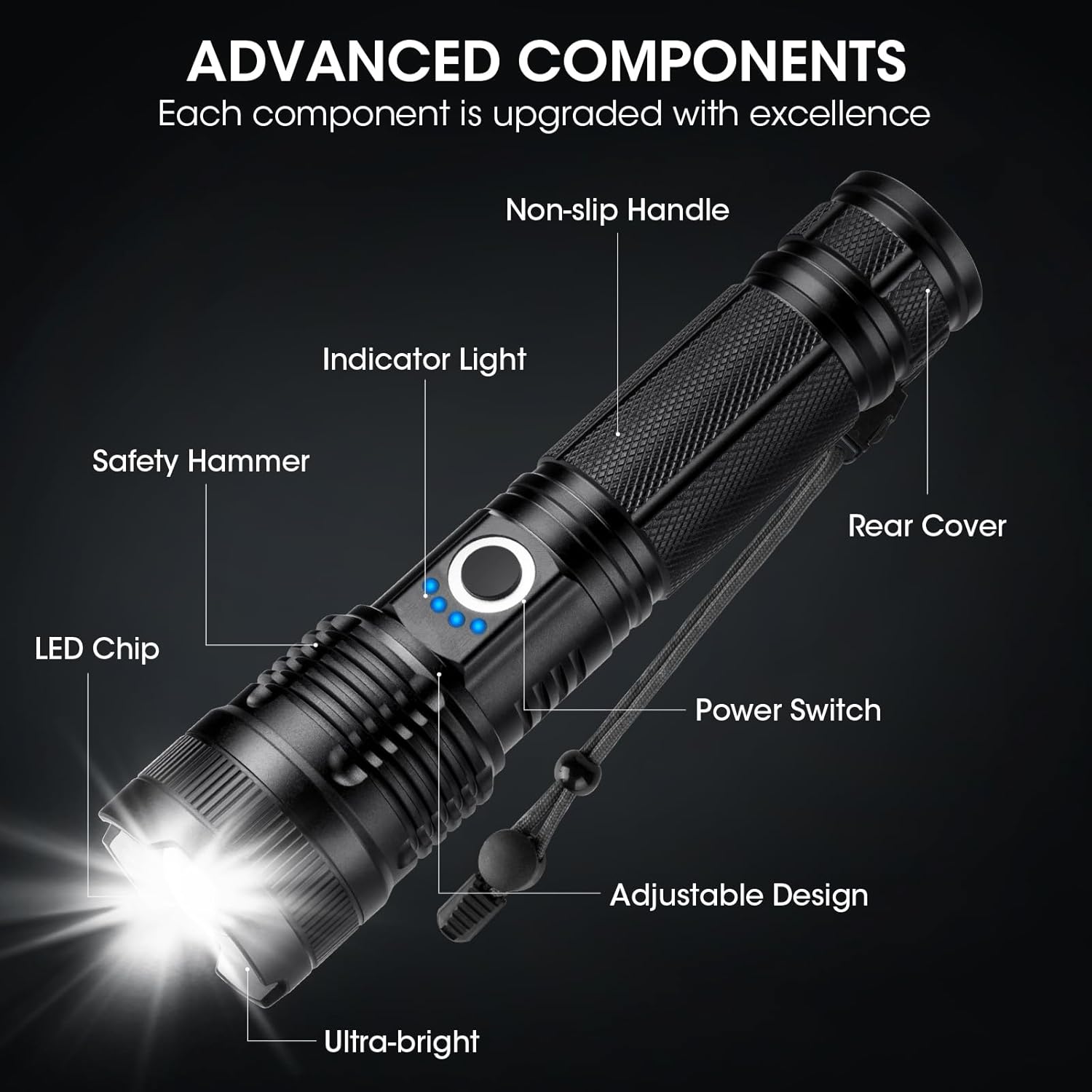
- LED Chip: The light-emitting diode providing illumination.
- Safety Hammer: Located at the rear cover, can be used for emergency glass breaking.
- Non-slip Handle: Textured surface for secure grip.
- Indicator Light: Displays battery charge level.
- Power Switch: Button to turn the flashlight on/off and cycle through modes.
- Adjustable Design: The head of the flashlight can be extended or retracted to adjust the beam focus.
- Rear Cover: End cap of the flashlight.
3. Setup
Your Kmivo flashlights come with built-in rechargeable batteries. Before first use, it is recommended to fully charge the flashlights.
Initial Charging
- Locate the USB charging port on the flashlight (typically covered by a rubber flap for waterproofing).
- Connect one end of the provided USB charging cable to the flashlight's port.
- Connect the other end of the USB cable to a standard USB power adapter (not included) or a computer's USB port.
- The battery indicator lights will illuminate to show charging progress. A full charge typically takes about 3 hours.
- Once fully charged, all four indicator lights will be solid. Disconnect the charging cable and ensure the rubber flap is securely closed to maintain water resistance.


4. Operating Instructions
Power On/Off and Mode Selection
- To Turn On: Press the power switch button once. The flashlight will turn on in High mode.
- To Cycle Modes: While the flashlight is on, press the power switch button repeatedly to cycle through the 5 lighting modes: High → Medium → Low → Strobe → SOS.
- To Turn Off: Press and hold the power switch button for approximately 2 seconds.

Adjustable Focus
The flashlight features an adjustable head to change the beam focus from a wide floodlight to a narrow spotlight.
- Wide Beam: Push the flashlight head inwards (towards the body) for a broad illumination, ideal for lighting up a large area.
- Narrow Beam: Pull the flashlight head outwards (away from the body) to focus the light into a concentrated beam, suitable for long-distance viewing up to 3280 feet.


5. Maintenance
Cleaning
- Wipe the flashlight body with a soft, damp cloth.
- Do not use abrasive cleaners or solvents, as these may damage the finish or internal components.
- Ensure the charging port's rubber flap is clean and free of debris to maintain its seal.
Storage
- Store the flashlight in a cool, dry place away from direct sunlight and extreme temperatures.
- For long-term storage, charge the flashlight to approximately 50% every 3-6 months to preserve battery health.
Water Resistance (IPX6)
The Kmivo M082-4P flashlight is rated IPX6, meaning it is protected against powerful water jets. It can withstand heavy rain and splashes but is not designed for submersion in water.
- Always ensure the charging port's rubber flap is fully sealed before exposing the flashlight to water.
- If the flashlight gets wet, wipe it dry before charging or opening any ports.

6. Troubleshooting
| Problem | Possible Cause | Solution |
|---|---|---|
| Flashlight does not turn on. | Low battery. | Charge the flashlight fully. |
| Power switch malfunction. | Contact customer support. | |
| Light output is dim. | Low battery. | Charge the flashlight fully. |
| Lens is dirty. | Clean the lens with a soft cloth. | |
| Flashlight does not charge. | Faulty USB cable or power adapter. | Try a different USB cable and power adapter. |
| Charging port is obstructed or damaged. | Ensure the port is clean. If damaged, contact customer support. | |
| Beam focus is stiff or wobbly. | Debris in the adjustable mechanism. | Gently clean the adjustable head area. Avoid forcing movement. |
7. Specifications
| Feature | Detail |
|---|---|
| Model Number | M082-4P |
| Light Source | LED (P082-4 chip) |
| Brightness | Up to 90,000 Lumens |
| Lighting Modes | High, Medium, Low, Strobe, SOS |
| Battery Type | Built-in Rechargeable (5000mAh) |
| Charging Time | Approx. 3 hours |
| Usage Time | Up to 15 hours (depending on mode) |
| Material | Aluminum |
| Water Resistance | IPX6 |
| Dimensions (each) | 1.3"D x 1.6"W x 6.5"H |
| Weight (total package) | 1.98 pounds |
| Special Features | Adjustable Focus, Impact Resistant, Portable |
8. Warranty and Support
Kmivo is committed to providing excellent customer service. If you encounter any issues with your M082-4P flashlights, such as malfunction, lost accessories, or damaged packaging, please contact our customer support team directly through Amazon.
Our team of engineers is available 24/7 to assist you with professional help and solutions.