
1. Introduction
Thank you for choosing the Necchi AutoPower 500-S Cordless Vacuum Cleaner. This manual provides essential information for the safe operation, maintenance, and troubleshooting of your appliance. Please read it thoroughly before first use and keep it for future reference.
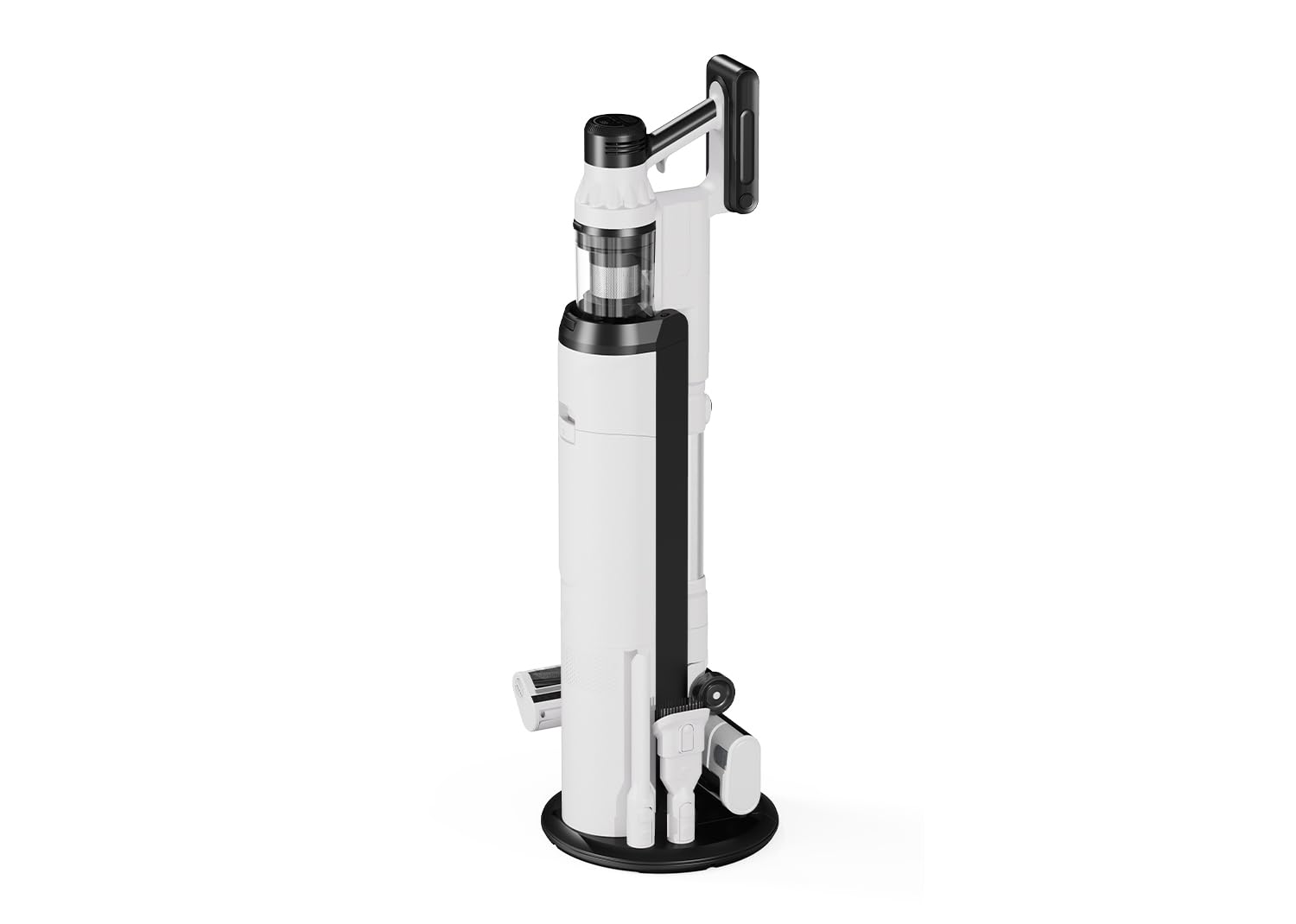
Image 1.1: The Necchi AutoPower 500-S Cordless Vacuum Cleaner in its full upright configuration.
2. Safety Instructions
To reduce the risk of fire, electric shock, or injury, always follow basic safety precautions when using an electrical appliance.
- Read all instructions before using the appliance.
- This appliance is for household use only. Do not use outdoors or on wet surfaces.
- Do not allow children to operate the vacuum cleaner. Close supervision is necessary when used near children.
- Use only as described in this manual. Use only manufacturer's recommended attachments.
- Do not pick up flammable or combustible liquids, such as gasoline, or use in areas where they may be present.
- Do not pick up anything that is burning or smoking, such as cigarettes, matches, or hot ashes.
- Do not use without dust cup and filters in place.
- Turn off the appliance before making any adjustments, changing accessories, or storing the vacuum cleaner.
- Recharge only with the charger specified by the manufacturer.
- Do not handle the charger or appliance with wet hands.
- Do not modify or attempt to repair the appliance or battery pack.
3. Package Contents
Carefully unpack your Necchi AutoPower 500-S and check that all items are present and in good condition. If any items are missing or damaged, please contact customer support.
- Main Unit (Motor Body with Dustbin)
- Extension Wand
- Motorized Floor Brush
- Crevice Tool
- 2-in-1 Brush Tool
- Charging Station
- Power Adapter
- User Manual

Image 3.1: The main unit shown with different cleaning attachments: crevice tool, 2-in-1 brush tool, and the motorized floor brush.
4. Product Components
Familiarize yourself with the different parts of your vacuum cleaner:
- Main Unit: Contains the motor, dustbin, handle, and control panel.
- Extension Wand: Connects the main unit to the floor brush or other attachments for extended reach.
- Motorized Floor Brush: Designed for efficient cleaning of various floor types.
- Crevice Tool: Ideal for narrow spaces and corners.
- 2-in-1 Brush Tool: Combines a brush and a wide nozzle for versatile cleaning.
- Removable Battery: Provides power to the unit.
- Charging Station: Used to store and charge the vacuum.
5. Setup
5.1 Assembly
- Insert the extension wand into the main unit until it clicks into place.
- Attach the motorized floor brush to the other end of the extension wand until it clicks. Alternatively, attach any other desired cleaning tool directly to the main unit for handheld use.
5.2 Battery Installation and Charging
The battery may not be fully charged upon delivery. It is recommended to fully charge the battery before first use.
- To install the battery, slide it into the slot on the main unit until it locks securely.
- To charge, connect the power adapter to the charging station, then place the vacuum cleaner onto the charging station. Ensure the charging contacts align. The battery can also be charged separately by removing it from the main unit and connecting it directly to the power adapter.
- The battery indicator on the control panel will show the charging status.

Image 5.1: Illustration of how to remove the removable battery from the main unit for separate charging or replacement.
6. Operating Instructions
6.1 Power On/Off and Mode Selection
The Necchi AutoPower 500-S features a touch control panel for easy operation.
- Press the power button (U) on the control panel to turn the vacuum cleaner on or off.
- Press the mode selection button (fan icon) to cycle through the 4 available cleaning modes: AUTO, NORMAL, TURBO, and TURBO+.

Image 6.1: The control panel displaying the four cleaning modes: AUTO, NORMAL, TURBO, and TURBO+.
- AUTO Mode: The intelligent sensor automatically adjusts suction power based on the detected dust level and floor type.
- NORMAL Mode: Standard suction for everyday cleaning.
- TURBO Mode: Increased suction for tougher dirt.
- TURBO+ Mode: Maximum suction power for deep cleaning.
6.2 Using Attachments
Select the appropriate attachment for your cleaning task:
- Motorized Floor Brush: Best for hard floors and carpets.
- Crevice Tool: Use for tight spaces, edges, and corners.
- 2-in-1 Brush Tool: Use the brush for delicate surfaces like upholstery or curtains, and the wide nozzle for general dust and debris.

Image 6.2: The vacuum cleaner used in handheld mode with an attachment for cleaning upholstery.
7. Maintenance
Regular maintenance ensures optimal performance and extends the lifespan of your vacuum cleaner.
7.1 Emptying the Dustbin
The Necchi AutoPower 500-S features an automatic emptying station. When the vacuum is placed on the charging station, the dustbin can be automatically emptied into a larger container within the station.
- Ensure the automatic emptying function is enabled on the charging station.
- Place the vacuum cleaner onto the charging station. The station will automatically initiate the emptying process.
- Alternatively, the dustbin can be manually emptied by detaching it from the main unit and opening the bottom flap over a waste bin.

Image 7.1: Visual representation of the automatic dustbin emptying process when the vacuum is docked in its charging station.
7.2 Cleaning Filters
The vacuum cleaner uses a multi-stage filtration system including a HEPA H13 filter, a multi-cyclonic filter, and a permanent filter. Clean filters regularly to maintain suction power.
- Turn off the vacuum cleaner and detach the dustbin.
- Remove the HEPA filter and multi-cyclonic filter assembly.
- Tap out loose dirt. Rinse the filters under cold running water. Do not use detergent.
- Allow filters to air dry completely for at least 24 hours before reassembling. Do not use a hairdryer or other heating devices.

Image 7.2: Exploded view diagram illustrating the components of the multi-stage filtration system, including the HEPA filter, multi-cyclonic filter, and permanent filter.
7.3 Cleaning the Motorized Floor Brush
Hair and debris can get tangled in the brush roll. Clean it regularly.
- Turn off the vacuum cleaner and detach the floor brush.
- Locate the release tab or button on the side of the brush head and open the cover.
- Remove the brush roll. Use scissors to cut away any tangled hair or fibers.
- Clean any debris from the brush housing.
- Reinsert the brush roll and close the cover securely.

Image 7.3: The motorized floor brush with its cover removed, showing the brush roll for cleaning and maintenance.
8. Troubleshooting
If you encounter issues with your vacuum cleaner, refer to the following table for common problems and solutions.
| Problem | Possible Cause | Solution |
|---|---|---|
| Vacuum does not turn on | Battery is not charged or not properly installed. | Charge the battery. Ensure the battery is securely clicked into place. |
| Weak suction power | Dustbin is full; Filters are clogged; Obstruction in the nozzle, wand, or brush. | Empty the dustbin. Clean or replace filters. Remove any obstructions. |
| Brush roll not spinning | Hair or debris tangled in the brush roll; Brush roll is jammed. | Turn off the vacuum, remove the brush roll, and clean it thoroughly. Check for any obstructions. |
| Unusual noise | Obstruction in the air path; Damaged component. | Check for and remove any obstructions. If the noise persists, contact customer support. |
| Battery not charging | Power adapter not connected; Charging station not properly connected; Faulty battery or charger. | Ensure the power adapter is securely plugged into both the wall outlet and the charging station. Verify the vacuum is correctly seated on the charging station. If issues persist, contact support. |
9. Specifications
Technical specifications for the Necchi AutoPower 500-S Cordless Vacuum Cleaner:
- Brand: Necchi
- Model: AutoPower 500-S
- Color: White
- Item Weight: 2.4 kg
- Wattage: 500 W
- Number of Speeds: 4
- Runtime: Up to 50 minutes (in Eco mode)
- Special Features: Automatic emptying station, Intelligent sensor
- Filter Type: HEPA H13, Multi-cyclonic, Permanent
- Recommended Surfaces: All floor types
- Power Source: Battery (28.8V, 2500mAh Li-ion)
- Noise Level: Below 80 dB
10. Warranty and Support
The Necchi AutoPower 500-S comes with official Necchi 100% Italian assistance. For product registration, repairs, or any technical support, please refer to the official Necchi website or contact their customer service directly.
For further assistance, please visit the Necchi Store on Amazon or consult the contact information provided with your product packaging.
Image 10.1: The Necchi 100% Italian Assistance logo, indicating dedicated customer support.
