
TELESIN diving phone case
TELESIN Underwater Snorkeling Diving Phone Waterproof Case
Model: diving phone case | Brand: TELESIN
Introduction
The TELESIN Underwater Snorkeling Diving Phone Waterproof Case is a universal housing designed to protect your smartphone and enable high-quality photo and video capture during underwater activities. This manual provides detailed instructions for the proper setup, operation, and maintenance of your device to ensure optimal performance and longevity.
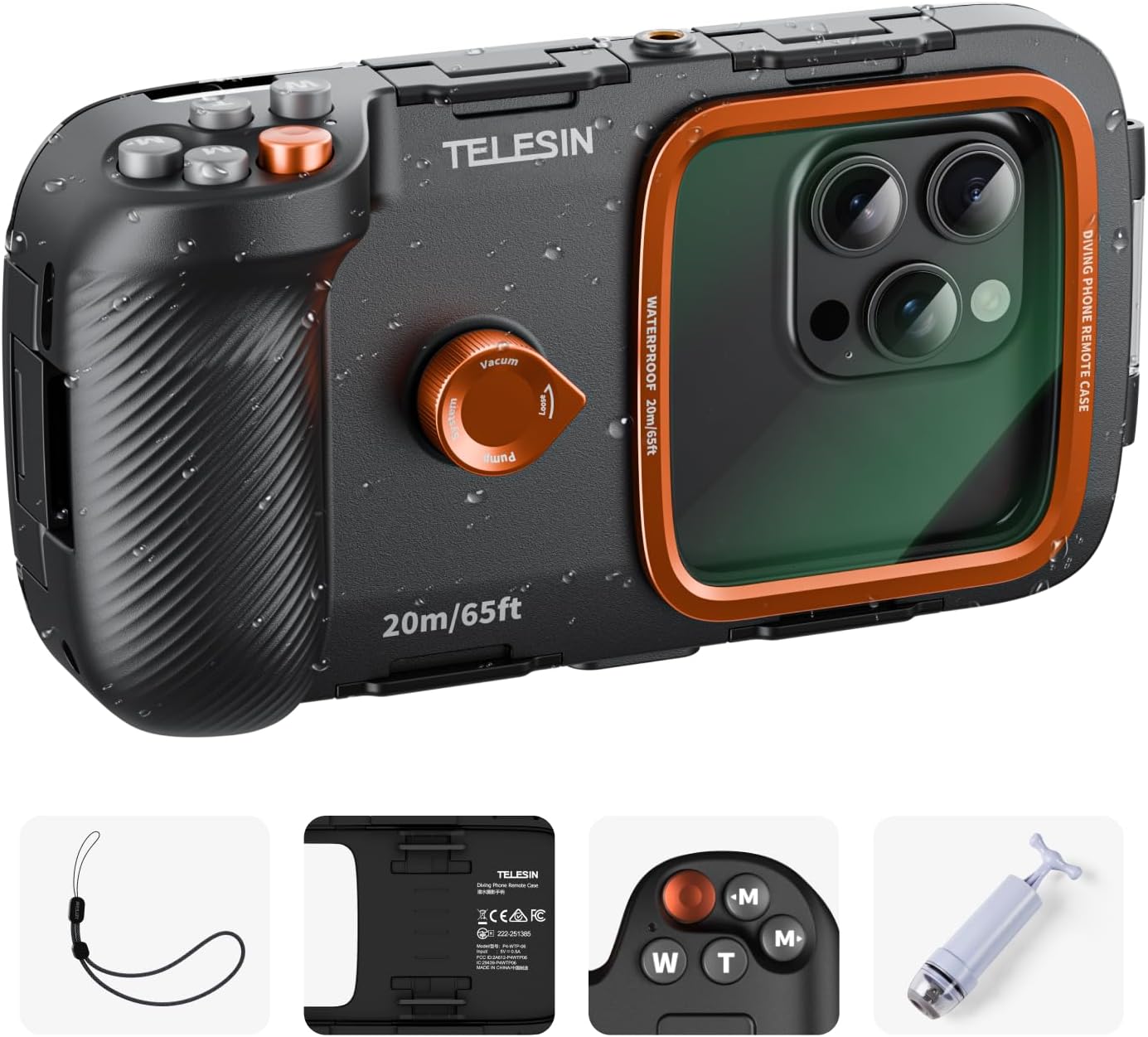
Image: The TELESIN Underwater Snorkeling Diving Phone Waterproof Case, showcasing its robust design and control buttons, with water droplets indicating its intended use.
Safety Information
- Always perform an air-tightness test before first use and after any significant impact or long period of disuse. Refer to the "First Use Preparation" section for detailed instructions.
- Ensure the case is completely sealed and free from any debris (sand, hair, dust) on the sealing gaskets before submerging.
- Do not exceed the maximum diving depth of 20 meters (65 feet).
- Always attach the included safety wrist strap to prevent accidental loss of the case underwater.
- Avoid exposing the case to extreme temperatures or direct sunlight for prolonged periods, as this may affect its integrity.
- After each use in saltwater, rinse the case thoroughly with fresh water and allow it to air dry completely before storage.
Package Contents
Verify that all items listed below are included in your package:
- Diving Handle × 1
- Vacuum Pump × 1
- USB Charging Cable × 1
- Safety Wrist Strap × 1
- Cleaning Cloth × 1
- User Manual × 1
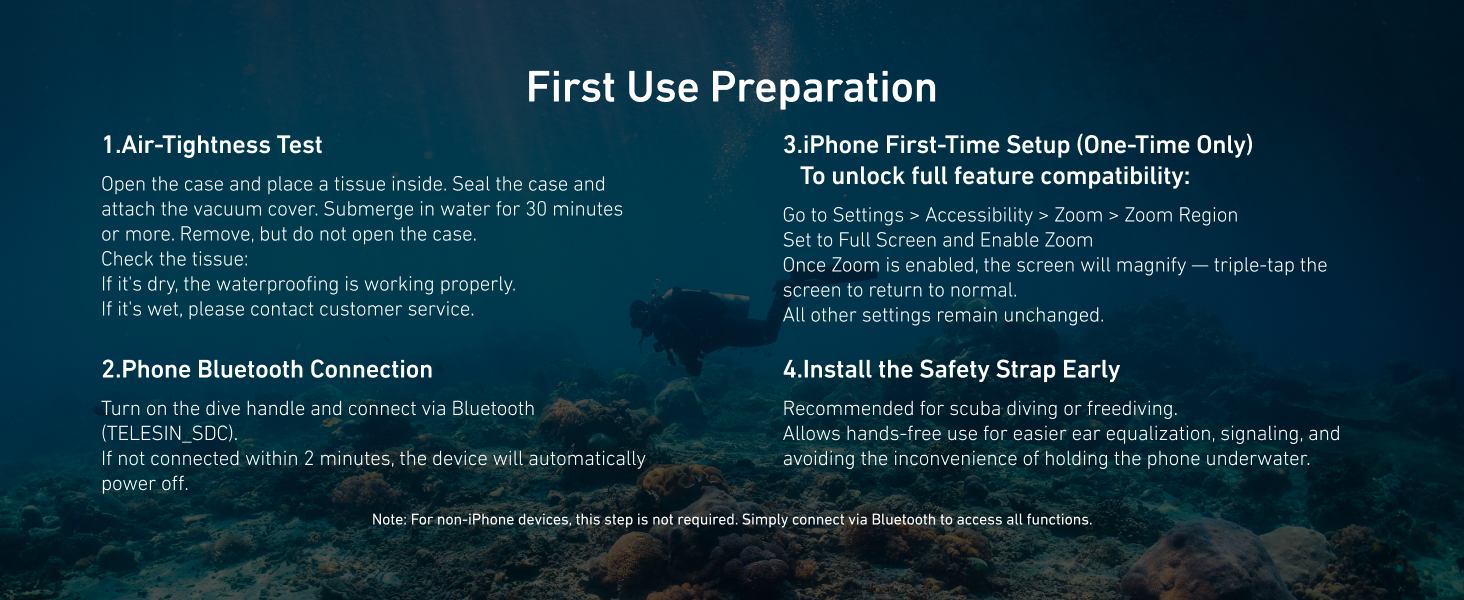
Image: A visual representation of the items included in the product package, such as the diving handle, vacuum pump, and accessories.
Setup Guide
1. Air-Tightness Test (Crucial First Step)
Before placing your phone inside, perform this test to ensure the case is waterproof:
- Open the case and place a dry tissue inside.
- Seal the case securely.
- Attach the vacuum pump to the designated port and pump out the air until a vacuum seal is achieved.
- Submerge the sealed case in water for at least 30 minutes.
- Remove the case from water, dry its exterior, and then open it to check the tissue.
- If the tissue is completely dry, the case is waterproof. If it is wet, do not use the case with your phone and contact customer service.
2. Phone Installation
Ensure your phone is clean and dry before placing it into the housing. Align your phone correctly within the case to ensure proper button alignment and screen visibility through the lens.
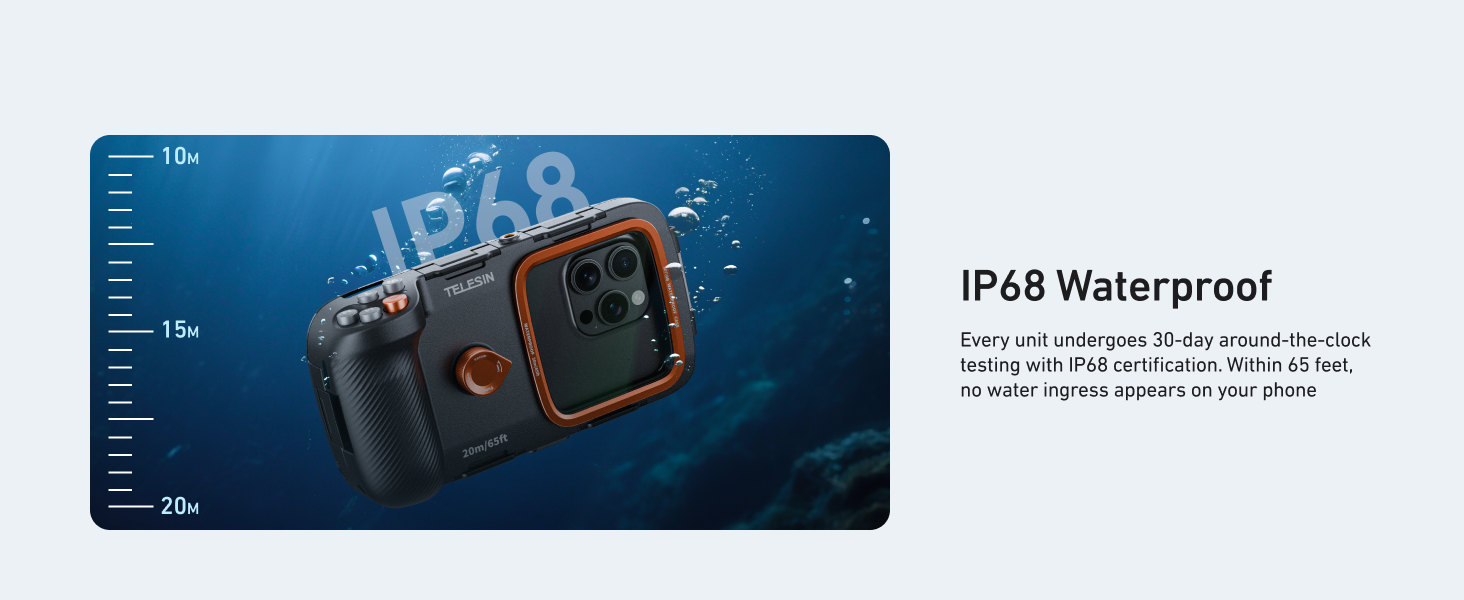
Image: Illustration demonstrating the universal compatibility and proper phone placement within the case.
3. Bluetooth Connection
The case connects to your phone via Bluetooth for remote control:
- Power on the diving handle by holding the power button for 2 seconds.
- On your phone, go to Bluetooth settings and connect to "TELESIN_SDC".
- For Android users, connection is typically direct.
- If not connected within 2 minutes, the device will automatically power off.
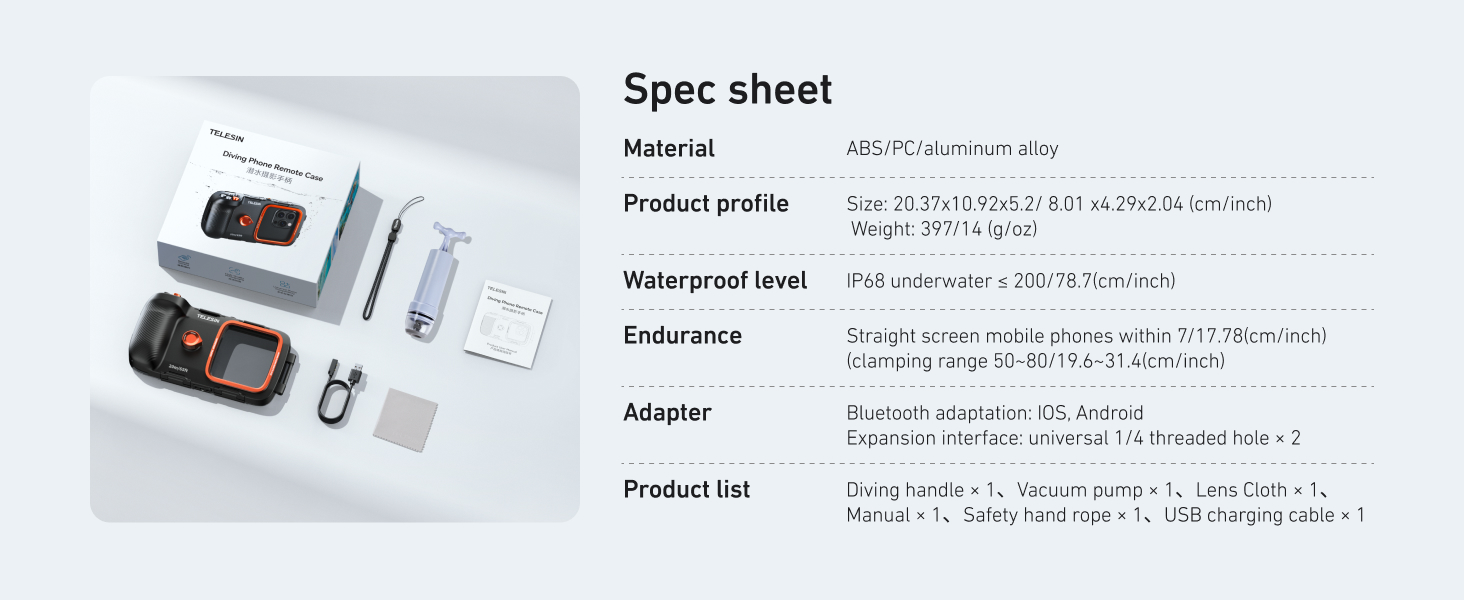
Image: Step-by-step guide for connecting the case via Bluetooth on mobile devices.
4. iOS Specific Setup (One-Time Only)
To unlock full feature compatibility for iOS devices, enable the Zoom function:
- Go to Settings → Accessibility → Zoom.
- Set Zoom Region to Full Screen Zoom.
- Turn on Zoom. When Zoom is enabled, the screen will magnify; double-tap with three fingers to return to normal.
- No other settings need to be changed.
5. Special Usage Instructions for Samsung Models
- Some Samsung models may not support waking the camera when the screen is off. Disable auto-lock or set the screen timeout to the maximum.
- Before placing the phone into the case, manually open the camera app with the screen on.
- Supported camera modes are Photo, Video, and More. If you switch to "More", you cannot return via the mode button. To go back, press the shutter button once.
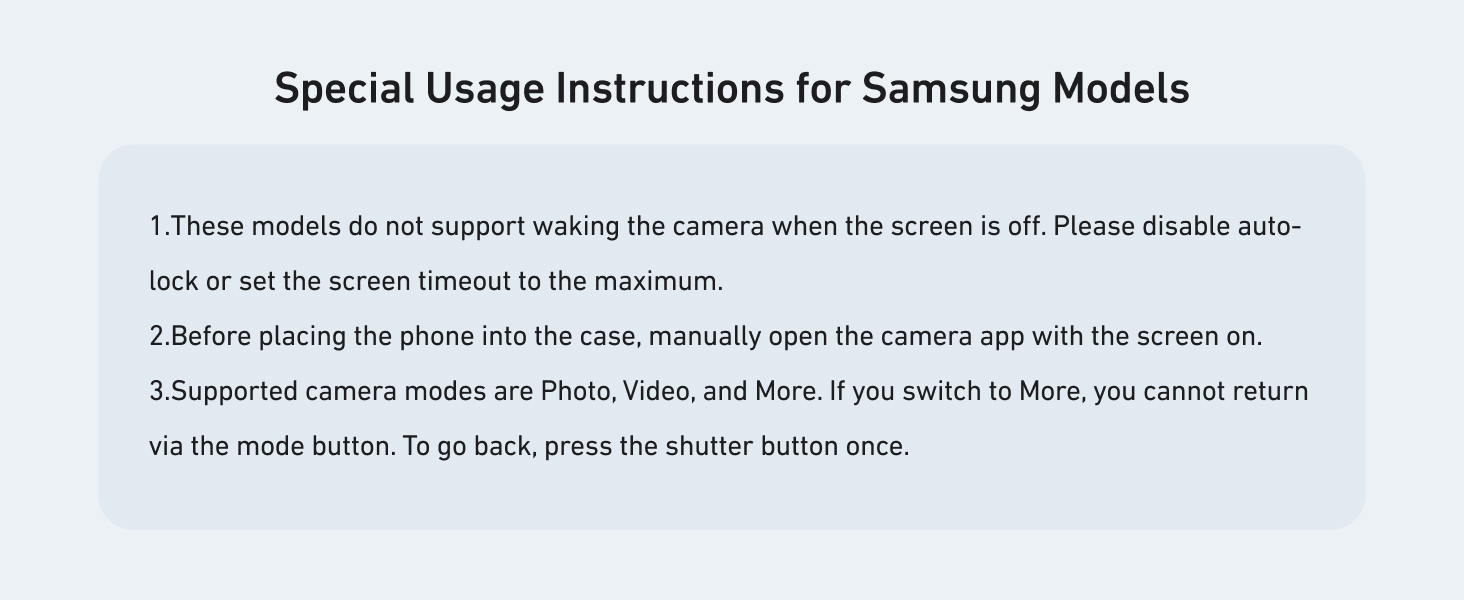
Image: Visual guide for initial setup, including the air-tightness test, Bluetooth connection, and specific notes for iOS and Samsung devices.
Operating Instructions
Five-Key Operation
The TELESIN phone waterproof housing features five mechanical buttons for easy control:
- Capture Button (Orange): One press to capture photos or start/pause video recording. Also functions as power on/off.
- Zoom Buttons (W/T): 'W' for zoom out, 'T' for zoom in.
- Mode Buttons (M1/M2): Used to switch between camera modes.
Advanced Functions:
- Press and hold any button for 2 seconds to switch between front and rear cameras.
- Press and hold any button for 2 seconds to wake the camera when the screen is off.
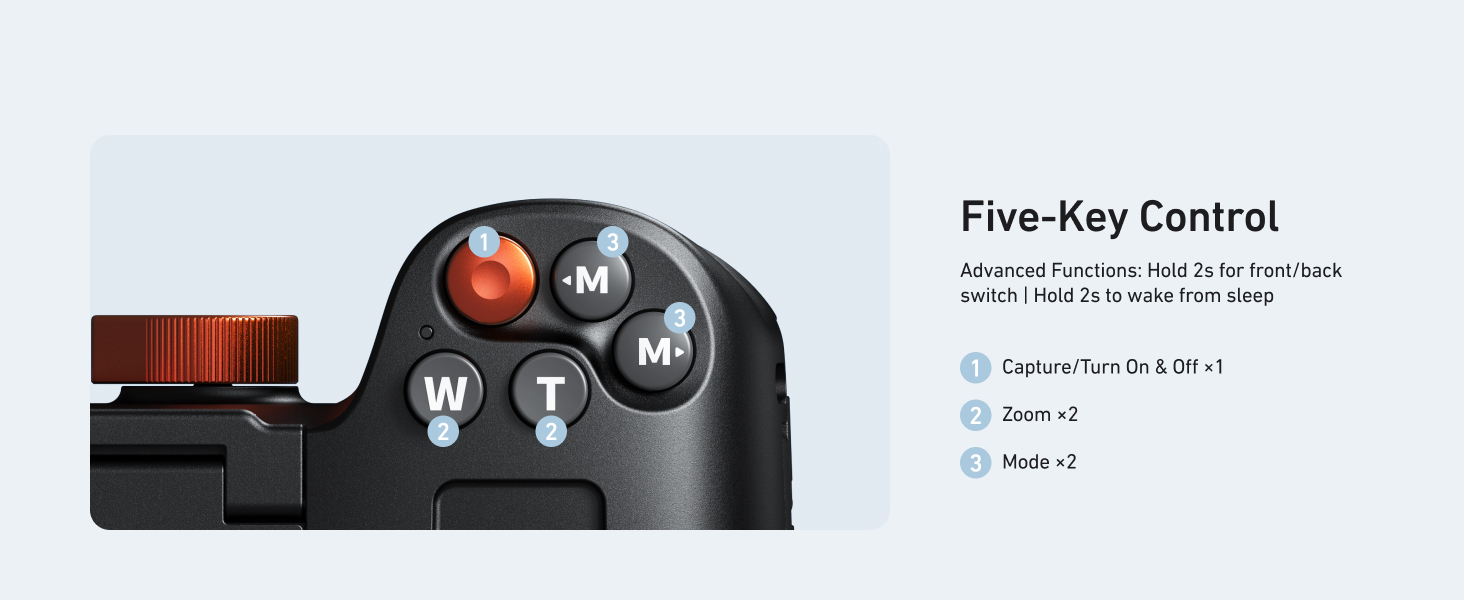
Image: Detailed diagram of the five-key control panel, indicating the capture, zoom, and mode buttons.
Vacuum Pump Usage (Anti-Fogging)
The included vacuum pump helps prevent fogging inside the case:
- After sealing your phone inside the case, attach the vacuum pump to the vacuum port.
- Pump until the air is removed, creating a vacuum seal. This removes up to 99.6% of the air, effectively preventing fogging.
- To release the vacuum, gently press the rubber under the screw-on cap.
Image: The vacuum pump and its application point on the case, illustrating the anti-fogging mechanism.
Underwater Photography Tips
- Screen Brightness: Set your phone screen to stay on (Always On Display) before entering the water to avoid the screen timing out.
- ReefColor APP: Utilize the free TELESIN ReefColor APP for professional underwater color correction. This tool automatically restores red light loss and recognizes specific water conditions for optimized color palettes.
- Stability: The monolithic grip design, inspired by DSLR cameras, provides secure handling underwater.
- Wrist Strap: Always wear the included wrist strap to secure the case during use.
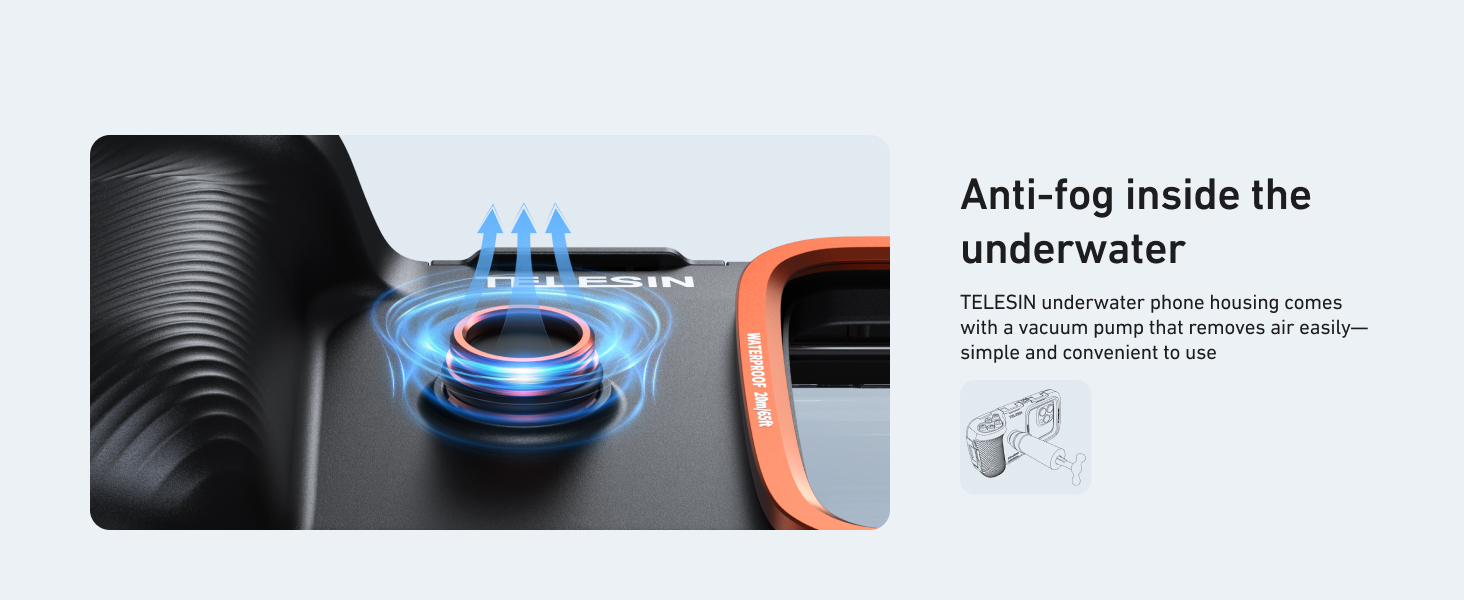
Image: A user demonstrating the comfortable and secure monolithic grip design of the TELESIN case while partially submerged.
Maintenance
- Cleaning: After each use, especially in saltwater, rinse the entire case thoroughly with fresh, clean water. Do not use detergents or abrasive cleaners.
- Drying: Allow the case to air dry completely in a shaded, well-ventilated area. Avoid direct sunlight.
- Gaskets and Seals: Regularly inspect the O-rings and sealing gaskets for any signs of damage, cracks, or debris (sand, hair, lint). Clean them gently with the provided cleaning cloth. A small amount of silicone grease (not included) can be applied to the O-rings to maintain their flexibility and sealing properties, but ensure it does not attract dust.
- Storage: Store the case in a cool, dry place away from direct sunlight and extreme temperatures. It is recommended to store the case with the latch open to prevent compression of the O-rings over long periods.
- Lens Care: Use the provided cleaning cloth to gently wipe the glass lens surface. Avoid touching the lens with bare fingers to prevent smudges.
Troubleshooting
| Problem | Possible Cause | Solution |
|---|---|---|
| Water inside the case after use. | Improper sealing, damaged O-ring, debris on seal. | Ensure case is properly closed. Inspect and clean O-rings and sealing surfaces. Perform air-tightness test again. If issue persists, contact customer service. |
| Fogging inside the case. | Humidity trapped inside, temperature difference. | Use the vacuum pump to remove air before submerging. Ensure phone is not excessively warm when placed inside. |
| Phone screen times out or camera app closes. | Phone's power saving settings. | Set phone screen timeout to "Never" or maximum duration. For Samsung, disable auto-lock and manually open camera app before sealing. |
| Buttons not responding. | Bluetooth not connected, phone not aligned, low battery in case. | Verify Bluetooth connection ("TELESIN_SDC"). Ensure phone is correctly positioned. Charge the case's internal battery. For iOS, ensure Zoom function is enabled as per setup. |
| Phone overheating inside the case. | Prolonged video recording, high ambient temperature. | Reduce recording time. Allow phone to cool down before placing in case. The case is designed to dissipate heat, but extreme conditions can still cause overheating. |
Specifications
| Material | ABS/PC/Aluminum Alloy |
| Product Dimensions | 11.57 x 10.91 x 5.94 inches (29.39 x 27.71 x 15.09 cm) |
| Item Weight | 1.94 pounds (0.88 kg) |
| Waterproof Level | IP68, up to 20 meters (65 feet) underwater |
| Compatible Phone Sizes | Smartphones ranging from 5.4 to 6.9 inches (13.7 to 17.5 cm) |
| Compatible Devices | iPhone 11-16 series (Pro Max/Plus/Mini/e/Pro), Samsung Galaxy S9-S25 series (Ultra/Plus), Note 8-20 series, A-series (A03-A56), and most other phones within size range. |
| Lens Material | Premium Glass (4.4 inches), 97% visible light transmittance |
| Connectivity | Bluetooth Remote Control |
| Battery | 1 A battery required (included), 20 Grams |
Warranty and Support
TELESIN products are manufactured to high-quality standards. For any issues, questions, or warranty claims, please contact TELESIN customer service. Refer to the contact information provided on the product packaging or the official TELESIN website for the most up-to-date support details.
Always retain your proof of purchase for warranty purposes.
Related documentsdiving phone case


Ask a question about this manual
Ask about setup, troubleshooting, compatibility, parts, safety, or missing instructions. Manuals+ will review the question and use this page’s manual context to help answer it.