
Introduction
Thank you for purchasing the Puxinat AK-69 Projector. This manual provides essential information for the safe and efficient use of your device. Please read these instructions carefully before operating the projector and retain them for future reference.
Safety Information
- Do not look directly into the projector lens when the lamp is on.
- Ensure proper ventilation around the projector to prevent overheating.
- Do not expose the projector to rain or moisture to avoid electric shock or fire.
- Use only the power adapter supplied with the projector.
- Avoid placing the projector on unstable surfaces.
- Keep the projector away from heat sources and direct sunlight.
Package Contents
Verify that all items are present in your package:
- Puxinat AK-69 Projector
- HDMI Cable
- Remote Control
- Power Cable (not explicitly listed but implied for operation)
- User Manual (this document)
Product Overview
The Puxinat AK-69 projector is designed for versatile home entertainment and professional presentations, offering native 1080P resolution with 4K support, advanced connectivity, and a large display capability.
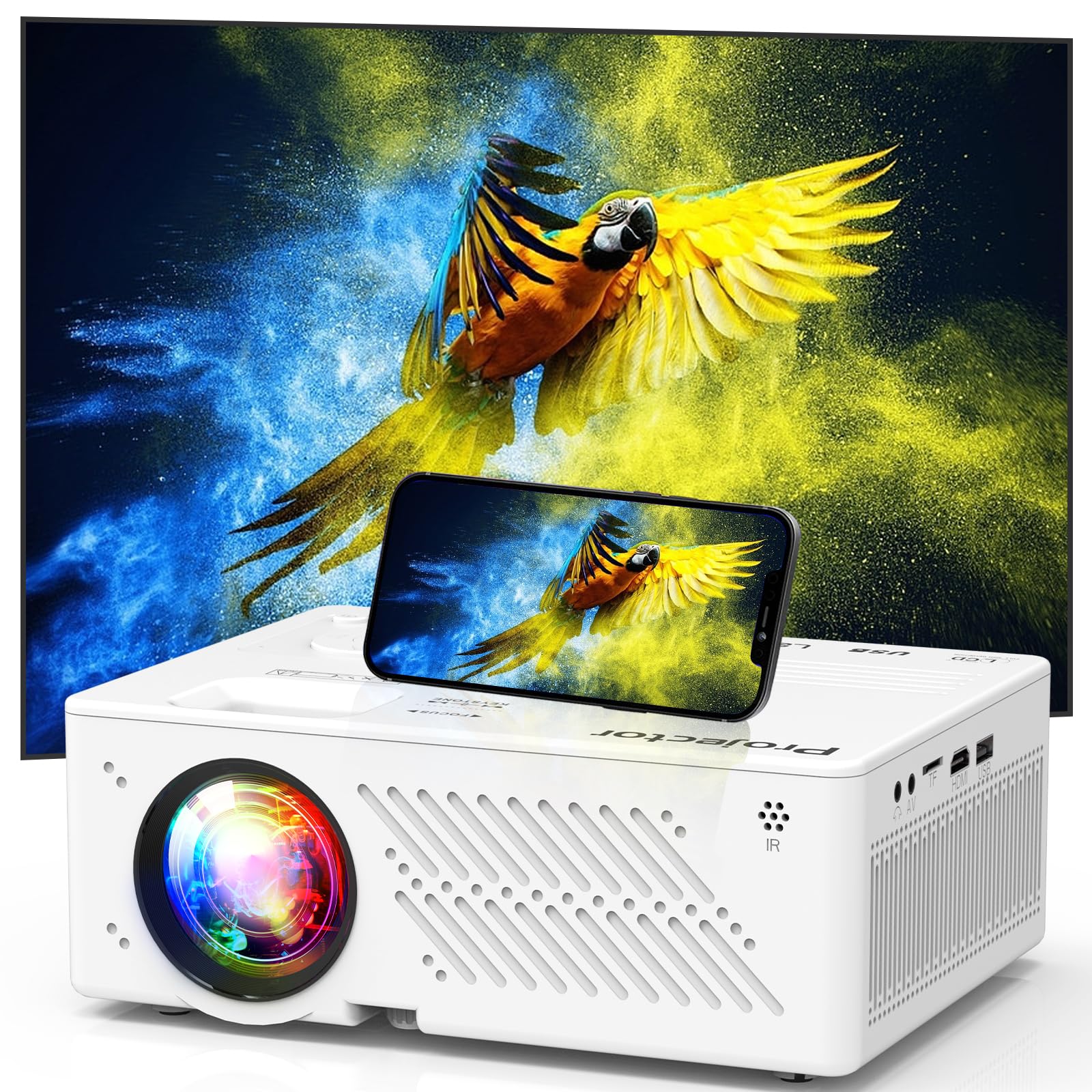
Front view of the Puxinat AK-69 Projector, showcasing its compact design and lens.
Key Features:
- Native 1080P Full HD & 4K Support: Delivers sharp and detailed images.
- High Brightness & Contrast: 350 ANSI Lumens brightness and 10000:1 contrast ratio for vibrant visuals.
- WiFi 6 Connectivity: Provides fast and stable wireless streaming.
- Bidirectional Bluetooth 5.2: Connects to external speakers or acts as a standalone Bluetooth speaker.
- Large Screen Projection: Up to 300 inches with 50%-100% digital zoom.
- Multiple Interfaces: HDMI, USB, AV, VGA, SD card support for various devices.

Illustration of the Puxinat AK-69 Projector's multiple input ports including USB, AV, HDMI, AUX, and SD card slot, along with compatible devices like U Disk, DVD Player, Tablet PC, Audio, Camera, Nintendo Switch, and TV Stick.
Setup
1. Placement
- Place the projector on a stable, flat surface or mount it on a tripod.
- Ensure the projector is positioned perpendicular to the projection screen or wall for optimal image geometry.
- Maintain adequate distance from the screen to achieve the desired image size (minimum 0.8 meters, maximum 5 meters for up to 300 inches).
2. Power Connection
- Connect the power cable to the projector's power input.
- Plug the other end of the power cable into a power outlet.
3. Initial Power On
- Press the power button on the projector or the remote control to turn on the device.
- The indicator light will illuminate, and the projector will begin its startup sequence.
4. Focus and Keystone Adjustment
- Focus: Rotate the focus ring on the projector lens until the image appears clear and sharp.
- Keystone Correction: Use the keystone adjustment feature (manual or digital, depending on model) to correct trapezoidal image distortion if the projector is not perfectly aligned with the screen.
Operating
1. Connecting Devices
The projector supports various input sources:
- HDMI: Connect TV sticks, laptops, gaming consoles, or Blu-ray players using an HDMI cable. Select the HDMI input source from the projector's menu.
- USB: Insert a USB flash drive to play media files (photos, videos, music). Select the USB input source.
- AV: Use the AV port for older devices like DVD players.
- SD Card: Insert an SD card to view media files.
- VGA: Connect computers or laptops via a VGA cable.
2. Wireless Connections
WiFi 6 Connection
Connect your projector to a WiFi 6 network for stable and fast online streaming and screen mirroring.
- Navigate to the 'Settings' menu on the projector.
- Select 'Network' or 'WiFi Settings'.
- Choose your desired WiFi 6 network from the list and enter the password.

Visual representation of the Puxinat AK-69 Projector utilizing 5G WiFi for faster and more stable video synchronization compared to 2.4G, compatible with Android, iOS, and Windows devices.
Bluetooth 5.2 Connection
The projector features bidirectional Bluetooth 5.2, allowing it to connect to external audio devices or function as a standalone Bluetooth speaker.
- Connecting to External Speakers: Go to 'Bluetooth Settings' in the projector menu, enable Bluetooth, and select your Bluetooth speaker, headphones, or soundbar to pair.
- Using as a Standalone Bluetooth Speaker: Switch the projector to Bluetooth speaker mode. You can then connect your smartphone or other Bluetooth-enabled device to the projector to play audio directly.
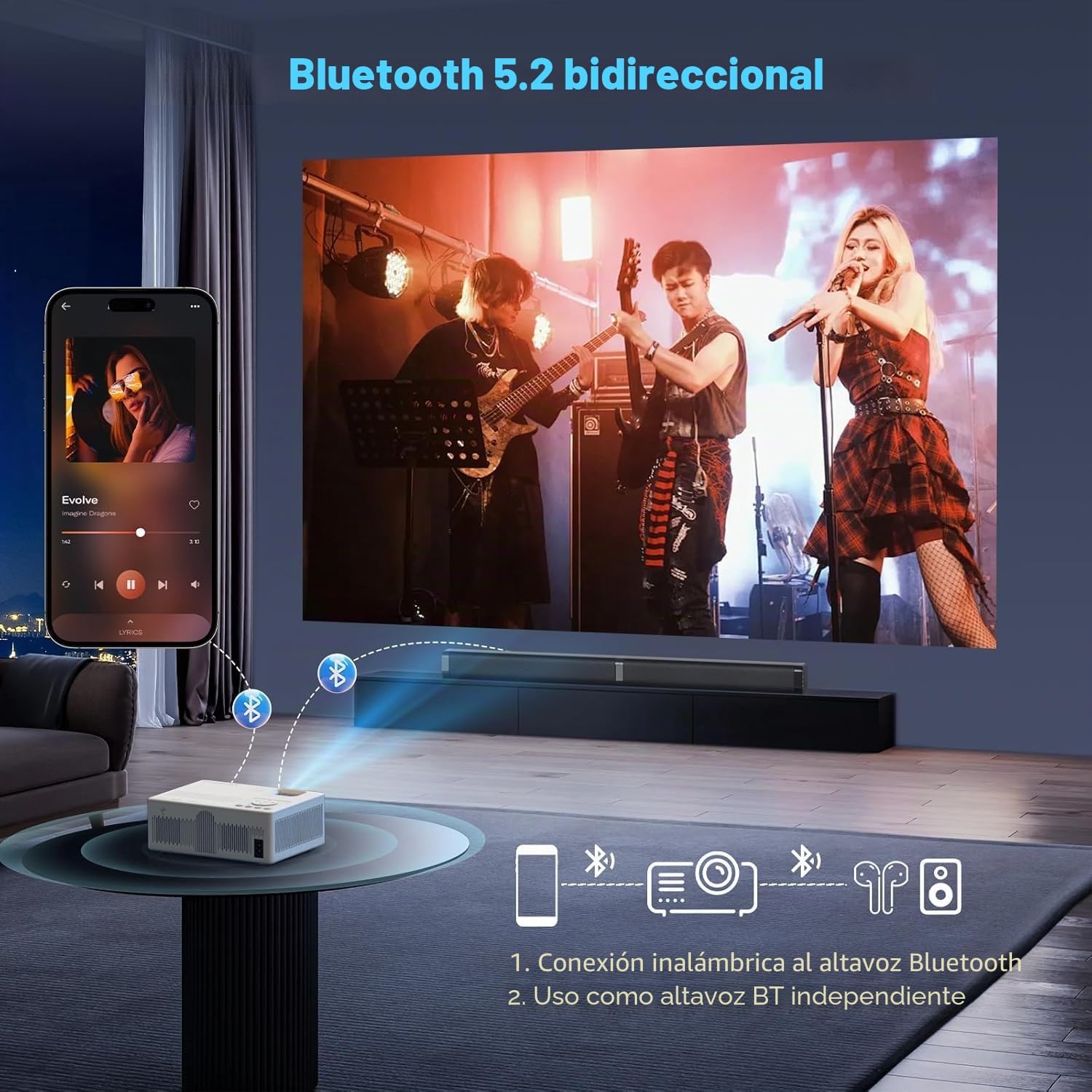
The Puxinat AK-69 Projector demonstrating its bidirectional Bluetooth 5.2 capability, allowing wireless connection to Bluetooth speakers or headphones, and functioning as an independent Bluetooth speaker for music playback from a smartphone.
3. Screen Mirroring
Mirror content from your smartphone or tablet wirelessly to the projector:
- Ensure both your device and the projector are connected to the same WiFi network.
- Select the 'Screen Mirroring' or 'Wireless Projection' option on the projector.
- On your smartphone/tablet, enable screen mirroring (e.g., 'Smart View' for Android, 'Screen Mirroring' for iOS) and select the projector from the list of available devices.
4. Zoom Function
Adjust the image size from 50% to 100% without moving the projector:
- Use the remote control to access the 'Zoom' function in the projector's menu.
- Adjust the zoom level to fit your screen perfectly.

The Puxinat AK-69 Projector illustrating its digital zoom capability, allowing the screen size to be adjusted from 50% to 100% without physically moving the projector.
5. Timer Mode
The timer mode allows you to set a specific time for the projector to automatically turn off.
- Access the 'Timer' settings in the projector's menu.
- Set the desired duration after which the projector should power down.
Maintenance
1. Cleaning
- Lens: Use a soft, lint-free cloth specifically designed for optical lenses. Do not use abrasive cleaners.
- Casing: Wipe the projector's exterior with a soft, dry cloth. For stubborn marks, a slightly damp cloth can be used, followed by a dry one.
- Ventilation Ports: Regularly check and clean the ventilation ports to ensure unobstructed airflow. Use a soft brush or compressed air to remove dust.
2. Storage
- When not in use for extended periods, store the projector in a cool, dry place.
- Protect the lens with its cap to prevent dust accumulation and scratches.
- Keep the projector in its original packaging or a protective case to prevent damage.
Troubleshooting
If you encounter issues with your Puxinat AK-69 Projector, refer to the following common problems and solutions:
- No Image:
- Ensure the power cable is securely connected and the projector is turned on.
- Check that the correct input source (HDMI, USB, etc.) is selected.
- Verify that the connected device (laptop, TV stick) is powered on and outputting a signal.
- Adjust the focus ring to ensure the image is not simply out of focus.
- No Sound:
- Check the volume level on both the projector and the connected source device.
- Ensure that any external audio devices (Bluetooth speakers) are correctly paired and selected as the output.
- If using HDMI, verify that the audio output settings on the source device are correct.
- Blurred Image:
- Adjust the focus ring on the projector lens.
- Correct any keystone distortion if the image appears trapezoidal.
- Ensure the projection surface is flat and smooth.
- Cannot Play Copyrighted Content (e.g., Netflix, Prime Video):
- Streaming services like Netflix and Prime Video often employ HDCP (High-bandwidth Digital Content Protection) which may prevent direct screen mirroring from some smartphones or tablets.
- To view copyrighted content, connect a dedicated streaming device (e.g., TV Stick, Roku, Apple TV) via the HDMI port.
- Remote Control Not Working:
- Ensure the batteries are correctly inserted and not depleted.
- Point the remote directly at the projector's IR receiver.
- Remove any obstacles between the remote and the projector.
Specifications
| Feature | Specification |
|---|---|
| Model Name | AK-69 |
| Native Resolution | 1920 x 1080 (Full HD) |
| Maximum Display Resolution | 1920 x 1080 (Supports 4K input) |
| Brightness | 350 ANSI Lumens |
| Contrast Ratio | 10000:1 |
| Connectivity Technology | WiFi 6, Bluetooth 5.2 |
| Hardware Interface | HDMI, USB, AV, VGA, SD Card |
| Maximum Image Size | 300 Inches |
| Minimum Image Size | 40 Inches |
| Projection Distance | 0.8 - 5 Meters |
| Zoom Function | 50% - 100% Digital Zoom |
| Display Type | LCD |
| Control Method | Remote Control |
| Product Dimensions | 25.3 x 25 x 11.4 cm |
| Product Weight | 1.55 kg |
Warranty and Support
Puxinat products are designed for reliability and performance. For warranty information, technical support, or customer service inquiries, please refer to the contact details provided with your purchase documentation or visit the official Puxinat website. Please retain your proof of purchase for warranty claims.
