
1. Introduction
This manual provides detailed instructions for the safe and effective use of your ResponseBridge WB S99 Voice Amplifier and WB B002 Wireless Microphones. Please read this manual thoroughly before operating the device and retain it for future reference.
2. Product Overview
The WB S99 and WB B002 set is a portable voice amplification system designed for various applications, including presentations, teaching, public speaking, and outdoor events. It features a powerful speaker and two wireless microphones for clear and stable audio transmission.
2.1 WB S99 Voice Amplifier Features
- 100W Dual-Speaker System: Provides high-volume, 360° stereo sound.
- Multi-functional Inputs: Supports USB, TF Card, Aux, Mic Input, and Guitar Input.
- Wireless Connectivity: Integrated Bluetooth for audio streaming and wireless microphone support.
- Portable Design: Equipped with a swivel handle and shoulder strap for easy transport.
- LED Display: For operational status indication.
- Durable Battery: Built-in 4000mAh lithium battery for extended use.

Figure 1: WB S99 Voice Amplifier Internal Components. This image illustrates the dual-speaker setup and internal structure of the amplifier, highlighting its 100W output and 360° stereo sound capabilities.

Figure 2: WB S99 Voice Amplifier Multi-functional Features. This image displays the various functionalities of the WB S99 amplifier, including its power output, connectivity options, battery capacity, and portability.
2.2 WB B002 Wireless Microphones Features
- Dual Microphones: Supports simultaneous use of two microphones.
- 4 Sound Effects: Offers various audio enhancements.
- Mic Volume Control: Independent volume adjustment on each microphone.
- 360° Pickup: Ensures comprehensive sound capture.
- Rechargeable: Built-in rechargeable batteries.
- Stable Signal: Designed for reliable wireless connection with minimal audio delay.

Figure 3: WB B002 Wireless Microphones. This image highlights the key features of the professional wireless microphones, including sound effects, volume control, and stable signal transmission.
3. Setup
3.1 Charging the Devices
Before first use, fully charge both the WB S99 Voice Amplifier and the WB B002 Wireless Microphones.
- WB S99 Amplifier: Connect the provided charging cable to the amplifier's charging port and a suitable power adapter. The LED display will indicate charging status. A full charge takes approximately 3-4 hours.
- WB B002 Microphones: Connect each microphone to a USB power source using their respective charging cables. An indicator light on the microphone will show charging status.

Figure 4: WB S99 Amplifier Battery and Charging Information. This image details the 4000mAh lithium battery, its charging duration, and expected operational time.
3.2 Initial Power-On and Pairing
- Power On Amplifier: Press and hold the power button on the WB S99 amplifier until the LED display illuminates.
- Power On Microphones: Press and hold the power button on each WB B002 microphone. They should automatically pair with the amplifier. A successful connection is usually indicated by a stable light on the microphone.
- Volume Adjustment: Start with the amplifier's master volume and microphone volumes at a low setting. Gradually increase to a comfortable listening level.
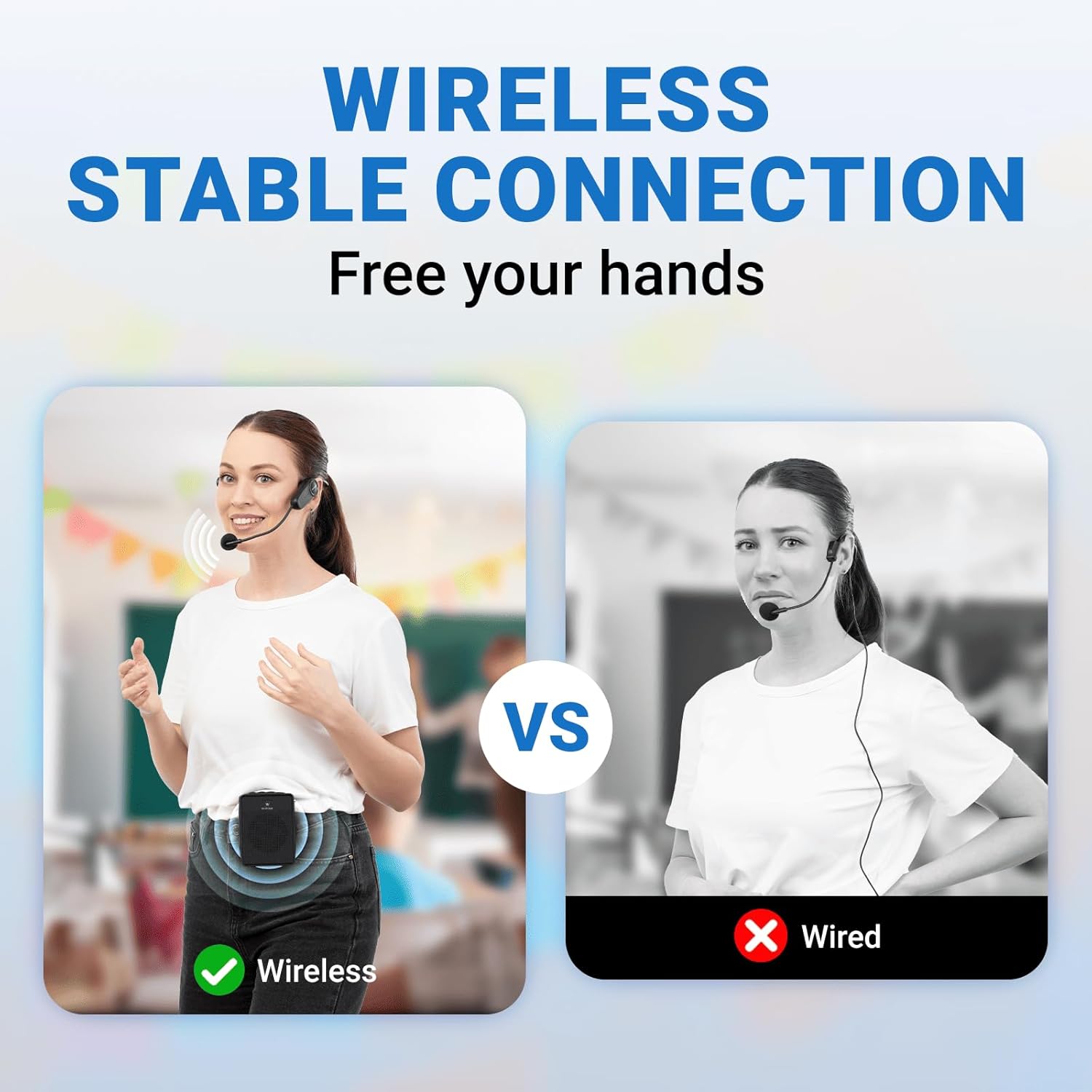
Figure 5: Wireless Microphone Connection. This image illustrates the benefit of a wireless connection, providing freedom of movement for the user.
4. Operating Instructions
4.1 Basic Operation
- Power On/Off: Press and hold the power button.
- Volume Control: Use the dedicated volume knob on the amplifier to adjust the master output volume. Each microphone also has its own volume controls.
- Mode Selection: Use the mode button on the amplifier to switch between different input sources (Bluetooth, USB, TF Card, Aux).
4.2 Using the Microphones
- Sound Effects: The WB B002 microphones offer 4 distinct sound effects. Cycle through them using the designated button on the microphone.
- Volume Adjustment: Adjust the microphone's output volume directly on the microphone unit.
- Placement: For optimal sound pickup, position the microphone appropriately, utilizing its 360° pickup capability.
4.3 Connectivity Options
- Bluetooth: Activate Bluetooth mode on the amplifier. Search for "WB S99" on your device and pair.
- USB/TF Card: Insert a USB drive or TF card into the respective slot on the amplifier. The amplifier will automatically play compatible audio files.
- Aux Input: Connect an external audio source (e.g., smartphone, MP3 player) to the amplifier's Aux input using a 3.5mm audio cable.
- XLR Microphone Input: For wired microphones, use the XLR input.
- 1/4" Instrument Input: Connect a guitar or other instrument to the dedicated 1/4" TRS or TS input.
- RCA Input: For additional audio sources, use the RCA input.
- Speaker Wire Output: For connecting to external passive speakers.
5. Maintenance
- Cleaning: Use a soft, dry cloth to clean the surfaces of the amplifier and microphones. Do not use liquid cleaners or abrasive materials.
- Storage: Store the devices in a cool, dry place away from direct sunlight and extreme temperatures when not in use.
- Battery Care: To prolong battery life, avoid fully discharging the devices frequently. Recharge them regularly, even if not in constant use.
6. Troubleshooting
| Problem | Possible Cause | Solution |
|---|---|---|
| No sound from amplifier |
|
|
| Microphone not connecting |
|
|
| Poor sound quality / Distortion |
|
|
7. Specifications
7.1 WB S99 Voice Amplifier
- Output Power: 100W
- Battery Capacity: 4000mAh Lithium Battery
- Charging Time: 3-4 hours
- Playing Time: 5-8 hours
- Connectivity Technology: XLR, 1/4" TRS or TS, RCA, Speaker Wire, Bluetooth, USB, TF Card, Aux
- Audio Input: XLR microphone, 1/4" instrument
- Number of Channels: 2
- Dimensions (L x W x H): 7.72" x 5.12" x 10"
- Weight: 7.5 lbs
- Mounting Type: Floor Standing, Tabletop
- Color: Black

Figure 6: WB S99 Amplifier Dimensions and Portability. This image provides the physical measurements and weight of the amplifier, demonstrating its portable design with a handle and belt.
7.2 WB B002 Wireless Microphones
- Pickup Pattern: 360°
- Features: 4 Sound Effects, Volume Control, Rechargeable
- Connectivity: Wireless
8. Warranty and Support
ResponseBridge products are designed for reliability and performance. For warranty information, technical support, or service inquiries, please refer to the contact information provided with your purchase or visit the official ResponseBridge website. Please retain your proof of purchase for warranty claims.


