
Seeday CTG-PB-0004
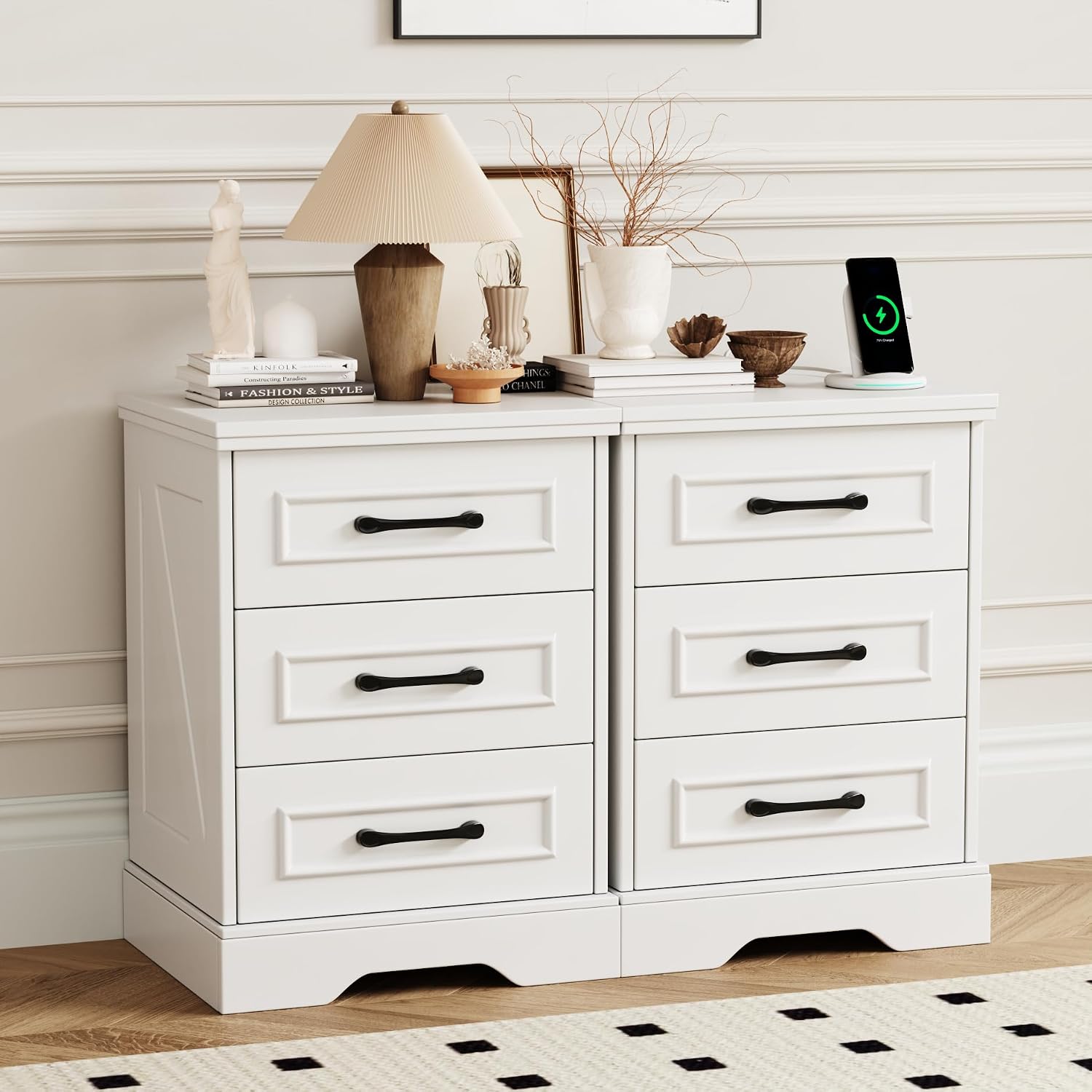
Seeday Farmhouse Nightstand Set with USB & Type-C Charging Ports (Model CTG-PB-0004) - Instruction Manual
Model: CTG-PB-0004 | Brand: Seeday
Introduction
This manual provides comprehensive instructions for the assembly, operation, and maintenance of your Seeday Farmhouse Nightstand Set. Please read this manual carefully before assembly and use to ensure safe and correct operation. Keep this manual for future reference.
Important Safety Information
- Always follow assembly instructions carefully.
- Do not overload drawers or the top surface. The maximum weight recommendation for the top surface is 75 pounds.
- Ensure all electrical connections are secure and comply with local electrical codes.
- Use the included anti-tip kit to secure the nightstand to a wall, especially in homes with children or pets, to prevent serious injury from tipping.
- Keep liquids away from electrical outlets and charging ports.
- Do not attempt to modify the product or its electrical components.
Package Contents
Before beginning assembly, verify that all parts listed below are present and undamaged. If any parts are missing or damaged, please contact customer support.
- Nightstand Panels (Top, Bottom, Sides, Back)
- Drawer Panels (Front, Back, Sides, Bottom)
- Drawer Slides
- Hardware (Screws, Dowels, Cam Locks, etc.)
- Drawer Handles
- Power Outlet Unit (with 2 AC outlets, 1 USB port, 1 Type-C port, and 4.9 ft power cord)
- Anti-Tip Kit
- Assembly Tools (e.g., Hex Key - usually included)
- Instruction Manual
Assembly Instructions
Please follow these steps carefully for proper assembly. It is recommended to assemble the nightstand on a soft, clean surface to prevent scratches.
- Prepare the Workspace: Clear an area and lay out all components and hardware. Identify each part using the provided labels.
- Assemble the Main Frame: Attach the side panels to the bottom panel using the designated hardware (e.g., dowels and cam locks). Ensure all connections are tight.
- Install Drawer Slides: Secure the drawer slides to the inner side panels of the nightstand frame according to the pre-drilled holes. Ensure they are level and aligned.
- Assemble Drawers: Construct each drawer by attaching the side, front, and back panels to the drawer bottom. Install the corresponding drawer slides to the drawer sides.
- Attach Drawer Handles: Secure the matte black metal handles to the front of each drawer.
- Insert Drawers: Carefully slide the assembled drawers into the nightstand frame, ensuring they glide smoothly.
- Install Top Panel: Place and secure the top panel onto the assembled frame.
- Integrate Charging Unit: Insert the power outlet unit into the designated cutout on the top surface or back panel. Route the power cord as needed.
- Attach Back Panel: Secure the back panel to the nightstand frame.
- Install Anti-Tip Kit: For safety, attach the anti-tip bracket to the back of the nightstand and secure it to a wall stud using appropriate wall anchors and screws.

Operating Instructions
Using the Integrated Charging Ports
The Seeday Farmhouse Nightstand is equipped with a convenient power outlet unit for charging your electronic devices.
- Connect to Power: Plug the nightstand's power cord into a standard 120V AC wall outlet.
- AC Outlets: Use the two 125V/12A AC outlets to power lamps, alarm clocks, or other small appliances.
- USB & Type-C Ports: Connect your smartphones, tablets, or other USB-powered devices to the 5V/2A USB and Type-C ports for charging.
Note: Ensure devices are compatible with the provided voltage and current. Do not exceed the maximum power rating of the charging unit.

Using the Drawers
The three spacious drawers provide ample storage. To open, gently pull the handle. To close, push the drawer back until it is fully seated.

Care and Maintenance
- Cleaning: Wipe surfaces with a soft, damp cloth. Avoid harsh chemicals or abrasive cleaners that may damage the finish.
- Spills: Immediately wipe up any spills to prevent water damage or staining.
- Drawer Slides: Periodically check drawer slides for smooth operation. If they become stiff, a small amount of silicone lubricant can be applied.
- Hardware: Periodically check and tighten all screws and fasteners to ensure stability.
- Sunlight Exposure: Avoid prolonged exposure to direct sunlight to prevent fading or discoloration of the wood finish.
Troubleshooting
| Problem | Possible Cause | Solution |
|---|---|---|
| Charging ports not working. |
|
|
| Drawers stick or do not close smoothly. |
|
|
| Nightstand feels wobbly. |
|
|
Specifications
- Brand: Seeday
- Model Name: CTG-PB-0004
- Product Dimensions (D x W x H): 15"D x 17.7"W x 25.6"H
- Material Type: Engineered Wood
- Color: White
- Number of Drawers: 3 per unit
- Number of Items: 2 (Set of 2 nightstands)
- Maximum Weight Recommendation (Top Surface): 75 Pounds
- Power Outlets: 2 AC Outlets (125V/12A)
- USB Ports: 1 USB Port (5V/2A)
- Type-C Ports: 1 Type-C Port (5V/2A)
- Power Cord Length: 4.9 Feet
- Item Weight: 68 Pounds (for the set)
Warranty and Customer Support
For warranty information or assistance with your Seeday product, please contact the seller directly through your purchase platform or refer to the warranty card included in your package.
Seller: SeeDay-Direct
For further support, you may visit the Seeday Store on Amazon.
Ask a question about this manual
Ask about setup, troubleshooting, compatibility, parts, safety, or missing instructions. Manuals+ will review the question and use this page’s manual context to help answer it.