
radtel RT-880
Radtel RT-880 Portable Handheld Walkie Talkie User Manual
Model: RT-880 | Brand: Radtel
Introduction
Thank you for choosing the Radtel RT-880 10W Portable Handheld Walkie Talkie. This device is designed for reliable and clear two-way communication, featuring 1024 channels, cross-band repeater functionality, and support for HF, CB, and SSB ham radio frequencies. This manual provides essential information for the proper setup, operation, and maintenance of your RT-880 to ensure optimal performance and longevity.
What's in the Box
Upon opening your Radtel RT-880 package, please verify that all the following items are included:
- 1x RT-880 Main unit
- 1x 2400mAh Li-ion Battery
- 1x Dual band antenna
- 1x Belt Clip
- 1x Type C charging Cable
- 1x Power supply with USB port
- 1x English User Manual

Figure 1: All components included in the Radtel RT-880 package.
Product Features Overview
Portable and Lightweight Design
The RT-880 is designed for portability, making it ideal for various activities such as hiking, camping, or professional event coordination. Its compact form factor ensures ease of carrying and handling.
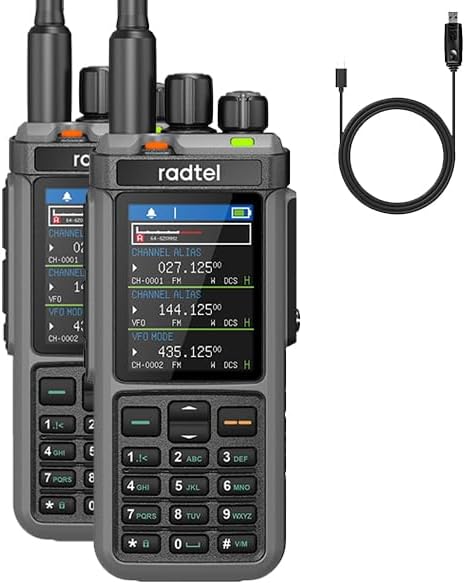
Figure 2: Compact design of the Radtel RT-880 units.
Powerful Performance & Long Range
Equipped with advanced technology, the RT-880 delivers strong and clear signals, ensuring reliable communication over long distances. It functions as a robust GMRS radio and ham radio, suitable for both professionals and outdoor enthusiasts.

Figure 3: Key features of the RT-880 including display, battery, and channel capacity.
Dual PTT and Antenna Interface
The RT-880 features dual Push-To-Talk (PTT) buttons for flexible operation and a dual antenna interface for enhanced signal reception and transmission versatility.
Video 1: Demonstrates the physical features of the Radtel RT-880, including its hard housing, dual PTT buttons, dual antenna interface, and Type-C/desktop charging options. This video provides a visual overview of the radio's robust build and user-friendly design elements.
Cross-Band Repeater Function
The cross-band repeater function allows the radio to transfer UV cross-band and UU same-frequency inter-transfer, extending communication range and flexibility.
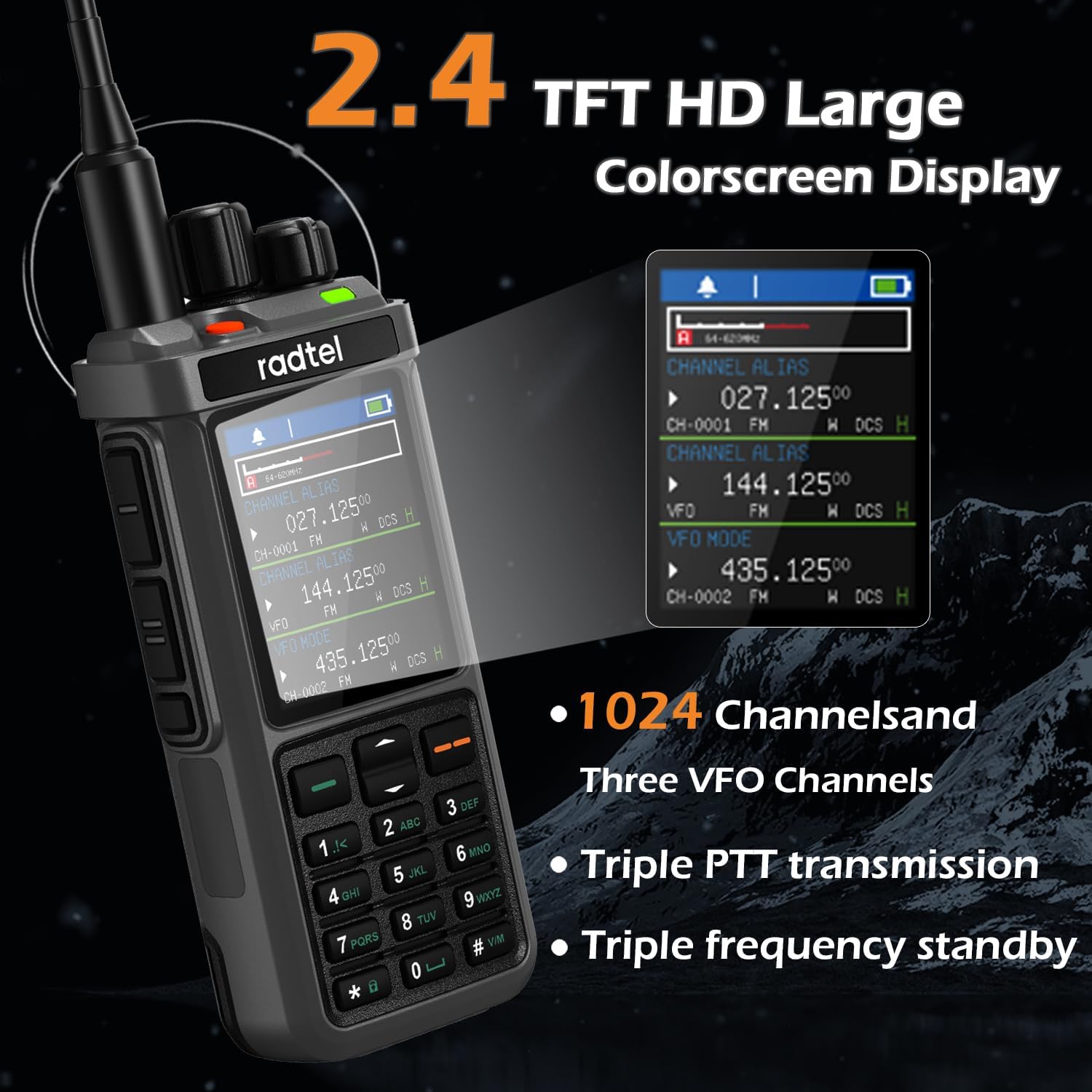
Figure 4: Illustration of the cross-band repeater capability.
User-Friendly Features
The RT-880 features an intuitive interface and easy-to-use controls, making it suitable for users of all experience levels. Its durable build ensures longevity, and its portable nature makes it an essential tool for any communication needs.
- 2.4-inch TFT HD Large Colorscreen Display
- 1024 Channels and Three VFO Channels
- Triple PTT transmission
- Triple frequency standby
- 11 NOAA Channels
- Receives aviation AM
- VOX Function
- Customize shortcut keys
- Type-C + Desk Charge
- Spectrum Scanning Function

Figure 5: Customizable features and display of the RT-880.

Figure 6: Detailed view of the RT-880's high-definition color display.
Setup Guide
- Unpack and Inspect: Carefully remove all components from the packaging. Inspect each item for any signs of damage.
- Install Battery:
- Align the 2400mAh Li-ion battery with the battery compartment on the back of the RT-880 unit.
- Gently push the battery into place until it clicks securely.
- Attach Antenna:
- Screw the dual-band antenna clockwise into the antenna connector on the top of the radio until it is finger-tight. Do not overtighten.
- Charge Battery:
- Connect the Type-C charging cable to the radio's Type-C port or place the radio in the desktop charging cradle.
- Connect the other end of the cable to the power supply with a USB port, and plug the power supply into a wall outlet.
- The charging indicator on the radio will show charging status. Charge fully before first use (approximately 4-5 hours).
- Attach Belt Clip:
- Align the belt clip with the designated slots on the back of the radio.
- Secure the belt clip using the provided screws (if applicable) or slide it into place until it locks.
Operating Instructions
Power On/Off
- To power on, rotate the power/volume knob clockwise until you hear a click and the screen illuminates.
- To power off, rotate the power/volume knob counter-clockwise until you hear a click and the screen turns off.
Volume Adjustment
- Rotate the power/volume knob clockwise to increase volume and counter-clockwise to decrease volume.
Channel/Frequency Selection
- Use the up/down arrow keys on the keypad to navigate through channels or frequencies.
- In VFO (Variable Frequency Oscillator) mode, you can directly input frequencies using the numeric keypad.
- The RT-880 supports 1024 channels and three VFO channels for flexible operation.
Transmitting (PTT)
- Press and hold the Push-To-Talk (PTT) button on the side of the radio to transmit. Speak clearly into the microphone.
- Release the PTT button to receive.
- The RT-880 features dual PTT buttons for convenience.
Menu Navigation
- Press the MENU button to access the main menu.
- Use the up/down arrow keys to scroll through menu options.
- Press OK or the corresponding number to select an option.
- Press EXIT to return to the previous screen or exit the menu.
Figure 7: Example of menu navigation on the RT-880.
Maintenance
- Cleaning: Use a soft, damp cloth to clean the radio's exterior. Do not use harsh chemicals or abrasive cleaners.
- Battery Care:
- To maximize battery life, fully charge the battery before first use.
- Avoid overcharging or completely draining the battery.
- If storing the radio for an extended period, remove the battery and store it in a cool, dry place.
- Antenna Care: Ensure the antenna is securely attached. Avoid bending or stressing the antenna, as this can damage the connector or affect performance.
- Storage: Store the radio in a dry, dust-free environment away from extreme temperatures.
Troubleshooting
| Problem | Possible Cause | Solution |
|---|---|---|
| Radio does not power on. | Battery is low or not installed correctly. | Charge the battery or ensure it is properly seated. |
| Cannot transmit or receive. | Incorrect frequency/channel, out of range, or antenna not connected. | Verify frequency/channel settings. Move closer to other radios. Check antenna connection. |
| Poor audio quality. | Low battery, interference, or radio too far apart. | Charge battery. Move away from sources of interference. Reduce distance between radios. |
| Keypad unresponsive. | Keypad lock is active. | Refer to the operating instructions to unlock the keypad. |
Specifications
- Model: RT-880
- Item Weight: 1.52 pounds
- Product Dimensions: 1.26 x 2.36 x 12 inches
- Batteries: 1 9V batteries required (included)
- Manufacturer: Xiamen Radtel Electronics Co.,Ltd
- Brand: Radtel
- Color: Standard
- Number of Channels: 1024
- Special Feature: AM USB LSB CW CB LW MW SW SSB Reception, 1024 Channels, Cross Band Repeater Function
- Frequency Range: 144-148Mhz/420-450Mhz
- Talking Range Maximum: 5 Kilometer
- Tuner Technology: AM/FM/SSB
- Voltage: 7.38 Volts
- Water Resistance Level: Not Water Resistant
Warranty and Support
The Radtel RT-880 comes with a 1-Year Warranty from the manufacturer, Xiamen Radtel Electronics Co.,Ltd. This warranty covers defects in materials and workmanship under normal use.
For technical support, warranty claims, or service inquiries, please contact the manufacturer or your authorized dealer. Keep your purchase receipt as proof of purchase for warranty purposes.
Additional protection plans may be available for purchase:
- 2-Year Protection Plan
- 3-Year Protection Plan
- Complete Protect: One plan covers all eligible past and future purchases
Related documentsRT-880


Ask a question about this manual
Ask about setup, troubleshooting, compatibility, parts, safety, or missing instructions. Manuals+ will review the question and use this page’s manual context to help answer it.