
1. Product Overview
This KUNFINE Android Stereo Navigation System is designed to upgrade the in-car entertainment and navigation experience for compatible BMW 5 Series GT F07 models. It features a 10.25-inch IPS touchscreen display, an Octa Core processor, 8GB RAM, and 64GB ROM, offering seamless integration with CarPlay and Android Auto, along with various multimedia and connectivity options.
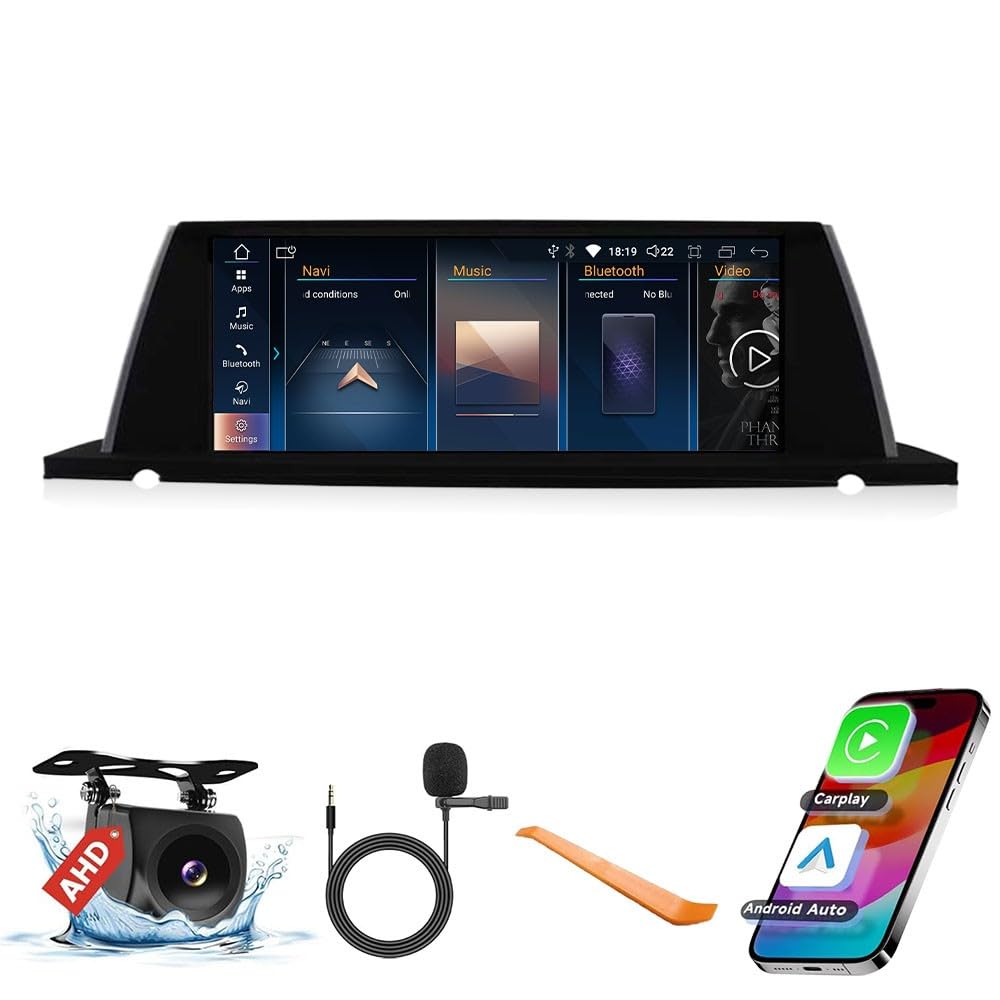
Image: KUNFINE Android Stereo System displaying various Android applications.
2. Compatibility
This unit is specifically suitable for BMW 5 Series GT F07 models manufactured between 2010 and 2012. Please ensure your vehicle's system (CCC/CIC/NBT/EVO) is compatible before installation.

Image: Visual guide for identifying compatible BMW car systems (CCC, CIC, NBT, EVO) based on their LVDS plug types.
3. Package Contents
The standard delivery package includes the following items:
- 1x Car Android Head Unit with Mask
- 1x GPS Antenna
- 1x Power Cable (Plug & Play)
- 2x USB Port Cable
- 1x RCA Expand Cable
- 1x RCA Connector for Reverse Camera
- 1x Install Kit (GIFT)
- 1x External Mic (GIFT)
- 1x AHD 720 Reverse Camera (GIFT)
4. Setup
4.1 Installation
Professional installation is recommended for this product. Ensure all connections are secure and correctly routed to avoid damage or malfunction. The unit is designed to integrate seamlessly with your vehicle's existing interior.

Image: Comparison of the BMW dashboard before and after the KUNFINE Android Stereo installation.
4.2 Initial Power-On
After installation, power on the vehicle. The system should boot up automatically. Follow any on-screen prompts for initial setup, such as language selection and time zone settings.
5. Operating Instructions
5.1 CarPlay and Android Auto
The system supports both wireless and wired CarPlay and Android Auto. Connect your iOS or Android device via Bluetooth or USB to access navigation, music, calls, and other apps directly on the head unit's display. Voice assistants can be used for hands-free operation.

Image: Instructions for connecting Apple CarPlay and Android Auto wirelessly or via cable.
5.2 Navigation
Utilize the built-in GPS functionality with various navigation applications. The large IPS touchscreen provides clear map displays and easy interaction.

Image: Screen displaying various navigation applications supported by the system.
5.3 Multimedia Playback
The unit supports USB input for media playback and Bluetooth for streaming stereo music from your mobile phone. It is compatible with all formats of BMW audio playback.
5.4 Steering Wheel Control
The system supports existing steering wheel controls, allowing you to manage audio and other functions without taking your hands off the wheel.
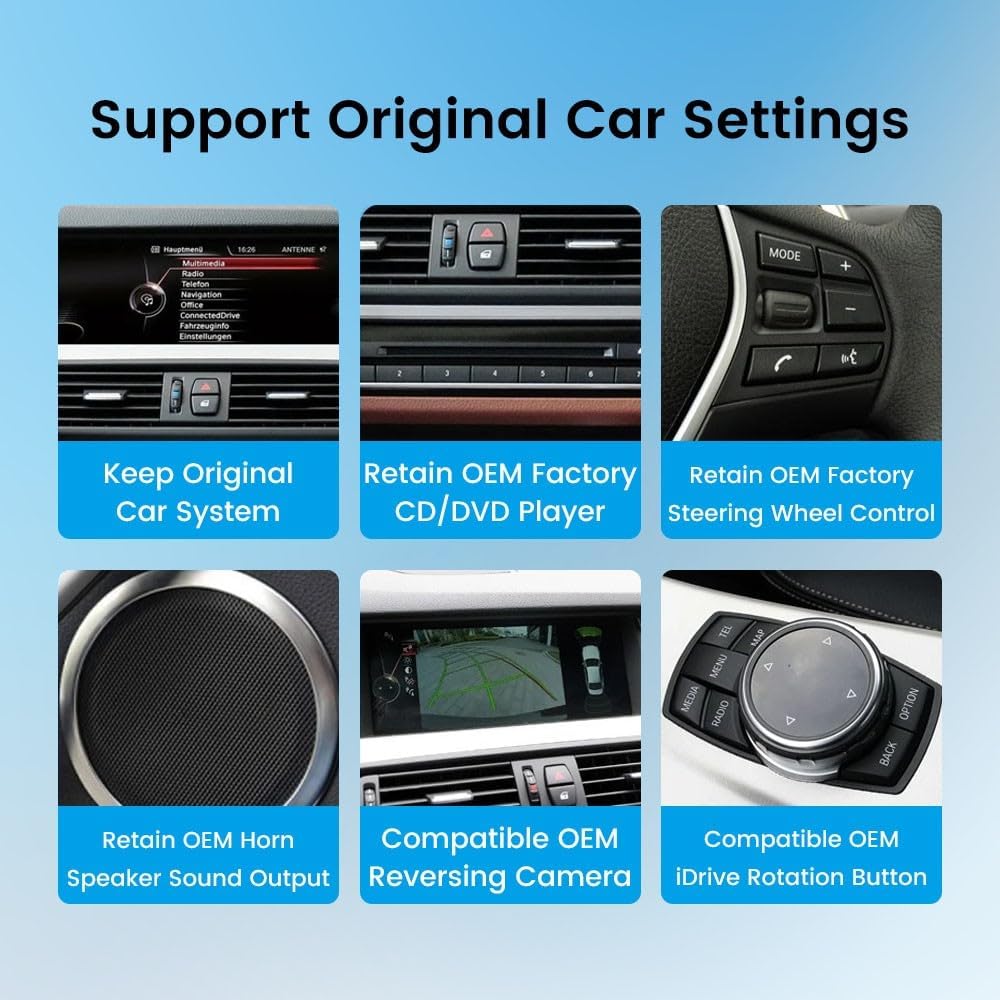
Image: Features demonstrating the retention of original car settings, including steering wheel controls and iDrive.
5.5 Rear View Camera
The unit supports aftermarket RCA type backup cameras and is compatible with OEM reversing cameras. An AHD 720 Reverse Camera is included as a gift.
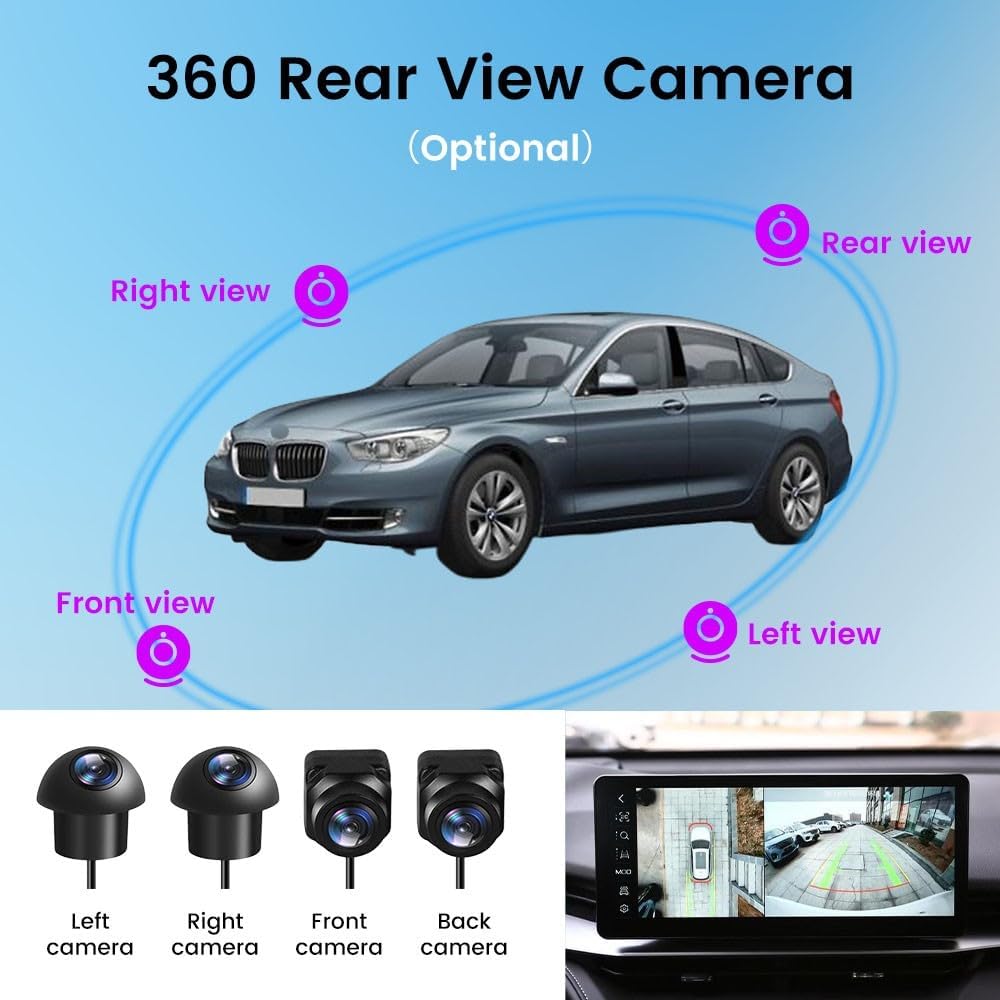
Image: Illustration of an optional 360-degree rear view camera system.
6. Maintenance
To ensure optimal performance and longevity of your KUNFINE Android Stereo, follow these general maintenance guidelines:
- Cleaning: Use a soft, dry cloth to clean the screen and exterior. Avoid abrasive cleaners or solvents.
- Software Updates: Periodically check for firmware updates to ensure the system has the latest features and security patches.
- Environmental Conditions: Avoid exposing the unit to extreme temperatures or direct sunlight for prolonged periods.
7. Troubleshooting
7.1 No Sound Issue
If you experience no sound from the unit, follow these steps:
- Access the OEM system interface.
- Navigate to Multimedia > External Devices.
- Ensure OEM Bluetooth is not selected.
- Go to Settings > System and turn off the 'Use Car's BT Channel' feature.
- Disconnect your phone's original Bluetooth connection from the car.
- In the car's settings, select 'Auto Switch to AUX' feature off.
- Return to the original car interface, select AUX front, and adjust the volume knob.
- If still no sound, connect the AUX harness.
- Check and connect AB ground plugs if disconnected.
- Verify the fiber optic cable in the OEM ISO harness and adapt it to the PEMP ISO harness if present.
- Ensure the ISO harness is securely plugged in.
- Finally, check that the power cable and LVDS on the back of the machine are not loose; re-plug them if necessary.
Video: Detailed instructions on how to troubleshoot and fix common no-sound issues with the car stereo system.
7.2 OEM Bluetooth Calling in CarPlay
To ensure OEM Bluetooth calling functions correctly with CarPlay:
- Go to Settings > System and turn off the 'Use Car's BT Channel' option.
- Then, go to 'OEM Car Info' and connect the original Bluetooth.
- After a successful connection, change the multimedia mode to the Bluetooth you just connected to.
- At this point, Linux Bluetooth will automatically disconnect, and OEM Bluetooth will stay connected, allowing for normal CarPlay sound.
Video: Guide on how to properly configure OEM Bluetooth for calling functionality when using CarPlay.
8. Specifications
- Display Size: 10.25 Inches
- Operating System: Android
- Memory Storage Capacity: 64 GB
- CPU: Octa Core
- RAM: 8 GB
- Connectivity Technology: USB, Bluetooth, Wi-Fi
- Human Interface Input: Touch Pad, Touchscreen
- Control Method: Touch
- Map Type: North America
- Touch Screen Type: Capacitive
9. Warranty and Support
The KUNFINE Android Stereo Navigation System comes with a one-year warranty (non-human damage). For any questions, technical assistance, or after-sales support, please contact the seller directly. Your consultation is always welcomed.