
1. Product Overview
The UML0 S3P Cordless Vacuum Cleaner is designed for efficient cleaning of various surfaces, including hard floors and low-pile carpets. It features a powerful brushless motor, a long-lasting detachable battery, and an intelligent LED display for monitoring status. Its versatile design allows for use as a stick vacuum or a handheld unit, making it suitable for a wide range of cleaning tasks.
2. Included Components
Before assembly, ensure all components listed below are present in the packaging:
- Main motor (motor & dust cup)
- Motorized brush head
- Long crevice tool
- 2-in-1 dust brush
- Wall mount
- 2-in-1 roller brush
- Screws (for wall mount)
- Retractable metal tube
- Power adapter
- Cleaning gadget
- User manual
- Battery
- One extra filter

Figure 2.1: All included components of the S3P vacuum cleaner.
3. Setup and Assembly
Follow these steps to assemble your UML0 S3P Cordless Vacuum Cleaner:
- Attach the Battery: Slide the battery pack onto the main motor unit until it clicks securely into place. Ensure it is fully seated.
- Connect the Extension Tube: Insert the retractable metal tube into the main motor unit until it locks.
- Attach the Brush Head: Connect the motorized brush head to the other end of the extension tube. Ensure it clicks firmly.
- Initial Charging: Before first use, fully charge the battery. Connect the power adapter to the charging port on the battery (either attached to the main unit or detached) and plug it into a wall outlet. The LED display will indicate charging status.
- Optional Wall Mount Installation: Use the provided screws to secure the wall mount in a convenient location. This allows for easy storage and charging.

Figure 3.1: Detachable battery for flexible charging options.
4. Operating Instructions
The UML0 S3P offers intuitive controls and versatile cleaning modes:
- Power On/Off: Press the power button on the handle to start the vacuum. Press it again to turn off.
- Adjust Suction Mode: The vacuum features two suction modes: Eco Mode (standard) and Strong Mode (max). Use the mode selection button on the LED display to switch between these settings. Eco Mode provides up to 55 minutes of runtime, while Strong Mode offers 25 minutes for tougher messes.
- LED Display: The intelligent LED display provides real-time information on battery status and the current suction mode. Monitor this display to manage your cleaning tasks effectively.
- Brush Head Operation: The V-shaped anti-tangle roller brush is designed to lift dirt and pet hair while minimizing entanglement. The brush head rotates 90° vertically and 165° horizontally, allowing easy access under furniture. Four built-in LED lights illuminate hidden dust.
- Handheld Conversion: Detach the extension tube and brush head to convert the unit into a handheld vacuum. Attach the 2-in-1 dusting brush or crevice tool for cleaning upholstery, car interiors, or tight spaces.
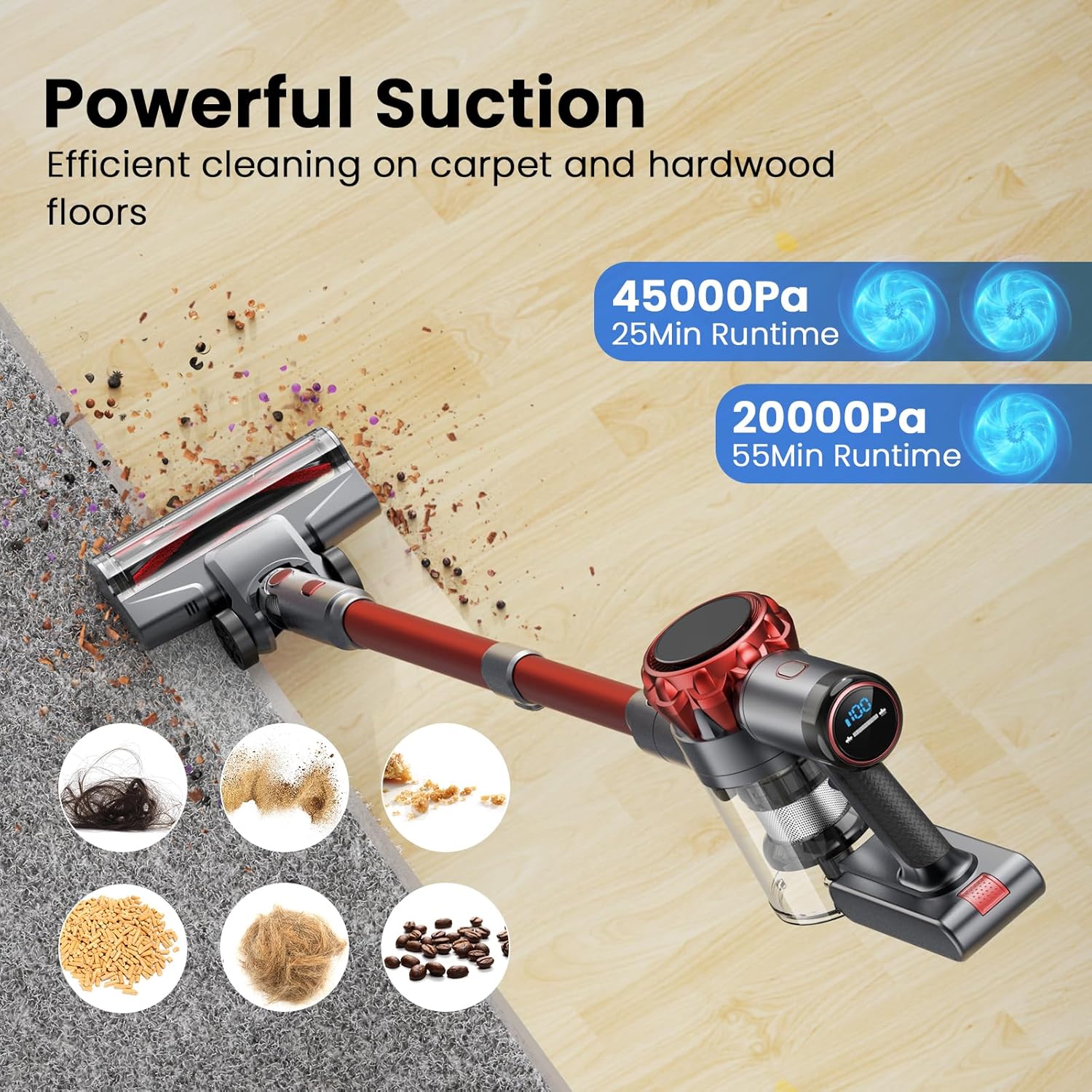
Figure 4.1: Powerful suction for various floor types.
Figure 4.2: All-in-one LED display for real-time status.

Figure 4.3: Upgraded anti-tangle roller brush for pet hair.
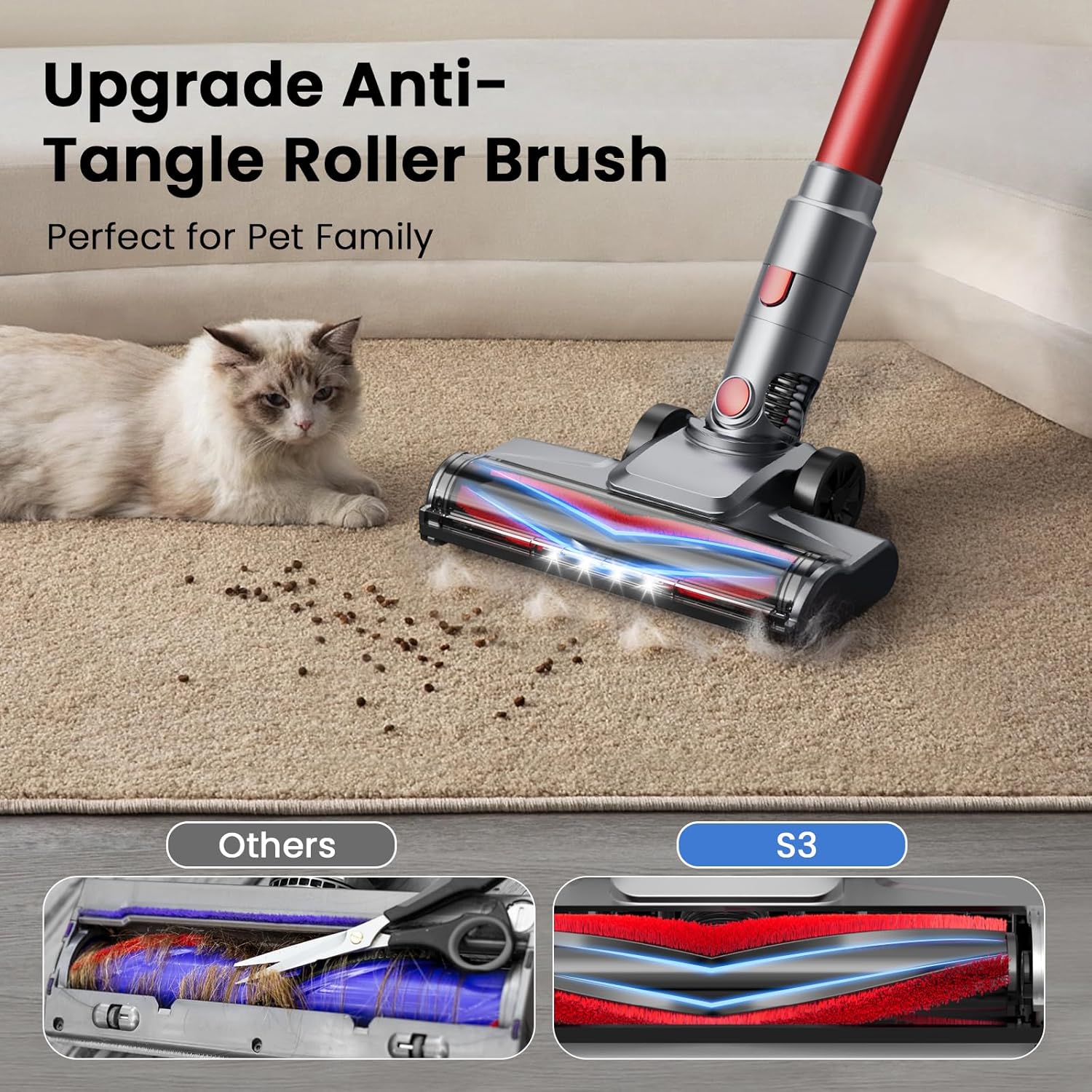
Figure 4.4: Multi-use handheld vacuum for versatile cleaning.
5. Maintenance
Regular maintenance ensures optimal performance and extends the lifespan of your vacuum cleaner:
- Emptying the Dust Cup: The large capacity dust cup can be emptied with a single button push. Empty it regularly to maintain suction power.
- Cleaning the HEPA Filter: The 6-stage high-efficiency filtration system includes a HEPA filter. For optimal performance, clean the HEPA filter every 2-3 weeks. It is recommended to replace the HEPA filter every 3 months, depending on usage frequency.
- Cleaning the Roller Brush: Periodically remove the roller brush from the brush head and clean any tangled hair or debris. The cleaning gadget can assist with this.

Figure 5.1: 6-Layer High-Efficiency Filtration System.
6. Troubleshooting
If you encounter issues with your vacuum cleaner, refer to the following common solutions:
- No Power: Ensure the battery is fully charged and correctly installed. Check if the power button is pressed firmly.
- Weak Suction: Empty the dust cup if it is full. Clean or replace the HEPA filter. Check the extension tube and brush head for any blockages.
- Brush Head Not Rotating: Check for tangled hair or debris obstructing the roller brush. Ensure the brush head is securely attached to the extension tube.
- Short Battery Life: Ensure the battery is fully charged using the original adapter. Operating in Strong Mode will consume battery faster than Eco Mode.
If problems persist, please contact customer support for further assistance.
7. Specifications
| Brand | UML0 |
| Model Name | S3P |
| Motor | 300W Brushless Digital Motor |
| Suction Power | 45,000 Pa (Max Mode) |
| Battery Life | Up to 55 minutes (Eco Mode), 25 minutes (Strong Mode) |
| Filter Type | 6-Stage High-Efficiency Filtration System (HEPA) |
| Dust Cup Capacity | 0.8 Liters |
| Noise Level | 65 Decibels |
| Product Dimensions | 17"L x 11"W x 7"H |
| Item Weight | 5.5 pounds |
| Power Source | Battery Powered (1 Lithium Ion battery included) |
8. Warranty and Support
The UML0 S3P Cordless Vacuum Cleaner comes with a 2-year warranty. For any assistance, questions, or warranty claims, please contact UML0 customer support. Refer to the contact information provided in your product packaging or on the official UML0 website.