
1. Introduction
Thank you for choosing the Homary Smart Nightstand. This modern bedside table is designed to enhance your bedroom with smart features including wireless charging, USB and Type-C ports, and integrated dimmable LED lighting. This manual provides essential information for safe assembly, operation, maintenance, and troubleshooting to ensure optimal performance and longevity of your product.
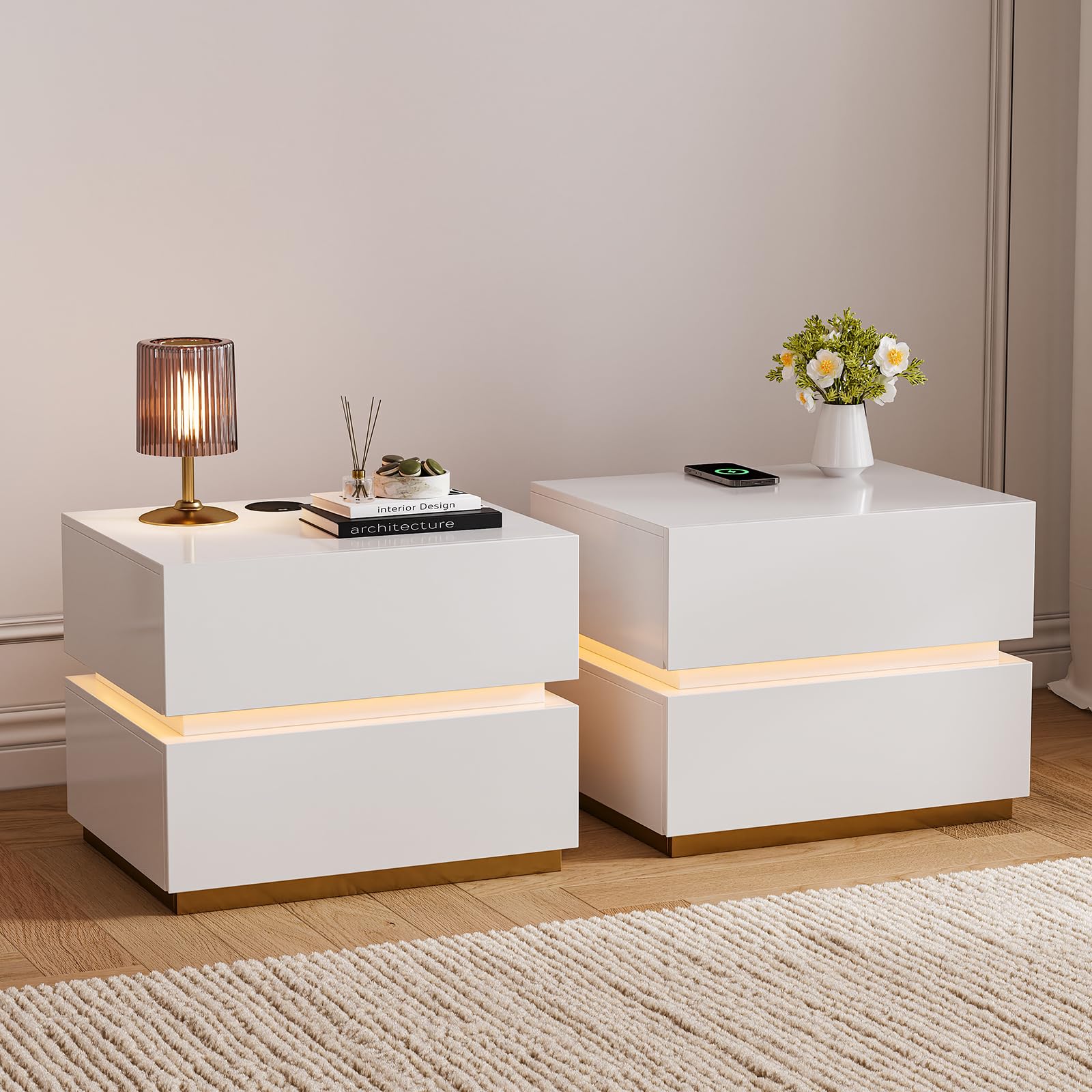
Image 1.1: Homary Smart Nightstand overview, showcasing its sleek design and integrated features.
2. Safety Information
Please read all safety instructions carefully before assembly and use. Retain this manual for future reference.
- Ensure all components are present and undamaged before assembly. Do not use if any parts are missing or broken.
- Assembly should be performed on a soft, clean surface to prevent scratches.
- Keep small parts away from children and pets to avoid choking hazards.
- Do not overload drawers. Distribute weight evenly.
- Keep electrical components (charging station, LED light) away from water and excessive moisture.
- Use only the provided power adapter or a compatible one with appropriate voltage.
- Do not attempt to modify or repair the electrical components yourself. Contact customer support if issues arise.
- Place the nightstand on a stable, level surface to prevent tipping.
3. Package Contents
Verify that all parts are included in your package. If any parts are missing or damaged, please contact customer support.
- Nightstand panels (top, bottom, sides, back, drawer fronts, drawer sides/backs)
- Drawer slides and hardware
- Wireless charging module
- USB/Type-C port module
- LED light strip and controller
- Power adapter
- Assembly hardware (screws, dowels, cam locks, etc.)
- Instruction manual
4. Setup and Assembly
The Homary Smart Nightstand requires assembly. All necessary hardware and detailed instructions are included. A screwdriver is recommended for assembly.
4.1 Assembly Steps
- Unpack all components and lay them out on a clean, soft surface.
- Identify each part using the provided parts list in the separate assembly guide.
- Follow the step-by-step instructions in the assembly guide to construct the nightstand frame.
- Assemble the drawers and install the drawer slides. Ensure smooth operation.
- Integrate the wireless charging module, USB/Type-C port module, and LED light strip according to the instructions.
- Connect the power adapter to the nightstand's electrical components and then to a power outlet.
4.2 Assembly Video Guide
Video 4.1: Detailed video guide on how to install the Homary Smart Nightstand. This video demonstrates the assembly process step-by-step.
4.3 Product Dimensions

Image 4.2: Visual representation of the nightstand's dimensions: 15.7"D x 19.7"W x 15.7"H.
5. Operating Instructions
5.1 Wireless Charging Station
The nightstand features a built-in wireless charging pad on its top surface. To use:
- Ensure the nightstand is powered on and connected to an electrical outlet.
- Place your Qi-compatible device directly onto the wireless charging pad.
- The device should indicate that it is charging. If not, adjust its position on the pad.

Image 5.1: Close-up of the nightstand's top surface showing the wireless charging pad and USB/Type-C ports.
5.2 USB & Type-C Ports
Located on the top surface, these ports allow for wired charging of various devices.
- Connect your device's charging cable to the appropriate USB or Type-C port.
- Ensure the nightstand is powered on.
5.3 Dimmable LED Light
The integrated LED light strip provides ambient lighting with adjustable brightness.
- Locate the touch sensor button on the top surface of the nightstand.
- Short Press: Tap the button to turn the LED light ON or OFF.
- Long Press: Press and hold the button to adjust the brightness level. Release when the desired brightness is reached.

Image 5.2: Illustration of the dimmable LED lighting feature and touch control for brightness adjustment.
5.4 Product Features Overview Video
Video 5.3: A brief overview of the Homary Smart Nightstand's key features, including charging capabilities.
6. Maintenance
Proper care will help maintain the appearance and functionality of your nightstand.
- Cleaning: Wipe surfaces with a soft, damp cloth. Avoid harsh chemicals or abrasive cleaners that may damage the finish.
- Spills: Clean spills immediately to prevent staining or damage to the wood.
- Dusting: Regularly dust with a dry, soft cloth.
- Electrical Components: Ensure all electrical connections are secure. Do not attempt to clean the charging ports with liquids.
- Drawer Slides: Periodically check drawer slides for smooth operation. If they become stiff, a small amount of silicone lubricant can be applied.
7. Troubleshooting
If you encounter issues with your Homary Smart Nightstand, refer to the following common problems and solutions:
| Problem | Possible Cause | Solution |
|---|---|---|
| Wireless charging not working | Device not Qi-compatible; device misaligned; power not connected; thick phone case. | Ensure device is Qi-compatible. Reposition device on the pad. Check power connection. Remove thick phone case. |
| USB/Type-C ports not charging | Power not connected; faulty cable; device issue. | Check power connection. Try a different charging cable. Test with another device. |
| LED light not turning on/off or dimming | Power not connected; faulty LED strip/controller; touch sensor issue. | Check power connection. Ensure touch sensor is clean and unobstructed. Try a short press, then a long press. |
| Drawers are stiff or do not close properly | Improper assembly of drawer slides; obstruction; uneven surface. | Review assembly instructions for drawer slides. Check for obstructions. Ensure nightstand is on a level surface. Apply silicone lubricant to slides if needed. |
| Buzzing or electrical noise | Loose connection; internal component issue. | Immediately unplug the nightstand. Do not use. Contact customer support for assistance. |
8. Specifications
Detailed specifications for the Homary Smart Nightstand.
- Brand: homary
- Model Name: Set of 2 Smart nightstand with LED light
- Model Number: JJ964R01U9
- Product Dimensions: 15.7"D x 19.7"W x 15.7"H (400mm D x 500mm W x 400mm H)
- Item Weight: 77 pounds
- Frame Material: Engineered Wood
- Top Material: Engineered Wood
- Handle Material: Engineered Wood
- Base Material: Stainless Steel
- Color: White
- Number of Drawers: 2
- Special Features: Wireless Charging Station, USB Ports, Type-C Ports, Dimmable LED Light
- Certifications: FSC-Certified Wood Frame

Image 8.1: Information on FSC-certified engineered wood used in the nightstand, highlighting its high-density core and durability.
9. Warranty and Support
Homary products are designed for quality and durability. For warranty information or technical support, please contact us directly.
- Customer Care Center: For questions or assistance, please reach out to our support team.
- Service Time: Replies typically within 24 hours (excluding public holidays).
- Email: service@homary.com
- Please provide your order number when contacting us via email for faster service.