Introduction
This manual provides essential information for the proper setup, operation, maintenance, and troubleshooting of your ZWP Replacement Remote Control. Please read these instructions carefully before use to ensure optimal performance and longevity of your remote control.
Setup
Battery Installation
The remote control requires one CR2025 button cell battery (not included). Follow these steps to install the battery:
- Locate the battery compartment on the back of the remote control.
- Press the 'RELEASE' tab and slide the battery tray out.
- Insert one CR2025 battery with the positive (+) side facing upwards, as indicated inside the compartment.
- Slide the battery tray back into the compartment until it clicks securely into place.

Image: Back of the remote control with the battery compartment open, indicating CR2025 battery placement.
No programming is required for this replacement remote control. Once the battery is correctly installed, it is ready for use with compatible VEVOR electric space heaters.
Operating Instructions
Point the remote control directly at the infrared receiver on your VEVOR electric space heater. Ensure there are no obstructions between the remote and the heater.

Image: Front view of the remote control highlighting the function of each button.
Button Functions:
- Power Button (Red Circle with Line): Turns the heater ON or OFF.
- Minus Button (-): Decreases the temperature setting or timer duration.
- Plus Button (+): Increases the temperature setting or timer duration.
- Mode Button (M): Cycles through different operating modes (e.g., fan, low heat, high heat).
- Swing/Timer Button (Clock/Arrow Icon): Activates or deactivates the oscillation function, or sets the timer for automatic shutdown.
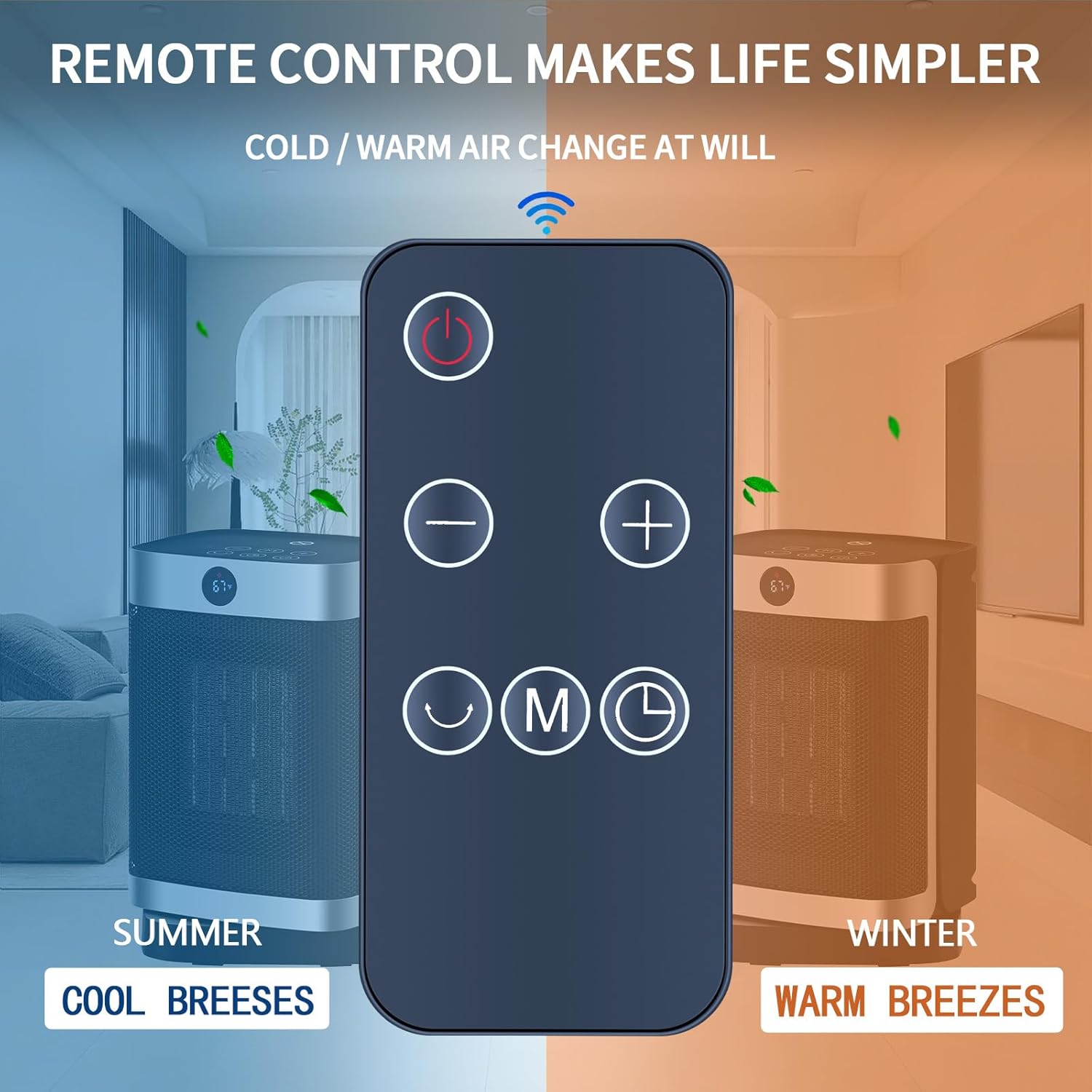
Image: The remote control demonstrating its ability to switch between cool and warm air settings on compatible VEVOR heaters.
Maintenance
Cleaning the Remote Control
To clean the remote control, gently wipe its surface with a soft, dry cloth. Do not use liquid cleaners, abrasive materials, or chemical solvents, as these can damage the remote's finish or internal components.
Battery Replacement
Replace the CR2025 battery when the remote control's response becomes sluggish or stops working. Refer to the 'Battery Installation' section for detailed instructions. Always dispose of used batteries responsibly according to local regulations.
Storage
When not in use for extended periods, store the remote control in a cool, dry place away from direct sunlight and extreme temperatures. If storing for several months, it is advisable to remove the battery to prevent leakage.
Troubleshooting
- Remote not responding:
- Ensure the battery is correctly installed and not depleted. Replace if necessary.
- Check for any obstructions between the remote control and the heater's infrared receiver.
- Ensure you are within the effective range of the heater's infrared receiver.
- Intermittent operation:
- This may indicate a low battery. Replace the battery.
- Ensure the remote's infrared emitter and the heater's receiver are clean and free of dust.
- Remote does not control heater:
- Verify that your heater model is listed as compatible with this remote control (KPT-2000 5186L, KPT-150 0596L, KPT-150 0596YL, KPT-2000 5178SL).
Specifications
| Brand | ZWP |
| Compatible Devices | VEVOR Electric Space Heaters (KPT-2000 5186L, KPT-150 0596L, KPT-150 0596YL, KPT-2000 5178SL) |
| Batteries Required | Yes (1 x CR2025) |
| Batteries Included | No |
| Connector Type | Infrared |
| Human Interface Input | Buttons |
| Material | High-quality ABS, Soft silicon buttons |
| Dimensions | 17.27 x 5.84 x 2.54 cm (approx.) |
| Weight | 58.97 g (approx.) |
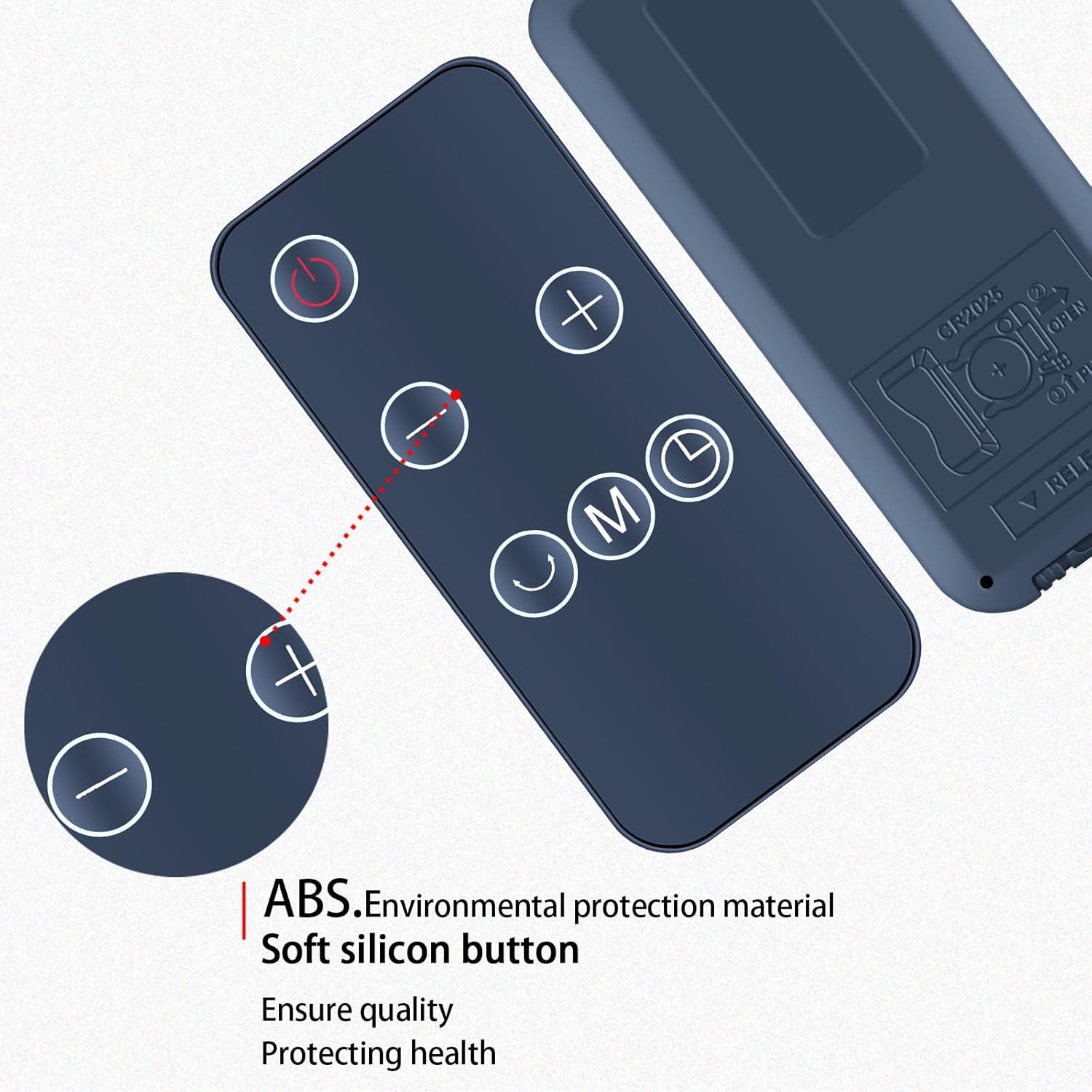
Image: Detail of the remote control, showcasing its construction from ABS environmental protection material and soft silicon buttons.
Support
If you have any questions or encounter issues with your ZWP Replacement Remote Control, please do not hesitate to contact us. We are committed to assisting you with any concerns you may have.


