
Product Overview
The ecoCalm 10-inch Solar Exhaust Fan is designed to provide efficient ventilation for various outdoor structures such as greenhouses, attics, garages, and sheds. This system features a rechargeable battery for continuous operation, an adjustable thermostat for automatic temperature control, and two 15W bifacial solar panels for enhanced power generation.
Key features include:
- Integrated Battery: Equipped with a 5000mAh rechargeable battery, providing up to 6 hours of ventilation during nighttime or cloudy conditions after a full charge. The system intelligently switches power sources based on sunlight availability.
- Adjustable Thermostat: A built-in intelligent temperature control system allows users to set desired ambient temperatures for automatic fan activation and deactivation.
- Bifacial Solar Panels: Two 15W transparent rear panels generate power from both sides, increasing power generation efficiency by up to 130%. These panels power the fan and charge the battery. Note that efficiency is affected by sunlight conditions.
- High Airflow: Enhanced blade design and an engineered motor deliver 660 CFM (Cubic Feet Per Minute) airflow, suitable for spaces up to 1100 ft³.
- Durable and Waterproof: Features IP44 waterproof fan blades and a 14.8ft long cable, making it suitable for outdoor installation in windows or walls.
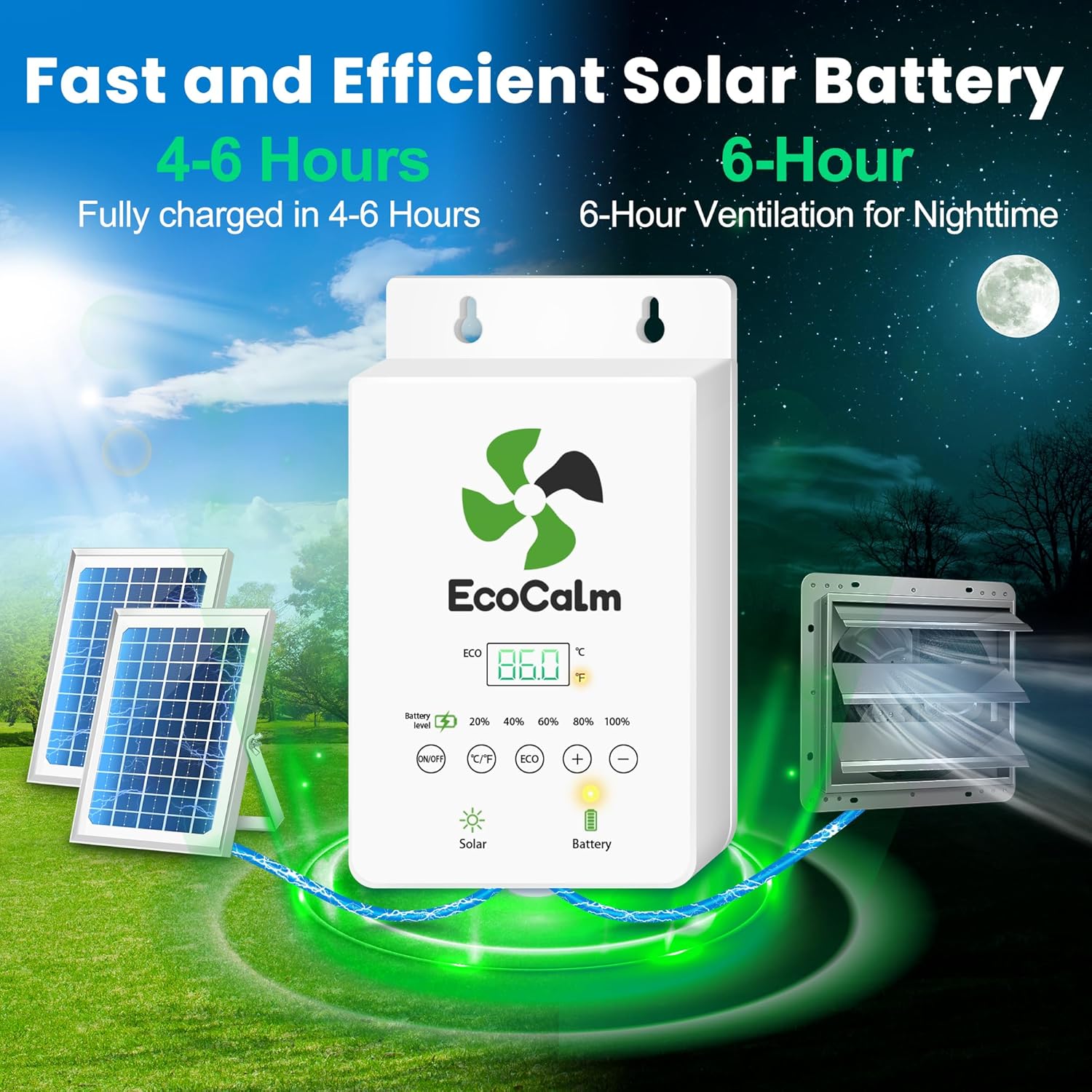
Image: Overview of the ecoCalm Solar Exhaust Fan system components.
Setup Instructions
Follow these steps to properly set up your ecoCalm Solar Exhaust Fan:
- Unpack Components: Carefully remove all items from the packaging. Verify that all accessories listed in the 'Included Accessories' section are present.
- Mount the Fan: The exhaust fan can be mounted in a window or wall. Ensure the mounting location allows for proper airflow and is structurally sound. Refer to the 'Dimensions' image for precise measurements to prepare the opening.
- Solar Panel Placement: Position the two bifacial solar panels in an area that receives maximum direct sunlight throughout the day.
- Recommended Placement: Panels should face south (Northern Hemisphere) or north (Southern Hemisphere), tilted 30°-40° from horizontal, placed side-by-side at the same angle.
- Allowed Placement: Panels can be placed flat on the ground (0° tilt).
- Prohibited Placement: Avoid placing panels in shaded areas, vertically on a wall (90°), or front-to-back as this reduces efficiency.
- Connect Solar Panels to Power Bank: Use the provided Y-Branch Cord to connect both solar panels to the Solar Power Bank. Ensure connections are secure.
- Connect Fan to Power Bank: Use the provided Load Cord to connect the exhaust fan to the Solar Power Bank.
- Initial Charge: Allow the solar panels to charge the battery for 4-6 hours in direct sunlight before initial operation, especially if using the battery backup feature.

Image: Guidelines for optimal solar panel placement.
Video: This video demonstrates how to connect the cords for the ecoCalm Solar Fan system, including solar panels, power bank, and exhaust fan.

Image: Detailed dimensions of the fan, solar panels, and control unit for installation planning.
Operating Instructions
The ecoCalm Solar Exhaust Fan features an intelligent control panel for easy operation and temperature management.
- Power ON/OFF: Press and hold the ON/OFF button for 2 seconds to turn the fan on or off.
- Temperature Unit Switch: Tap the °C/°F button to switch the temperature display between Celsius and Fahrenheit.
- Activate ECO Mode: Tap the ECO button to activate smart temperature control. In ECO mode, the fan will automatically turn on and off based on your set temperature parameters.
- Setting Temperature Control (ECO Mode):
- Press and hold the ECO button to enter temperature control settings.
- When 'P1' appears, this indicates the ON-temperature setting. Use the '+' or '-' buttons to adjust your preferred ON-temperature. Tap ECO to confirm.
- After confirming P1, 'P2' will appear, indicating the OFF-temperature setting. Use the '+' or '-' buttons to adjust your preferred OFF-temperature. Tap ECO to confirm.
- The fan will now operate automatically, turning on when the ambient temperature reaches P1 and turning off when it drops to P2.

Image: Detailed guide to the control panel buttons and temperature setting process.
Video: This video provides an overview of the ecoCalm Solar Exhaust Fan with Battery, demonstrating its features and operation.
Maintenance
Regular maintenance ensures optimal performance and longevity of your ecoCalm Solar Exhaust Fan.
- Clean Solar Panels: Periodically wipe the surface of the solar panels with a soft, damp cloth to remove dust, dirt, and debris. This ensures maximum sunlight absorption and charging efficiency. Avoid abrasive cleaners.
- Inspect Fan Blades: Check the fan blades for any accumulation of dust or foreign objects. Gently clean the blades with a soft brush or cloth if necessary. Ensure the fan spins freely.
- Check Connections: Annually inspect all electrical connections (solar panels to power bank, fan to power bank) to ensure they are secure and free from corrosion.
- Ventilation Path: Ensure the area around the fan's intake and exhaust is clear of obstructions to maintain proper airflow.
Troubleshooting
If you encounter issues with your ecoCalm Solar Exhaust Fan, refer to the following troubleshooting guide:
| Problem | Possible Cause | Solution |
|---|---|---|
| Fan does not turn on. | No power from solar panels; battery depleted; loose connection; fan switch off. | Ensure solar panels are in direct sunlight. Check battery level on the control panel. Verify all cables are securely connected. Press and hold the ON/OFF button for 2 seconds. |
| Fan runs intermittently or weakly. | Insufficient sunlight; low battery charge; dirty solar panels; fan blades obstructed. | Relocate solar panels to an area with more direct sunlight. Allow battery to fully charge. Clean solar panels. Clear any obstructions from fan blades. |
| Temperature control (ECO mode) not working as expected. | Incorrect temperature settings; ECO mode not activated. | Verify that ECO mode is active. Re-enter temperature control settings (P1 and P2) and ensure they are set to your desired ON/OFF temperatures. |
| Control panel display is dim or unresponsive. | Low power; environmental factors (e.g., direct sunlight making display hard to read). | Check battery level. If in direct sunlight, try shading the display temporarily to read. If unresponsive, ensure power connections are stable. |
Specifications
| Feature | Detail |
|---|---|
| Brand | ecoCalm |
| Model Number | KP-SEF10 |
| Fan Size | 10 inches |
| Air Flow Capacity | 660 Cubic Feet Per Minute (CFM) |
| Power Source | Solar Powered |
| Solar Panels | 2 x 15W Bifacial Solar Panels (up to 22W combined output) |
| Battery | 5000mAh Rechargeable Battery |
| Control Method | Touch (with adjustable thermostat) |
| Mounting Type | Window Mount |
| Indoor/Outdoor Usage | Outdoor |
| Waterproof Rating | IP44 (fan blades) |
| Cable Length | 14.8 ft |
| Item Weight | 6.06 Kilograms |
| Color | Silver |
Warranty Information
For detailed warranty information regarding your ecoCalm Solar Exhaust Fan, please refer to the warranty card included with your product or visit the official ecoCalm website. Warranty terms typically cover manufacturing defects and material flaws under normal use conditions.
Customer Support
If you require assistance with installation, operation, troubleshooting, or have any questions about your ecoCalm Solar Exhaust Fan, please contact ecoCalm customer support. Refer to the contact information provided in your product packaging or on the official ecoCalm website for the most up-to-date support channels.


