
1. Product Overview
The BAOFENG UV-21R is a versatile two-way radio designed for reliable communication. It features a durable casing, IP54 waterproof rating, and a large 1.77-inch color display. Key functionalities include 999 programmable channels, NOAA weather radio reception, VOX hands-free operation, and wireless frequency copy. The radio supports both Type-C USB charging and traditional base charging.
1.1 Key Features
- Long Range Communication: Capable of 3-5 mile communication range.
- Durable Design: Sturdy casing, anti-drop design, and IP54 waterproof rating.
- Type-C Rechargeable: Convenient charging via Type-C port or traditional base charger.
- Wireless Frequency Copy: Allows direct frequency copying from other radios without PC software.
- High Gain Antenna: Includes a 15.35-inch dual-band antenna for enhanced signal.
- VOX Function: Hands-free voice-activated transmission.
- FM Radio: Built-in FM radio receiver.
- NOAA Weather Radio: Access to NOAA weather channels for alerts.
- 999 Channels: Extensive channel storage with CTCSS/DCS codes for privacy.
- Chirp Support: Compatible with Chirp programming software (UV-17Pro).
1.2 Package Contents
Verify that all items are present in your package:
- 2 x UV-21R Radio Body
- 2 x Battery
- 2 x 21CM Antenna
- 2 x 38CM Antenna
- 2 x Belt Clip
- 2 x Type-C Charging Cable
- 2 x Lanyard
- 1 x Screwdriver
- 2 x Manual
2. Setup Guide
2.1 Battery Installation and Charging
The BAOFENG UV-21R radio uses rechargeable 9V batteries. Ensure the battery is fully charged before first use.
- Align the battery pack with the back of the radio and slide it into place until it clicks securely.
- To charge, connect the Type-C charging cable to the port on the back of the battery or place the radio in the provided charging base.
- The charging indicator light will show charging status. A full charge typically takes several hours.

Figure 2.1: The BAOFENG UV-21R supports both Type-C USB charging and traditional base charging.

Figure 2.2: Charger installation steps for the BAOFENG UV-21R.
2.2 Antenna Installation
Screw the desired antenna (21CM or 38CM) clockwise onto the antenna connector at the top of the radio until it is finger-tight. Do not overtighten.
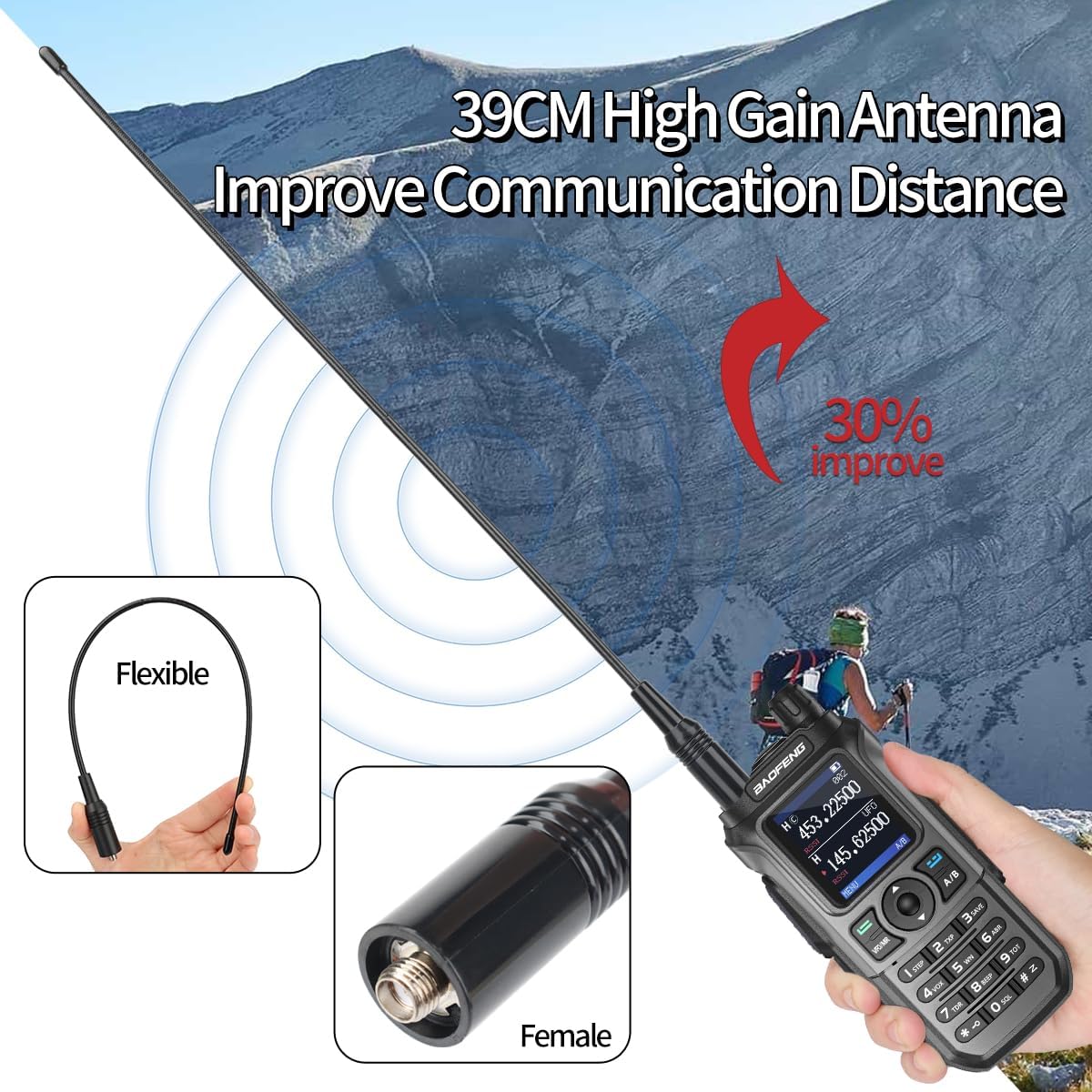
Figure 2.3: The BAOFENG UV-21R comes with a high-gain antenna to improve communication distance.
2.3 Identifying Radio Parts
Familiarize yourself with the main components of your UV-21R radio:

Figure 2.4: Key components and controls of the BAOFENG UV-21R radio.

Figure 2.5: Detailed view of the BAOFENG UV-21R's ports and connectors.
3. Operating Instructions
3.1 Power On/Off and Volume Control
Rotate the Power/Volume Switch (located at the top of the radio) clockwise to power on and increase volume, or counter-clockwise to decrease volume and power off.
3.2 Channel Selection and Frequency Display
The UV-21R features a 1.77-inch color display. Use the navigation keys to scroll through the 999 available channels or enter frequencies directly. The display shows channel information and power status.

Figure 3.1: The 1.77-inch color display provides clear channel and frequency information.
3.3 Wireless Frequency Copy
This feature allows you to quickly copy frequencies from another radio without needing a computer.
- Power on your UV-21R and press the "2 TXP" key. The display will show "SEEK".
- Press and hold the PTT (Push-To-Talk) button on the other walkie-talkie to transmit its frequency.
- Your UV-21R will search for and display the transmitting frequency. Press "MENU" to confirm and save.
- Switch to channel mode to begin communication.

Figure 3.2: Wireless frequency copy tutorial for quick setup.

Figure 3.3: The wireless frequency copy feature simplifies radio setup.
Video 3.1: This video demonstrates the wireless frequency copy function and other features of the BAOFENG UV-21R radio.
3.4 VOX Function (Voice Operated Exchange)
The VOX function allows for hands-free operation. When activated, the radio will automatically transmit when it detects your voice, eliminating the need to press the PTT button.
- Press the "MENU" button.
- Navigate to the VOX setting (refer to the on-screen menu or a detailed menu guide).
- Select an appropriate VOX sensitivity level (higher numbers mean more sensitive).
- Confirm your selection to activate VOX.
3.5 FM Radio Function
The UV-21R includes an FM radio receiver for entertainment. Press the "FM/Monitor" key to switch between two-way radio mode and FM radio mode.
3.6 NOAA Weather Radio
The radio can receive NOAA weather alerts, providing critical weather information and warnings.
- Access the NOAA weather function through the radio's menu or a dedicated button (if available).
- Scan for local NOAA weather stations to receive broadcasts.

Figure 3.4: The BAOFENG UV-21R provides access to NOAA weather stations.

Figure 3.5: The NOAA function provides important weather information.
3.7 Private Call (CTCSS/DCS)
The UV-21R supports 50 CTCSS tones and 210 DCS codes. These codes help filter out unwanted conversations, ensuring more private communication. To use, set the same CTCSS/DCS code on both transmitting and receiving radios.

Figure 3.6: The radio supports CTCSS/DCS for private calls and has 999 channels.
3.8 Programming with Chirp Software
The BAOFENG UV-21R is compatible with Chirp programming software (specifically UV-17Pro settings). This allows for advanced customization of channels, frequencies, and other radio settings via a computer.
- Obtain the appropriate programming cable (not included in the standard package).
- Download and install the Chirp software.
- Connect the radio to your computer using the programming cable.
- In Chirp, select the UV-17Pro model for programming the UV-21R.
- Follow the software instructions to read from or write to the radio.
Note: When using Chirp, ensure the Receive CTCSS field is set to OFF for simplex communication, and only set Transmit CTCSS for repeaters as needed. Incorrect settings can prevent proper communication.

Figure 3.7: The BAOFENG UV-21R supports programming via Chirp software.
3.9 Flashlight Function
The radio includes a built-in LED flashlight for convenience in low-light conditions. Refer to the radio's specific button layout or menu for activating the flashlight.
4. Maintenance
4.1 Cleaning the Radio
Wipe the radio's exterior with a soft, damp cloth. Do not use harsh chemicals or abrasive cleaners. Ensure all ports are closed when cleaning to maintain the IP54 rating.
4.2 Battery Care
To prolong battery life, avoid overcharging or completely draining the battery. Store the radio and battery in a cool, dry place when not in use for extended periods.
4.3 Storage
When storing the radio, ensure it is powered off and the antenna is removed if possible. Keep it away from extreme temperatures, direct sunlight, and moisture.
5. Troubleshooting
| Problem | Possible Cause | Solution |
|---|---|---|
| Radio does not power on. | Battery is low or not installed correctly. | Charge the battery or re-install it securely. |
| Cannot transmit or receive. | Incorrect frequency/channel, antenna not connected, or CTCSS/DCS mismatch. | Verify frequency/channel settings. Ensure antenna is securely attached. Check CTCSS/DCS settings on both radios. |
| Poor audio quality or short range. | Weak battery, antenna issue, or environmental interference. | Charge battery. Check antenna connection or try a different antenna. Move to an open area. |
| Speaker not working (headset required). | Internal speaker malfunction. | If the internal speaker is not functioning, using a headset may be a temporary solution. Contact support if the issue persists. |
| Wireless frequency copy fails. | Transmitting radio too far or not transmitting correctly. | Ensure the transmitting radio is close and actively transmitting. Verify the "2 TXP" key was pressed on the UV-21R. |
6. Specifications
| Feature | Detail |
|---|---|
| Brand | BAOFENG |
| Model Number | UV-21R |
| Color | Gray |
| Number of Channels | 999 |
| Talking Range Maximum | 5 Miles |
| Water Resistance Level | IP54 Waterproof |
| Battery Type | 9V (2 included) |
| Tuner Type | UHF VHF |
| Connectivity Protocol | UHF, VHF |
| Display | 1.77" Color Display |
| Charging | Type-C USB, Base Charger |
| FCC Certification | FCC ID: 2AJGM-UV21 |
7. Warranty and Support
7.1 Warranty Information
According to the product information, there is NO specified warranty description for this product. Please refer to your retailer's return policy or contact the seller directly for any warranty-related inquiries.
7.2 Customer Support
For further assistance, technical support, or inquiries regarding your BAOFENG UV-21R radio, please contact the seller or manufacturer directly through their official support channels. Keep your purchase receipt and product model number (UV-21R) ready when contacting support.


