
Introduction
This manual provides essential instructions for the safe and efficient operation, installation, and maintenance of your Durastar Through-the-Wall Air Conditioner with Supplemental Heating. This unit offers 14,000 BTU cooling and 10,600 BTU supplemental heating, designed for areas up to 700 sq. ft. Please read all instructions carefully before use and retain this manual for future reference.
Safety Information
Always follow basic safety precautions to reduce the risk of fire, electric shock, or injury.
- Ensure the unit is properly grounded.
- Do not operate the unit with a damaged power cord or plug.
- Do not insert fingers or objects into the air inlet/outlet.
- Disconnect power before cleaning or servicing.
- Keep flammable materials away from the unit.
- This appliance is not intended for use by persons (including children) with reduced physical, sensory or mental capabilities, or lack of experience and knowledge, unless they have been given supervision or instruction concerning use of the appliance by a person responsible for their safety.
Product Overview
The Durastar DRTHC142XNA1SLV is a versatile through-the-wall unit providing both cooling and supplemental heating. It features a digital display, remote control, and multiple fan speeds for customized comfort.
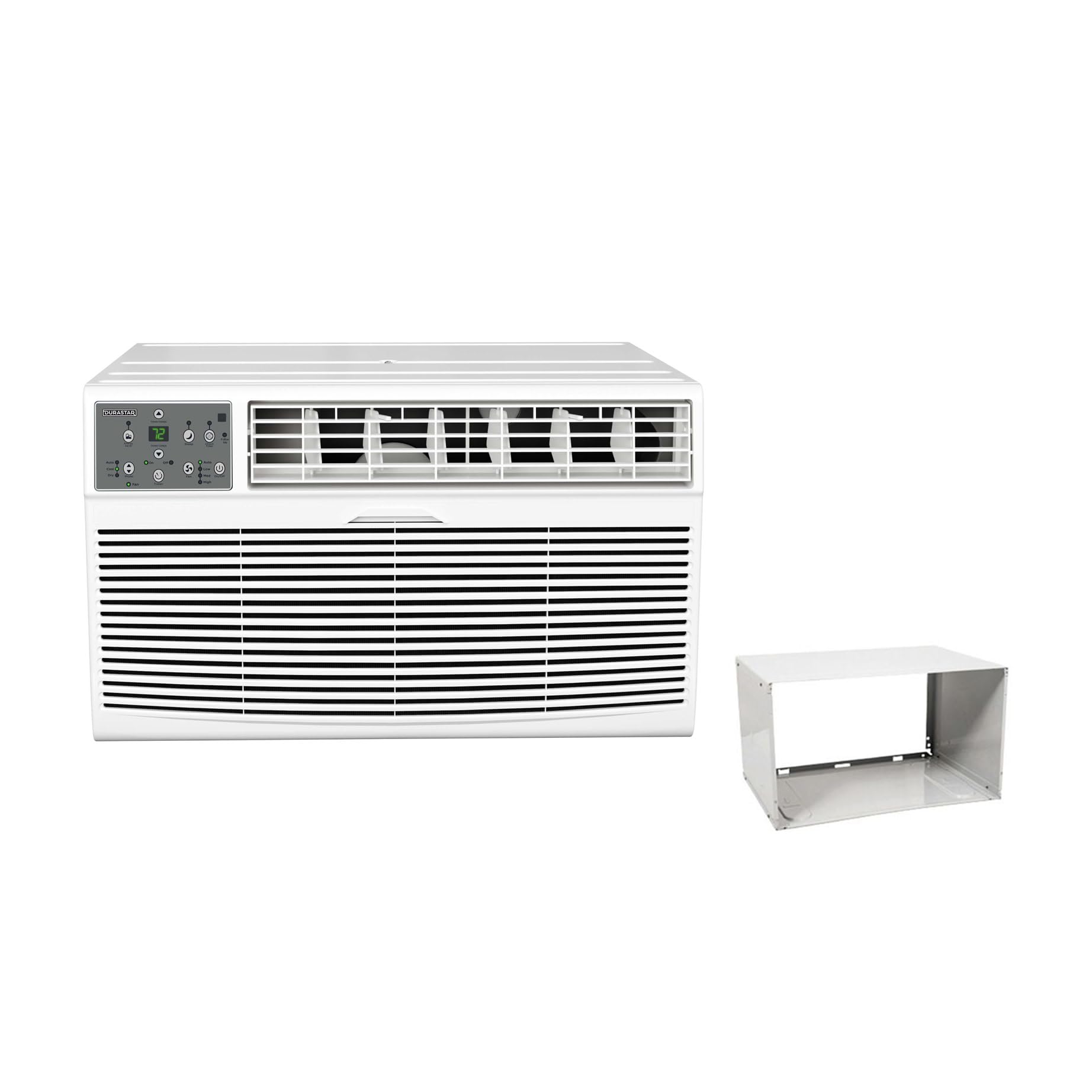
Image: The main Durastar through-the-wall air conditioner unit, showing its front grille and control panel.
Key Features:
- 14,000 BTU Cooling Capacity
- 10,600 BTU Supplemental Heating Capacity
- Covers areas up to 700 sq. ft.
- Three Fan Speeds
- Built-in Dehumidifier (Dry Mode)
- 24-hour Timer
- Remote Control Operation
Control Panel

Image: A detailed view of the unit's control panel, featuring a digital temperature display, mode selection buttons (Auto, Cool, Dry, Fan), fan speed controls (Low, Med, High), timer, and power button.
The control panel allows direct access to all unit functions. The digital display shows the set temperature or timer settings. Indicator lights confirm the active mode and fan speed.
Remote Control

Image: The remote control for the air conditioner, featuring an LCD screen and buttons for temperature adjustment, mode selection, fan speed, and timer functions.
The included remote control provides convenient operation from a distance. It mirrors most functions available on the main control panel.
Installation
This unit is designed for through-the-wall installation and includes a wall sleeve. Proper installation is crucial for optimal performance and safety. Professional installation is recommended.
Site Requirements:
- Electrical: The unit requires a 230V electrical supply. Ensure your electrical circuit can support the unit's wattage (1817 watts). The required plug type is NEMA 6-20P.
- Wall Opening: A suitable wall opening is required for the wall sleeve. Refer to the dimensions in the specifications section.
- Clearance: Maintain adequate clearance around the unit for proper airflow and maintenance.

Image: A visual representation of the NEMA 6-20P plug type, which is necessary for the unit's electrical connection.

Image: The air conditioner unit shown installed within a wall sleeve, with its power cord plugged into a wall outlet, illustrating a typical installation scenario.
Room Size and BTU Requirements:
Select the appropriate BTU capacity based on your room size for efficient cooling and heating.

Image: A table detailing recommended cooling and heating BTU capacities for various room sizes (in square feet), along with a formula for calculating room area (Length x Width = Area).
| Room Size (Sq Ft) | Cooling BTUs | Heating BTUs (optional) |
|---|---|---|
| 300-350 | 8,000 | 4,200 |
| 400-450 | 10,000 | 10,600 |
| 450-550 | 12,000 | 10,600 |
| 550-700 | 14,000 | 10,600 |
Operating Instructions
Familiarize yourself with the control panel and remote control functions for optimal use.
Power On/Off
- Press the Power button on the control panel or remote to turn the unit on or off.
Mode Selection
Press the Mode button to cycle through available operating modes:
- Cool: For cooling the room. Adjust temperature using Temp Up/Down buttons.
- Heat: For supplemental heating. Adjust temperature using Temp Up/Down buttons.
- Dry: Dehumidifies the air without significant cooling.
- Fan: Circulates air without cooling or heating.
- Auto: Automatically selects cooling or heating based on the set temperature and room temperature.
Fan Speed Adjustment
In Cool, Heat, or Fan mode, press the Fan Speed button to select Low, Medium, or High fan speed.
Timer Function
The 24-hour timer allows you to set a specific time for the unit to turn on or off.
- To Set Auto-On: With the unit off, press the Timer button, then use Temp Up/Down to set the desired delay time (1-24 hours).
- To Set Auto-Off: With the unit on, press the Timer button, then use Temp Up/Down to set the desired delay time (1-24 hours).
Maintenance
Regular maintenance ensures optimal performance and extends the lifespan of your air conditioner. Always disconnect power before performing any maintenance.
Air Filter Cleaning
- The air filter should be cleaned every two weeks or more frequently depending on usage.
- Remove the front panel and slide out the air filter.
- Wash the filter with warm, soapy water. Rinse thoroughly and allow it to air dry completely before reinstalling.
- Do not operate the unit without the air filter.
Unit Cleaning
- Wipe the exterior of the unit with a soft, damp cloth.
- Do not use harsh chemicals, abrasives, or solvents.
- Ensure no water enters the electrical components.
Troubleshooting
Before contacting customer support, refer to the following table for common issues and solutions.
| Problem | Possible Cause | Solution |
|---|---|---|
| Unit does not turn on | No power supply; Power cord not fully plugged in; Circuit breaker tripped. | Check power connection; Reset circuit breaker; Ensure proper voltage (230V). |
| Insufficient cooling/heating | Dirty air filter; Room size too large for unit capacity; Doors/windows open; Temperature setting too high/low. | Clean air filter; Close doors/windows; Adjust temperature setting; Ensure unit capacity matches room size. |
| Unit is noisy | Loose parts; Unit not level; Obstruction in fan. | Check for loose components; Ensure unit is level; Remove any obstructions. |
| Water dripping outside | Normal operation (condensation). | This is normal during cooling mode as condensation drains. |
| Remote control not working | Dead batteries; Obstruction between remote and unit. | Replace batteries; Remove obstructions; Ensure remote is pointed at the unit. |
Specifications
| Feature | Detail |
|---|---|
| Model Number | DRTHC142XNA1SLV |
| Cooling Capacity | 14,000 BTU |
| Heating Capacity | 10,600 BTU (Supplemental) |
| Voltage | 230 Volts |
| Wattage | 1817 watts |
| Cooling Area | Up to 700 Sq. Ft. |
| Product Dimensions (D x W x H) | 20.25 x 24.25 x 14.5 inches |
| Item Weight | 0.16 ounces (Unit weight is approximately 96.03 lbs) |
| Sound Level | 69.9 Decibels |
| Installation Method | Through The Wall |
| Included Components | Product Only (Wall Sleeve Included with this variant) |
Warranty Information
This Durastar air conditioner comes with a 2-Year Manufacturer Warranty. Please retain your proof of purchase for warranty claims. For specific terms and conditions, refer to the warranty documentation included with your product or contact Durastar customer support.
Customer Support
If you have any questions, require technical assistance, or need to report an issue that cannot be resolved using the troubleshooting guide, please contact Durastar customer support. Refer to the contact information provided in your product packaging or on the official Durastar website.


