
1. Introduction
Thank you for choosing the Yoidesu Pocket WiFi 4G/5G Portable Hotspot. This device provides high-speed internet access on the go, allowing you to connect multiple devices to a reliable 4G or 5G network. Its compact design and long-lasting battery make it ideal for travel, outdoor activities, and remote work.
2. Product Features
- 4G/5G Connectivity: Connects to the internet using a 4G or 5G SIM card, offering fast and robust internet access. Backward compatibility ensures connectivity even in areas without 5G coverage.
- High-Speed Internet: Supports LTE CAT4 standards, delivering speeds up to 300Mbps, depending on network strength.
- Portable Design: Compact and lightweight, suitable for home use or travel.
- Long Battery Life: Equipped with a 2100 mAh battery, providing over 10 hours of continuous use.
- Multi-Device Support: Connects up to 10 devices simultaneously, including smartphones, tablets, and laptops.
- Easy Plug and Play Setup: Simple USB-C power supply for immediate 4G connectivity. Insert your SIM card and start using your data plan.
3. Package Contents
Please check the package contents upon unboxing:
- Yoidesu Pocket WiFi Hotspot Device
- USB-C Charging Cable
- Rechargeable Battery (2100 mAh)
- User Manual (this document)

Image: Contents of the Yoidesu Pocket WiFi package, including the device, battery, and USB charging cable.
4. Setup Guide
4.1 Inserting the SIM Card and Battery
- Carefully remove the back cover of the device.
- Insert your 4G/5G compatible SIM card into the designated SIM card slot. Ensure it is correctly oriented.
- Insert the provided 2100 mAh rechargeable battery into its compartment.
- Replace the back cover, ensuring it clicks securely into place.
Video: Demonstrates how to insert the SIM card and battery into the portable WiFi device.
4.2 Charging the Device
Before first use, fully charge the device. Connect the provided USB-C charging cable to the device's charging port and the other end to a compatible USB power adapter (not included) or a computer's USB port. The battery indicator on the screen will show charging status.

Image: The Yoidesu Pocket WiFi device connected to a USB charging cable.
5. Operating Instructions
5.1 Powering On/Off
- To power on, press and hold the power button located on the side of the device until the screen illuminates.
- To power off, press and hold the power button again until the device shuts down.
Video: Shows the Yoidesu Pocket WiFi device being handled and powered on.
5.2 Connecting to the WiFi Network
- Once the device is powered on, wait for it to establish a network connection. The signal indicator on the screen will show network strength.
- On your smartphone, tablet, or laptop, search for available WiFi networks.
- Locate the network name (SSID) displayed on the Pocket WiFi's screen (e.g., "4G-MIFI-E7B").
- Select the network and enter the password (KEY) shown on the device's screen (e.g., "1234567890").
- Your device should now be connected to the internet.
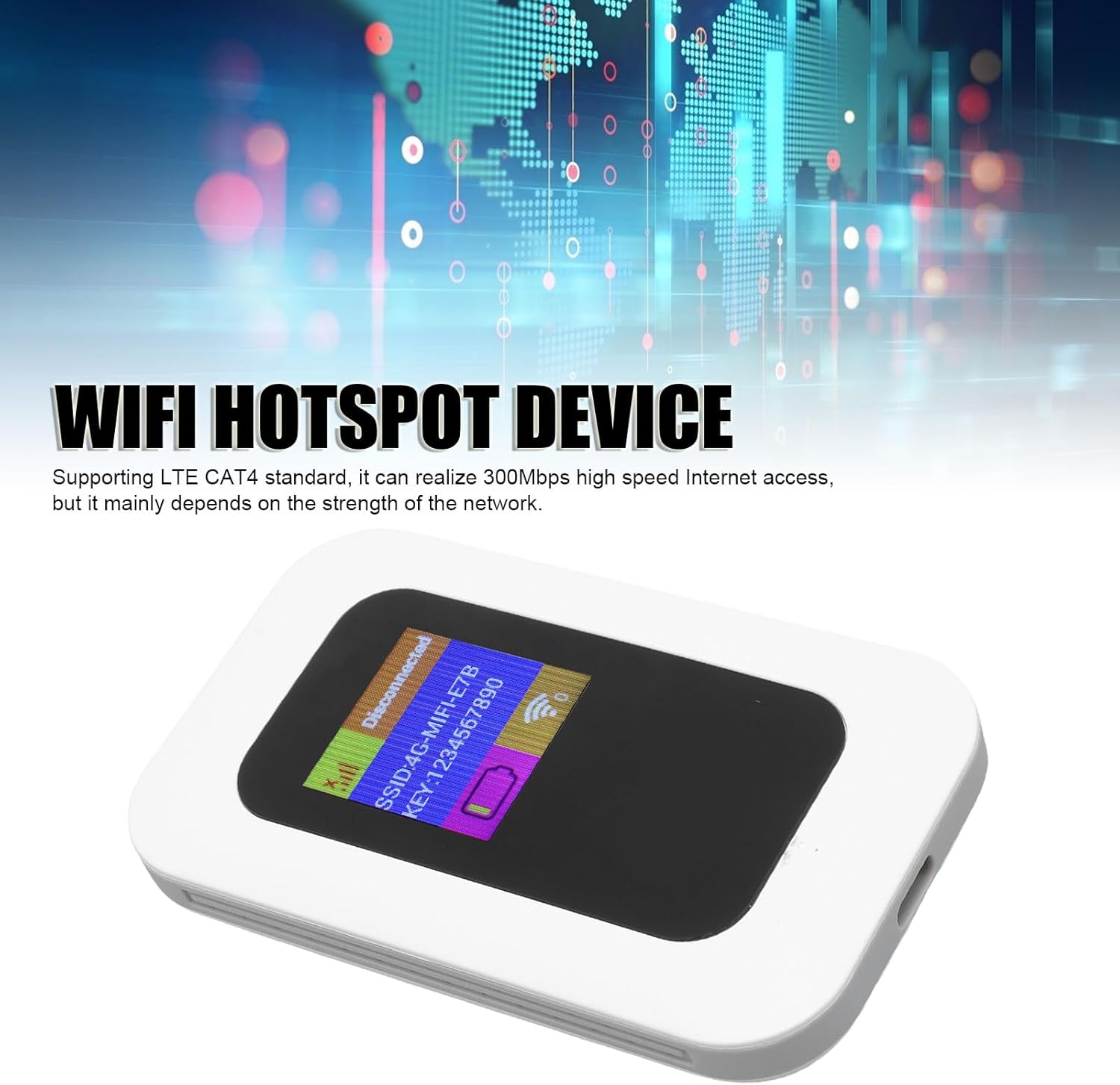
Image: The Yoidesu Pocket WiFi device screen showing the WiFi network name (SSID) and password (KEY).
5.3 Understanding Indicator Lights/Screen Icons
The device features a screen or indicator lights to provide status information:
- Signal Strength: Indicates the strength of the 4G/5G cellular signal. More bars mean a stronger connection.
- WiFi Status: Shows if the WiFi hotspot is active and broadcasting.
- Battery Level: Displays the current battery charge level.
- Message Indicator: May light up to indicate new SMS messages (if supported by your SIM card plan).
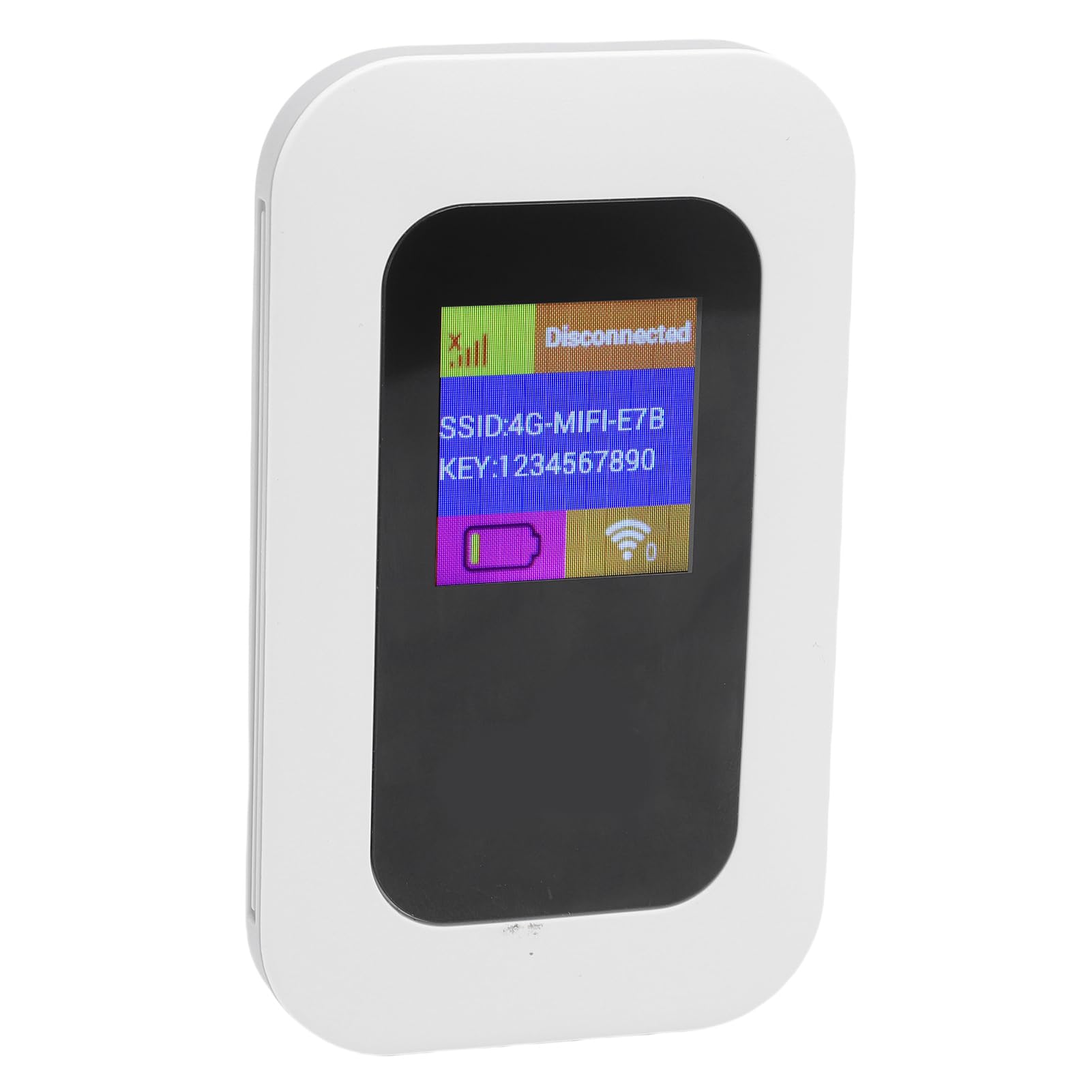
Image: The Yoidesu Pocket WiFi device with its screen showing various status icons for signal, WiFi, and battery.
6. Maintenance
- Keep the device dry and away from moisture.
- Avoid exposing the device to extreme temperatures (hot or cold).
- Clean the device with a soft, dry cloth. Do not use liquid cleaners.
- Do not attempt to disassemble or repair the device yourself. Contact customer support if issues arise.
7. Troubleshooting
| Problem | Solution |
|---|---|
| No internet connection. |
|
| Slow internet speed. |
|
| Device not powering on. |
|
| Cannot find WiFi network (SSID). |
|
8. Specifications
- Brand: Yoidesu
- Model: Yoidesuryexgo83gf
- Data Transfer Speed: 300 Megabits Per Second
- Wireless Connection Type: 802.11bgn
- Frequency Band Class: Dual Band
- Compatible Devices: Laptop, Tablet, Smartphone
- Battery Capacity: 2100 mAh
- Number of Ports: 1 (USB-C for charging)
- Dimensions: 11.1 x 7.4 x 2.6 cm (4.37 x 2.91 x 1.02 inches)
- Weight: 110 g (3.88 ounces)
9. Warranty and Support
This product comes with a standard manufacturer's warranty. For warranty claims, technical support, or any questions regarding your Yoidesu Pocket WiFi, please contact the seller or refer to the warranty information provided with your purchase. Do not attempt to repair the device yourself, as this may void the warranty.