
Introduction
This manual provides instructions for the CALANDIS Desk Timer, a digital productivity timer designed to assist with time management for various activities such as studying, cooking, office work, and fitness routines. Please read this manual thoroughly before using the device to ensure proper operation and longevity.
Product Overview
Key Features:
- Adjustable Modes: Offers preset timing durations of 5, 15, 25, and 45 minutes.
- LED Display: Features a clear digital display that automatically rotates for easy viewing from any angle.
- User-Friendly Design: Simple and intuitive operation suitable for users of all ages.
- Compact and Portable: Made from durable PP material, lightweight, and sturdy for easy transport and long-term use.
- Sound Settings: Customizable timing experience with three distinct sound settings (high, low, silent).
Package Contents:
- 1 x CALANDIS Desk Timer
- (Note: Batteries are not included and must be purchased separately.)

Image: The CALANDIS Desk Timer, a black cube with white numbers '15' and '25' visible on two faces, illustrating its compact design and timing modes.
Setup
- Battery Installation: Locate the battery compartment, typically on the bottom or side of the timer. Insert two AAA batteries (not included) ensuring correct polarity (+/-) as indicated inside the compartment. Close the compartment securely.
- Power On: The timer will automatically power on once batteries are correctly installed. The LED display will illuminate, showing a default time or a blank screen.
- Familiarization: Observe the four numbered faces of the cube: 5, 15, 25, and 45 minutes. These correspond to the preset timing durations. The remaining two faces are typically blank and used for pausing or stopping.
Operating Instructions
Starting a Timer:
- To initiate a countdown, simply turn the timer so that the desired time (e.g., "25") faces upwards.
- The timer will automatically begin counting down from the selected duration. The LED display will show the remaining time.
- The display will rotate with the cube's orientation, ensuring the time is always readable from your viewing angle.
Pausing/Stopping a Timer:
- To pause the timer, turn the cube so that one of its blank faces is facing upwards. The display will show the paused time.
- To resume, turn the cube back to the desired time face, and the countdown will continue from where it left off.
- To stop and reset the timer, turn the cube to a blank face. If a full reset is needed, removing and reinserting the batteries will clear the current timer state.
Adjusting Sound Settings:
The timer features three sound settings: high volume, low volume, and silent mode. Locate the sound adjustment button or switch, typically found on one of the timer's sides or its base. Press or slide this control to cycle through the available sound options until your preferred setting is selected.

Image: The CALANDIS Desk Timer positioned on a wooden desk next to a calendar, showing the '15' and '25' minute faces, illustrating its use in a study or office environment.
Maintenance
- Cleaning: Wipe the timer with a soft, dry cloth. Do not use abrasive cleaners, solvents, or immerse the device in water.
- Storage: Store the timer in a cool, dry place away from direct sunlight and extreme temperatures when not in use. Remove batteries if storing for extended periods to prevent potential leakage and damage.
- Handling: Avoid dropping the timer or subjecting it to strong impacts, as this may damage the internal components or the LED display.
Troubleshooting
- Timer not starting or display blank:
- Ensure batteries are correctly installed with the proper polarity. Check if the batteries are depleted and replace them if necessary. If the issue persists, try removing and reinserting the batteries to perform a soft reset.
- Display not rotating correctly:
- Ensure the timer is placed on a flat, stable surface. If the display orientation is consistently incorrect, try resetting the device by removing and reinserting the batteries.
- Sound not working or too low/high:
- Adjust the sound settings using the dedicated button or switch. Cycle through the options to ensure the timer is not in silent mode or set to a volume that is too low to hear.
Specifications
- Model: B0F8NY41N2
- Material: PP (Polypropylene)
- Dimensions: 6cm x 6cm x 6cm (2.36inch x 2.36inch x 2.36inch)
- Timing Modes: 5, 15, 25, 45 minutes
- Display: LED Digital
- Power Source: 2 x AAA Batteries (not included)
- Color: Black
- Country of Origin: Hong Kong
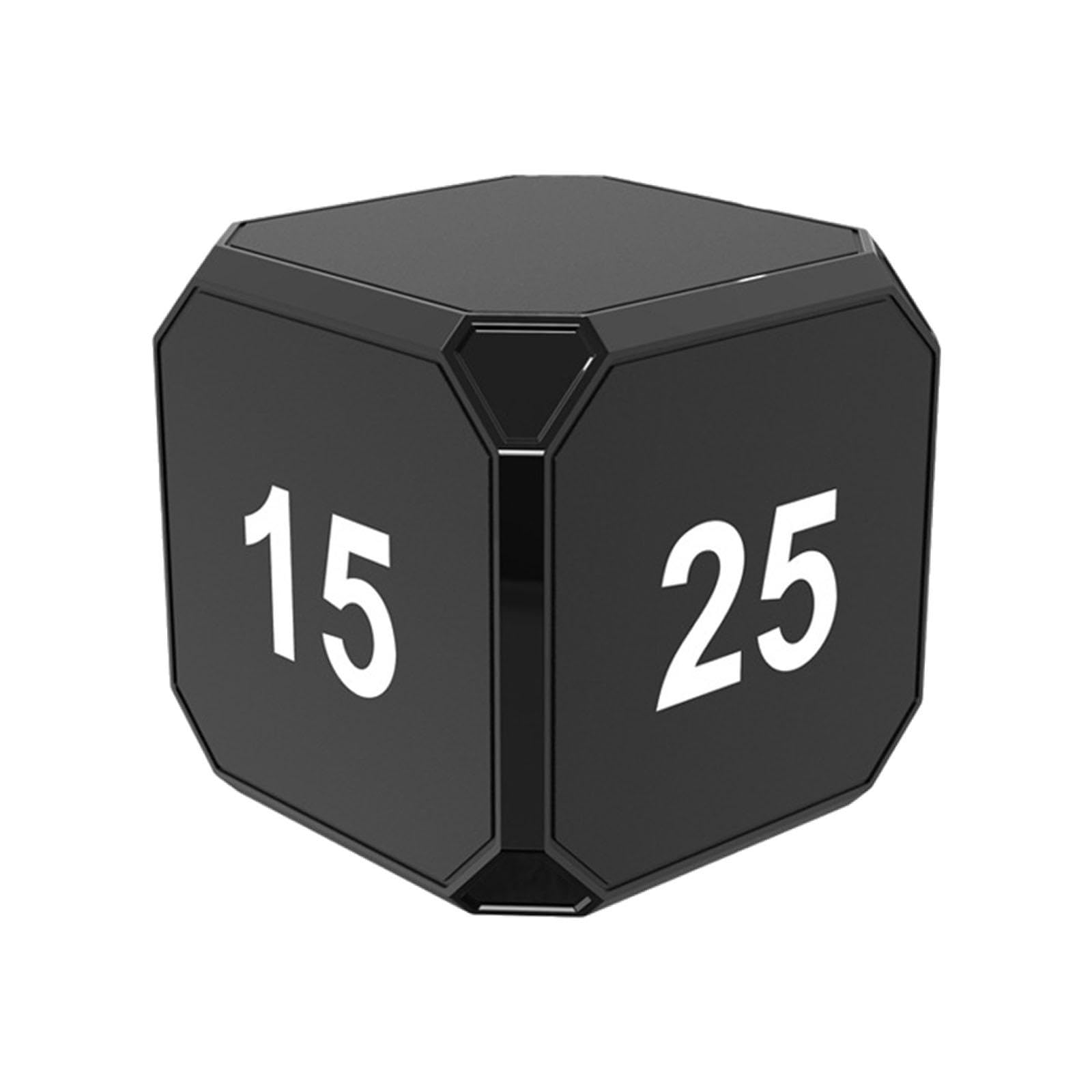
Image: A line drawing illustrating the precise dimensions of the CALANDIS Desk Timer, indicating each side measures 6cm or 2.36 inches.
Warranty and Support
For any product inquiries, technical support, or information regarding warranty coverage, please contact your retailer or visit the official CALANDIS website. It is recommended to retain your purchase receipt as proof of purchase for warranty claims.
Manufacturer: CALANDIS
ASIN: B0F8NY41N2