
Introduction
Thank you for choosing the FlyonSea Motion Sensor Night Light, Model HL-016A. This device is designed to provide convenient and customizable lighting for various indoor spaces. Featuring smart dual sensors, multiple operating modes, and easy magnetic installation, it enhances safety and ambiance in your home.
Please read this manual thoroughly before use to ensure proper operation and to maximize the lifespan of your night light.
Product Overview
The FlyonSea Motion Sensor Night Light combines a light sensor and a motion sensor for intelligent automation. It offers three primary operating modes and dynamic lighting effects with customizable colors.

Image: Detailed view of the night light, highlighting the infrared sensor, charging indicator light, Type-C charging port, ambient light button, and the ON-OFF-AUTO switch.
Components and Controls:
- Infrared Sensor: Detects motion within its range.
- Light Sensor: Detects ambient light levels to enable automatic operation in darkness.
- Charging Indicator Light: Indicates charging status.
- Type-C Charging Port: For recharging the internal battery.
- Ambient Light Button: Controls color modes and transitions.
- ON-OFF-AUTO Switch: Selects the operating mode.
Setup and Installation
The FlyonSea Motion Sensor Night Light features a hassle-free magnetic installation, requiring no wiring or tools. It is ideal for quick upgrades or temporary placements.
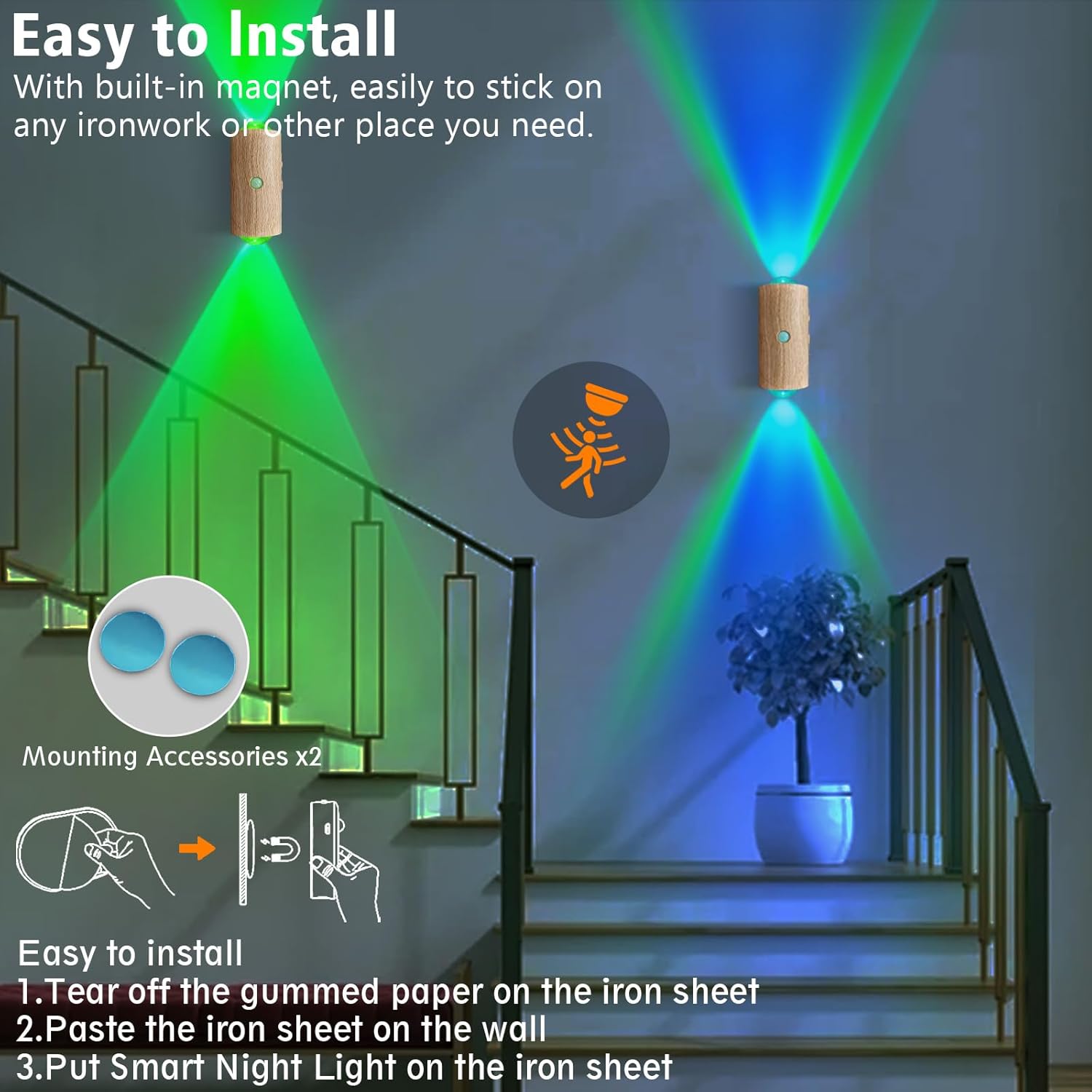
Image: Visual guide for magnetic installation, showing the metal sheet and the night light attaching to it.
Installation Steps:
- Clean the desired installation surface to ensure it is dry and free of dust.
- Peel off the protective paper from the adhesive side of the included metal sheet.
- Firmly press the metal sheet onto the wall or any other flat surface where you intend to place the light.
- Attach the night light to the metal sheet. The built-in magnet will secure it in place.
The night light can be rotated 360 degrees on the magnetic base, allowing for flexible light direction. Its removable design enables easy repositioning.
Operating Modes
The night light offers three main operating modes, selected via the ON-OFF-AUTO switch, and customizable ambient lighting effects.
Switch Positions:
- OFF: The light is manually turned off.
- ON (Always-On Mode): The light remains continuously on, providing a gentle nightlight.
- AUTO (Auto Sensing Mode): The light activates automatically for 15 seconds when motion is detected in darkness. The motion sensor has a 5-meter range and a 110-degree detection angle.

Image: Illustration of the motion sensor's 5-meter sensing distance and 110-degree induction angle.
Ambient Lighting Effects:
Press the Ambient Light Button to cycle through various lighting effects:
- 7-Color Gradient Transitions: Creates a mesmerizing atmosphere with smooth color changes.
- Adjustable Hues: Select specific colors from the RGB spectrum.
- 3000K Warm White: Provides a soothing, stable warm white light.
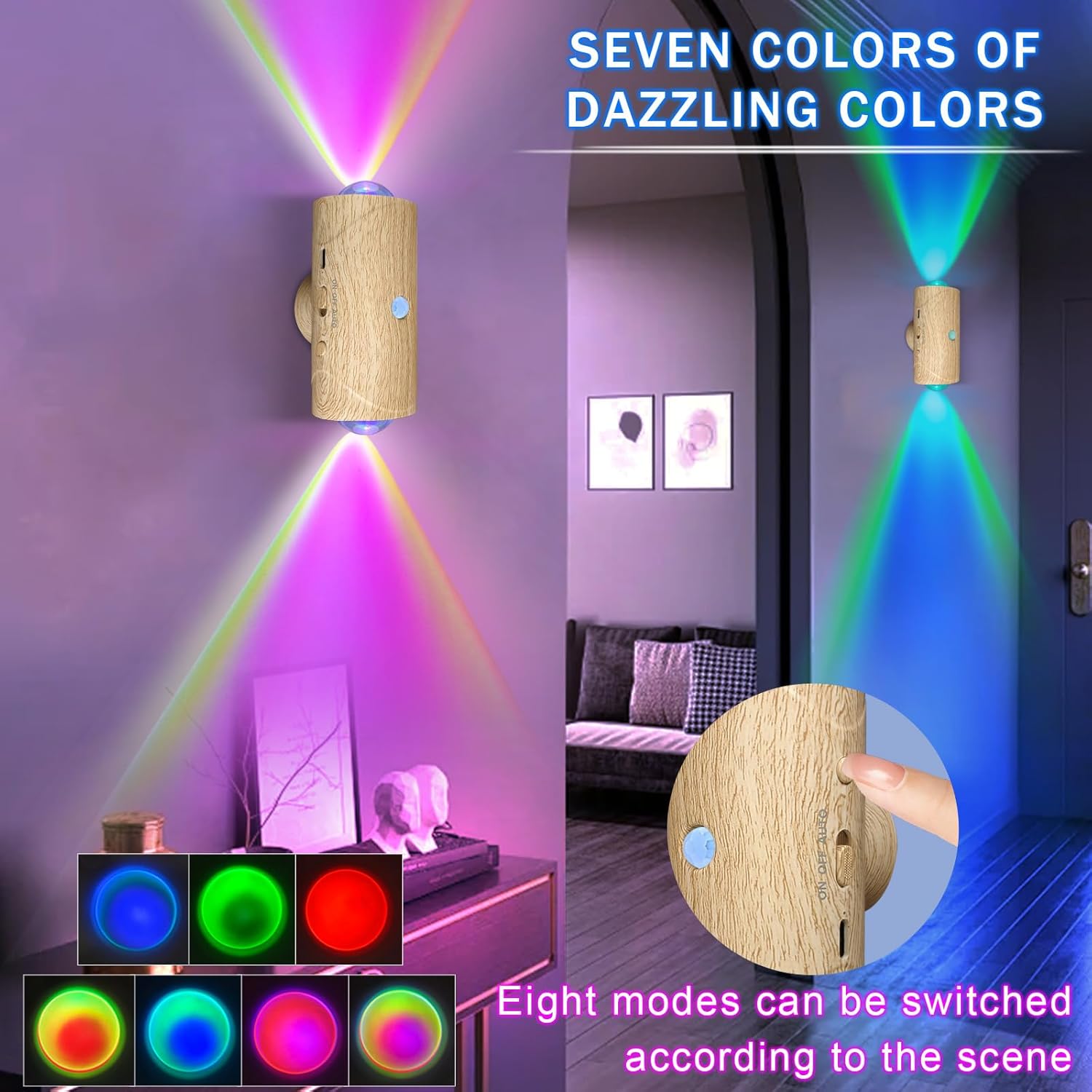
Image: The night light showcasing seven dazzling colors and the button used to switch between eight different lighting modes.
Charging
The night light is equipped with a 1500mAh lithium battery, offering long-lasting performance. It is recharged via a Type-C port.
Charging Instructions:
- Locate the Type-C charging port on the device.
- Connect the provided power cable to the charging port and a suitable USB power adapter (not included).
- The Charging Indicator Light will illuminate during charging.
- A full charge can provide up to 4 months (approximately 120 days) of continuous use, depending on the selected mode and frequency of activation.
Maintenance
To ensure optimal performance and longevity of your FlyonSea Motion Sensor Night Light, follow these simple maintenance guidelines:
- Cleaning: Wipe the surface of the night light with a soft, dry cloth. Avoid using abrasive cleaners or solvents, as they may damage the finish.
- Sensor Care: Keep the infrared and light sensors clean and unobstructed to ensure accurate detection.
- Storage: If storing the device for an extended period, ensure it is fully charged and store it in a cool, dry place. Recharge periodically to maintain battery health.
Troubleshooting
If you encounter any issues with your night light, please refer to the following troubleshooting tips:
| Problem | Possible Cause | Solution |
|---|---|---|
| Light does not turn on in AUTO mode. |
|
|
| Light does not charge. |
|
|
| Ambient light button does not change colors. |
|
|
Specifications
| Feature | Detail |
|---|---|
| Model Name | HL-016A |
| Dimensions (D x W x H) | 1.97" x 2.09" x 4.33" (5cm x 5.3cm x 11cm) |
| Item Weight | 4.16 ounces (118 grams) |
| Power Source | Battery Powered (1500mAh Lithium Battery) |
| Light Source Type | LED (0.2W ultra-low power) |
| Sensor Technology | Active Sensor (Light + Motion) |
| Motion Sensor Range | 5 meters (16.4 feet) |
| Motion Sensor Angle | 110 degrees |
| Auto Mode Light Duration | 15 seconds |
| Battery Life (approx.) | Up to 120 days (4 months) on a single charge |
| Material | Acrylonitrile Butadiene Styrene (ABS) |
| Indoor/Outdoor Usage | Indoor |
| Included Components | Power Cable, Magnetic Mounting Pads |
Warranty and Support
For warranty information or technical support, please refer to the product packaging or contact FlyonSea customer service directly. Keep your purchase receipt as proof of purchase.
Contact information can typically be found on the official FlyonSea website or through the retailer where the product was purchased.