
1. Introduction
Thank you for choosing the TRIUMPHKEY Electric Standing Desk. This desk is designed to enhance your work experience by allowing seamless transitions between sitting and standing postures, promoting a healthier and more dynamic work environment. This manual provides essential information for the safe assembly, operation, and maintenance of your new desk.

Image 1: TRIUMPHKEY Electric Standing Desk in a typical office setup.
2. Safety Information
Please read and understand all safety instructions before assembly and use. Failure to follow these instructions may result in injury or damage to the product.
- Do not use the desk if it is damaged or if any part is missing.
- Do not place heavy objects on the edges of the desk to prevent it from tipping over.
- Keep the desk away from heat sources and do not place flammable objects nearby.
- Do not adjust the height of the desk while it is in use or if someone is sitting on it.
- Always follow the provided installation and maintenance instructions.
- Ensure children and pets are kept away from the desk during operation.
3. Package Contents
Before beginning assembly, please verify that all components are present and undamaged. If any parts are missing or damaged, please contact customer service.
- Tabletop (110 x 60 cm)
- Desk Frame (Legs, Crossbar)
- Control Panel with LED Display
- Power Adapter and Cable
- Headphone Hook
- Assembly Hardware (Screws, Allen Key)
- Instruction Manual
4. Setup and Assembly
The TRIUMPHKEY Electric Standing Desk is designed for quick and easy assembly, typically taking around 30 minutes. Follow the detailed instructions and use the numbered components provided in the separate assembly guide.
Key Assembly Steps:
- Unpack all components and lay them out on a clean, soft surface to prevent scratches.
- Assemble the desk frame according to the provided diagrams, ensuring all screws are tightened securely.
- Attach the tabletop to the assembled frame using the pre-drilled holes.
- Mount the control panel and headphone hook in their designated positions.
- Connect the power adapter to the control box and plug it into a power outlet.
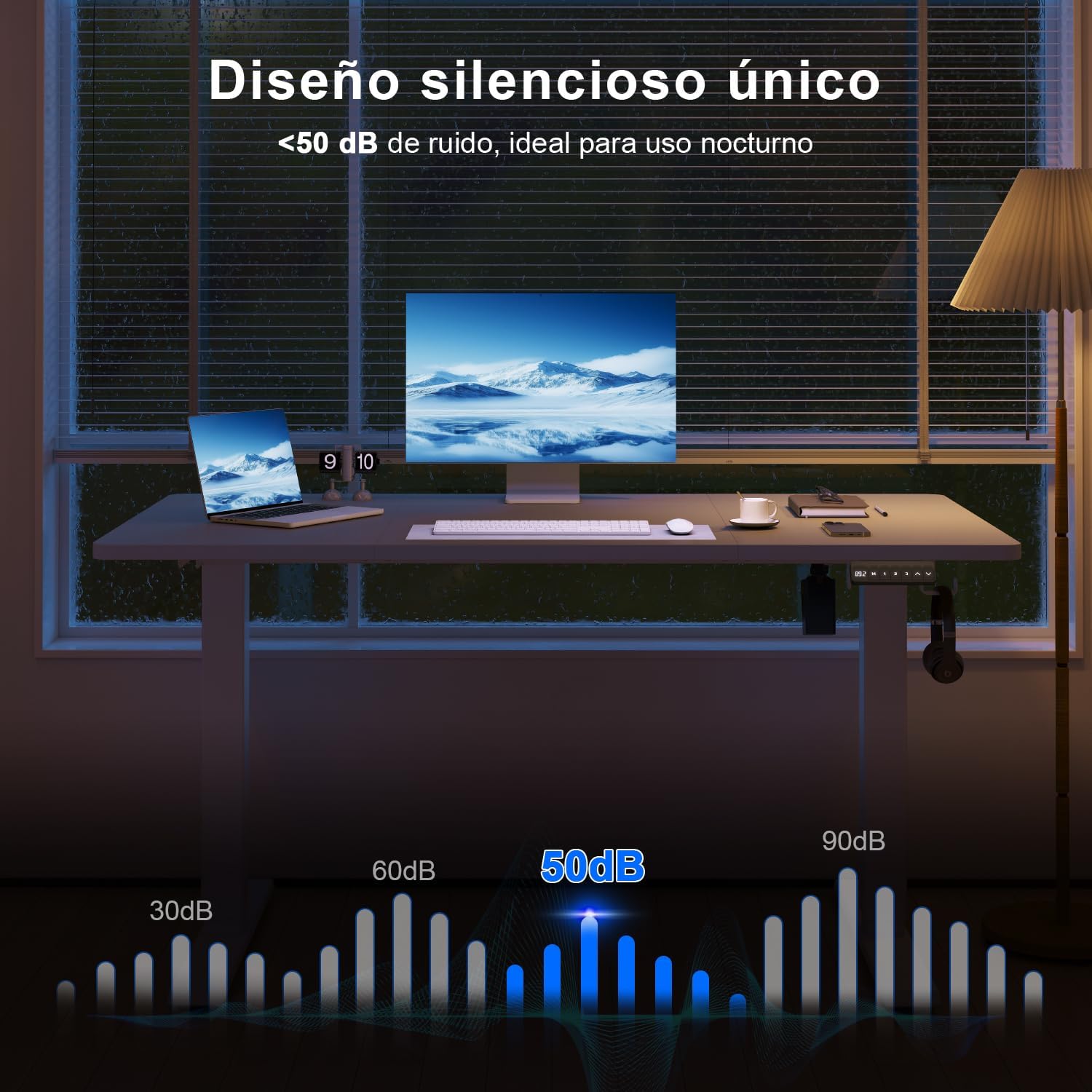
Image 2: Desk structure demonstrating robust design and 80kg load capacity.
5. Operating Instructions
5.1 Control Panel Overview
The desk is equipped with an intuitive 6-button control panel and a digital LED display for precise height adjustments.

Image 3: Multifunction control panel with LED display.
- LED Display: Shows current desk height in centimeters.
- Up/Down Arrows (⌃ / ⌄): Press and hold to adjust the desk height manually.
- 'M' Button: Used to save memory presets.
- '1', '2', '3' Buttons: One-touch buttons to recall saved height positions.
5.2 Height Adjustment
To adjust the desk height, press and hold the Up arrow (⌃) to raise the desk or the Down arrow (⌄) to lower it. The desk can be adjusted smoothly within a range of 71 cm to 119 cm.

Image 4: Demonstrating the adjustable height feature (71-119cm).
5.3 Setting Memory Presets
The desk allows you to save up to three preferred height positions for quick recall:
- Adjust the desk to your desired height using the Up/Down arrows.
- Press the 'M' button. The LED display will show 'S-'.
- Within 3 seconds, press one of the memory buttons ('1', '2', or '3'). The display will show 'S-1', 'S-2', or 'S-3' to confirm the height has been saved.
5.4 Recalling Memory Presets
To move the desk to a saved height, simply press the corresponding memory button ('1', '2', or '3'). The desk will automatically adjust to the saved position.
6. Features and Design
The TRIUMPHKEY Electric Standing Desk incorporates several thoughtful design elements for user convenience and durability:
- Quiet Operation: The motor operates at less than 50 decibels, ensuring a peaceful work environment, even during night use.
- Headphone Hook: A practical hook is included for convenient storage of headphones or bags, keeping your desktop tidy.
- Rounded Edges: The tabletop features rounded, anti-collision edges for enhanced safety and comfort.
- Cable Management Hole: An integrated cable hole helps organize wires and maintain a clean workspace.
- Robust Construction: Built with an industrial-grade steel frame, the desk provides stable and reliable support for up to 80 kg.
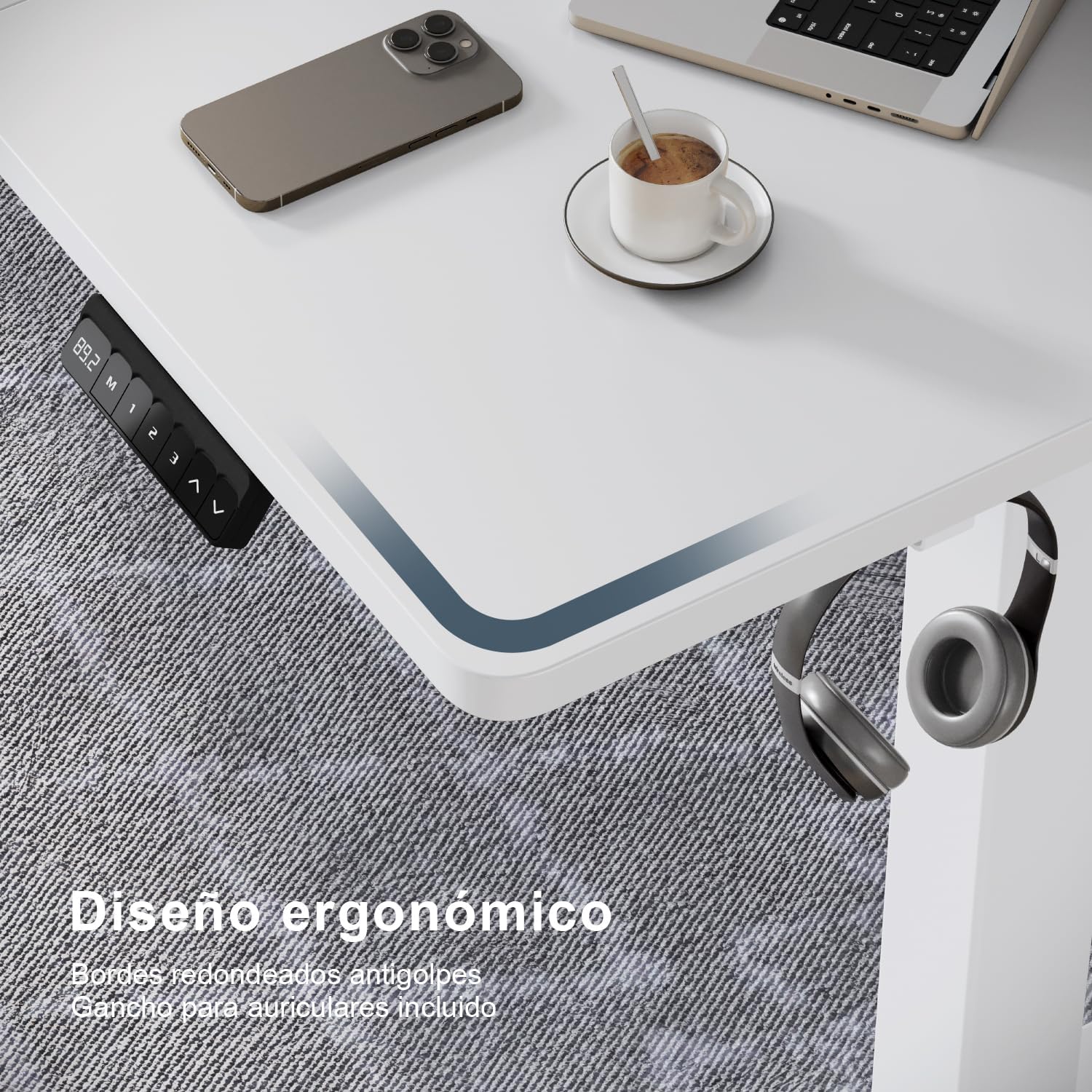
Image 5: Illustration of the desk's quiet operation (below 50dB).

Image 6: Ergonomic design details including rounded edges and headphone hook.
7. Maintenance
To ensure the longevity and optimal performance of your TRIUMPHKEY Electric Standing Desk, follow these maintenance guidelines:
- Cleaning: Wipe the desk surface and frame with a soft, damp cloth. Avoid using abrasive cleaners or harsh chemicals, which can damage the finish.
- Regular Checks: Periodically check all screws and connections to ensure they are tight. Re-tighten if necessary.
- Cable Management: Ensure cables are neatly organized and not pinched or tangled, which could affect desk operation or cause damage.
- Weight Distribution: Distribute weight evenly across the desktop to prevent strain on the lifting mechanism.
8. Troubleshooting
If you encounter any issues with your desk, please refer to the following common troubleshooting steps:
| Problem | Possible Cause | Solution |
|---|---|---|
| Desk does not move | Power cable disconnected; Overload; Motor error | Check power connection; Reduce weight on desk; Unplug for 10 seconds and plug back in to reset. |
| Desk moves unevenly | Uneven weight distribution; Loose connections | Distribute weight evenly; Check and tighten all frame connections. |
| Error code on display | Specific system fault | Refer to the detailed assembly guide for specific error code meanings and solutions, or contact customer support. |
If the problem persists after attempting these solutions, please contact TRIUMPHKEY customer support for further assistance.
9. Specifications
| Feature | Detail |
|---|---|
| Brand | TRIUMPHKEY |
| Model Number | 0788 |
| Color | White |
| Tabletop Dimensions (L x W) | 110 cm x 60 cm |
| Height Adjustment Range | 71 cm - 119 cm |
| Product Weight | 18.8 kg |
| Load Capacity | 80 kg |
| Noise Level | < 50 dB |
| Tabletop Material | Wood |
| Base Material | Alloy Steel |
| Special Features | Adjustable height, 3 memory presets, LED display, Headphone hook, Rounded edges |
10. Warranty and Support
TRIUMPHKEY is committed to providing high-quality products and customer satisfaction. For warranty information, technical support, or any questions regarding your Electric Standing Desk, please contact TRIUMPHKEY customer service through the retailer where you purchased the product or visit the official TRIUMPHKEY website.
Please retain your proof of purchase for warranty claims.
