
Introduction
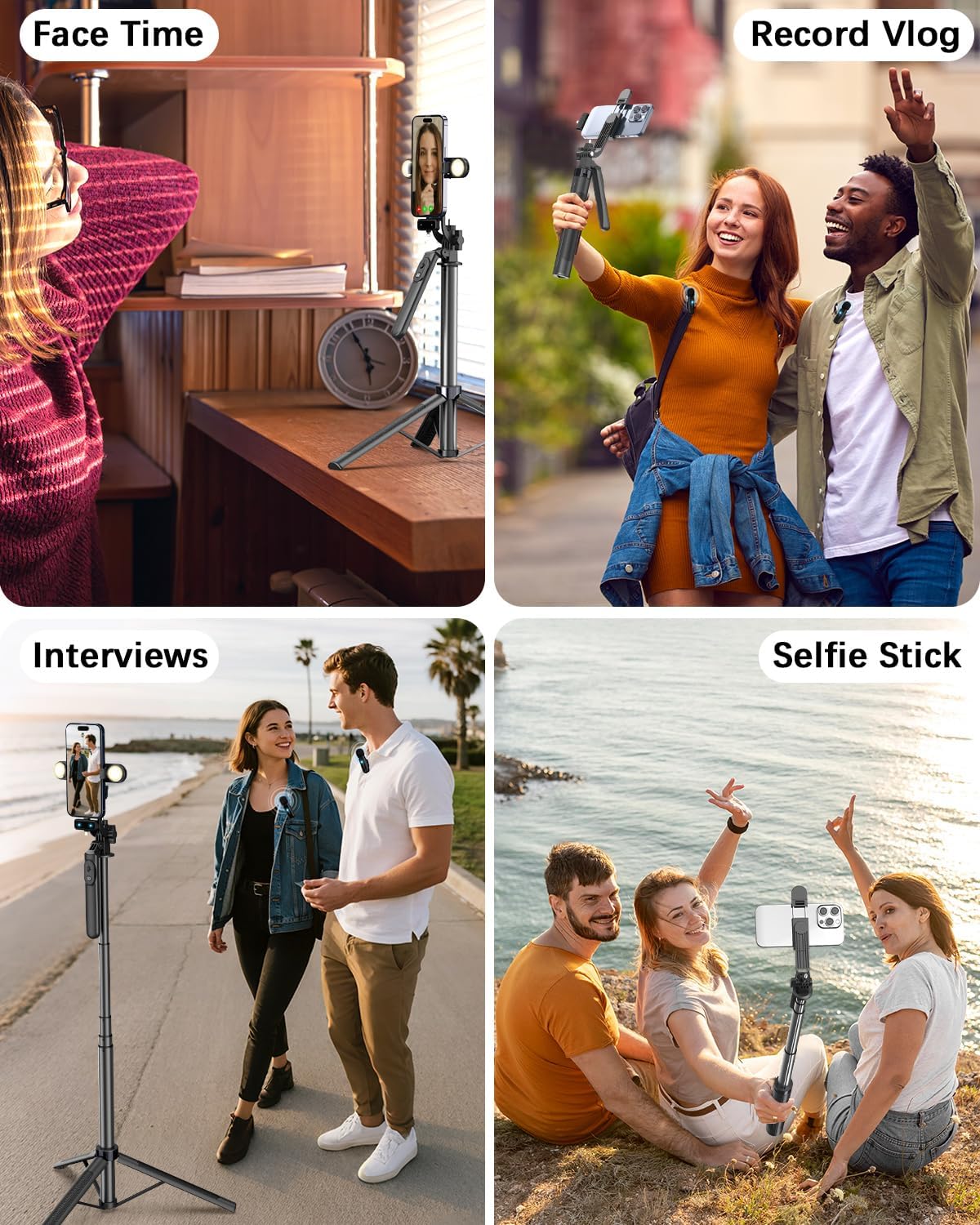
The Yeaki Vlogging Kit is a comprehensive solution designed for content creators using smartphones. This kit provides essential tools to enhance your video and photography, including a versatile selfie stick tripod, dual LED fill lights, a wireless remote, and a professional-grade wireless microphone system. It is suitable for various applications such as vlogging, live streaming, interviews, and general content creation.
What's Included
Please verify that all items listed below are present in your package:
- 1 × 71" Selfie Stick Tripod
- 2 × LED Fill Lights
- 1 × Wireless Remote
- 1 × Microphone Transmitter
- 2 × Microphone Receivers (Type-C/Lightning)
- 2 × Type-C Charging Cables
- 2 × Storage Bags
- 2 × User Manuals
Product Overview
71" Selfie Stick Tripod
The tripod is crafted from premium aluminum alloy, offering stability and versatility. It features 5-stage telescopic legs, allowing adjustment from 11.6 inches to 71 inches. The universal phone holder supports 270° vertical tilt and 360° rotation for multi-angle shooting. A smooth 360° balance handle provides precise composition control. It can be used as a phone tripod stand or a selfie stick.

Dual LED Fill Lights
The kit includes two detachable mini LED fill lights. These lights offer 3 color modes (Warm, Cool, Natural) and 3 brightness levels to enhance low-light shots and adapt to diverse scenes and moods.

Wireless Remote
A Bluetooth remote is included for wireless shutter control, with a range of up to 33 feet. It is Type-C rechargeable for convenience.

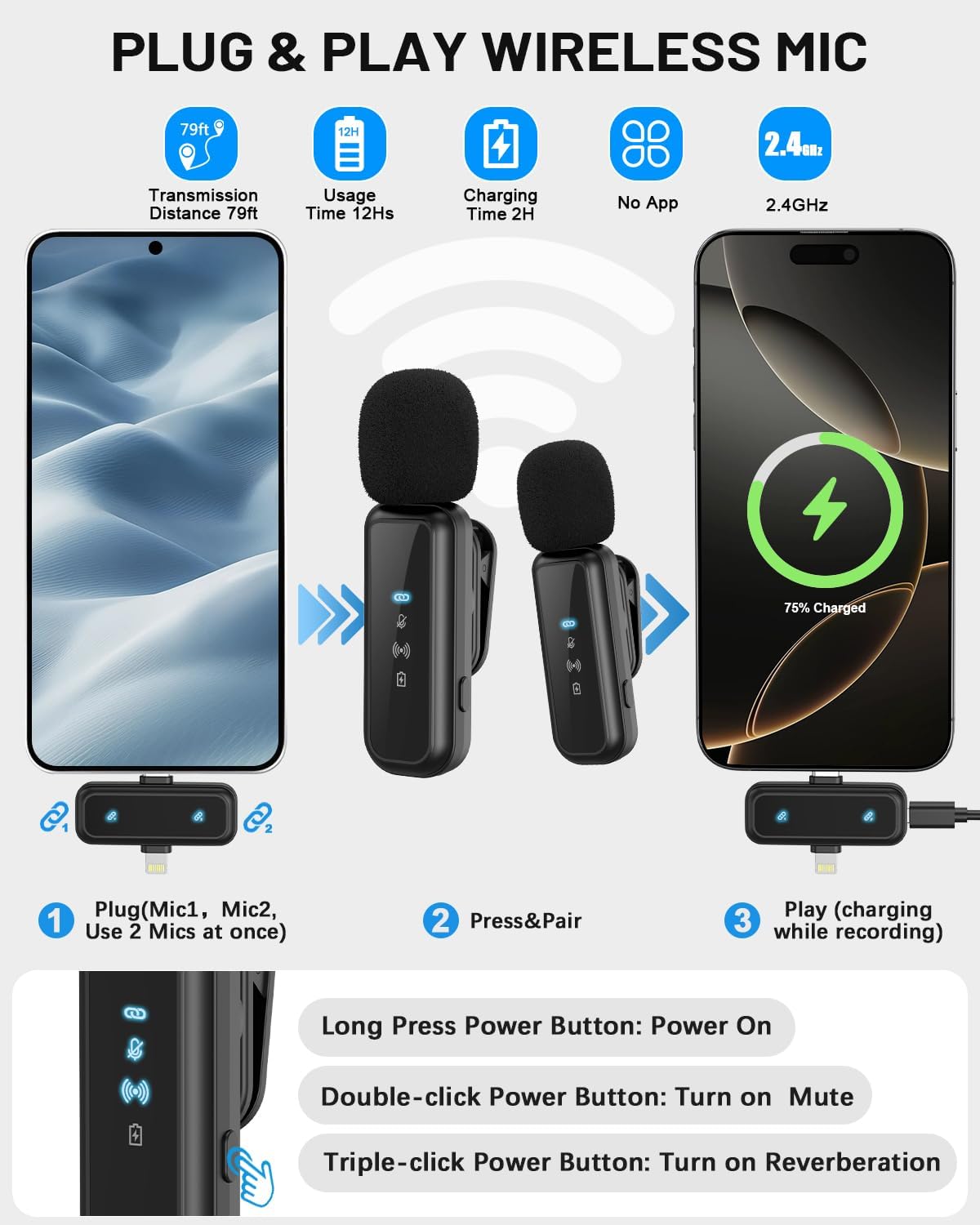
Pro Dual-Mic Wireless System
This plug-and-play wireless microphone system delivers studio-quality sound without requiring any apps. It features a 12-hour runtime on a 2-hour fast charge. The dual-interface receiver (Type-C/Lightning) ensures seamless compatibility with both iPhone and Android devices. Enjoy a stable transmission range of up to 79 feet for clear audio.

Setup Instructions
1. Tripod Assembly and Extension
- Unfold the tripod legs from the base until they are fully extended and stable.
- To extend the selfie stick, gently pull the telescopic pole upwards to your desired height (from 11.6 to 71 inches). Ensure all sections are securely locked.
2. Attaching Your Device
- For Smartphones: Open the universal phone holder and securely place your smartphone (4-4.7" width) into the clamps. Adjust the angle using the 270° vertical tilt and 360° rotation features.
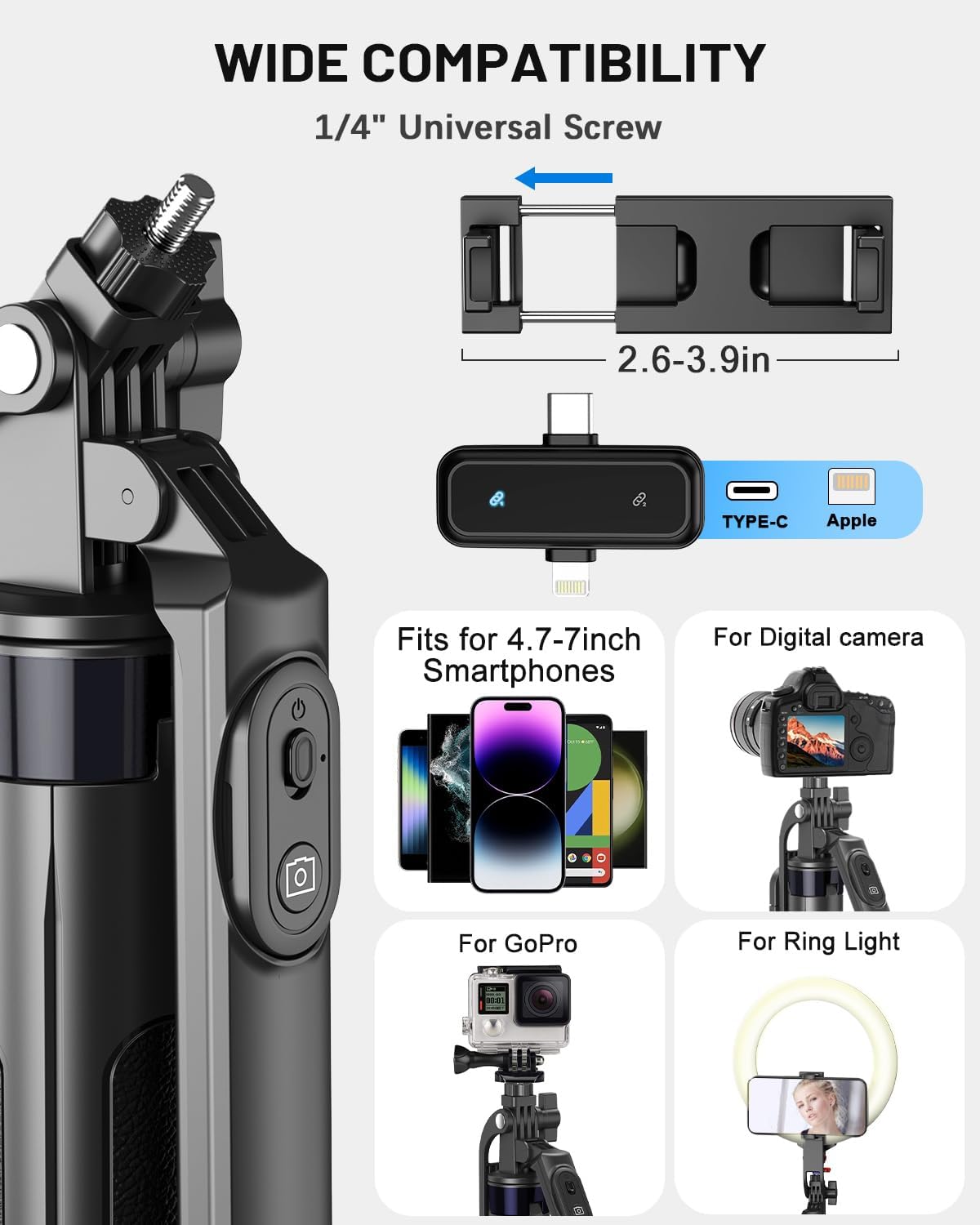
- For Cameras/GoPros/Ring Lights: Utilize the standard 1/4" universal thread on the tripod head to screw in your compatible camera, GoPro, or ring light.
3. Attaching and Operating Fill Lights
- The two LED fill lights can be detached and attached to the sides of the phone holder.
- Press the power button on each light to turn it on. Cycle through the 3 color modes (Warm, Cool, Natural) and 3 brightness levels by pressing the button repeatedly.
4. Connecting the Wireless Microphone System
- Plug the dual-interface receiver (Type-C/Lightning) into your smartphone's charging port.
- Long press the power button on the microphone transmitter(s) to turn them on. The indicator light will flash, indicating pairing mode.
- The microphone(s) will automatically pair with the receiver. A solid indicator light confirms a successful connection.
- Clip the microphone(s) to your clothing, ensuring they are close to your mouth for optimal audio capture.
5. Pairing the Wireless Remote
- Remove the wireless remote from its slot on the tripod handle.
- Turn on the remote by pressing its power button. The indicator light will flash.
- On your smartphone, go to Bluetooth settings and search for available devices. Select the remote (usually named "Selfie" or similar) to pair.
- Once paired, the indicator light on the remote will become solid.
This video demonstrates the setup and various features of the Yeaki Vlogging Kit, including tripod extension, phone mounting, and light operation.
This video provides a quick overview of the tripod's functionality, including its use as a selfie stick and desk tripod, and the wireless remote.
Operating Instructions
Using the Tripod/Selfie Stick
- Tripod Mode: Place the tripod on a flat, stable surface. Adjust the height and angle as needed for stationary recording or photography.
- Selfie Stick Mode: Fold the tripod legs together to form a handle. Extend the pole to your desired length for handheld shots.
- Adjusting Angle: Use the balance handle to smoothly rotate your device 360° or tilt it vertically up to 270°.
Operating the Fill Lights
- Press the power button on each light to turn it on/off.
- Press the button repeatedly to cycle through the 3 color modes (Warm, Cool, Natural) and 3 brightness levels.
Using the Wireless Remote
- Once paired with your smartphone, open your camera app.
- Press the camera button on the remote to remotely trigger the shutter for photos or start/stop video recording.
Using the Wireless Microphone System
- Ensure the receiver is plugged into your phone and the microphone(s) are powered on and paired.
- Power On/Off: Long press the power button on the microphone.
- Mute: Double-click the power button to mute/unmute the microphone.
- Reverberation: Triple-click the power button to activate/deactivate reverberation mode.
- Begin recording using your preferred video or audio recording application on your smartphone.

This video highlights the key features of the Vlogging Kit, including the tripod, lights, microphone, and remote, in various content creation settings.
Compatibility
The Yeaki Vlogging Kit is designed for broad compatibility:
- Smartphones: Compatible with iPhone 15/14/13/12/11/X/8 series, Samsung Galaxy S22/S21 Series, Google Pixel Series, One Plus 1+Series, Huawei, Xiaomi, and other Android/iOS devices (4-4.7" width).
- Other Devices: The tripod features a standard 1/4" universal thread, making it compatible with various cameras, GoPros, ring lights, and other recording devices.
Specifications
| Feature | Specification |
|---|---|
| Brand | Yeaki |
| Model Name | Yeaki Vlogging Kit |
| Material | Aluminum |
| Color | Black |
| Minimum Height | 11.6 Inches |
| Maximum Height | 71 Inches |
| Folded Size | 11.6" |
| Tripod Head Type | Ball Heads |
| Item Weight | 1.17 pounds |
| Wireless Remote Range | 33ft (Bluetooth) |
| Microphone Transmission Range | 79ft |
| Microphone Battery Life | 12 hours (2-hour charge) |
| Fill Lights | Dual LED, 3 Color Modes, 3 Brightness Levels |
| Compatible Phone Width | 4-4.7" |
| Universal Thread | 1/4" |
Maintenance
- Cleaning: Wipe the tripod and accessories with a soft, dry cloth. Avoid using harsh chemicals or abrasive materials.
- Storage: When not in use, fold the tripod to its compact size and store it in the provided storage bag to protect it from dust and damage.
- Battery Care: For optimal battery life, fully charge the wireless remote and microphones before extended storage. Avoid exposing batteries to extreme temperatures.
Troubleshooting
- Microphone Not Connecting: Ensure the receiver is fully plugged into your phone and the microphone transmitter is powered on. Check if the microphone's indicator light is solid. If not, try turning both devices off and on again.
- Wireless Remote Not Pairing: Make sure the remote is charged and powered on. On your phone, disable and re-enable Bluetooth, then try pairing again. Ensure no other Bluetooth devices are interfering.
- Fill Lights Not Turning On/Charging: Verify the lights are charged. If they are not turning on, ensure they are securely attached to the phone holder. If charging issues persist, try a different Type-C cable.
- Tripod Stability Issues: Ensure the tripod legs are fully extended and spread out on a flat surface. Avoid overloading the tripod with devices heavier than recommended.
- Poor Audio Quality: Ensure the microphone is clipped close to the speaker's mouth. Check for any obstructions between the microphone and receiver. Avoid using the microphone in extremely noisy environments.
Warranty & Support
For warranty information and technical support, please refer to the documentation provided with your purchase or contact Yeaki customer service through their official website or the retailer where the product was purchased. Keep your proof of purchase for warranty claims.