
Fockety Fockety2f7rnpvsde-11
Fockety 6000mAh Mini UPS Battery Backup User Manual
Model: Fockety2f7rnpvsde-11
Introduction
This manual provides detailed instructions for the safe and efficient use of your Fockety 6000mAh Mini UPS Battery Backup. This uninterruptible power supply is designed to provide continuous power to your devices, such as WiFi routers and security cameras, during power outages, ensuring uninterrupted operation.
Key features include a 6000mAh battery capacity, multiple voltage outputs (DC 5V, 9V, 12V, and USB 5V), and robust safety mechanisms to protect both the UPS and your connected devices.
Product Overview and Components
The Fockety Mini UPS is a compact and versatile power backup solution. Familiarize yourself with its components:
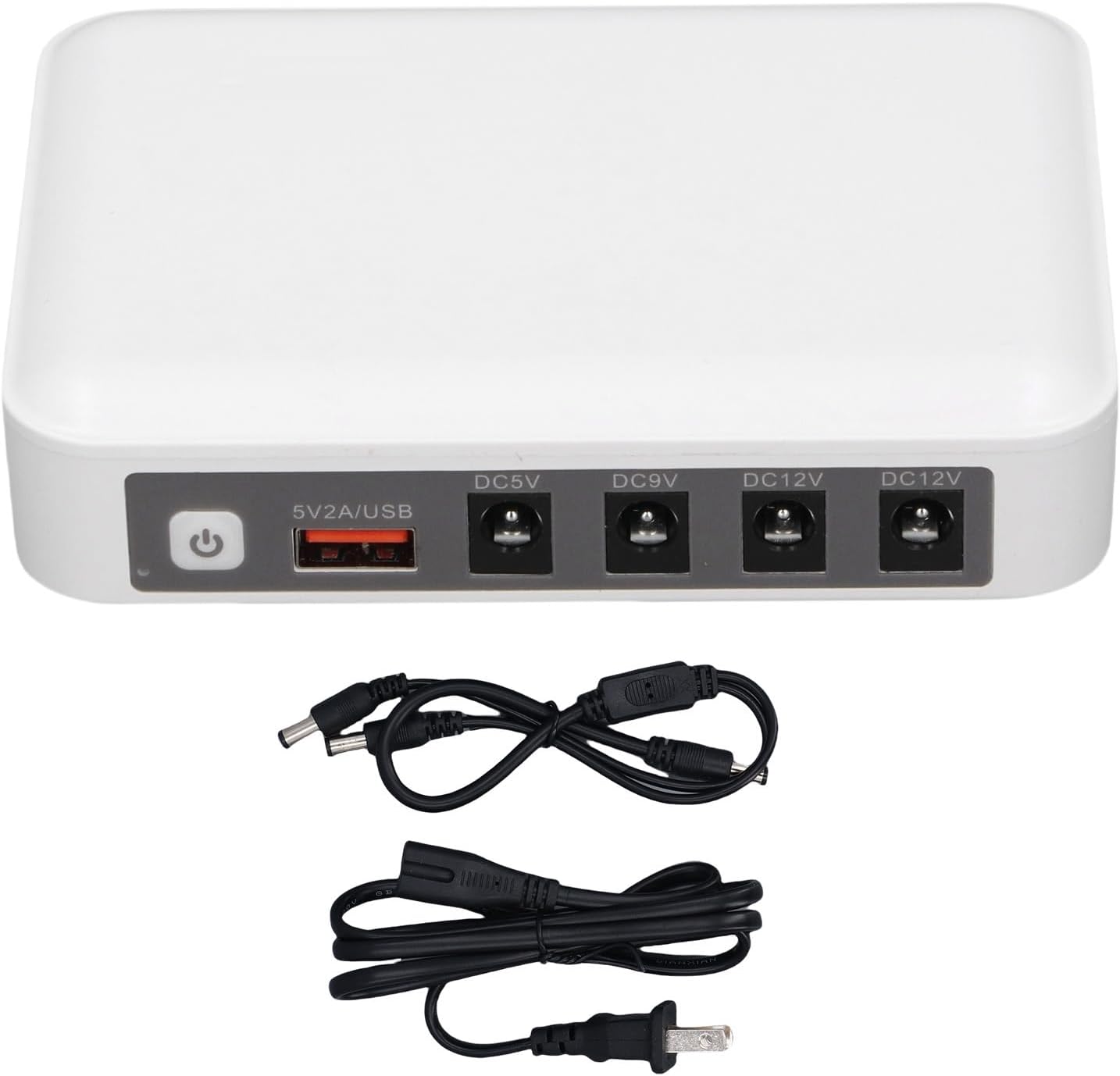
Figure 1: Front view of the Mini UPS showing the power button, USB output, and DC output ports, along with the included DC cable and power cord.
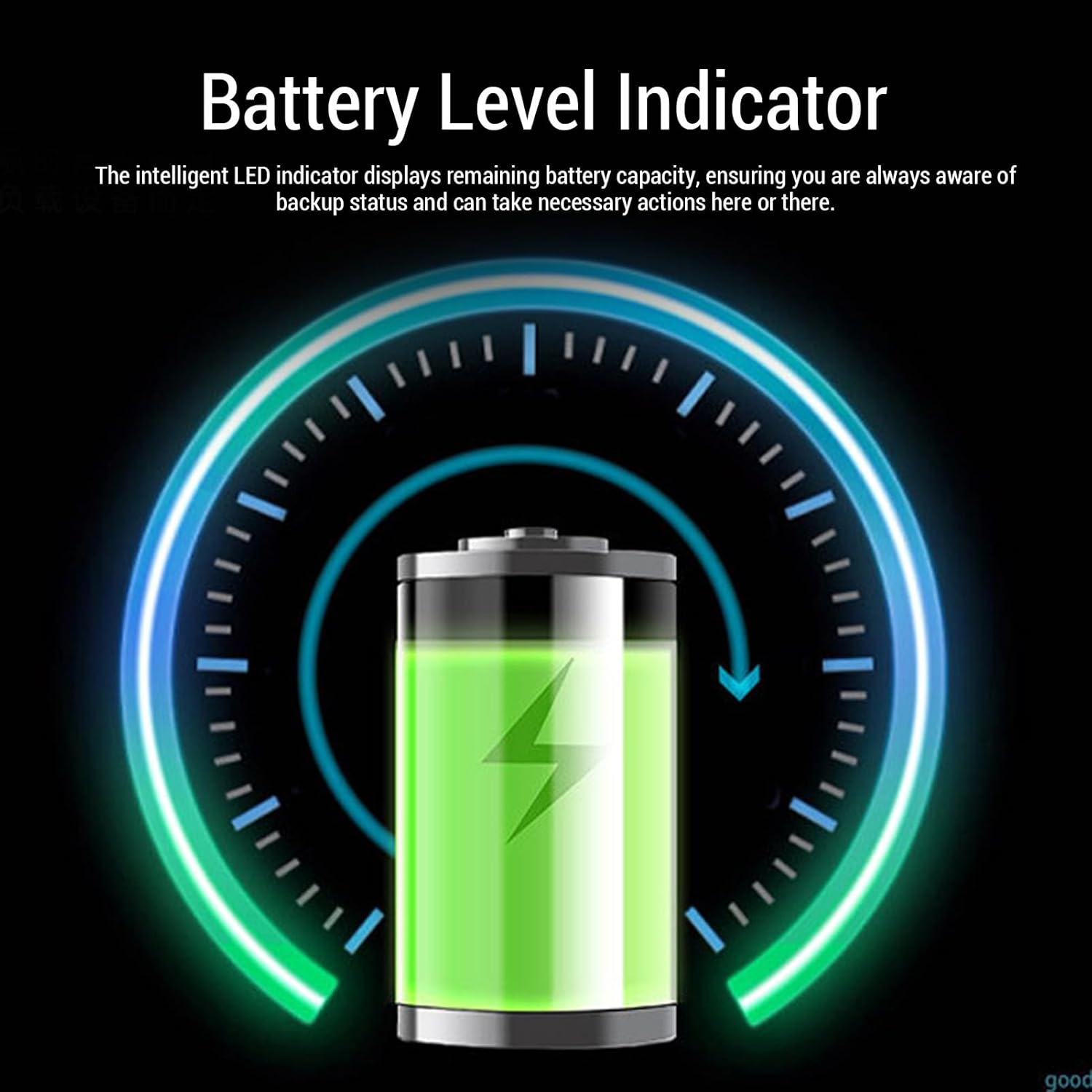
Figure 2: Detailed diagram of the Mini UPS ports, including the ON/OFF button, 5V/2A USB output, and multiple DC outputs (5V, 9V, and two 12V ports).
Package Contents:
- 1 x Uninterruptible Power Supply (Mini UPS)
- 1 x 1-to-2 DC 5.5x2.1mm Cable
- 1 x Power Cord
- 1 x User Manual (this document)
Specifications
| Feature | Detail |
|---|---|
| Item Type | Mini UPS |
| Material | Iron (Casing: Fireproof) |
| Battery Capacity | 1 x 6000mAh Rechargeable Li Battery |
| DC OUT (1) | 12V 2A Maximum |
| DC OUT (2) | 12V 2A Maximum |
| DC OUT (3) | 9V 2A Maximum |
| DC OUT (4) | 5V 2A Maximum |
| USB OUT | 5V 2A Maximum |
| Output Port Type | DC 5.5x2.1mm |
| Package Dimensions | 5.51 x 5.51 x 1.57 inches |
| Item Weight | 13.7 ounces (388 Grams) |
| Model Name | Fockety2f7rnpvsde-11 |
Setup
Follow these steps to set up your Mini UPS:
- Unpack: Carefully remove the Mini UPS and all accessories from the packaging.
- Charge the UPS: Connect the provided power cord to the Mini UPS and plug it into a standard wall outlet. The device will begin charging. The LED indicators will show the charging status.
- Identify Device Voltage: Determine the voltage requirements of the device you wish to power (e.g., WiFi router, security camera). The Mini UPS offers DC 5V, 9V, and 12V outputs, as well as a 5V USB output.
- Connect Device:
- For DC-powered devices: Use the appropriate DC output port (5V, 9V, or 12V) on the Mini UPS. If your device requires a 5.5x2.1mm DC connector, use the provided 1-to-2 DC cable if needed. Ensure the voltage matches your device's requirement.
- For USB-powered devices: Use the 5V/2A USB output port.
- Power On: Press the ON/OFF button on the Mini UPS to activate it.
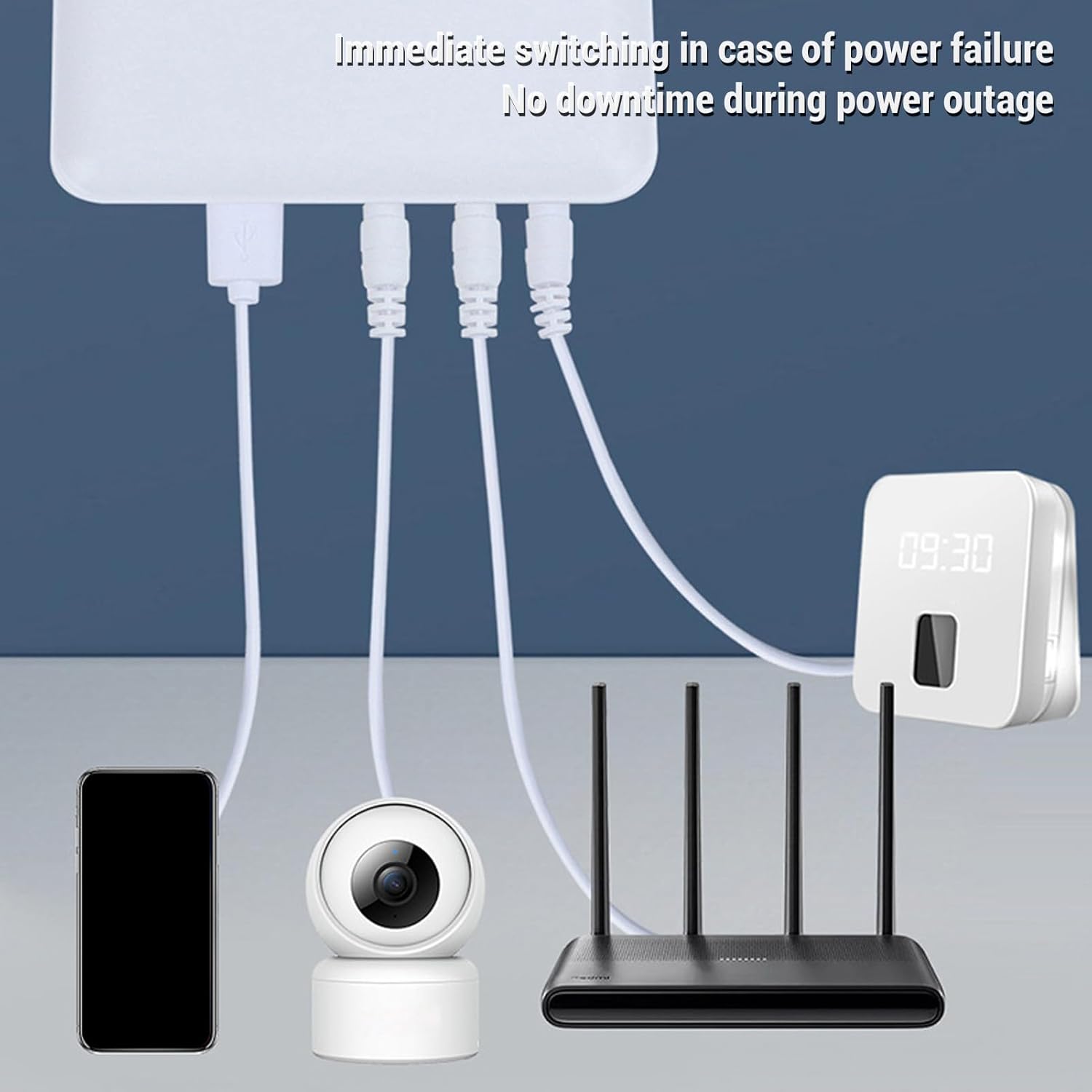
Figure 3: Example setup showing the Mini UPS providing power to a smartphone, security camera, and WiFi router, highlighting its role in preventing downtime during power outages.
Operating Instructions

Figure 4: Key operational features of the Mini UPS, including multiple outputs, wide applicability, long endurance, stabilized output, equipment care, and 8 layers of protection.
Automatic Power Switching:
The Mini UPS is designed to provide continuous power. When connected to both a wall outlet and your devices, it will automatically switch to battery power in the event of a power outage, ensuring your connected devices remain operational without interruption.
Battery Level Indicator:
The Mini UPS features smart LED lights that indicate the remaining battery power. Monitor these indicators to keep track of your backup status and recharge the unit when necessary.

Figure 5: Visual representation of the intelligent LED battery level indicator, allowing users to easily monitor remaining power.
Compatible Devices and Scenarios:
This UPS is compatible with a wide range of devices and suitable for various scenarios:
- Emergency Power: Maintain stable internet connection for WiFi routers and modems during power outages.
- Security Monitoring: Keep security cameras and fingerprint scanners operational.
- Home & Office Use: Power small stereos, headphones, LED light strips, IP cameras, audio amplifiers, dashcams, speakers, card readers, and smartphones.
- Safety Systems: Support fire safety systems and access control systems.
- Portable Use: Lightweight and portable design allows for use in various locations, including dormitories for overnight internet access.

Figure 6: Common scenarios where the Mini UPS provides essential backup power, including home emergencies and security applications.
Safety Features
The Mini UPS is equipped with multiple intelligent protective features to ensure safe and effective operation for both the power supply and your connected devices:
- Short Circuit Protection: Prevents damage from electrical shorts.
- Voltage Regulation: Maintains stable output voltage.
- Overcharging Protection: Protects the battery from being overcharged.
- Over-discharging Protection: Prevents the battery from being fully depleted, extending its lifespan.
- Temperature Control: Manages internal temperature to prevent overheating.
- Fireproof Casing: Encased in a quality fireproof shell for enhanced safety and reliability.
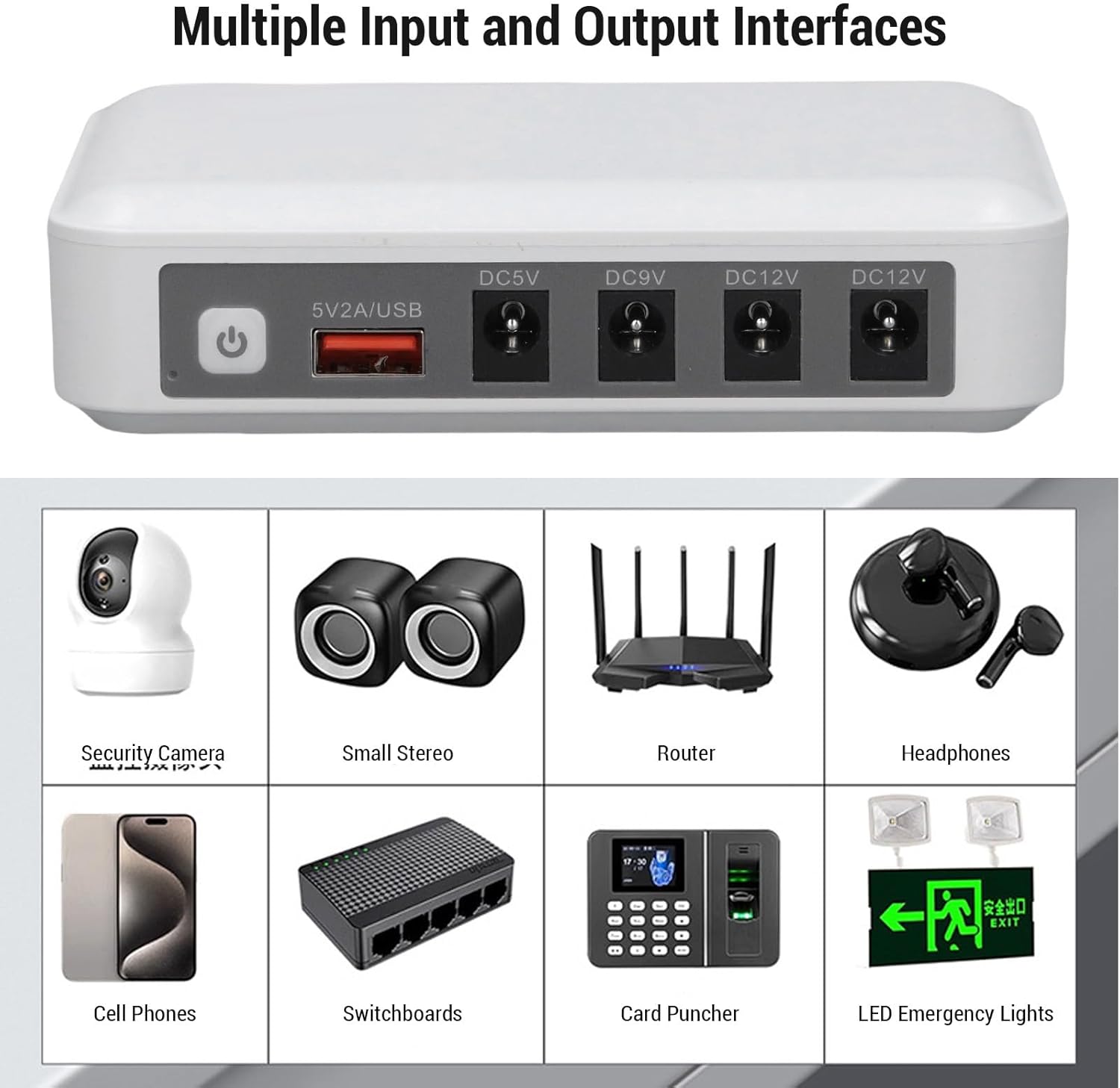
Figure 7: Illustration of the fireproof and flame-retardant housing, highlighting a key safety feature.
Maintenance
To ensure the longevity and optimal performance of your Mini UPS, follow these simple maintenance guidelines:
- Cleaning: Use a soft, dry cloth to clean the exterior of the unit. Do not use liquid cleaners or aerosols.
- Storage: If storing the unit for an extended period, ensure it is fully charged and store it in a cool, dry place away from direct sunlight and extreme temperatures. Recharge the unit every 3-6 months to maintain battery health.
- Ventilation: Ensure the unit has adequate ventilation and is not covered during operation to prevent overheating.
- Avoid Overload: Do not connect devices that exceed the maximum output current for each port or the total power capacity of the UPS.
Troubleshooting
If you encounter issues with your Mini UPS, please refer to the following common problems and solutions:
- UPS not turning on:
- Ensure the unit is charged. Connect it to a power outlet and allow it to charge for a few hours.
- Press and hold the ON/OFF button for a few seconds to ensure it's properly activated.
- Connected device not receiving power:
- Verify that the Mini UPS is turned on.
- Check if the correct voltage output port (5V, 9V, or 12V) is being used for your device.
- Ensure the DC connector is securely plugged into both the UPS and your device.
- Confirm that your device's power requirements (voltage and current) do not exceed the UPS's output capacity for that port.
- Battery not charging:
- Ensure the power cord is securely connected to both the UPS and the wall outlet.
- Try a different wall outlet to rule out a faulty power source.
- Short backup time:
- The actual backup time depends on the power consumption of the connected devices. Higher power draw will result in shorter backup times.
- Ensure the battery is fully charged before use.
If the problem persists after trying these steps, please contact customer support.
Warranty and Support
For warranty information or technical support, please refer to the contact details provided with your purchase or visit the official Fockety website. Please have your model number (Fockety2f7rnpvsde-11) and purchase details ready when contacting support.
Ask a question about this manual
Ask about setup, troubleshooting, compatibility, parts, safety, or missing instructions. Manuals+ will review the question and use this page’s manual context to help answer it.