1. Introduction
This manual provides essential information for the installation, operation, and maintenance of your ASUS ROG Strix GeForce RTX 5070 OC Edition graphics card. This high-performance graphics card features an advanced cooling system, including Axial-tech fans, a phase-change GPU thermal pad, and MaxContact design, engineered to optimize GPU temperature for enhanced performance. The integrated Aura Sync lighting offers extensive customization options for visual effects.
Key Features:
- AI Performance: 1044 AI TOPS for advanced artificial intelligence tasks.
- OC Edition: Operates at 2685 MHz in OC mode and 2655 MHz in default mode.
- 3.2-slot design: Features a substantial fin array optimized for airflow from three Axial-tech fans.
- Axial-tech Fans: Enlarged fans designed to increase airflow through the card, resulting in lower temperatures and improved performance.
- 0dB Technology: Enables silent operation during light workloads.
- MaxContact Design: Utilizes a vapor chamber to ensure efficient heat transfer.
- Phase-Change GPU Thermal Pad: Enhances heat transfer by filling microscopic gaps, contributing to lower GPU temperatures.
- Premium Power Delivery: Digital power control and 15K capacitors ensure stable and high-performance operation.
- Protective PCB Coating: Guards the circuit board against moisture, dust, and debris to prevent short-circuits.
- Aura Sync: Customizable ARGB lighting on the shroud and perimeter for personalized aesthetics.
- GPU Tweak III Software: Provides intuitive tools for performance tuning, thermal control, and system monitoring.

Figure 1: ASUS ROG Strix GeForce RTX 5070 OC Edition graphics card and its retail packaging.
2. Package Contents
Verify that all items are present in the package before proceeding with installation.
- ROG-STRIX-RTX5070-O12G-GAMING Graphics Card
- Speedsetup Manual
- ROG Graphics Card Holder
- ROG Velcro Hook & Loop
- ROG Magnet
- ROG PCB Ruler
- Thank You Card
- Adapter Cable (1 to 2)

Figure 2: All items included in the ASUS ROG Strix GeForce RTX 5070 OC Edition retail package.
3. Setup and Installation
Proper installation is crucial for optimal performance and system stability. Ensure your system is powered off and unplugged before beginning installation.
System Requirements:
- PCI Express-compliant motherboard with one x16 graphics slot.
- Minimum recommended power supply unit (PSU) wattage. Refer to the specifications section for details.
- Sufficient space within your PC case for a 3.2-slot graphics card.
Installation Steps:
- Prepare Your System: Power off your computer and disconnect all cables. Open your PC case.
- Locate PCIe Slot: Identify an available PCI Express x16 slot on your motherboard.
- Remove Slot Covers: Remove the necessary expansion slot covers from your PC case to accommodate the 3.2-slot card.
- Install Graphics Card: Carefully align the graphics card with the PCIe slot and press down firmly until it is securely seated. Secure the card to the case with screws.
- Connect Power: Connect the appropriate power cables from your power supply to the graphics card's power connectors. Use the provided adapter cable if necessary.
- Close Case and Connect Peripherals: Close your PC case, reconnect all cables, and connect your display to one of the graphics card's output ports (HDMI or DisplayPort).
- Install Drivers: Power on your system. Once the operating system loads, install the latest graphics drivers from the ASUS support website or NVIDIA's official website.

Figure 3: The graphics card requires adequate power from a compatible power supply unit.
4. Operating Your Graphics Card
The ASUS ROG Strix GeForce RTX 5070 OC Edition is designed for high-performance computing and gaming. Understanding its features will help you maximize your experience.
Cooling System:
- Axial-tech Fans: These fans are designed with a smaller hub that facilitates longer blades and a barrier ring to increase downward air pressure. The outer two fans spin counter-clockwise to reduce turbulence and improve airflow through the heatsink.
- 0dB Technology: For less demanding tasks, the fans will stop spinning entirely, providing a silent computing environment. They will automatically engage when GPU temperature rises.
- MaxContact Design: This technology involves a precision-machined heat spreader surface that makes up to 5% more contact with the GPU die, improving thermal transfer.
- Phase-Change GPU Thermal Pad: This specialized thermal pad melts at specific temperatures to fill microscopic imperfections between the GPU and heatsink, enhancing thermal conductivity and heat dissipation.

Figure 4: Axial-tech fan design for enhanced cooling performance.
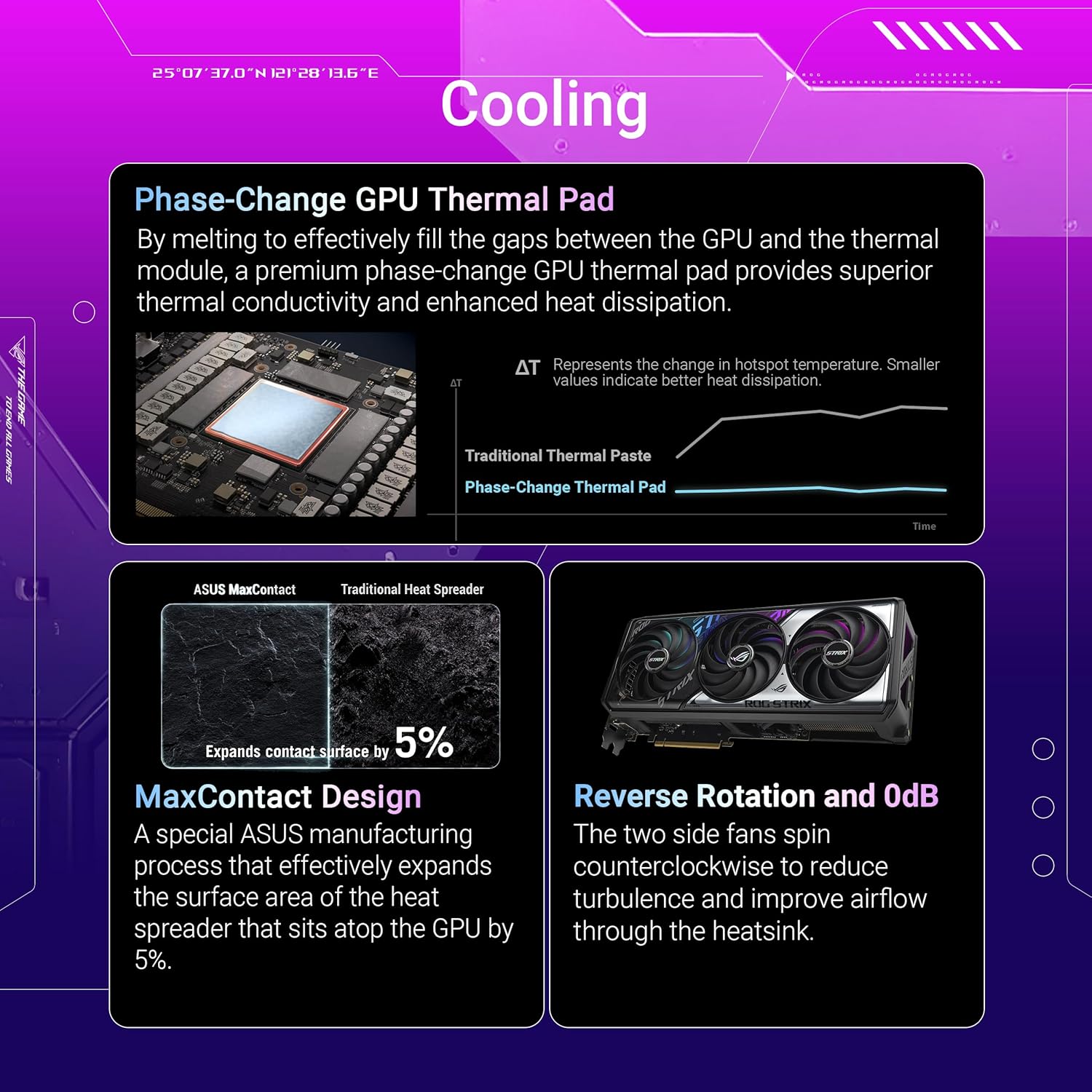
Figure 5: Illustration of Phase-Change GPU Thermal Pad, MaxContact Design, and Reverse Rotation with 0dB technology.
Aura Sync Lighting:
The graphics card features integrated ARGB lighting compatible with ASUS Aura Sync. This allows for synchronization of lighting effects across compatible components in your system, offering extensive personalization options.

Figure 6: The graphics card with its customizable Aura Sync RGB lighting activated.
Software Utilities:
- GPU Tweak III: This utility provides comprehensive control over your graphics card. You can monitor vital parameters, adjust clock speeds, memory frequencies, and fan curves to optimize performance or reduce noise.
- MuseTree: An AI-powered image generation application designed to spark creativity and manage visual ideas.

Figure 7: GPU Tweak III for performance tuning and MuseTree for AI-powered image generation.
5. Maintenance
Regular maintenance helps ensure the longevity and optimal performance of your graphics card.
Cleaning:
- Periodically clean dust from the fans and heatsink using compressed air. Ensure the system is powered off and unplugged before cleaning.
- Hold the fan blades gently to prevent them from spinning rapidly during cleaning, which can damage the bearings.
Driver Updates:
- Regularly check the ASUS support website or NVIDIA's official website for the latest graphics drivers. Keeping drivers updated ensures compatibility, performance improvements, and access to new features.
6. Troubleshooting
If you encounter issues with your graphics card, consider the following troubleshooting steps:
No Display or Black Screen:
- Ensure the monitor cable is securely connected to both the graphics card and the display.
- Verify that the graphics card is fully seated in the PCIe slot.
- Confirm that all necessary power cables are connected to the graphics card from the PSU.
- Test with a different display cable or monitor if possible.
Performance Issues or Crashes:
- Ensure your graphics drivers are up to date.
- Monitor GPU temperatures using software like GPU Tweak III. Overheating can lead to performance throttling or crashes. Ensure adequate case airflow.
- Verify your power supply unit meets the minimum wattage requirements for the graphics card and other system components.
- Check for system stability by running diagnostic tools or stress tests.
Aura Sync Not Working:
- Ensure the Aura Sync software is installed and updated.
- Check connections to the motherboard's ARGB headers if applicable, though this card's lighting is typically integrated.
- Restart the Aura Sync software or your system.
7. Specifications
Detailed technical specifications for the ASUS ROG Strix GeForce RTX 5070 OC Edition graphics card.
| Feature | Specification |
|---|---|
| Model Number | ROG-STRIX-RTX5070-O12G-GAMING |
| Graphics Coprocessor | NVIDIA GeForce RTX 5070 |
| Memory | 12 GB GDDR7 |
| Memory Speed | 2655 MHz |
| OC Mode Clock Speed | 2685 MHz |
| Max Screen Resolution | 7680x4320 Pixels |
| Video Output Interface | HDMI 2.1b x2, Native DisplayPort 2.1b x3 |
| Item Dimensions (LxWxH) | 13.07 x 5.79 x 0.04 inches |
| Item Weight | 4.3 pounds |
| Color | BLACK |
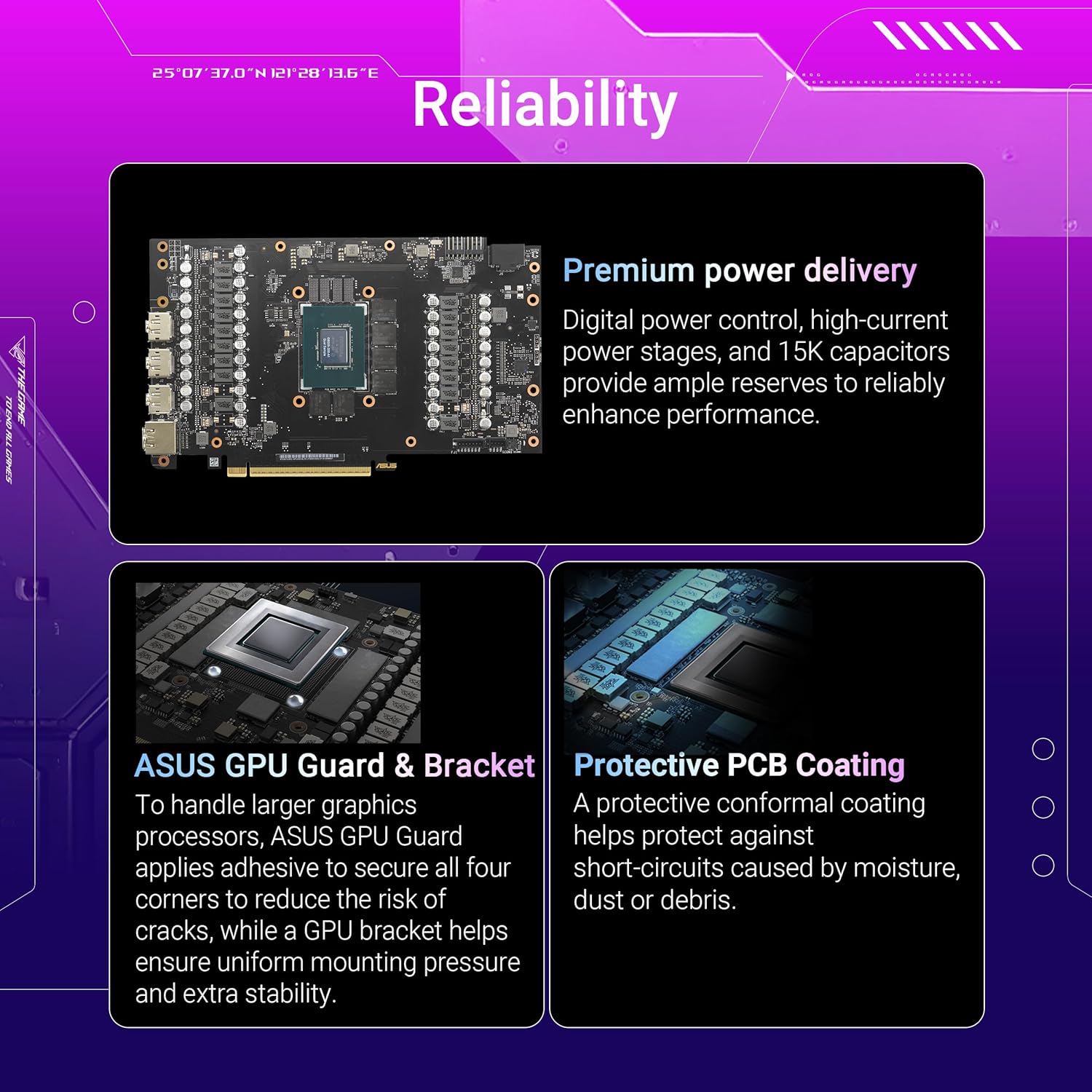
Figure 8: Internal view highlighting premium power delivery and protective PCB coating.
8. Warranty and Support
For warranty information, please refer to the warranty card included in your product packaging or visit the official ASUS support website. ASUS provides technical support and resources for its products.
Contacting Support:
- Visit the ASUS support website for FAQs, driver downloads, and contact options.
- Have your product model number (ROG-STRIX-RTX5070-O12G-GAMING) and serial number ready when contacting support.


