
1. Introduction
This manual provides detailed instructions for the safe and effective operation, setup, and maintenance of your haxiaoer 160A Multi-Process Welder. This versatile machine supports Gas MIG, Flux MIG, Lift TIG, and Stick (MMA) welding modes, making it suitable for a wide range of applications from automotive repair to metal arts.

Image: The haxiaoer 160A Multi-Process Welder shown with included accessories such as welding wire, electrodes, and cables.
2. Key Features
- 4-in-1 Multifunctionality: Supports Gas MIG, Flux MIG, Lift TIG, and Stick (MMA) welding modes. Capable of welding metals from 0.6 mm to 8 mm thick, including stainless steel and carbon steel.
- Spatter Reduction System: Features a precision 0.8mm contact tip and optimized inductance control to reduce spatter by 30%. Includes a built-in gas solenoid valve for constant shielding gas flow (20-25 CFH) in Gas MIG mode and a post-flow timer to prevent nozzle clogging.
- Intelligent Synchronized Control: Advanced IGBT inverter and MCU chip auto-synchronization technology automatically adjusts voltage and wire feed speed (20-160A) based on wire diameter (0.6-1.0 mm). Compatible with 6013/7018 welding rods, with features like Hot Start, Arc Force, and Anti-Stick.
- Portable Design: Compact (14’’ x 8’’ x 12’’) and lightweight (19.4 pounds), making it easy to transport. Equipped with a built-in handle.
- 110V Compatibility: Operates on a standard 110V outlet, eliminating the need for 220V conversion.

Image: Visual representation of the four welding processes supported by the machine: Gas MIG, Gasless MIG, Stick, and Lift TIG.
3. Setup Guide
3.1 Unpacking and Inspection
Carefully unpack the welder and all accessories. Inspect for any shipping damage. Ensure all components listed in the packing list are present.
3.2 Power Connection
Connect the welder to a standard 110V power outlet. Ensure the outlet is properly grounded and capable of supplying the necessary current for welding operations.
3.3 Accessory Connections
- MIG Torch: Connect the MIG torch to the designated FCAW/MIG port on the front panel.
- Ground Clamp: Connect the ground clamp cable to the appropriate terminal (usually marked with a minus sign or ground symbol) and secure the clamp to the workpiece.
- Electrode Holder (for Stick/MMA): Connect the electrode holder cable to the positive terminal for most common electrodes.
- TIG Torch (Optional, not included): If using Lift TIG, connect your TIG torch to the appropriate port.
- Gas Connection (for Gas MIG/Lift TIG): For Gas MIG or Lift TIG, connect your shielding gas cylinder and regulator to the gas inlet on the machine. Ensure gas flow is set to 20-25 CFH.
3.4 Wire Installation (MIG/Flux Core)
Open the wire feed compartment. Place the welding wire spool onto the spindle. Thread the wire through the guide tube and into the drive rollers. Adjust the tension on the drive rollers to ensure smooth wire feeding without slippage or crushing. Ensure the correct wire diameter (0.6-1.0 mm) is selected on the machine settings.
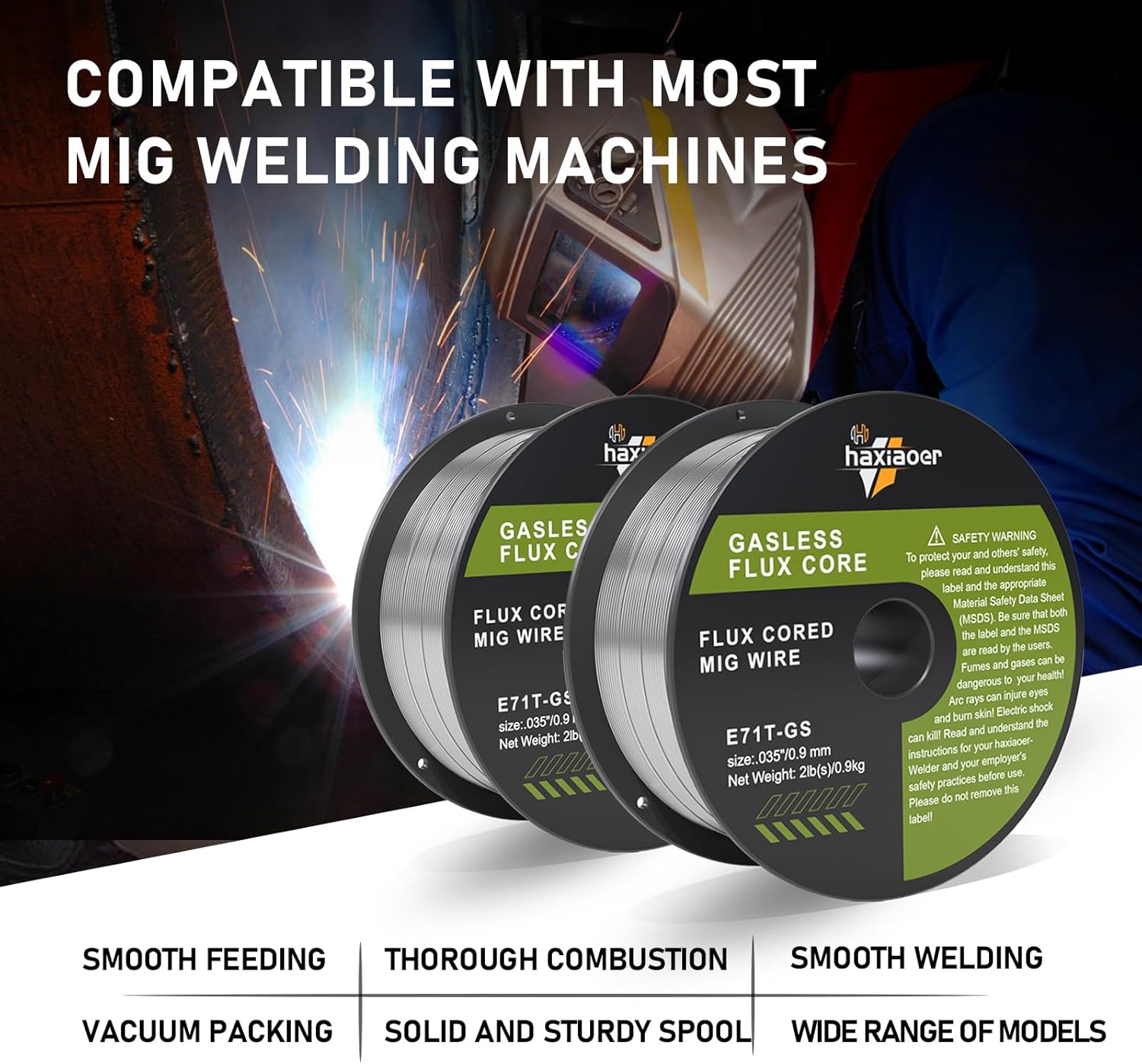
Image: Close-up of flux core welding wire spools, indicating compatibility with MIG welding machines.
4. Operating Instructions
4.1 Control Panel Overview

Image: Detailed view of the welder's control panel with numbered components.
- Screen Display: Shows current welding parameters such as amperage and voltage.
- Welding Mode Indicator: Displays the currently selected welding mode (MIG, MMA, Lift TIG).
- Wire Settings: Indicates the selected wire diameter (e.g., FCAW-0.8, FCAW-0.9, MIG-0.8).
- Mode Switch Button: Press to cycle through available welding modes.
- Current Adjust Knob: Adjusts the welding amperage (20-160A).
- Voltage Balance Knob: Fine-tunes the welding voltage for optimal arc stability.
4.2 Selecting Welding Mode
Press the Mode Switch Button (4) to select the desired welding process: Gas MIG, Flux MIG, Lift TIG, or Stick (MMA). The selected mode will be indicated on the display (2).
4.3 Adjusting Parameters
Use the Current Adjust Knob (5) to set the welding amperage. For MIG/Flux Core welding, the machine's intelligent synchronized control will automatically adjust voltage and wire feed speed based on the selected wire diameter and amperage. For fine-tuning, use the Voltage Balance Knob (6).
4.4 Suitable Metals
The haxiaoer 160A Multi-Process Welder is suitable for welding various metals, including:

Image: Examples of metals suitable for welding with this machine, including Carbon Steel, Sheet Metal, Cast Iron, Square Pipe, Stainless Steel, and Round Tube. Note: Aluminum is not included.
- Carbon Steel
- Sheet Metal
- Cast Iron
- Square Pipe
- Stainless Steel
- Round Tube
Note: This welder is not designed for welding aluminum.
4.5 Welding Positions (Flux Core)
When using flux core wire, the machine is suitable for various welding positions:
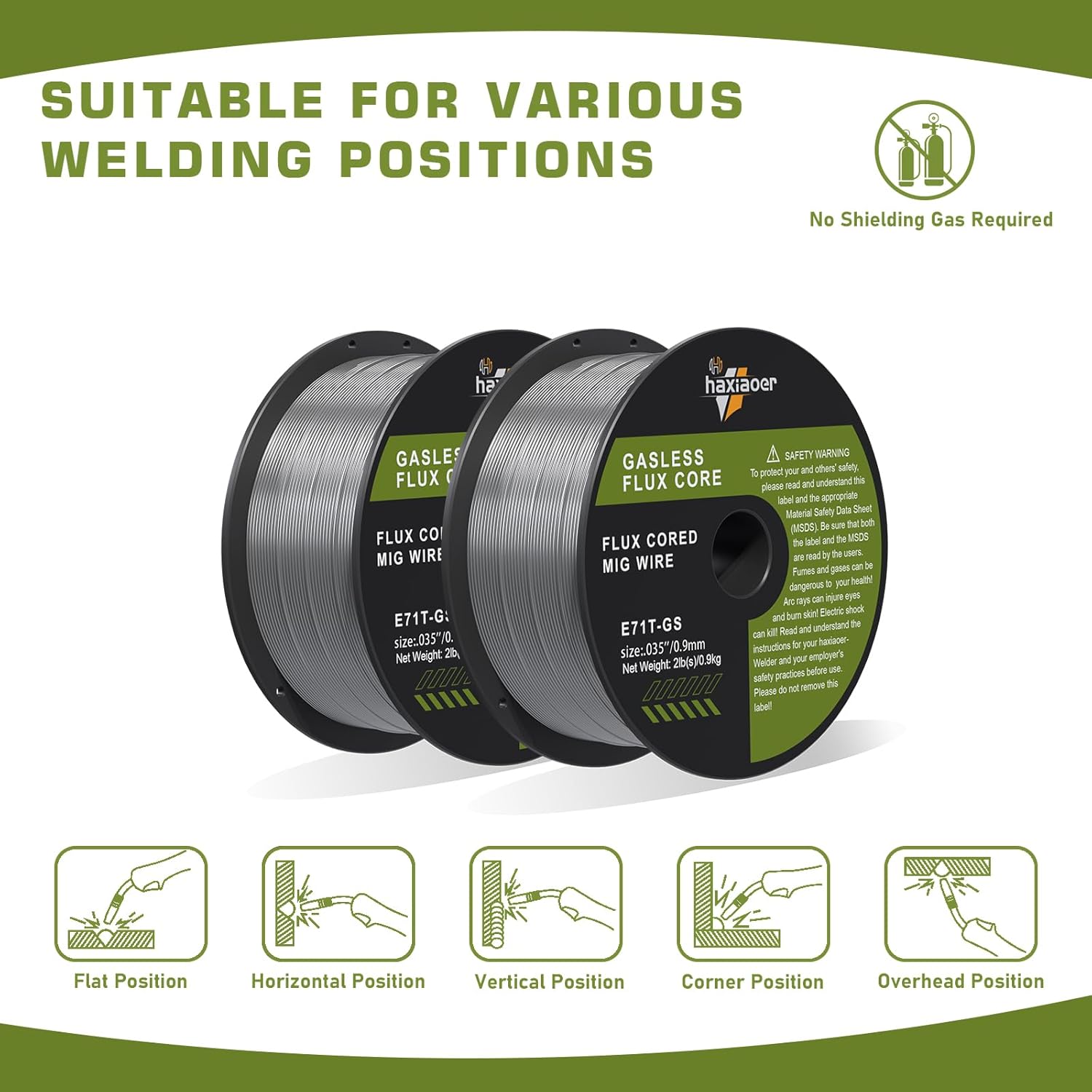
Image: Illustrations of suitable welding positions for flux core wire, including Flat, Horizontal, Vertical, Corner, and Overhead positions. No shielding gas is required for flux core welding.
- Flat Position
- Horizontal Position
- Vertical Position
- Corner Position
- Overhead Position
5. Maintenance
Regular maintenance ensures the longevity and optimal performance of your welding machine. Always disconnect the power supply before performing any maintenance.
- Cleaning: Periodically clean the exterior of the machine with a dry cloth. Ensure cooling vents are free from dust and debris to prevent overheating.
- Torch and Cable Inspection: Regularly inspect the welding torch, cables, and connections for wear, damage, or loose connections. Replace worn parts immediately.
- Contact Tip and Nozzle: For MIG welding, regularly clean or replace the contact tip and nozzle to prevent spatter buildup and ensure consistent wire feeding and gas flow.
- Wire Feed System: Check the wire drive rollers for wear and ensure they are clean. Adjust roller tension as needed for smooth wire feeding.
- Electrode Holder/Ground Clamp: Ensure these components are clean and provide good electrical contact.
6. Troubleshooting
This section provides solutions to common issues you might encounter. For problems not listed here, contact customer support.
| Problem | Possible Cause | Solution |
|---|---|---|
| No power to machine | Power cord unplugged, circuit breaker tripped, faulty outlet | Check power connection, reset circuit breaker, try a different outlet |
| No arc/Poor arc starting | Poor ground connection, incorrect settings, worn electrode/contact tip | Ensure good ground contact, adjust current/voltage, replace consumables |
| Wire feeding issues (MIG/Flux Core) | Incorrect drive roller tension, clogged liner, wrong wire size, tangled wire | Adjust roller tension, clean/replace liner, ensure correct wire, untangle wire |
| Excessive spatter | Incorrect voltage/wire speed, dirty workpiece, wrong gas flow (Gas MIG) | Adjust settings, clean workpiece, check gas flow/type |
| Overheat protection activated | Exceeded duty cycle, blocked ventilation | Allow machine to cool down, clear ventilation openings |
7. Specifications
| Specification | Value |
|---|---|
| Model Style | 160A 4-in-1 Multi-Process Welder |
| ASIN | B0F8HXMQY8 |
| Input Voltage | 110V |
| Weight | 19.4 pounds |
| Dimensions | 14’’ x 8’’ x 12’’ |
| Welding Current Range | 20-160A |
| Wire Diameter Compatibility | 0.6-1.0 mm |
| Welding Thickness | 0.6 mm to 8 mm |
7.1 Flux Core Wire Specifications (E71T-GS)

Image: Diagram detailing the specifications of the E71T-GS flux core welding wire, including spool dimensions, wire diameter, tensile strength, and net weight.
- Item Model Number: E71T-GS
- Spool Diameter: 3.9in / 99mm
- Spool Aperture: 0.63in / 16mm
- Spool Width: 1.75in / 44.5mm
- Wire Diameter: 0.035in / 0.9mm
- Tensile Strength: 490-670 MPa
- Net Weight: 2LB / 0.9KG
8. Warranty and Support
haxiaoer offers industry-leading customer service and support for your welding machine.
- Warranty: This product comes with a 3-year warranty covering defects in materials and workmanship.
- Customer Support: For any questions, troubleshooting assistance, or warranty claims, please contact our customer service team. We provide 24/7 email support to ensure quick resolution of your issues.