
DOGOITM B0F8HHV3CW
DOGOITM Wireless Dog Fence System User Manual
Model: B0F8HHV3CW
Brand: DOGOITM
1. Introduction
The DOGOITM Wireless Dog Fence System provides a safe and reliable way to contain your pet within a defined outdoor area using advanced GPS technology. This system is designed for ease of use, offering adjustable boundaries and multiple correction modes to suit your dog's training needs.
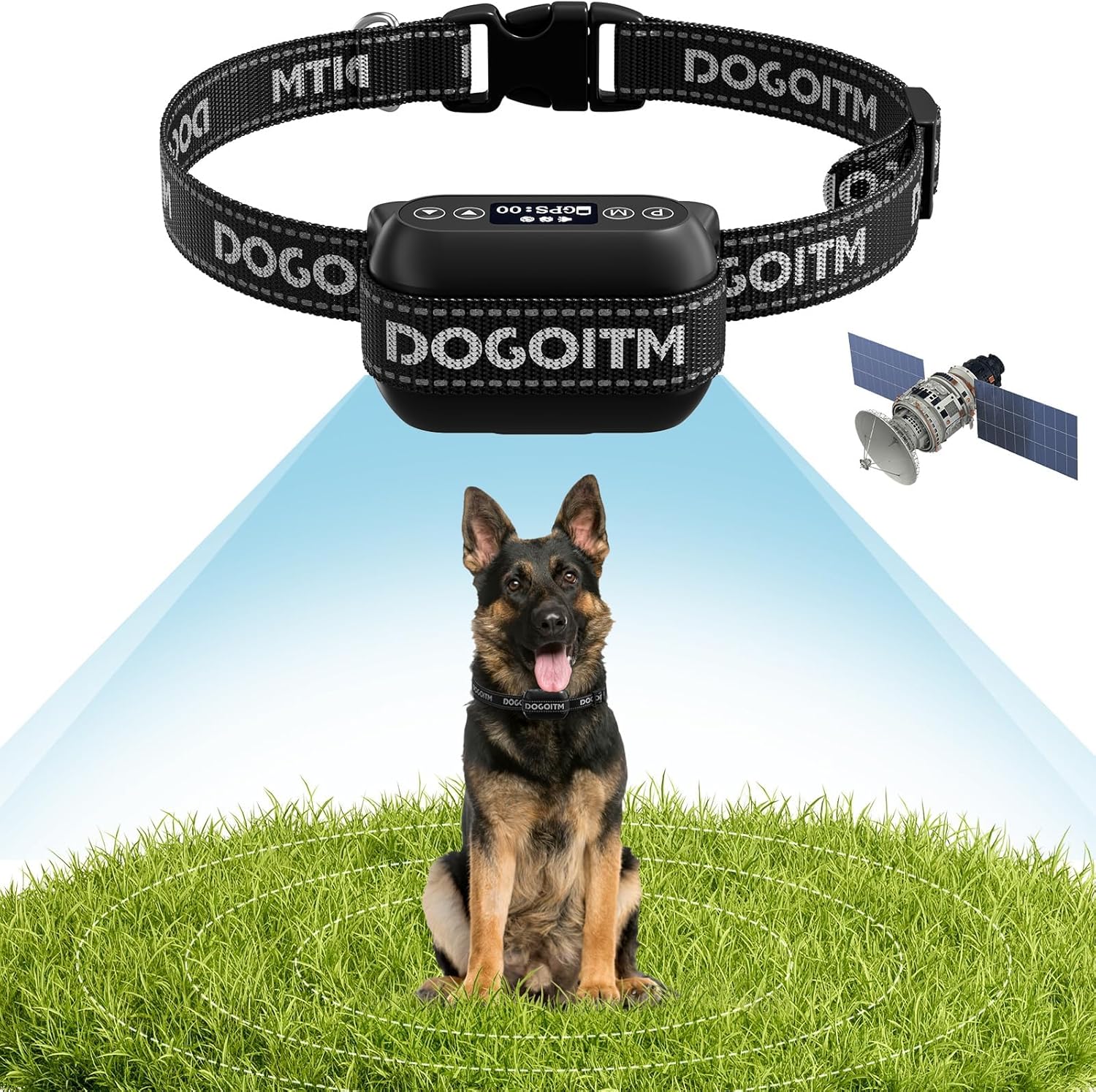
The DOGOITM GPS Wireless Dog Fence System, featuring the collar and a satellite graphic indicating GPS functionality.
Key Features:
- Accurate GPS Wireless Boundary: Equipped with a U-BLOX chip for strong anti-interference, ultra-low power consumption, and ultra-high sensitivity. Connects to multiple satellites for precise positioning and real-time signal reception.
- Ultra Long Control Range: Adjustable radius from 65 feet to 3290 feet, with adjustments in 10-foot increments. Ideal for large outdoor spaces (not suitable for yards less than 0.3 acres).
- Three Adjustable Correction Modes: Offers Beep, Shock, and Vibration modes with adjustable intensity levels to correct behavior when your dog exits the set boundary.
- Rechargeable and Waterproof: Features a rechargeable battery providing up to 50 hours of continuous operation. IPX6 waterproof design ensures durability in humid environments and water exposure.
- Easy to Set Up: No need for a physical transmitter, app download, subscription fees, or digging. Simplifies installation significantly.
- Suitable for Most Dogs: Collar is adjustable from 10-30 inches, fitting dogs weighing 10-120 lbs with neck sizes of 10-28 inches.
2. Package Contents
Please ensure all components are present before beginning setup:

An overview of the components included with your DOGOITM Wireless Dog Fence System.
- GPS Wireless Dog Collar Device
- Adjustable Collar Strap
- Contact Points (various sizes)
- Test Tool
- USB Charging Cable
- User Manual
3. Setup Guide
3.1 How to Set Up the Collar

Visual guide for assembling the collar with the GPS device.
- Pass the collar strap through the device and release the buckle.
- Slide and thread the collar into the hole of the glide buckle.
- Pass the excess belt through the release buckle.
- Cut off any extra collar length and carefully burn the end to prevent fraying.
3.2 How to Set Up the GPS Device

Visual guide for configuring the GPS device settings.
- Install the appropriate contact points for your dog's coat length.
- Turn on the device and allow it to acquire GPS positioning.
- Press the 'M' key to enter the distance setting mode. Use the up and down keys to adjust the boundary radius to your desired value (65-3290 feet).
- Press the 'M' key again to enter the warning mode setting. Use the up and down keys to adjust the intensity of the warning modes (Beep: 0-1, Shock: 0-5, Vibration: 0-10).
- Use the provided test tool to verify the electric shock function (see section 4.3).
- Once configured, wear the device on your dog, and they can play freely within the defined boundary.
4. Operation
4.1 Boundary Setting and Operation
The DOGOITM system uses GPS to create a circular boundary around a central point. When your dog approaches the set boundary, the collar will activate the chosen correction modes to encourage them to stay within the safe zone.

Illustration of the wireless boundary system with safe and correction zones.
The minimum controllable radius is 65 feet. The distance range can be adjusted using the up and down keys in increments of 10 feet, up to a maximum distance of 3290 feet. This allows for flexible adaptation to various outdoor activity ranges. Important Note: This GPS Wireless Dog Fence is not suitable for small yards (less than 0.3 acres) due to GPS signal accuracy requirements.
4.2 Correction Modes
The system features three adjustable correction modes to help train your dog:

The three available warning modes and their intensity levels.
- Beep Mode: Level 0-1 (Audible warning)
- Shock Mode: Level 0-5 (Static correction)
- Vibration Mode: Level 0-10 (Vibrational correction)
You can select the appropriate correction intensity by matching different gear settings. These modes activate when your dog moves outside the defined boundary area, providing a deterrent to keep your pet safe.
4.3 How to Test Electric Shock

Instructions for testing the shock function of the collar.
- Hold the test tool against the contact points on the device.
- Press the up and down keys together for 3 seconds.
- If the test tool lights up, the shock mode is functioning correctly.
4.4 Waterproof Feature
The DOGOITM wireless fence device is designed with an IPX6 waterproof rating, making it suitable for use in various wet conditions.

The IPX6 waterproof design allows the collar to withstand splashes, swimming, bathing, and rain.
This feature ensures the device remains functional even if your dog encounters water during outdoor activities. The following video demonstrates the waterproof capability:
Official video demonstrating the waterproof capabilities of the DOGOITM GPS wireless dog collar by submerging it in water for an extended period.
5. Maintenance
5.1 Battery Life and Charging
The DOGOITM wireless fence device is equipped with a rechargeable battery. A full charge takes approximately 5 hours and provides up to 50 hours of continuous working time.

Information on the charging and working duration of the device's battery.
To charge, connect the provided USB charging cable to the device's charging port and a suitable power source. Ensure the device is fully charged before extended use.
5.2 Cleaning
Regularly clean the collar and device to ensure optimal performance and hygiene. Use a soft, damp cloth to wipe down the surfaces. Avoid using harsh chemicals or abrasive materials that could damage the device. Ensure the charging port is dry before charging.
6. Troubleshooting
If you encounter issues with your DOGOITM Wireless Dog Fence System, please consider the following common solutions:
- Device Not Powering On: Ensure the battery is fully charged. Connect the device to the charger and allow it to charge for at least 5 hours.
- GPS Signal Issues: Ensure the device is used outdoors in an open area with a clear view of the sky for optimal GPS signal acquisition. Avoid areas with tall buildings, dense trees, or strong electromagnetic interference.
- Inconsistent Boundary: GPS accuracy can be affected by environmental factors. Re-establish the central point in an open area if the boundary seems inconsistent. Ensure the device has a strong GPS lock (GPS:00 on display indicates no lock, GPS:01 or higher indicates a lock).
- Correction Not Activating: Verify that the correction modes are set to an appropriate level (not 0). Ensure the contact points are making proper contact with your dog's skin. Use the test tool to confirm the shock function is working.
- Collar Too Loose/Tight: Adjust the collar strap to ensure a snug fit, allowing two fingers to fit comfortably between the strap and your dog's neck. The contact points must touch the skin.
For further assistance, please refer to the "Warranty & Support" section or contact customer service.
7. Specifications
| Brand | DOGOITM |
| Model Number (ASIN) | B0F8HHV3CW |
| Item Weight | 10.2 ounces (0.27 lbs for device only) |
| Item Package Dimensions (L x W x H) | 5.2 x 4.06 x 2.01 inches |
| Device Dimensions | 2.75 x 1.77 x 1.37 inches |
| Battery Type | 1 Nonstandard Battery (included) |
| Charging Time | Approx. 5 hours |
| Working Time | Up to 50 hours (continuous) |
| Waterproof Rating | IPX6 |
| Adjustable Collar Range | 10-30 inches |
| Recommended Dog Weight | 10-120 lbs |
| Recommended Neck Size | 10-28 inches |
| Color | Beige |
| Date First Available | May 13, 2025 |
8. Warranty & Support
DOGOITM is committed to providing high-quality products and excellent customer service.

Warranty Information:
We offer a free replacement within one year of purchase and free maintenance within two years. Please retain your proof of purchase for warranty claims.

Customer Support:
Our pet product experts are available to assist you. If you have any questions or issues, please contact us. We aim to reply within 24 hours.
For contact details, please refer to the contact information provided in your physical user manual or the product packaging.
Ask a question about this manual
Ask about setup, troubleshooting, compatibility, parts, safety, or missing instructions. Manuals+ will review the question and use this page’s manual context to help answer it.