
1. Product Overview
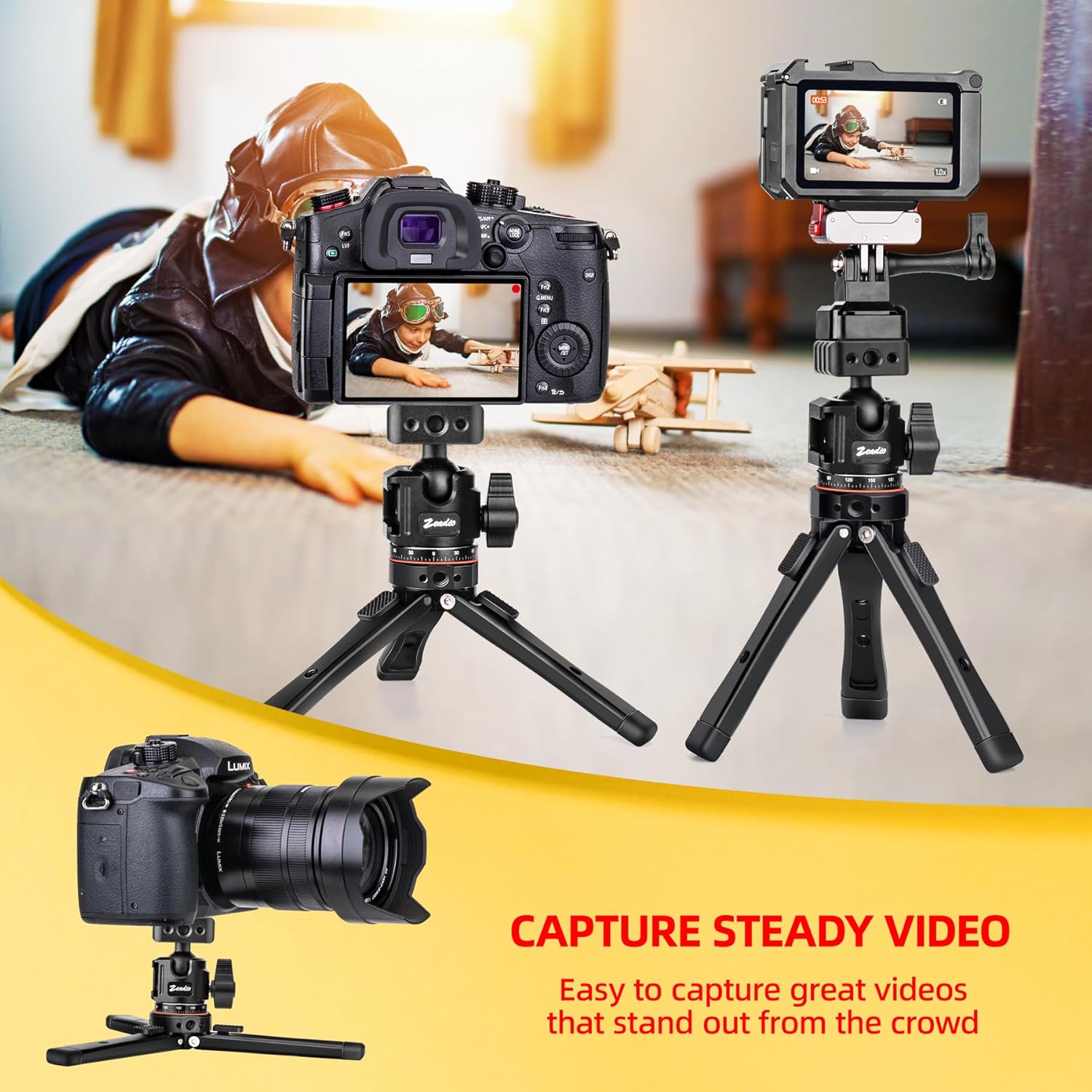
The Zeadio Heavy Metal Tripod Kit (Model DV-HDE-HC27B) is a versatile and durable support system designed for cameras, smartphones, and action cameras. Its all-metal construction ensures stability and longevity, making it suitable for various photography and videography applications, including vlogging, travel, and tabletop use. This kit features a 360° rotating ball head with dual cold shoe mounts for accessory attachment.
- Versatile Design: Functions as a cell phone stand, camera tripod, and action camera mount. Includes a phone clip and action camera adapter.
- Universal Compatibility: Equipped with a universal 1/4" screw adapter and additional 1/4" screw holes, ensuring broad compatibility with various devices and accessories.
- 360° Rotating Ball Head: Allows for smooth 360° rotation and includes cold shoe mounts for attaching microphones or lights.
- Heavy-Duty Metal Construction: Built from full metal materials, supporting a maximum tripod load of 40kg (88 lbs) and a ball head load of 10kg (22 lbs).
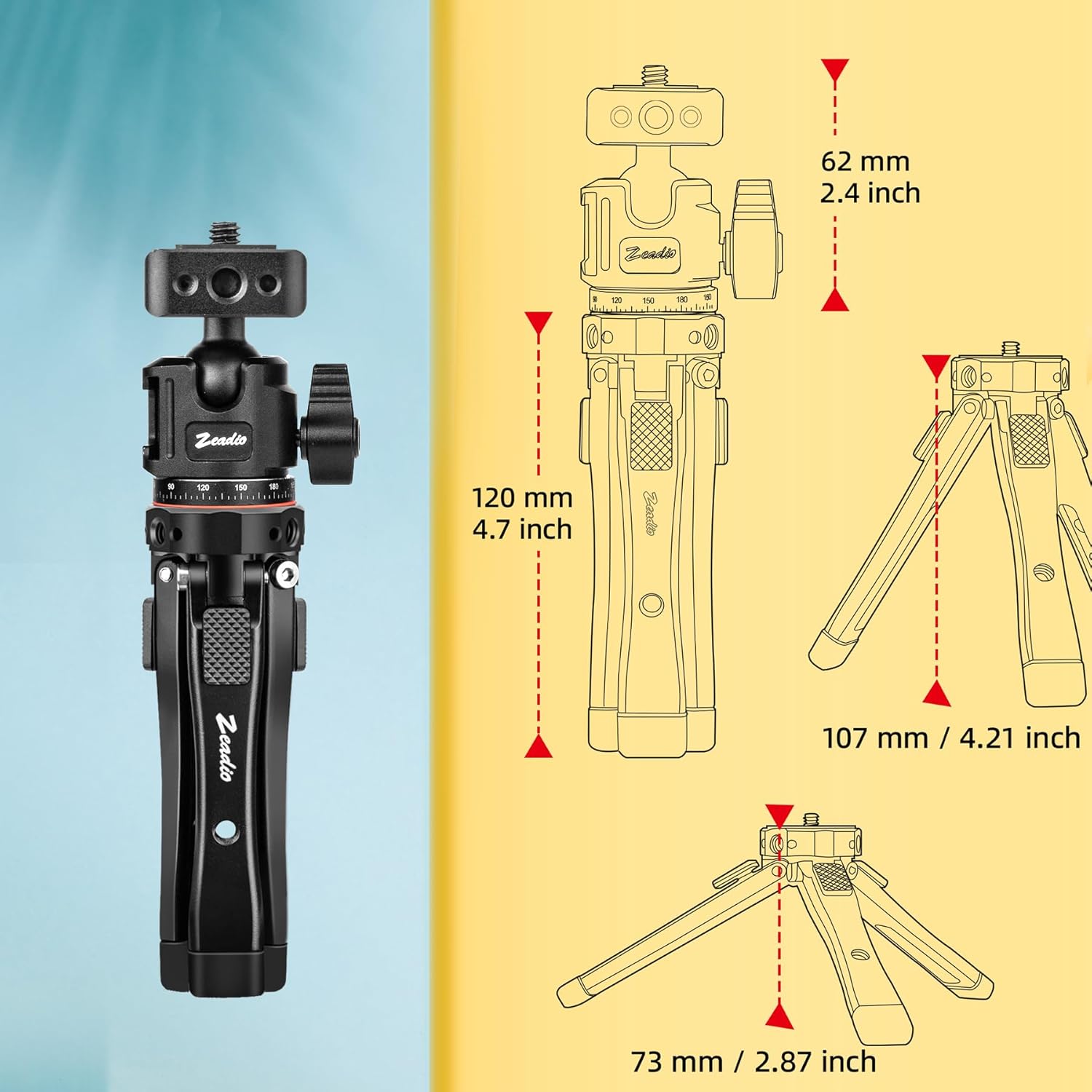
- Adjustable Height: Tripod legs offer height adjustment from 24mm to 107mm for various shooting perspectives.
- Extensive Expansion Ports: Features multiple 1/4"-20 threaded holes with ARRI locating points on the legs and base for attaching additional gear.

2. What's in the Box
Verify that all components are present in the package:
- 1 x Adjustable Tripod
- 1 x Ball Head mount (Dual Cold-shoe Ball Head variant)
- 1 x Phone mount
- 1 x Adapter for Action Cam
3. Setup Instructions
3.1 Attaching the Ball Head
- Locate the 1/4" screw on the top plate of the tripod.
- Align the base of the ball head with the screw.
- Rotate the ball head clockwise until it is securely fastened to the tripod. Ensure it is tight to prevent wobbling.
3.2 Adjusting Leg Angles
Each tripod leg features a locking mechanism that allows for three distinct angle positions. Press the release button or tab on each leg to adjust its angle. This enables stable positioning on various surfaces and at different heights.
3.3 Attaching Accessories (Phone Clip, Action Camera Adapter)
The phone mount and action camera adapter can be attached to the 1/4" screw on the ball head. If your device or accessory requires a 3/8" thread, use the included 1/4" to 3/8" thread adapter by screwing it onto the 1/4" screw before attaching the accessory.

4. Operating Instructions
4.1 Mounting Your Device
- Ensure the ball head is securely attached to the tripod.
- Attach your camera, phone (using the phone clip), or action camera (using the adapter) to the 1/4" screw on the ball head. Tighten the mounting screw until your device is secure.
4.2 Adjusting Tripod Height
The tripod legs can be adjusted to different angles to achieve desired heights between 24mm and 107mm. Experiment with the leg angles to find the optimal height and stability for your shooting scenario.
4.3 Using the 360° Ball Head
The ball head allows for precise positioning of your device. Loosen the main locking knob on the ball head to adjust the angle and rotation. Once the desired position is achieved, tighten the knob firmly to secure the device.
4.4 Utilizing Cold Shoe Mounts
The dual cold shoe mounts on the ball head allow for the attachment of external accessories such as microphones, LED lights, or monitors. Simply slide the accessory into the cold shoe slot until it clicks into place or is secured by its own locking mechanism.
4.5 Using Expansion Ports
The tripod legs and ball head base are equipped with multiple 1/4"-20 threaded holes, some with ARRI locating points. These ports allow for the attachment of additional accessories like magic arms, sliders, or monitors, expanding your creative possibilities.

5. Maintenance
To ensure the longevity and optimal performance of your Zeadio Heavy Metal Tripod Kit, follow these maintenance guidelines:
- Cleaning: Wipe the tripod with a soft, dry cloth after each use to remove dust and debris. For stubborn dirt, use a slightly damp cloth and then dry thoroughly. Avoid harsh chemicals or abrasive cleaners.
- Lubrication: The ball head mechanism is designed for smooth operation. If movement becomes stiff, a small amount of silicone-based lubricant can be applied to the moving parts, avoiding contact with rubber or plastic components.
- Storage: Store the tripod in a clean, dry environment away from extreme temperatures and humidity.
- Inspection: Periodically check all screws and locking mechanisms to ensure they are tight. Do not overtighten.
6. Troubleshooting
6.1 Stability Issues
If the tripod feels unstable:
- Ensure all leg angle locks are fully engaged.
- Verify that the ball head is securely tightened to the tripod base.
- Check that your device is properly mounted and balanced on the ball head.
- Ensure the tripod is placed on a flat, stable surface.
6.2 Device Mounting Problems
If your device does not mount correctly:
- Confirm that the 1/4" screw is aligned with your device's mounting hole.
- If using a phone clip or action camera adapter, ensure it is correctly attached to the ball head.
- If necessary, use the 1/4" to 3/8" thread adapter for compatibility with certain accessories.
6.3 Ball Head Movement
If the ball head does not hold its position:
- Ensure the main locking knob on the ball head is fully tightened after adjustment.
- Verify that the weight of your mounted device does not exceed the ball head's maximum load capacity (10kg / 22 lbs).
7. Specifications
| Feature | Specification |
|---|---|
| Model Number | DV-HDE-HC27B |
| Material | Aluminum |
| Tripod Head Type | Ball Head (Dual Cold-shoe) |
| Minimum Height | 24 mm |
| Maximum Height | 107 mm (4.21 inches) |
| Tripod Weight Limit | 40 kg (88 lbs) |
| Ball Head Weight Limit | 10 kg (22 lbs) |
| Item Weight | 0.41 kg (14.4 ounces) |
| Compatible Devices | Camera, Smartphone, Action Camera |
| Mounting Points | Universal 1/4" screw, multiple 1/4"-20 threaded holes with ARRI locating points |
8. Warranty and Support
For warranty information or technical support, please refer to the product packaging or contact Zeadio customer service directly. Keep your purchase receipt as proof of purchase.
For further assistance, visit the official Zeadio website or contact their support team through the retailer where the product was purchased.