
Introduction
This manual provides detailed instructions for the proper use and maintenance of your SWIFF AUDIO WX520R Wireless In-Ear Monitor System Receiver. Please read this manual thoroughly before operating the device to ensure optimal performance and longevity. The WX520R is designed to provide musicians and performers with a reliable, low-latency, and high-quality stereo audio monitoring experience on stage, in rehearsal, or during recording sessions.
Package Contents
Verify that all items listed below are included in your package:
- WX520R Receiver (1 unit)
- Charging Cable (1 unit)
- User Manual (1 unit)

Image: Contents of the SWIFF AUDIO WX520R package, including the receiver, charging cable, and user manual.
Product Features
- 5.8GHz Stereo IEM System: Utilizes 5.8GHz wireless communication for strong anti-interference capabilities, ensuring stable signal transmission over distances of 100-164 feet (30-50 meters).
- Low Latency: Features advanced low-latency technology with a delay time of less than 5ms, providing real-time audio feedback for precise monitoring.
- High-Contrast LED Display: An advanced LED display offers a 180-degree ultra-wide viewing angle, clearly showing channel, remaining battery, and signal strength, even in challenging lighting conditions.
- Multi-Receiver Support: One transmitter can connect to multiple WX520R receivers simultaneously without signal interference, ideal for bands and larger ensembles.
- Automatic Pairing: The system automatically connects the transmitter and receiver upon power-on for quick and easy setup.

Image: Visual representation of key features including 5.8GHz frequency, less than 5ms latency, over 100ft transmission distance, over 6 hours working time, and 4 channels.

Image: A musician using the WX520R receiver, highlighting its low-latency capability for real-time monitoring.
Setup Instructions
Initial Setup and Pairing
- Charge the Receiver: Before first use, fully charge the WX520R receiver using the provided charging cable. Connect the cable to the receiver's charging port and a standard USB power adapter (not included). The LED display will indicate charging status.
- Connect Transmitter: Ensure your SWIFF AUDIO WX520 transmitter (sold separately) is connected to your audio source (e.g., mixer, instrument, microphone) and powered on.
- Power On Receiver: Press and hold the power button on the WX520R receiver until the LED display illuminates.
- Automatic Pairing: The receiver will automatically search for and pair with the nearest active SWIFF AUDIO WX520 transmitter. The LED display will show a stable signal indicator once connected.
- Connect In-Ear Monitors: Plug your in-ear monitors or headphones into the 3.5mm audio output jack on the WX520R receiver.

Image: Illustration of the wireless connection between the transmitter and receiver, demonstrating the stable transmission range.
Operating Instructions
Power On/Off
- To power on, press and hold the power button until the LED display activates.
- To power off, press and hold the power button until the LED display turns off.
Channel Selection
The WX520R receiver automatically pairs with the transmitter. If multiple transmitters are in use, ensure each transmitter is on a different channel to avoid interference. The receiver will connect to the transmitter on the same channel. Refer to your WX520 transmitter manual for channel adjustment.
Volume Control
Adjust the listening volume using the rotary knob on the receiver. Rotate clockwise to increase volume and counter-clockwise to decrease volume.
Monitoring Battery Status and Signal Strength
The high-contrast LED display provides real-time information:
- Battery Indicator: Shows the remaining battery life of the receiver.
- Signal Strength Indicator: Displays the strength of the wireless connection to the transmitter.
- Channel Indicator: Shows the currently active channel.
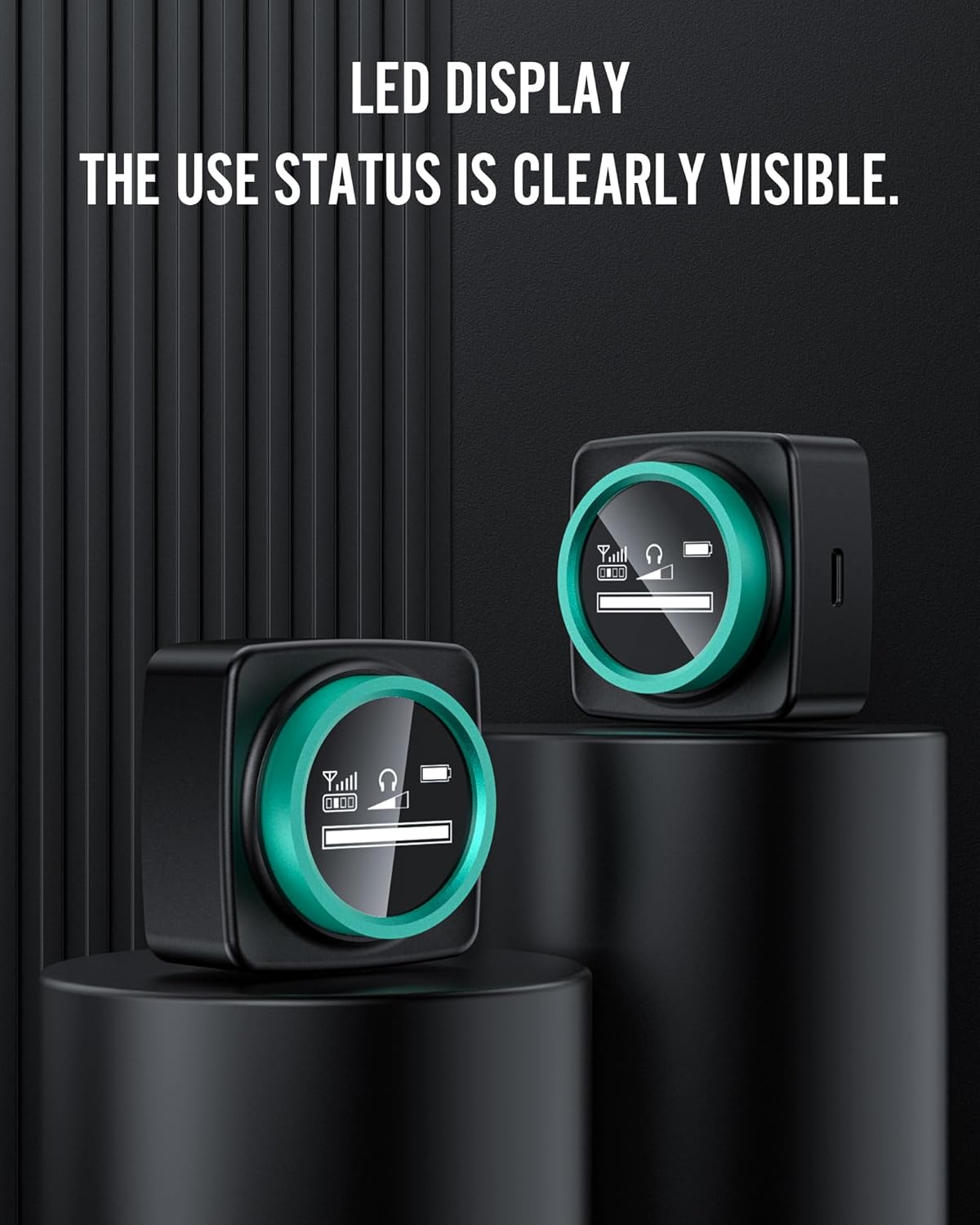
Image: The LED display of the WX520R receiver, clearly indicating its operational status.
Maintenance
- Cleaning: Use a soft, dry cloth to clean the exterior of the receiver. Do not use liquid cleaners or solvents.
- Storage: Store the receiver in a cool, dry place away from direct sunlight and extreme temperatures when not in use.
- Battery Care: For optimal battery life, avoid fully discharging the receiver frequently. Charge the device regularly, even if not in constant use.
Troubleshooting
| Problem | Possible Cause | Solution |
|---|---|---|
| No sound from receiver | Receiver not powered on; low battery; in-ear monitors not connected; transmitter not sending signal; volume too low. | Ensure receiver is powered on and charged. Check in-ear monitor connection. Verify transmitter is on and sending audio. Increase receiver volume. |
| Signal drops or interference | Out of range; obstacles blocking signal; other 5.8GHz devices interfering; low battery on transmitter or receiver. | Move closer to the transmitter. Ensure a clear line of sight. Change transmitter channel if possible. Charge both transmitter and receiver. |
| Short battery life | Battery degradation over time; continuous high volume usage; not fully charged. | Ensure full charge before use. Reduce volume if possible. Consider replacing the unit if battery life significantly degrades over time. |
| Receiver not pairing | Transmitter not powered on; receiver too far from transmitter; channel mismatch (if manually set). | Ensure transmitter is powered on. Bring receiver closer to transmitter. Power cycle both devices. |
Specifications
| Feature | Specification |
|---|---|
| Model Number | 520R |
| Connectivity Technology | Wireless |
| Wireless Communication | 5.8G |
| Latency | <5ms |
| Transmission Distance | 100-164 ft (30-50m) |
| Control Method | Rotary Knob (Volume) |
| Display | High-Contrast LED |
| Compatible Devices | Transmitters, Mixers, Instruments, Microphones |
| Material | Plastic |
| Item Weight | 0.5 Kilograms (1.1 pounds) |
| Batteries | 1 9V battery required (included) |
| UPC | 747783543538 |
Warranty and Support
For warranty information and technical support, please refer to the official SWIFF AUDIO website or contact their customer service directly. Keep your purchase receipt as proof of purchase for any warranty claims.