
1. Introduction
This manual provides instructions for the Legami Count On Me Scientific Calculator, Model SCLT0002, featuring the Genius theme. This calculator is designed for a wide range of mathematical operations, including scientific and statistical calculations, with 240 built-in functions. It operates on a dual power system, utilizing both solar energy and a battery.
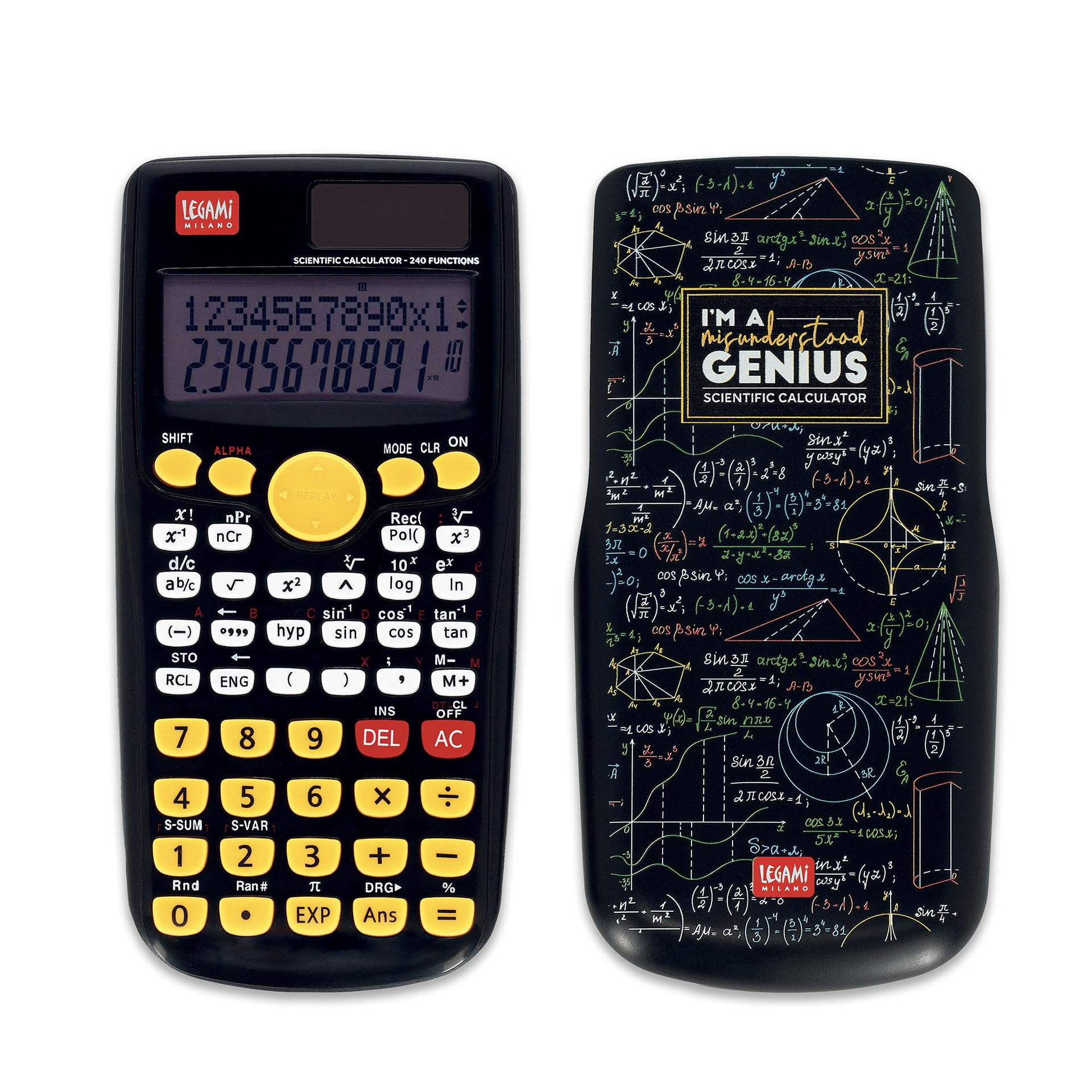
Image 1: Legami Count On Me Scientific Calculator (Genius Theme) with its protective sliding cover.
2. Setup
2.1 Power Supply
The calculator features a dual power system:
- Solar Power: The calculator primarily uses solar power when sufficient light is available. Ensure the solar panel located above the display is exposed to light for operation.
- Battery Power: For low-light conditions or consistent performance, the calculator requires one LR44 1.5V battery (not included).
2.2 Battery Installation
- Locate the battery compartment on the back of the calculator.
- Use a small screwdriver to open the battery compartment cover.
- Insert one LR44 1.5V battery, ensuring correct polarity (+/-).
- Replace the battery compartment cover and secure it with the screw.
2.3 Initial Use
Before first use, slide off the protective cover. Press the ON button to power on the calculator. The display will show '0'.
3. Operating Instructions
The Legami Count On Me Scientific Calculator features a two-line display, showing input on the top line and results on the bottom line. It has 240 functions accessible via dedicated keys and secondary functions activated by the SHIFT key.
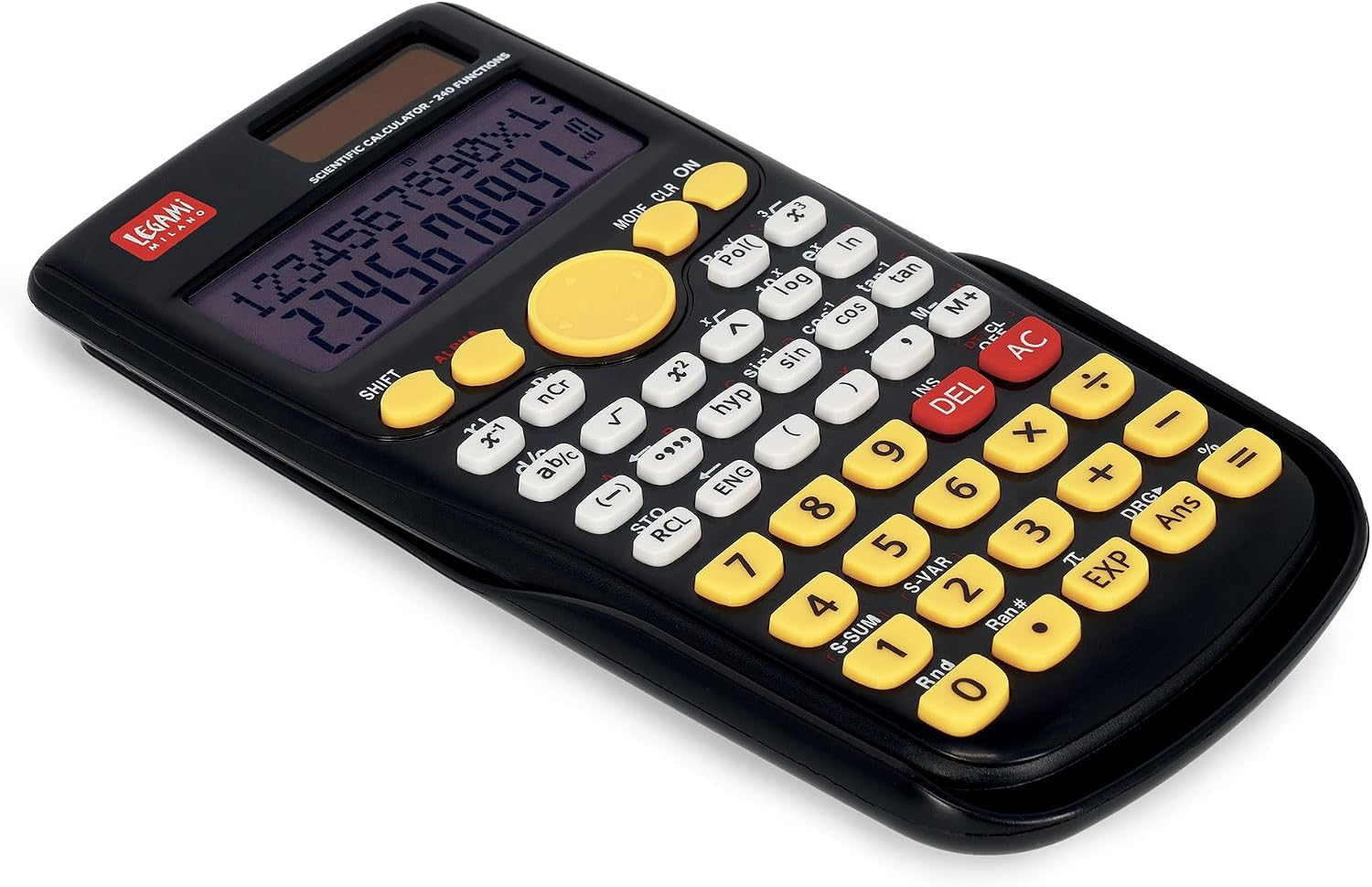
Image 2: Keypad layout of the Legami Count On Me Scientific Calculator.
3.1 Basic Arithmetic Operations
Enter numbers using the numeric keypad. Use +, -, x, ÷ for addition, subtraction, multiplication, and division. Press = to display the result.
3.2 Scientific Functions
Access scientific functions such as trigonometric (sin, cos, tan), inverse trigonometric (sin-1, cos-1, tan-1), logarithmic (log, ln), exponential (ex, 10x), powers (xy, x2), and roots (√, 3√) using their respective keys. For secondary functions printed above the keys, press SHIFT first, then the desired function key.
3.3 Statistical Calculations
The calculator supports statistical calculations. Refer to the specific key markings for functions like S-SUM (summation) and S-VAR (variables). Detailed instructions for statistical modes are typically found in a comprehensive user guide.
3.4 Memory Functions
Use the memory keys (M+, M-, RCL, STO) to store and recall values. M+ adds the displayed value to memory, M- subtracts it. RCL recalls the stored value, and STO stores the current value.
3.5 Mode Selection
Press the MODE button to cycle through different calculation modes (e.g., COMP for basic arithmetic, SD for standard deviation, REG for regression). The current mode is indicated on the display.
3.6 Clearing and Correction
- Press DEL to delete the last entered digit.
- Press AC to clear all entries and calculations, resetting the calculator to its initial state (except memory).
- Press CLR (often a secondary function) to clear specific settings or memory.
4. Maintenance
4.1 Cleaning
To clean the calculator, use a soft, dry cloth. Do not use abrasive cleaners, solvents, or wet cloths, as these can damage the surface or internal components.
4.2 Storage
When not in use, store the calculator in a cool, dry place. Always use the sliding protective cover to prevent damage to the keys and display from dust, scratches, or impacts.
4.3 Battery Replacement
If the display becomes dim or the calculator functions erratically in sufficient light, the LR44 battery may need replacement. Follow the battery installation steps in Section 2.2.
5. Troubleshooting
- Calculator does not turn on:
- Ensure the solar panel is exposed to bright light.
- Check if the LR44 battery is installed correctly and is not depleted. Replace if necessary.
- Incorrect calculation results:
- Verify that the calculator is in the correct mode (e.g., DEG/RAD for trigonometric functions).
- Clear previous calculations by pressing AC.
- Check if any values are stored in memory that might be affecting calculations.
- Display is dim or blank:
- Increase light exposure to the solar panel.
- Replace the LR44 battery.
6. Specifications
- Model: SCLT0002
- Brand: Legami
- Functions: 240
- Display: Two-line, 10-digit LCD
- Power Source: Dual Power (Solar and 1x LR44 1.5V battery)
- Material: ABS
- Dimensions: Approximately 19.1 x 9.6 x 2.4 cm
- Weight: Approximately 140 g
7. Warranty and Support
For warranty information or technical support, please refer to the documentation provided with your purchase or contact Legami customer service directly. Keep your proof of purchase for any warranty claims.