
1. Introduction
The Silverlit Ycoo Talkimon Robot is an interactive toy designed to record and repeat your voice with engaging sound and light effects. This manual provides essential information for the safe and proper use of your Talkimon Robot.
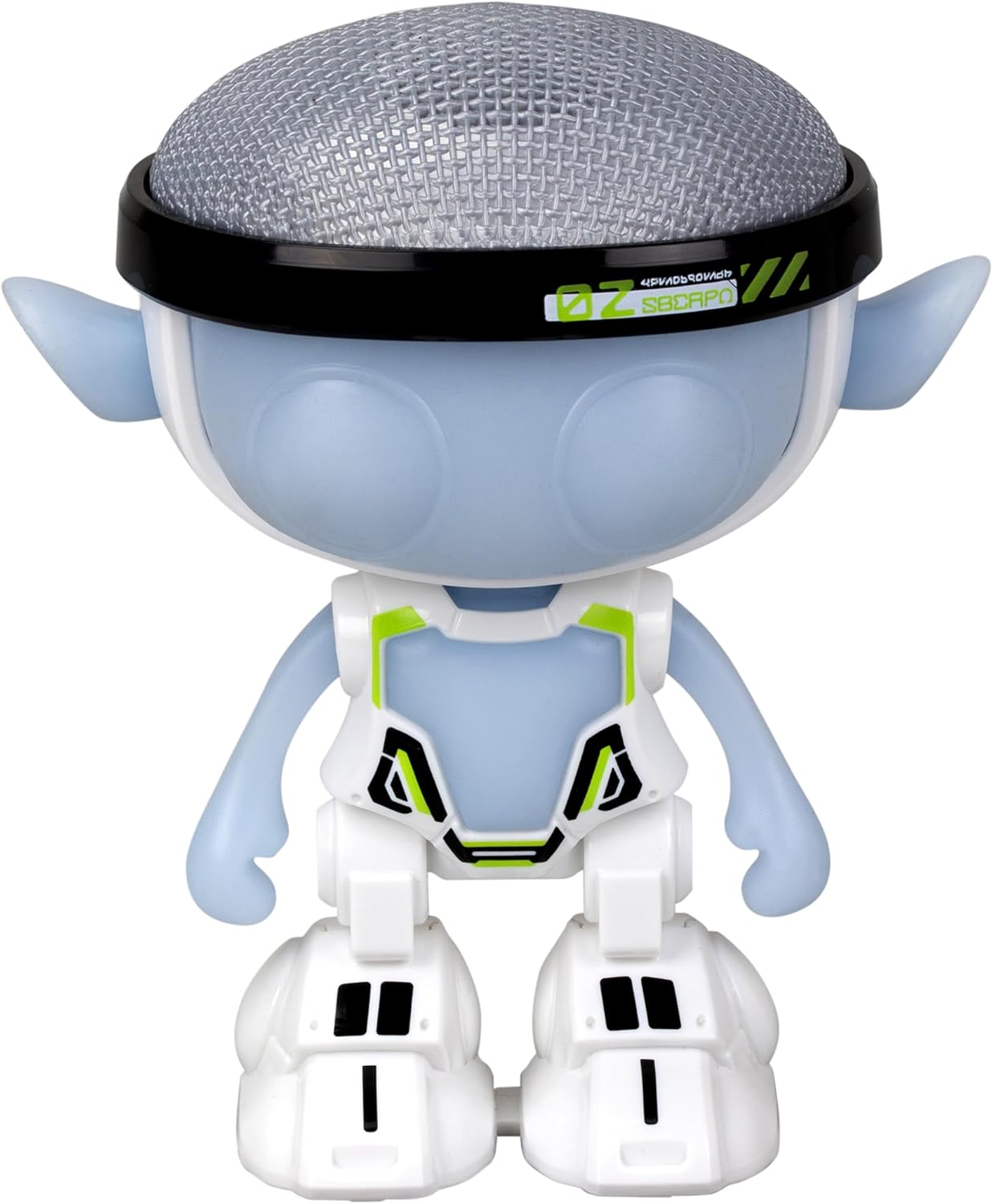
Figure 1: Front view of the Talkimon Robot.
2. Safety Information
- Age Recommendation: This product is not suitable for children under 36 months (3 years) due to small parts.
- Choking Hazard: Contains small parts that can be swallowed. Adult supervision is recommended.
- Battery Safety: Ensure batteries are inserted correctly with the proper polarity. Do not mix old and new batteries, or different types of batteries. Remove batteries if the toy will not be used for an extended period.
- Cleaning: Use a soft, dry cloth for cleaning. Do not immerse the robot in water.
3. Package Contents
Please check that all items are present in the package:
- 1 x Silverlit Ycoo Talkimon Robot (Model 88494)
- 1 x Instruction Manual (this document)
- Batteries (may be included or sold separately, refer to packaging)

Figure 2: Talkimon Robot in its packaging.
4. Setup
4.1 Battery Installation
- Locate the battery compartment on the back or bottom of the Talkimon Robot.
- Using a small screwdriver (not included), open the battery compartment cover.
- Insert the required batteries (e.g., AAA, quantity specified on the compartment) according to the polarity indicators (+/-).
- Replace the battery compartment cover and secure it with the screw.
4.2 Powering On
Once batteries are installed, locate the power switch (usually on the back or bottom of the robot) and slide it to the "ON" position. The robot may emit a sound or light up to indicate it is powered on.
5. Operating Instructions
5.1 Voice Recording and Playback
The Talkimon Robot features an interactive voice recording and playback function:
- To Record: Gently press the top of Talkimon's head. You will hear a signal indicating that recording has started.
- Speak Clearly: Speak a message, phrase, or make a noise directly towards the robot's head.
- To Playback: Release the pressure on Talkimon's head. The robot will immediately repeat your recorded message with a modified, humorous voice and various sound effects. Each playback may feature unique sound modifications.

Figure 3: Recording and playback interaction with Talkimon.
5.2 Light Effects
When Talkimon is active, especially during voice playback, its built-in LED lights will illuminate and shine, enhancing the interactive experience. These lights bring the character to life and captivate attention.

Figure 4: Talkimon Robot displaying light effects.
5.3 Soft Touch Sensory Material
The Talkimon Robot is designed with a soft and pleasant sensory material, making it comfortable and safe for children to handle. This material offers tactile comfort and stimulates the sense of touch.
6. Maintenance
- Cleaning: Wipe the robot with a soft, dry cloth. Do not use harsh chemicals or abrasive cleaners.
- Storage: Store the robot in a cool, dry place away from direct sunlight and extreme temperatures.
- Battery Care: Remove batteries if the robot will not be used for an extended period to prevent leakage.
7. Troubleshooting
| Problem | Possible Cause | Solution |
|---|---|---|
| Robot does not turn on. | Batteries are dead or incorrectly installed. | Check battery polarity and replace with fresh batteries. |
| Voice recording is unclear or not working. | Microphone blocked, or not pressing the head correctly. | Ensure the microphone area is clear. Press the robot's head firmly and speak clearly. |
| Lights are not working. | Low battery power or internal issue. | Replace batteries. If problem persists, contact customer support. |
8. Specifications
- Model Number: 88494
- Product Dimensions: 5.71 x 6.5 x 3.94 inches (14.5 x 16.5 x 10 cm)
- Item Weight: 8.4 ounces (238 grams)
- Manufacturer Recommended Age: 5 years and up
- Power Source: Batteries (type and quantity specified on product packaging)
9. Warranty and Support
For warranty information or technical support, please refer to the contact details provided on the product packaging or visit the official Silverlit website. Keep your purchase receipt as proof of purchase.
Silverlit Official Website: www.silverlit.com