
1. Introduction
Thank you for choosing the SIMSEN 95oz Dehumidifier, Model CT15. This appliance is designed to efficiently remove excess moisture from the air, creating a more comfortable and healthier indoor environment. With its advanced semiconductor technology, quiet operation, and user-friendly features, it is ideal for various spaces including bedrooms, bathrooms, basements, closets, and RVs. Please read this manual thoroughly before operating the dehumidifier to ensure safe and optimal performance.
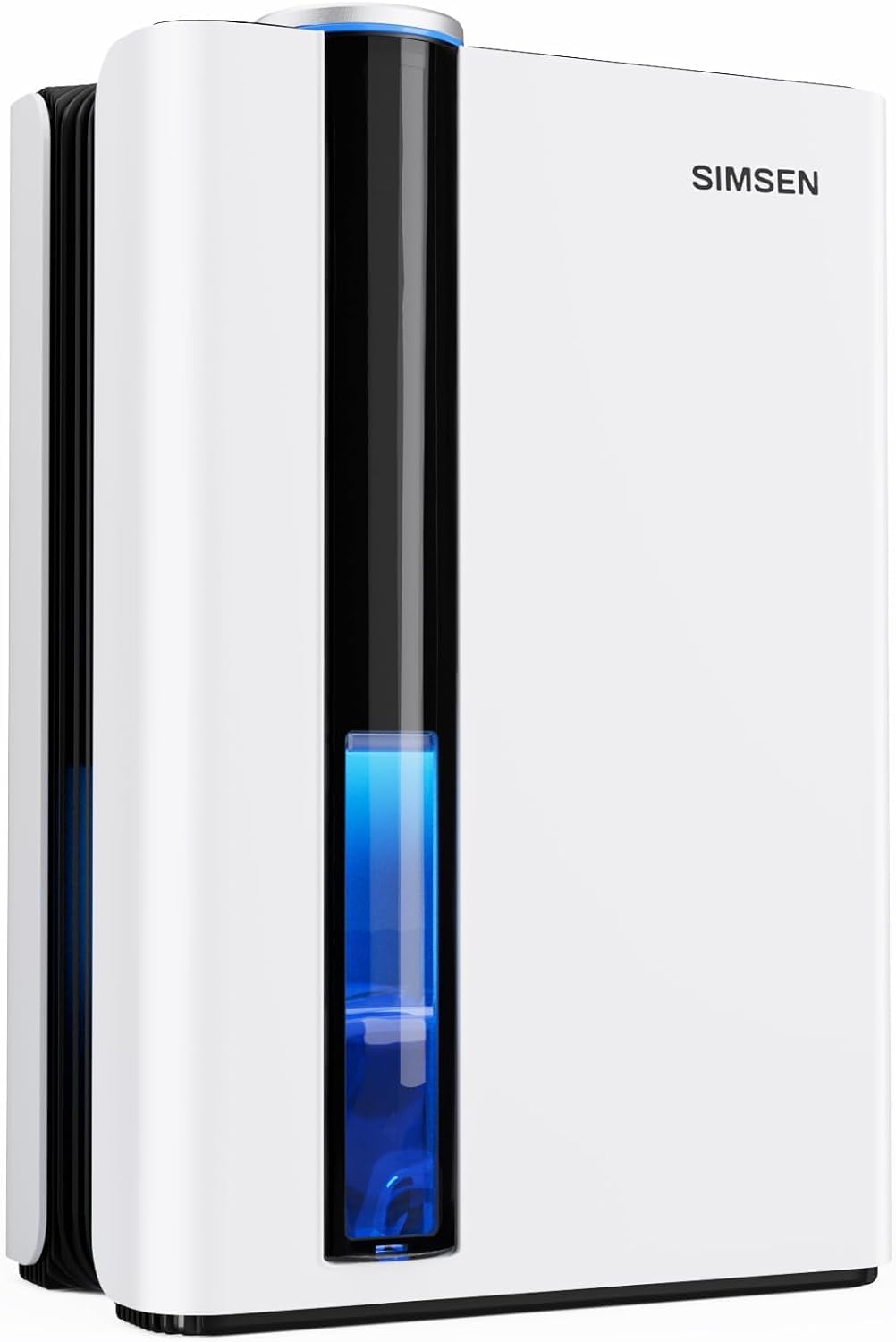
Image: The SIMSEN 95oz Dehumidifier, showcasing its compact design and visible water tank level.
2. Safety Instructions
To prevent injury to the user or others and property damage, the following instructions must be followed. Incorrect operation due to ignoring instructions may cause harm or damage.
- Always place the dehumidifier on a stable, level surface to prevent tipping and water spillage.
- Do not operate the unit with a damaged cord or plug. If the power cord is damaged, it must be replaced by the manufacturer, its service agent, or similarly qualified persons to avoid a hazard.
- Do not block the air inlet or outlet. Ensure at least 8 inches (20 cm) of space around the unit for proper airflow.
- Do not insert fingers or foreign objects into the air inlet or outlet.
- Do not use the dehumidifier in areas where flammable liquids or gases are stored.
- Unplug the unit before cleaning or performing any maintenance.
- Keep the unit out of reach of children and pets.
- Do not immerse the unit, power cord, or plug in water or other liquids.
- Empty the water tank regularly to prevent overflow, or utilize the continuous drain feature.
3. Product Overview
3.1 Components
- SIMSEN Dehumidifier Unit
- 95oz (2.8L) Water Tank
- Detachable Filter (Pre-installed)
- Drain Hose for Continuous Drainage
- User Manual (This document)
3.2 Key Features
- Powerful Dehumidification: Removes up to 34oz (1000ml) of moisture per day in optimal conditions (86°F, 80% RH). Effective for areas up to 800 sq ft.
- Large Capacity Water Tank: Equipped with a 95oz (2.8L) water tank, reducing the frequency of emptying.
- Quiet Operation: Features a 35dB quiet sleep mode, suitable for bedrooms and quiet environments.
- Colorful Atmosphere Lights: Integrated LED lights offer a choice of colors or can be turned off, enhancing ambiance.
- Detachable & Washable Filter: An upgraded filter system helps remove small particles from the air, contributing to fresher air quality.
- Ionizer Purification System: Beyond dehumidification, the unit includes an ionizer to further purify the air.
- Automatic Shut-off: The unit automatically turns off when the water tank is full, preventing overflow. A red indicator light flashes and an audible beep alerts you.
- Continuous Drainage Option: Includes a drain hose for continuous water removal, eliminating the need to manually empty the tank.
- Portable & Compact Design: Ergonomic recessed handles make it easy to move and position in various spaces. Dimensions: 7.05"D x 10.24"W x 15.31"H.
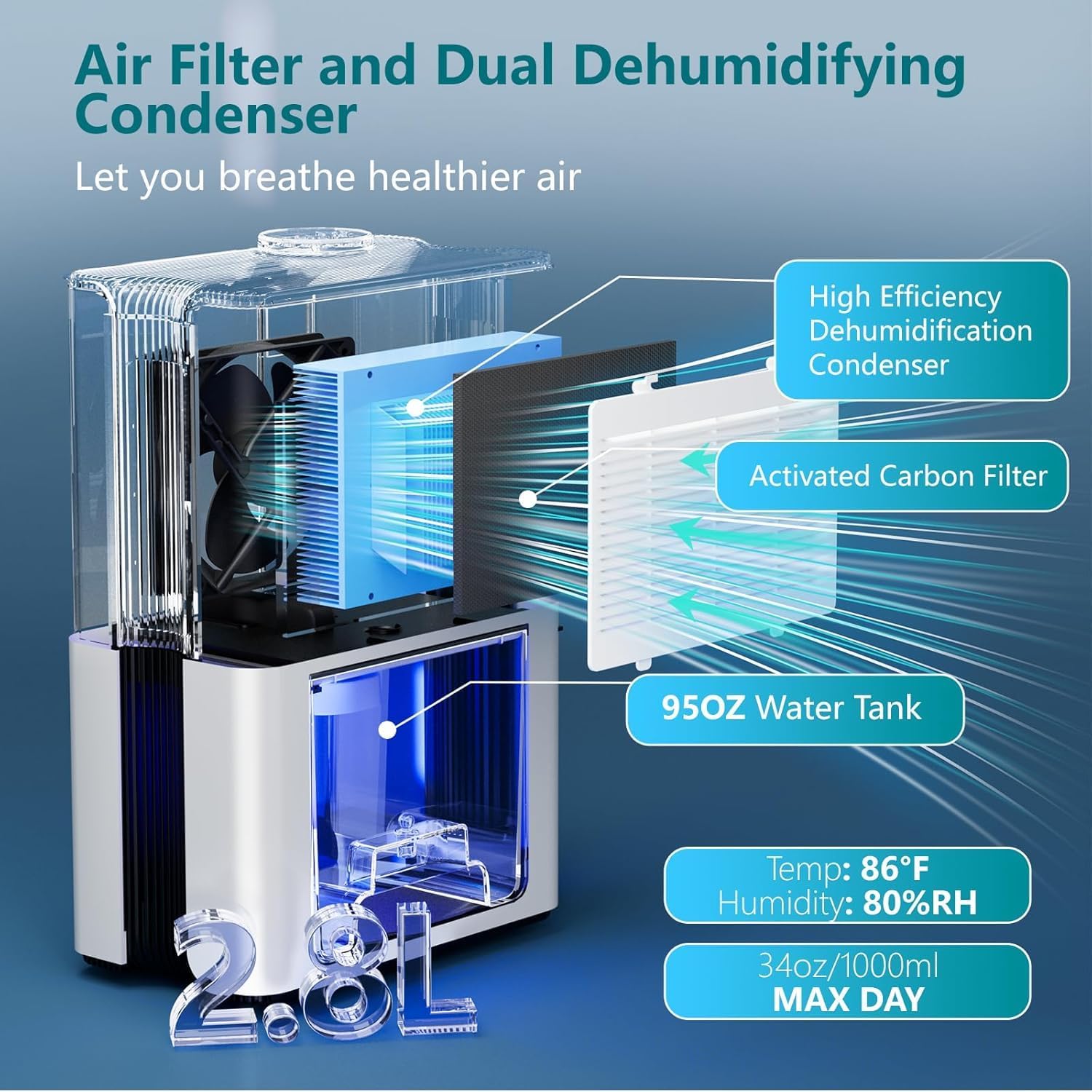
Image: Internal components of the dehumidifier, highlighting the filter and condenser.

Image: The ionizer purification system, which helps to keep the room dry and release fresh air.
4. Setup
4.1 Unpacking
Carefully remove the dehumidifier and all accessories from the packaging. Retain the packaging for future storage or transportation.
4.2 Placement
Place the dehumidifier on a firm, level surface in the desired location. Ensure there is at least 8 inches (20 cm) of clear space around all sides of the unit for optimal air circulation. Avoid placing it directly against walls or furniture. The unit is suitable for various spaces including:
- Bedrooms
- Basements
- Bathrooms
- Closets
- Kitchens
- Garages
- RVs
4.3 Power Connection
Plug the power cord into a grounded electrical outlet. Ensure the voltage matches the specifications of the unit.
4.4 Water Tank Installation
The water tank comes pre-installed. Ensure it is securely seated in the unit before operation.
4.5 Continuous Drainage Setup (Optional)
For continuous drainage, remove the rubber plug from the drainage hole at the bottom of the water tank. Connect the provided drain hose to this hole, ensuring a secure fit. Route the hose to a suitable drain (e.g., floor drain, large bucket) ensuring it is sloped downwards to allow gravity drainage. Do not allow the hose to be kinked or elevated, as this will prevent proper drainage.

Image: Steps for setting up the continuous drainage feature.
5. Operating Instructions
The control panel is located on the top of the unit and features touch buttons for easy operation.
5.1 Power On/Off
Press the ON/OFF button (power symbol) to turn the dehumidifier on or off.
5.2 Mode Selection
The dehumidifier offers two main operating modes:
- High Power Mode: Default mode for maximum dehumidification.
- Sleep Mode: Press the Sleep button (moon symbol) to activate. In this mode, the fan speed is reduced, and all lights are turned off to ensure a quiet environment for sleep or study. The noise level is approximately 35dB.

Image: The dehumidifier operating in a bedroom, highlighting its quiet sleep mode.

Image: Noise level comparison for the dehumidifier's sleep mode.
5.3 Colorful Atmosphere Lights
Press the Light button (sun symbol) to cycle through the colorful atmosphere lights or turn them off. You can choose your preferred color or disable the feature entirely.
5.4 Automatic Shut-off and Water Tank Full Indicator
When the 95oz water tank is full, the dehumidifier will automatically shut down to prevent overflow. The red indicator light will flash, and an audible beep will sound to alert you that the tank needs to be emptied.

Image: Visual representation of the automatic shut-off feature when the water tank is full.
6. Maintenance
Regular maintenance ensures the longevity and efficiency of your dehumidifier.
6.1 Emptying the Water Tank
When the water tank is full and the unit has shut off:
- Gently pull out the water tank from the front of the unit.
- Remove the tank lid.
- Pour out the collected water.
- Replace the tank lid and slide the tank back into the dehumidifier until it clicks into place.

Image: Steps for manually emptying the water tank.
6.2 Cleaning the Filter
The detachable filter should be cleaned regularly, approximately every two weeks or more frequently depending on air quality and usage, to maintain optimal performance.
- Turn off and unplug the dehumidifier.
- Locate the filter cover on the back of the unit and open it.
- Remove the filter.
- Clean the filter using a vacuum cleaner to remove dust, or wash it gently with warm, soapy water. Rinse thoroughly.
- Allow the filter to air dry completely before reinserting it. Do not use a dryer or direct heat.
- Reinsert the dry filter and close the filter cover.

Image: Cleaning the activated carbon filter.
6.3 General Cleaning
Wipe the exterior of the dehumidifier with a soft, damp cloth. Do not use harsh chemicals, abrasives, or solvents, as these may damage the surface.
6.4 Storage
If the dehumidifier will not be used for an extended period:
- Empty and clean the water tank.
- Clean the filter.
- Unplug the unit and coil the power cord neatly.
- Store the unit in a cool, dry place, preferably in its original packaging.
7. Troubleshooting
Before contacting customer support, please refer to the following troubleshooting guide for common issues.
| Problem | Possible Cause | Solution |
|---|---|---|
| Dehumidifier does not turn on. | No power supply. Water tank is full or not properly installed. | Ensure the unit is plugged into a working outlet. Empty the water tank and ensure it is correctly seated. |
| Unit is running but not collecting water. | Humidity level is too low. Room temperature is too low. Air filter is clogged. Air inlet/outlet blocked. | Dehumidification is most effective at 86°F and 80% RH. The unit may collect less water in lower humidity/temperature conditions. Clean the air filter. Ensure sufficient space around the unit for airflow. |
| Unit is making unusual loud noise. | Unit is not on a level surface. Internal component issue. | Place the unit on a flat, stable surface. If noise persists, contact customer support. |
| Red indicator light flashing and beeping. | Water tank is full. | Empty the water tank. |
8. Specifications
| Feature | Specification |
|---|---|
| Brand | Simsen |
| Model Name | CT15 |
| Color | White |
| Floor Area Coverage | Up to 800 Square Feet |
| Water Tank Capacity | 95 Fluid Ounces (2.8 Liters) |
| Dehumidification Capacity | Up to 34oz (1.2 Liters) per Day (at 86°F, 80% RH) |
| Wattage | 58 watts |
| Product Dimensions (D x W x H) | 7.05" x 10.24" x 15.31" (approx. 5 x 8 x 13 inches) |
| Item Weight | 6.16 pounds |
| Material | Plastic |
| Special Features | Detachable Filter, Colorful Night Lights, Sleep Mode, Power Mode, Ionizer, Auto Shut-off, Continuous Drain Option |
| Recommended Uses | Bedroom, Basement, Bathroom, Closet, RV, Kitchen, Garage |
| Included Components | Dehumidifier Unit, Filter, Drain Hose, User Manual |
9. Warranty and Support
The SIMSEN 95oz Dehumidifier is designed for reliable performance. For information regarding warranty coverage, please refer to the warranty card included with your product or contact the seller directly. If you encounter any issues that cannot be resolved using the troubleshooting guide, or require further assistance, please reach out to SIMSEN customer support or the retailer from whom you purchased the product.
Please have your model number (CT15) and purchase date available when contacting support.


