
1. Introduction
This manual provides detailed instructions for the operation, maintenance, and troubleshooting of the VIHELM BLE-PH03A Professional Digital pH Meter. This portable device is designed for accurate pH and temperature measurements across various applications.
2. Product Overview
The BLE-PH03A is a professional-grade digital pH meter featuring a clear display, intuitive controls, and a durable electrode. It supports Bluetooth connectivity for data management and offers automatic temperature compensation.
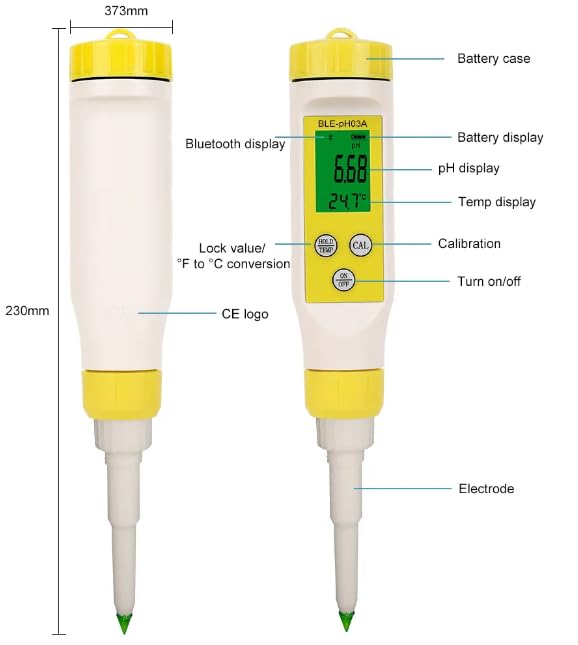
Figure 2.1: BLE-PH03A pH Meter Components and Dimensions. Key components include the battery case, Bluetooth display, pH display, temperature display, calibration button, on/off button, and electrode.
2.1. Key Features
- Wide pH Range: 0.01-14.00 pH
- Temperature Measurement: 0.1-60.0°C / 32.0-140.0°F
- Automatic Temperature Compensation (ATC)
- Bluetooth Support for data transfer
- Auto-save data function (up to 1000 sets)
- Data sharing and printing capabilities
- Hold/Temp button for unit conversion and data lock
3. Specifications
| Parameter | Value |
|---|---|
| Model | BLE-PH03A |
| pH Range | 0.01 - 14.00 pH |
| Temperature Range | 0.1 - 60.0°C (32.0 - 140.0°F) |
| Manufacturer | VIHELM |
| ASIN | B0F8BK5C6F |
| First Available | May 12, 2025 |
4. What's in the Box
Upon opening the package, please verify that all items are present and undamaged:
- BLE-PH03A Digital pH Meter (x1)
- pH Buffer Powders (for calibration)
- Storage Case
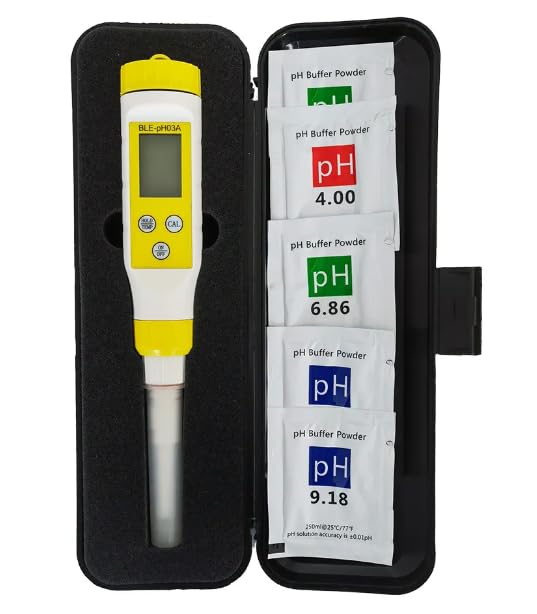
Figure 4.1: Contents of the BLE-PH03A package, including the pH meter and various pH buffer powders for calibration, all neatly stored in a protective case.
5. Setup
5.1. Battery Installation
Locate the battery case at the top of the device. Open it and insert the required batteries, ensuring correct polarity. Close the battery case securely.
5.2. Initial Preparation
- Remove the protective cap from the electrode.
- Rinse the electrode with distilled water and gently blot dry with a clean tissue. Do not rub.
- It is recommended to perform an initial calibration before first use to ensure accuracy.
6. Operating Instructions
6.1. Power On/Off
Press the ON/OFF button to turn the device on or off.
6.2. Taking a Measurement
- Ensure the device is powered on.
- Immerse the electrode into the sample solution. Ensure the electrode tip is fully submerged.
- Gently stir the solution and wait for the reading to stabilize on the display. The pH and temperature values will be shown.
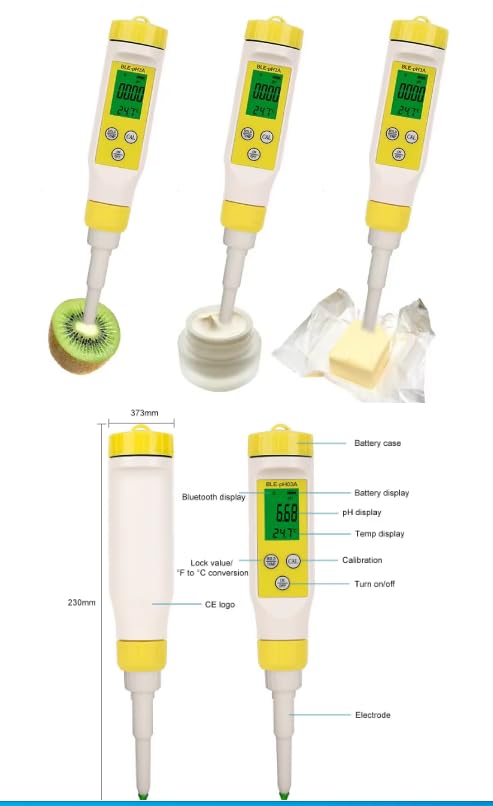
Figure 6.1: The BLE-PH03A pH meter in various applications, demonstrating its versatility in measuring pH in substances like kiwi fruit, cream, and butter.
6.3. Temperature Unit Conversion
To switch between Celsius (°C) and Fahrenheit (°F), long press the HOLD/TEMP button.
6.4. Data Hold Function
Press the HOLD/TEMP button briefly to freeze the current reading on the display. Press it again to release the hold and resume live readings.
6.5. Bluetooth Connectivity and Data Management
The device supports Bluetooth for connecting to a compatible application on your smartphone or tablet. This allows for:
- Real-time data display on your mobile device.
- Automatic saving of up to 1000 sets of measurement data.
- Data sharing and printing directly from the application.
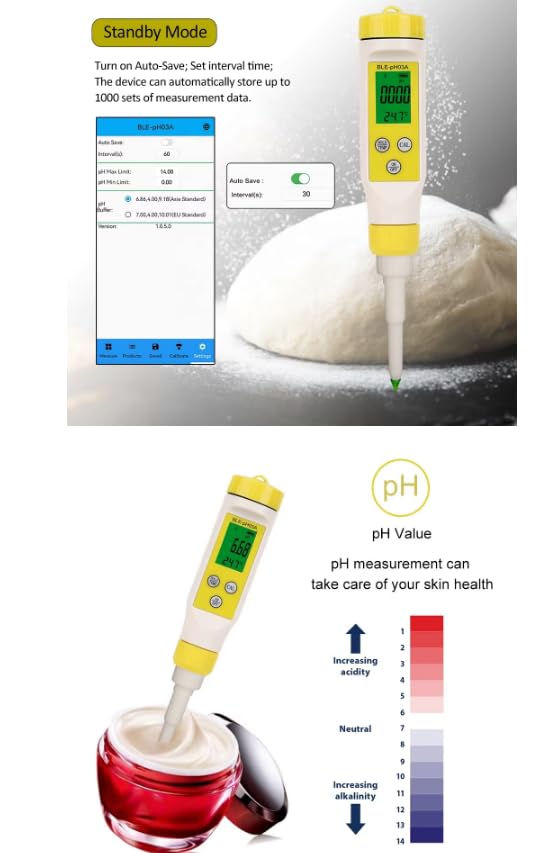
Figure 6.2: The mobile application interface for the BLE-PH03A, illustrating the auto-save feature settings and the device's capability to store up to 1000 sets of measurement data.
6.6. Applications
The BLE-PH03A is suitable for a wide range of applications, including but not limited to:
- Loose soil pH testing
- Drinking water quality assessment
- Dairy products (milk, cheese) pH measurement
- Meat and food processing
- Laboratory and educational use
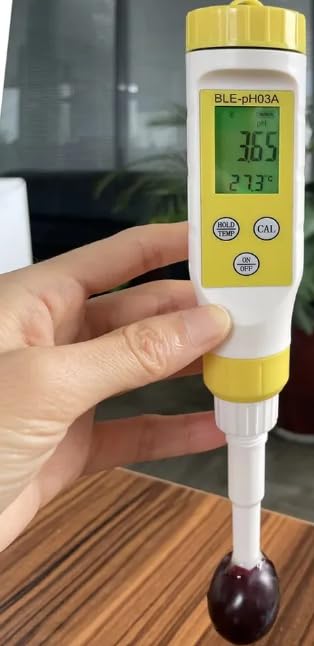
Figure 6.3: Diverse applications of the BLE-PH03A pH meter, including testing soil, drinking water, cheese, milk, meat, and for general laboratory use.
7. Calibration
Regular calibration is crucial for maintaining the accuracy of your pH meter. Use the provided pH buffer powders for calibration.
7.1. Calibration Procedure
- Prepare the buffer solutions according to the instructions on the buffer powder packets (e.g., pH 4.00, pH 6.86, pH 9.18).
- Turn on the pH meter.
- Rinse the electrode with distilled water and blot dry.
- Immerse the electrode into the first buffer solution (e.g., pH 6.86).
- Press the CAL button. The meter will automatically recognize the buffer and calibrate. Wait for the calibration indicator to confirm completion.
- Rinse the electrode again with distilled water.
- Repeat steps 4-6 for the remaining buffer solutions (e.g., pH 4.00 and pH 9.18) in ascending or descending order as per standard practice.
- After calibration, rinse the electrode and store it properly.
8. Maintenance
8.1. Cleaning
After each use, rinse the electrode thoroughly with distilled water to remove any sample residue. Do not use abrasive materials or strong solvents.
8.2. Electrode Care
Keep the electrode moist by storing it in a protective solution (e.g., KCL solution or electrode storage solution) when not in use. Never allow the electrode to dry out, as this can damage it and affect accuracy.
8.3. Storage
Store the pH meter in its protective case in a cool, dry place, away from direct sunlight and extreme temperatures. Ensure the electrode cap is securely in place.
9. Troubleshooting
| Problem | Possible Cause | Solution |
|---|---|---|
| Inaccurate readings | Electrode dirty or dry; Calibration needed; Expired buffer solutions | Clean electrode; Recalibrate; Use fresh buffer solutions |
| No display/Power issues | Low or dead batteries; Incorrect battery installation | Replace batteries; Check battery polarity |
| Slow response time | Electrode aging or contamination | Clean electrode thoroughly; Consider electrode replacement if issue persists |
| Bluetooth connection failure | Device out of range; Bluetooth off on mobile device; App issue | Ensure device is within range; Turn on Bluetooth; Restart app/device |
10. Warranty and Support
The VIHELM BLE-PH03A Professional Digital pH Meter comes with a standard manufacturer's warranty. For specific warranty terms, technical support, or service inquiries, please refer to the contact information provided with your purchase or visit the official VIHELM website.