
OBEST 684468ba-53aa-47b8-bdf3-302155409849
OBEST 1080p 360° IP68 Waterproof Action Camera User Manual
Model: 684468ba-53aa-47b8-bdf3-302155409849
1. Introduction
This manual provides instructions for the proper use and maintenance of your OBEST 1080p 360° IP68 Waterproof Action Camera. Please read this manual thoroughly before operating the device to ensure safe and optimal performance.
The OBEST Action Camera is a compact and versatile device designed for capturing high-quality video and audio in various environments, including outdoor sports and activities. It features 1080p video recording, 360° capture capabilities, and an IP68 waterproof rating, making it suitable for use in challenging conditions.
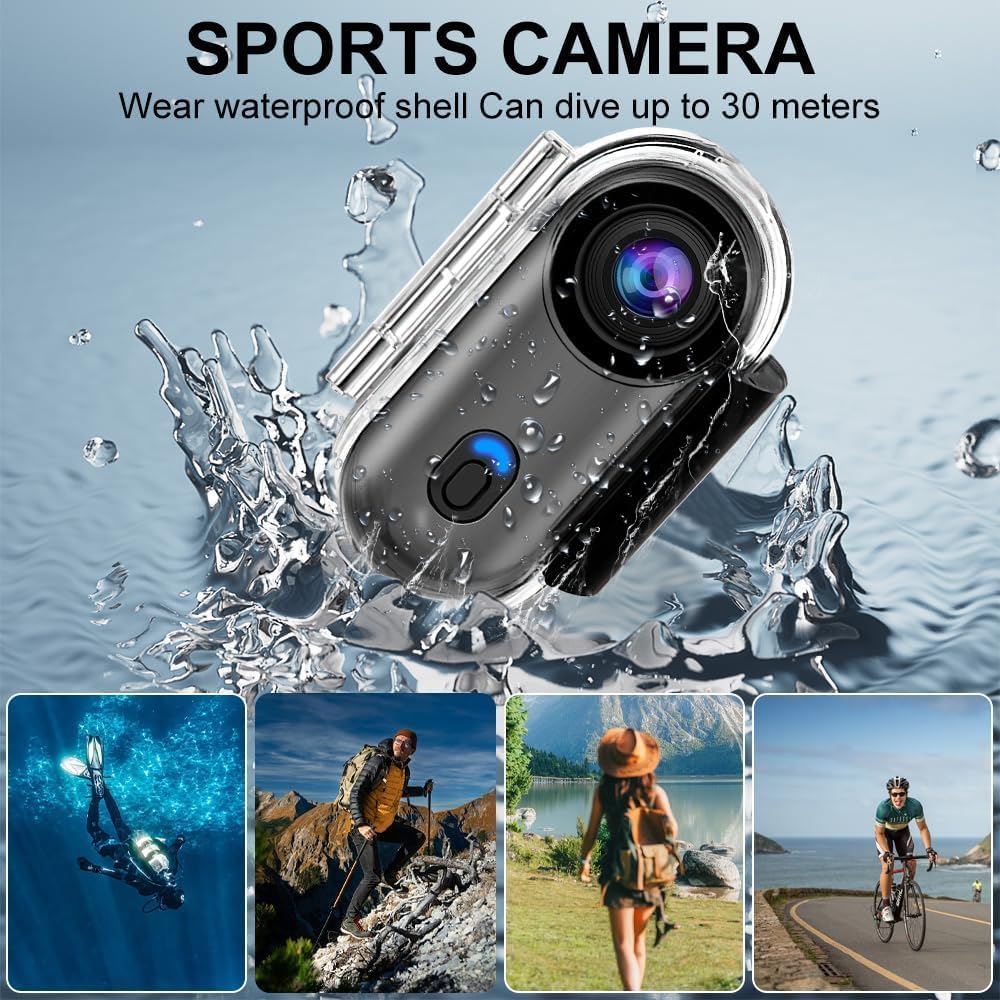
Image: The OBEST Action Camera shown with a waterproof shell, capable of diving up to 30 meters. Surrounding images depict various outdoor activities like diving, hiking, traveling, and cycling, highlighting the camera's versatility.
2. Package Contents
Please check the package contents upon unboxing. If any items are missing or damaged, contact customer support.
- OBEST Action Camera
- Waterproof Case
- Mounting Clip
- Magnetic Mount
- Neck Lanyard
- USB Charging Cable
- Various Mounting Accessories (e.g., helmet mount, bicycle mount)
- User Manual (this document)

Image: A visual representation of the camera and its complete packing list, including the camera itself, waterproof housing, various clips and mounts, a lanyard, and a USB charging cable. The camera's dimensions are also indicated: 1.1 inch/2.8 cm width, 2.5 inch/6.3 cm height, and 0.7 inch/1.8 cm thickness.
3. Product Overview
Familiarize yourself with the camera's components:
- Lens: Main camera lens for capturing video and photos.
- Power/Mode Button: Used to power on/off and switch between recording modes.
- Indicator Light: Displays camera status (e.g., recording, charging, low battery).
- Microphone: For audio recording.
- USB Port: For charging and data transfer.
- Micro SD Card Slot: For inserting the memory card.
- Speaker: For audio playback.
4. Initial Setup
4.1. Charging the Battery
Before first use, fully charge the camera's internal 800mAh lithium battery. Connect the camera to a USB power source (e.g., computer, wall adapter) using the provided USB cable. The indicator light will show charging status and turn off when fully charged. A full charge takes approximately 120 minutes and provides up to 150 minutes of recording time.

Image: The camera connected to a power source, indicating an 800mAh battery capacity, 120 minutes charging time, and 150 minutes battery life. This image also highlights the "Recording while charging" feature for extended use.
4.2. Inserting a Micro SD Card
The camera requires a Micro SD (TF) card for storing recordings (not included). It supports cards up to 256GB. Ensure the card is formatted to FAT32 for optimal performance. Insert the Micro SD card into the designated slot with the contacts facing down until it clicks into place.
Note: A Micro SD card is essential for recording. The camera does not have internal storage for video/audio files.
5. Operating Instructions
5.1. Power On/Off
- Power On: Press and hold the Power/Mode button for a few seconds until the indicator light illuminates.
- Power Off: Press and hold the Power/Mode button for a few seconds until the indicator light turns off.
5.2. Recording Video
Once powered on, the camera typically defaults to video recording mode. Press the Power/Mode button briefly to start recording. The indicator light will change to indicate recording is in progress. Press the button again to stop recording.

Image: A simulated screen display showing the camera's interface with options for Photo, Video, and Record (audio). The video display shows a family with a dog, a timestamp of 2025/03/15, and a resolution of 1920*1080P (HD 1280*720P).
5.3. Audio Recording
The camera supports audio-only recording. Refer to the on-screen menu or specific button presses (if available) to switch to audio recording mode. Press the Power/Mode button to start and stop audio recording.
5.4. Loop Recording
The camera supports loop recording, which automatically overwrites the oldest files when the memory card is full. This feature ensures continuous recording without manual deletion of old files.
5.5. Playback
Recorded content can be played back directly on the camera (if it has a screen), or by connecting the camera to a computer/smartphone via USB, or by inserting the Micro SD card into a card reader connected to a computer/smartphone.
5.6. WiFi Connectivity and Mobile App
The camera features built-in WiFi for seamless connection to a mobile application. Download the dedicated app (check product packaging or manufacturer website for app name) on your smartphone. Follow the app's instructions to connect to the camera's WiFi network. This allows for real-time viewing, remote control, and easy downloading/sharing of captured media.
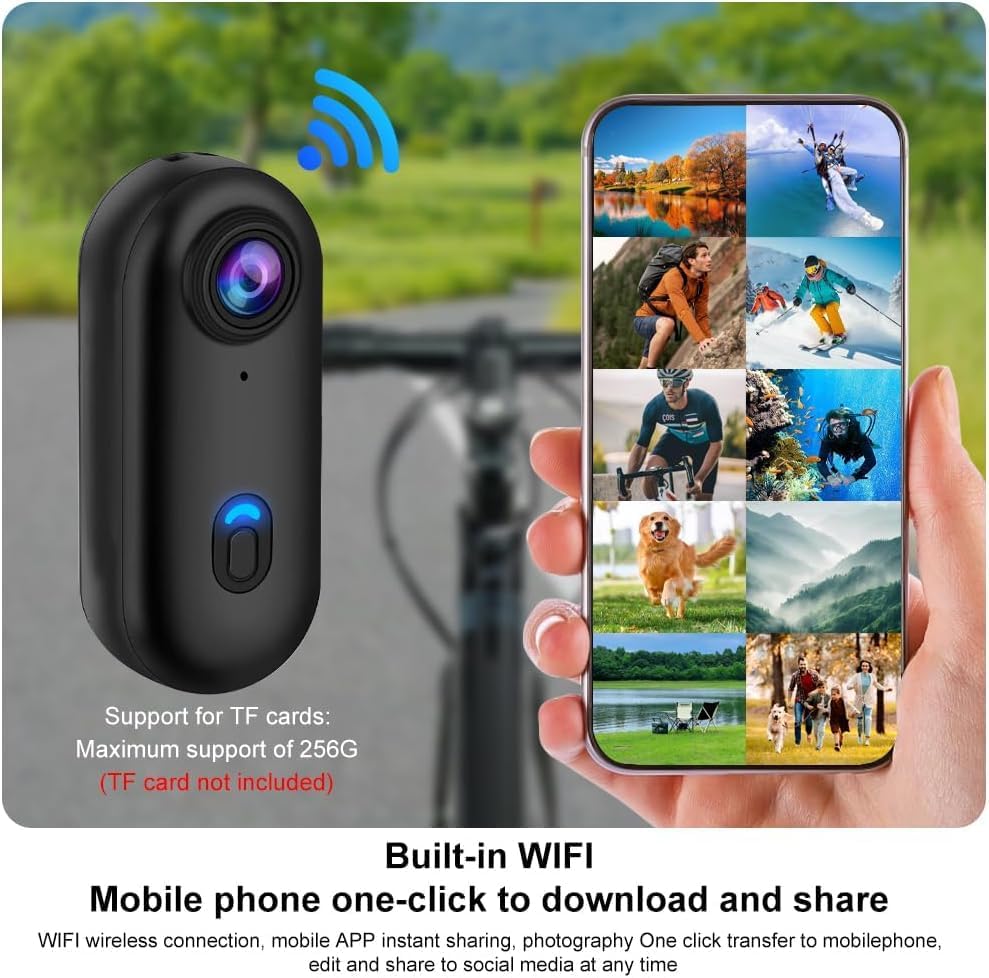
Image: A smartphone screen showing a gallery of images and videos, with a WiFi signal icon indicating wireless connection to the camera. This demonstrates the "Built-in WIFI" feature for "Mobile phone one-click to download and share" content.
5.7. Mounting Options
The camera comes with various accessories for flexible mounting:
- Back Clip: Attach the camera to clothing, backpacks, or helmets. The clip allows for 360° rotation.
- Magnetic Attachment: The camera has a magnetic function, allowing it to be easily attached to metallic surfaces.
- Neck Lanyard: Use the lanyard to wear the camera around your neck, or even around a pet's neck for unique perspectives.
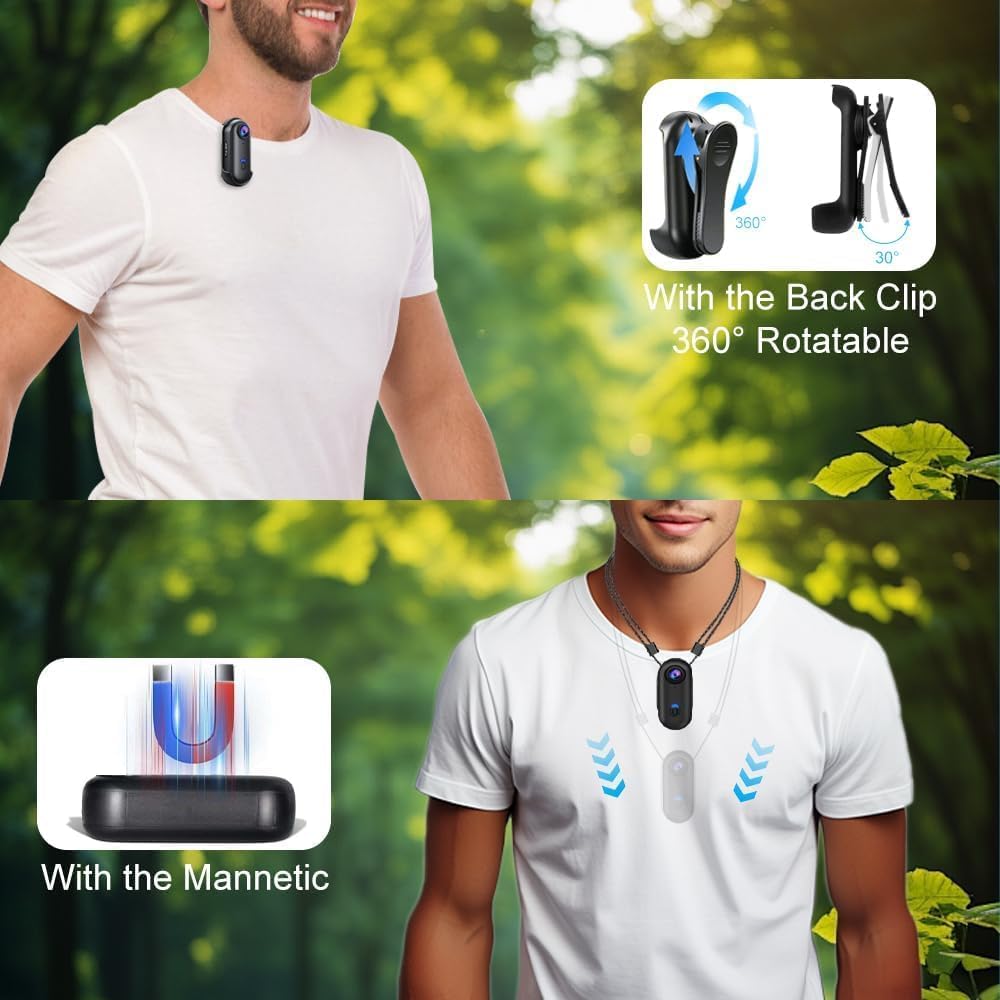
Image: Two examples of camera mounting. The top image shows the camera attached to a person's shirt using a 360° rotatable back clip. The bottom image illustrates the camera's magnetic attraction feature, allowing it to be secured to metal surfaces.
6. Maintenance
- Cleaning: Use a soft, dry cloth to clean the camera body. For the lens, use a specialized lens cleaning cloth and solution. Avoid harsh chemicals.
- Waterproof Care: When using the camera in its waterproof case, ensure the case is properly sealed before submersion. After use in water, rinse the case with fresh water and dry thoroughly.
- Storage: Store the camera in a cool, dry place away from direct sunlight and extreme temperatures.
- Battery Care: To prolong battery life, avoid fully discharging the battery frequently. Charge the camera regularly, even if not in use for extended periods.
- Firmware Updates: Periodically check the OBEST official website for any available firmware updates to ensure optimal performance and new features.
7. Troubleshooting
| Problem | Possible Cause | Solution |
|---|---|---|
| Camera does not power on. | Battery is depleted. | Charge the camera fully. |
| Cannot record video/audio. | No Micro SD card inserted or card is full/corrupted. | Insert a formatted Micro SD card. Back up and format the existing card, or replace it. |
| Poor video quality. | Lens is dirty; insufficient lighting; incorrect settings. | Clean the lens. Ensure adequate lighting. Check camera settings for resolution. |
| WiFi connection issues. | Incorrect password; camera too far from phone; app issues. | Ensure correct WiFi password. Keep devices close. Restart camera and phone app. |
| Camera freezes or becomes unresponsive. | Software glitch; memory card issue. | Press and hold the Power/Mode button to force a restart. If issue persists, remove and reinsert the Micro SD card. |
8. Specifications
| Feature | Detail |
|---|---|
| Model | 684468ba-53aa-47b8-bdf3-302155409849 |
| Video Resolution | 1080p |
| Special Features | 360° Recording, IP68 Waterproof, Magnetic Attachment |
| Waterproof Level | IP68 (with waterproof case) |
| Battery Capacity | 800 mAh Lithium Battery |
| Battery Life | Up to 150 minutes (approx.) |
| Charging Time | Approx. 120 minutes |
| Memory Card Support | Micro SD (TF) up to 256GB |
| Video Format | MP4 |
| Sensor Technology | CMOS |
| Max Focal Length | 120 |
| Image Stabilization | No |
| Compatible Devices | PC, Laptop, Smartphone, Tablet |
| Dimensions (Camera) | 2.8 cm (W) x 6.3 cm (H) x 1.8 cm (D) / 1.1 in (W) x 2.5 in (H) x 0.7 in (D) |
9. Warranty and Support
For warranty information, technical support, or service inquiries, please refer to the warranty card included with your product or visit the official OBEST website. Keep your purchase receipt as proof of purchase.
Manufacturer: OBEST
Model Number: 684468ba-53aa-47b8-bdf3-302155409849
Date of First Availability: June 1, 2025
Ask a question about this manual
Ask about setup, troubleshooting, compatibility, parts, safety, or missing instructions. Manuals+ will review the question and use this page’s manual context to help answer it.