1. Overview
The JIAN BOLAND Wireless Intercom System provides convenient two-way voice communication for homes, offices, or other environments. Featuring a 1/2 mile range in open areas, rechargeable batteries, and multiple customizable settings, this system is designed for ease of use and reliable performance.

Figure 1: JIAN BOLAND Wireless Intercom unit highlighting key features like 2-in-1 doorbell/intercom, 2000mAh battery, 1/2 mile range, 3 volume levels, and 16 ringtones.
2. What's in the Box
Upon opening your JIAN BOLAND Wireless Intercom System package, you should find the following items:
- 2 x Intercom Units (Indoor Doorbells)
- 2 x Charging Bases
- 2 x Type-C Charging Cables
- 2 x Charging Plugs (Power Adapters)
- 1 x English User Manual
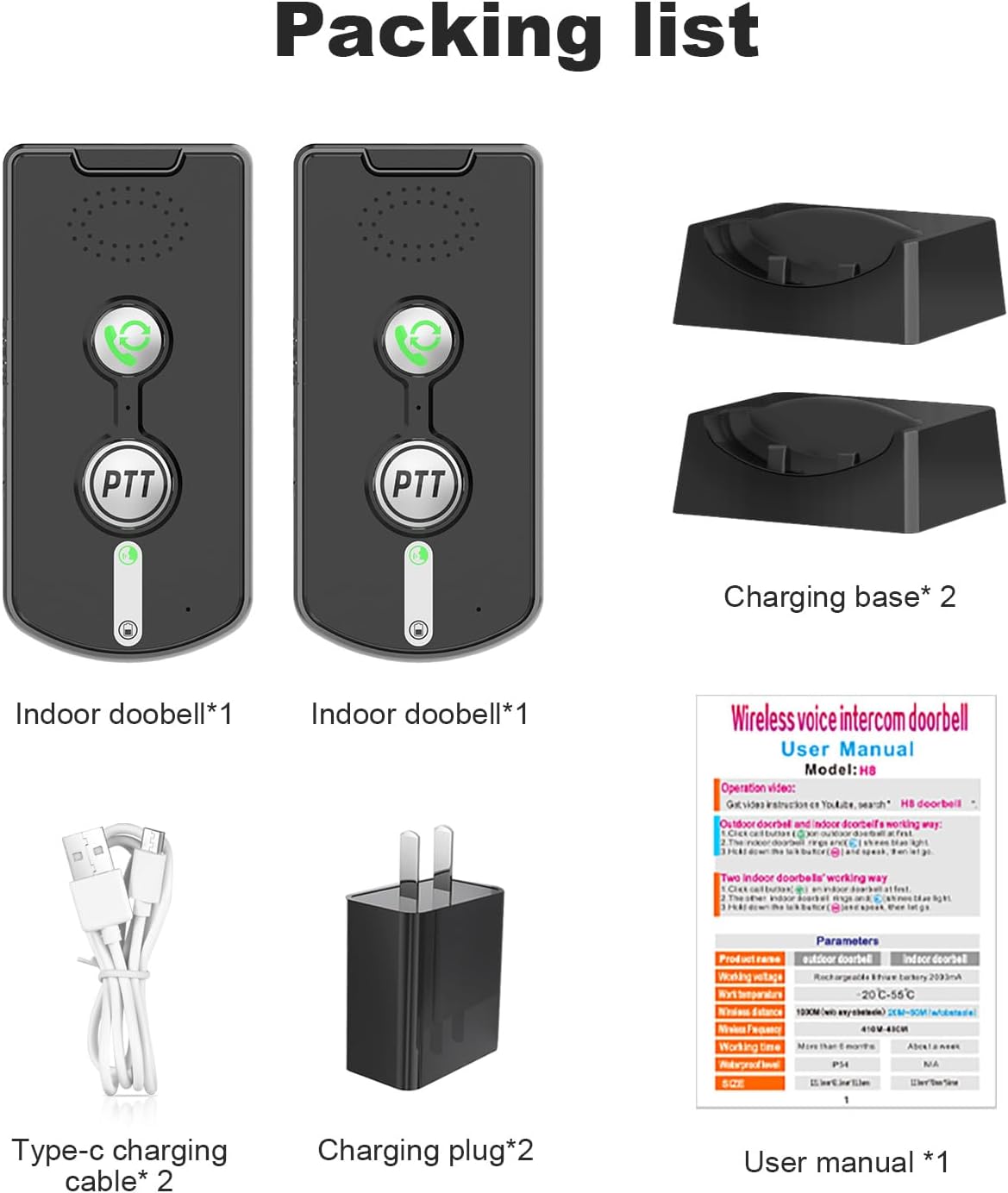
Figure 2: The complete packing list for the JIAN BOLAND Wireless Intercom System, including two intercom units, two charging bases, two Type-C charging cables, two charging plugs, and the user manual.
3. Setup
3.1 Charging the Units
Each intercom unit has a built-in 2000mAh rechargeable battery. For optimal performance, fully charge the units before first use and after each use by placing them on their respective charging bases.
- Connect the Type-C charging cable to the charging base.
- Plug the charging plug into a standard wall outlet.
- Place the intercom unit onto the charging base. The unit's power light will indicate charging status.

Figure 3: An intercom unit placed on its charging base, connected to a power outlet. The image shows the charging indicator light.
3.2 Unit Components
Familiarize yourself with the main components of the intercom unit:

Figure 4: Detailed diagram of the intercom unit, labeling the speaker, call button, microphone, talk button, intercom light, power light, volume key, power button, and charging base.
3.3 Channel Matching
For two units to communicate, they must be set to the same frequency band (A or B).
- Locate the switchgear (A/B switch) on the side of each intercom unit.
- Set both units to either 'A' or 'B'. Ensure both units are on the same setting.
- The units are now ready for communication.
Video 1: Demonstrates the setup and basic operation of the JIAN BOLAND 2-Way Voice Intercom, including channel matching and communication.
4. Operating Instructions
4.1 Making a Call
To initiate a call to another intercom unit:
- Press the Call Button (green phone icon) on your unit.
- The other indoor unit will ring.
4.2 Receiving a Call and Two-Way Talk
When your unit rings:
- Press the Talk Button (PTT button) once to answer the call.
- To speak, press and hold the Talk Button. Release the button to listen.
- To end the call, press the Call Button again.
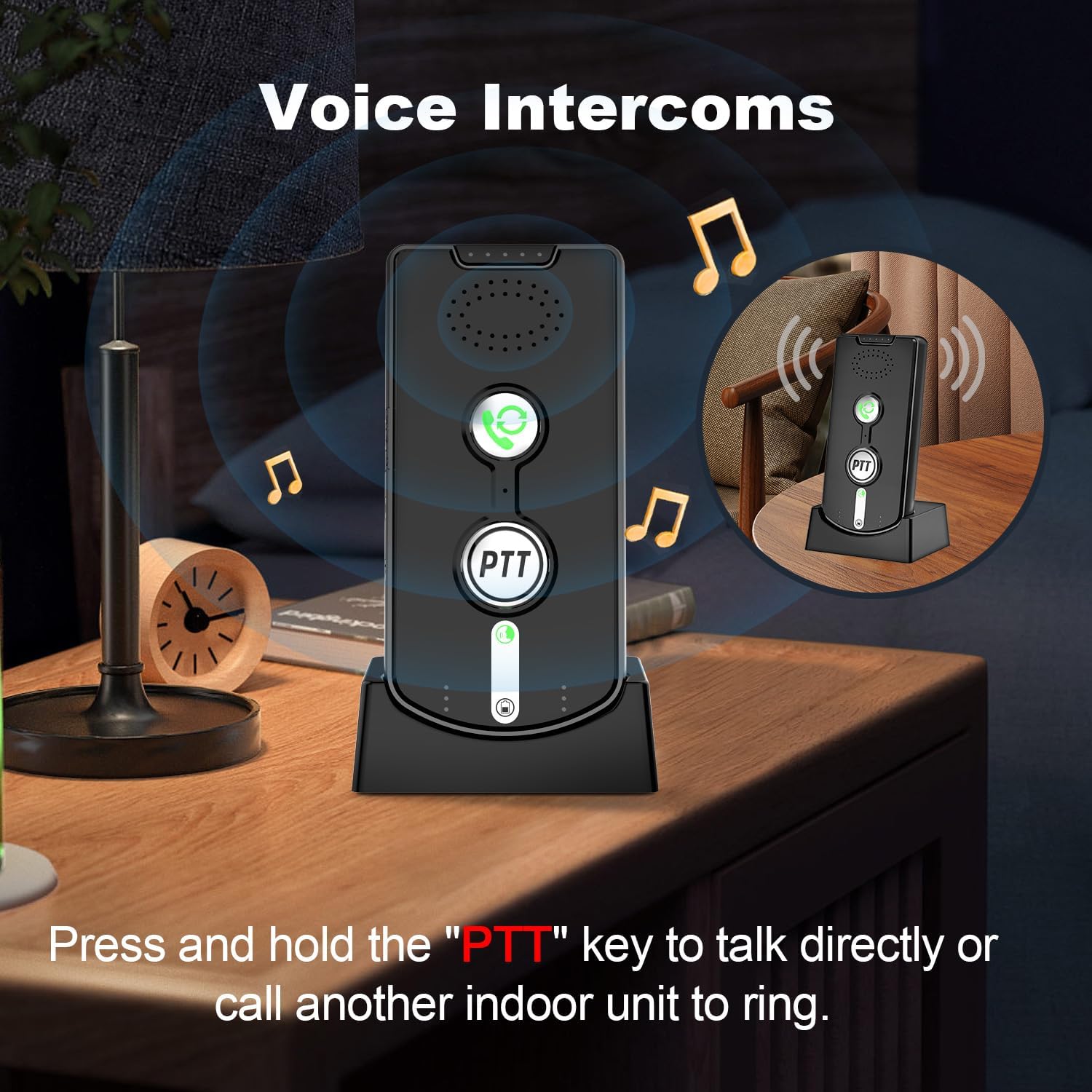
Figure 5: An individual using the intercom unit, demonstrating the press-to-talk functionality for two-way voice communication.
4.3 Adjusting Volume and Ringtones
The intercom features 3 adjustable volume levels (High, Medium, Low) and 16 ringtones.
- Volume Adjustment: Use the Volume Keys on the side of the unit to cycle through the 3 volume levels.
- Ringtone Selection: While in standby mode, press the Volume Keys to change the ringtone.
4.4 Monitor Mode
Monitor mode allows continuous listening to another unit for 24 hours, useful for monitoring children or elderly individuals.
- On the unit you wish to monitor from, press the MONITORED button.
- The unit will continuously transmit audio from the monitored location.
- To exit monitor mode, press the Call Button.
4.5 Noisy Mode
Noisy mode enhances communication clarity in environments louder than 70 decibels.
- Press the NOISY MODE button to activate this feature.
- This mode helps filter out background noise for clearer audio.
4.6 Group Call Function
The intercom system supports group calls, allowing you to broadcast to multiple units simultaneously.
- Press the GROUP button to initiate a group call.
- All units set to the same frequency band will receive the broadcast.
Video 2: A detailed guide on how to operate the HY812 intercom, covering various functions including calling, answering, and mode settings.
5. Maintenance
5.1 Battery Care
The intercom units are equipped with 2000mAh rechargeable batteries. To prolong battery life:
- Always place the unit on its charging base after each use.
- A full charge can last 1-3 days depending on usage.
- The unit features a battery indicator light to show charge status.
6. Specifications
| Feature | Detail |
|---|---|
| Item Weight | 10.2 ounces |
| Product Dimensions | 4.5 x 0.7 x 2.2 inches |
| Item Model Number | 785039240312 |
| Batteries | 1 D battery required (included) |
| Number of Channels | 2 |
| Frequency Range | 433Mhz |
| Talking Range Maximum | 1600 Feet (1/2 Mile) |
| Voltage | 5 Volts (DC) |
| Water Resistance Level | Not Water Resistant |
7. Troubleshooting
- No Communication: Ensure both units are set to the same frequency band (A or B) using the side switch. Check battery levels.
- Poor Audio Quality: If in a noisy environment, activate Noisy Mode. Ensure units are within range and not obstructed by thick walls or excessive interference.
- Unit Not Responding: Check if the unit is charged. If issues persist, refer to the detailed manual or contact support.
8. Warranty & Support
Your JIAN BOLAND Wireless Intercom System comes with a 1-Year Warranty.
- Warranty: 1 Year from the date of purchase.
- Returns: Enjoy 30 days free return.
- Certifications: The product is CE FCC certified.
- Contact Support: For any issues or questions, please refer to the contact information provided in your English user manual.


