
Colmi R12
Colmi R12 Smart Ring User Manual
Innovation at Your Fingertips
1. Product Overview
The COLMI R12 Smart Ring is a compact, stylish wearable designed to integrate advanced health tracking and smart functionalities into your daily life. It offers a minimalist design while providing comprehensive data on your fitness and wellness.
Key Features
- Built-in Smart Display: Track real-time stats including time, steps, heart rate, and battery level directly on the ring’s touch display.
- Gesture Control: Easily switch music tracks, scroll through videos on TikTok, or activate your phone’s camera with simple hand gestures.
- Wireless Charging: Recharge effortlessly with the included wireless charging pad.
- Advanced Health Sensors: Monitor your heart rate, blood oxygen, sleep quality, and daily activity with high-precision biological sensors. Sync data via the mobile app for full health insights.
- 5ATM Water Resistance: Engineered for durability, the R12 is water-resistant and suitable for swimming or other water-based activities.
- Multiple Sports Modes: Supports various activities like walking, running, cycling, and swimming, tracking heart rate, calories, distance, and active time.
What's in the Box
- Colmi R12 Smart Ring
- Wireless Charger
- USB Cable
- User Manual
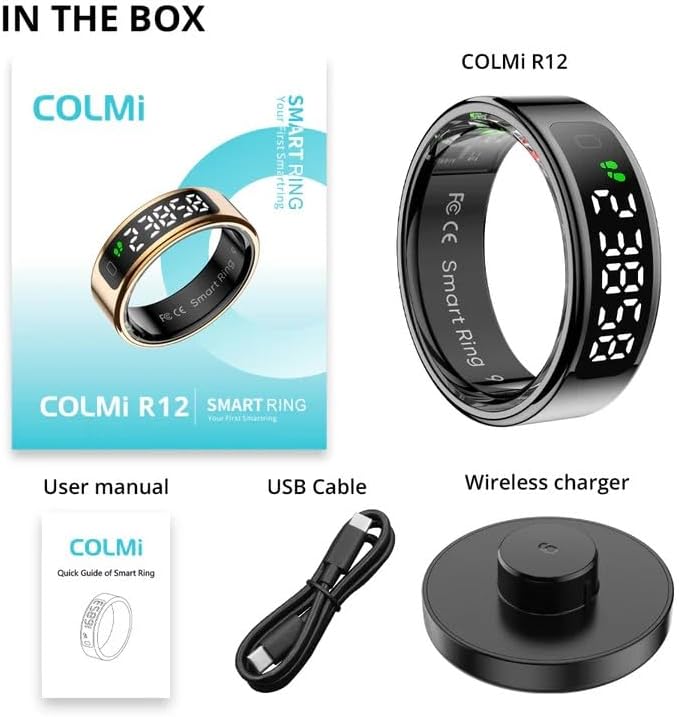
Image: Contents of the Colmi R12 Smart Ring package, showing the smart ring, user manual, USB cable, and wireless charging pad.
2. Getting Started
Charging the Device
Before first use, fully charge your Colmi R12 Smart Ring. Place the ring onto the included wireless charging pad. Connect the USB cable to the charging pad and a power source (e.g., a USB wall adapter or computer USB port). The ring's display will indicate charging status.
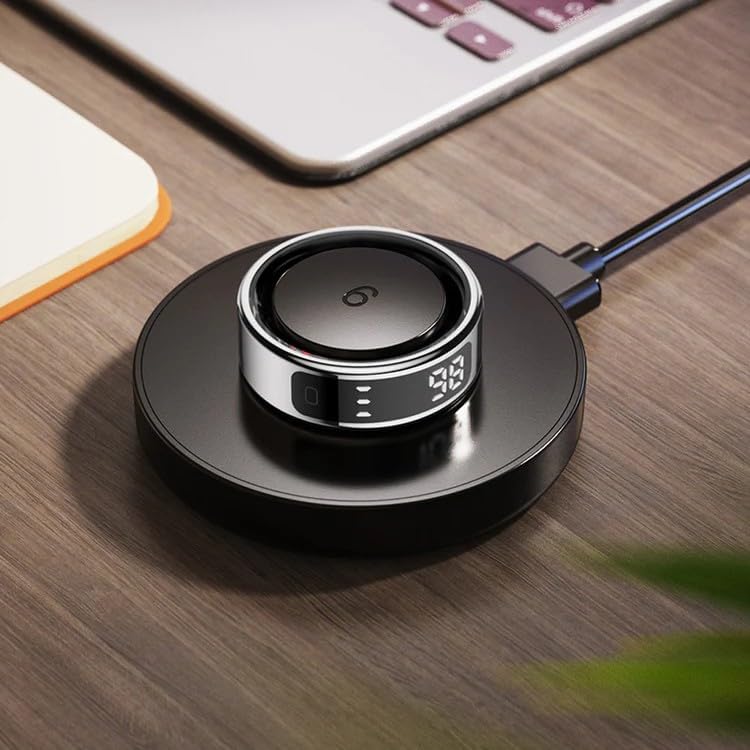
Image: The Colmi R12 Smart Ring resting on its dedicated wireless charging pad, indicating the charging process.
Sizing and Fit
For accurate health tracking, ensure your Colmi R12 Smart Ring fits snugly but comfortably on your finger. Refer to the size chart below to determine the optimal size. A proper fit is crucial for sensor performance.

Image: Colmi R02 Ring Size Chart providing measurements for various ring sizes and a visual guide on how to accurately measure your finger for the best fit.
Initial Setup and App Connection
To unlock the full potential of your Colmi R12, download the official companion app from your smartphone's app store. Follow the in-app instructions to pair your ring via Bluetooth. This will enable data synchronization, detailed health insights, and customization options.
3. Operating Your Colmi R12 Smart Ring
Built-in Smart Display
The Colmi R12 features a discreet display that shows essential information at a glance. Simply tap or rotate the ring to cycle through real-time data such as time, step count, heart rate, and battery level. This allows for quick checks without needing your phone.
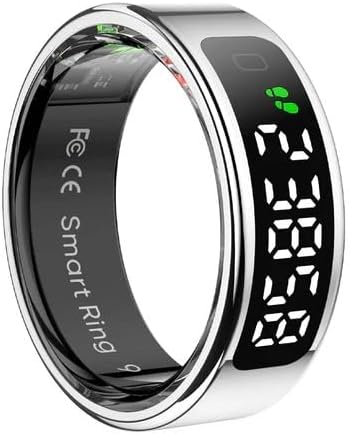
Image: The Colmi R12 Smart Ring showcasing its built-in display with current time and step count.
Health Monitoring
The R12 continuously monitors various health metrics using its advanced sensors. This includes 24/7 heart rate tracking, blood oxygen levels, and detailed sleep analysis. All data is synced to the mobile app, providing comprehensive graphs and insights into your well-being.

Image: A visual representation of the health data dashboard, displaying heart rate, blood oxygen, sleep, activity, and stress metrics tracked by the ring.
Gesture Control
Utilize the ring's gesture control feature for convenient interaction with your smartphone. Simple hand movements can control music playback (skip tracks), navigate social media feeds (scroll TikTok videos), or remotely trigger your phone's camera shutter. Refer to the app for specific gesture configurations.

Image: A user demonstrating the gesture control capabilities of the Colmi R12 Smart Ring across various smartphone applications.
Sports Modes
The Colmi R12 supports multiple sports modes, allowing you to track specific activities like walking, running, cycling, and swimming. When a sports mode is activated, the ring provides real-time data on heart rate, calories burned, distance covered, and active time, helping you optimize your workouts.
Water Resistance
With 5ATM water resistance, the Colmi R12 is designed to withstand splashes, rain, and even swimming. It is important to ensure the ring is clean and dry before charging to prevent damage.
4. Maintenance and Care
To ensure the longevity and optimal performance of your Colmi R12 Smart Ring, follow these maintenance guidelines:
- Cleaning: Regularly wipe the ring with a soft, dry cloth to remove dirt, sweat, and oils. For stubborn grime, a slightly damp cloth can be used, followed by immediate drying. Avoid harsh chemicals or abrasive materials.
- Storage: When not in use, store the ring in a cool, dry place away from direct sunlight and extreme temperatures.
- Battery Care: Avoid fully depleting the battery frequently. Charge the ring regularly, even if not in daily use, to maintain battery health.
- Avoid Impact: While durable, avoid dropping the ring or subjecting it to strong impacts, which could damage internal components or the display.
5. Troubleshooting
Common Issues and Solutions
- Ring Not Charging:
- Ensure the wireless charging pad is properly connected to a power source.
- Verify the ring is correctly positioned on the charging pad.
- Check the USB cable for damage and try a different power adapter.
- Connectivity Issues (Not Pairing with App):
- Ensure Bluetooth is enabled on your smartphone.
- Make sure the ring is sufficiently charged.
- Restart both the ring (if possible, by placing it on charger) and your smartphone.
- Try unpairing and re-pairing the device in the app settings.
- Inaccurate Health Readings:
- Ensure the ring is worn snugly on your finger, not too loose or too tight.
- Clean the sensors on the inside of the ring.
- Avoid excessive movement during measurements for static readings (e.g., blood oxygen).
- Display Not Working:
- Check if the ring is charged.
- Try tapping or rotating the ring to activate the display.
- If the issue persists, contact customer support.
6. Specifications
| Feature | Detail |
|---|---|
| Model | Colmi R12 |
| Battery Capacity | 15 Milliamp Hours |
| Battery Type | Nonstandard Battery (Lithium Ion) |
| Connectivity | Wireless |
| Water Resistance | 5ATM |
| Special Feature | Heart Rate Monitoring |
| Compatible Devices | Smartphone |
| Shape | Round |
| Manufacturer | COLMI |
| Country of Origin | China |
7. Warranty and Support
The Colmi R12 Smart Ring comes with a standard manufacturer's warranty. For detailed warranty information, including terms and conditions, please refer to the warranty card included in your product packaging or visit the official Colmi website. For technical support, troubleshooting assistance, or service inquiries, please contact Colmi customer support through their official channels.
Related documentsR12


Ask a question about this manual
Ask about setup, troubleshooting, compatibility, parts, safety, or missing instructions. Manuals+ will review the question and use this page’s manual context to help answer it.