
1. Introduction
Thank you for choosing the TYOTY A95 Portable Bluetooth Speaker. This powerful 80W speaker is designed to deliver deep bass and amazing surround stereo sound, perfect for both indoor and outdoor use. Featuring dynamic LED lights, multiple connectivity options, and True Wireless Stereo (TWS) functionality, the A95 enhances your audio experience. Please read this manual carefully to ensure proper use and maintenance of your speaker.
2. Safety Instructions
- Do not expose the speaker to extreme temperatures, direct sunlight, or humidity.
- Avoid dropping or subjecting the speaker to strong impacts.
- Keep the speaker away from water and liquids. It is not waterproof.
- Do not attempt to disassemble or repair the speaker yourself. Contact customer service for assistance.
- Use only the provided charging cable and adapter to prevent damage.
- Keep out of reach of children.
3. Package Contents
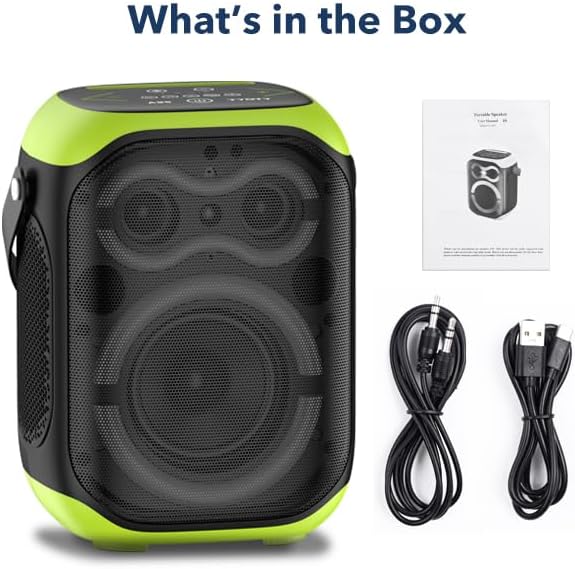
Verify that all items are present in the box:
- A95 Bluetooth Speaker
- USB Charger cable
- 3.5mm Audio cable
- User manual
4. Product Overview
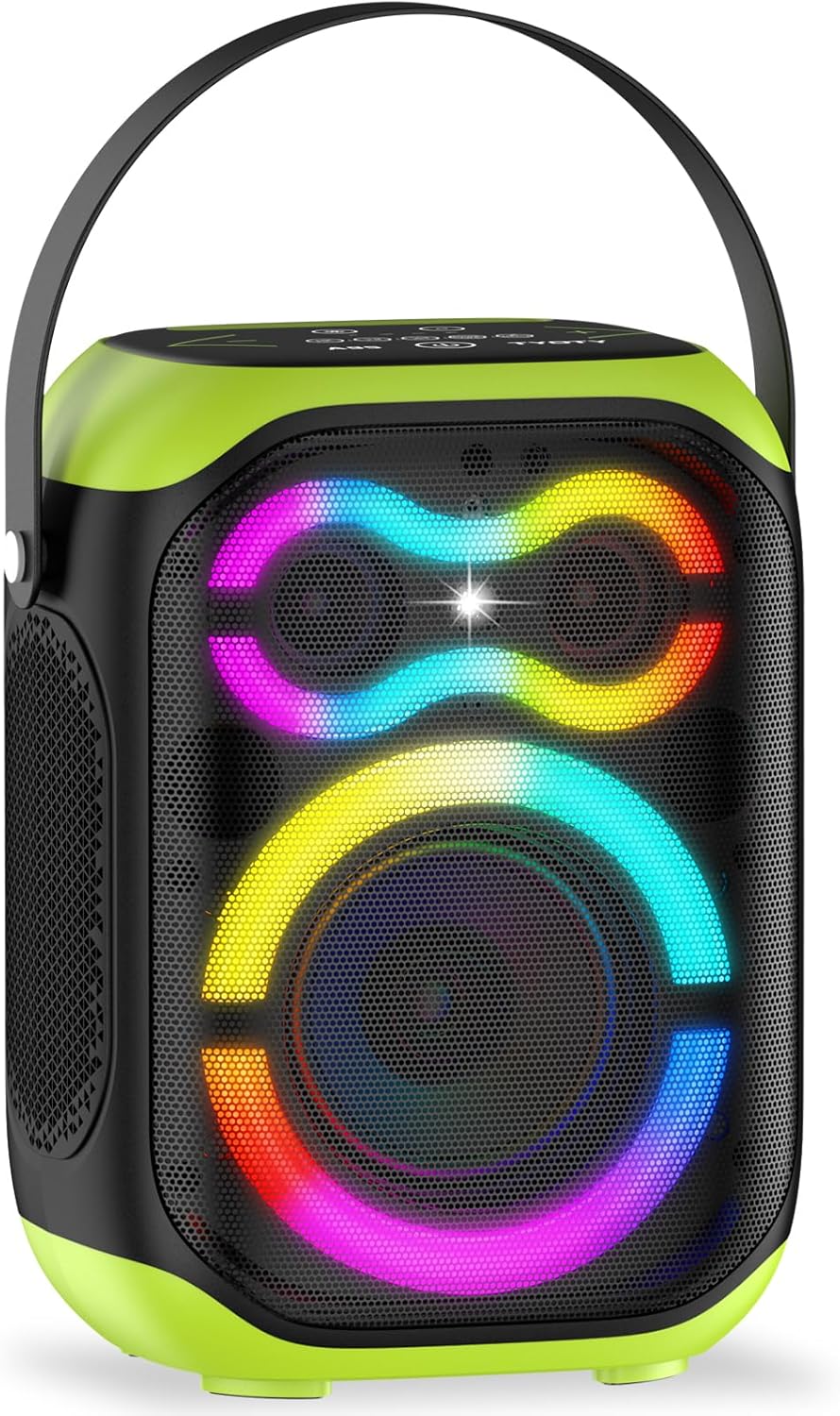
The TYOTY A95 speaker features a robust design with a 5-inch woofer and two 1.5-inch tweeters, delivering 80W of powerful audio. The top panel includes intuitive controls for various functions, and the front grille showcases dynamic LED lighting.
4.1. Components and Controls

The speaker is equipped with a 5-inch subwoofer and two 1.5-inch tweeters for a balanced sound profile. The top panel provides access to all primary controls:
- Power Button: Press and hold to turn the speaker on or off.
- Volume Controls (+/-): Adjust the master volume level.
- Track Controls (Previous/Next): Skip between audio tracks.
- Play/Pause Button: Control audio playback.
- Mode/TWS Button: Switch between input modes (Bluetooth, USB, AUX, MIC) or initiate TWS pairing.
- LED Light Button: Cycle through different LED light modes or turn them off.
- EQ Button: Adjust the equalizer settings for different sound profiles.
- Menu Button: Access additional settings or functions.
5. Setup
5.1. Charging the Speaker
Before first use, fully charge the speaker. Connect the provided USB charger cable to the charging port on the back of the speaker and plug the other end into a compatible USB power source. A full charge takes approximately 6 hours. The charging indicator light will show the charging status.
5.2. Power On/Off
To power on the speaker, press and hold the Power button (⑁) on the top panel for a few seconds until you hear an audible prompt and the LED lights activate. To power off, press and hold the Power button again.
5.3. Bluetooth Pairing
- Ensure the speaker is powered on and in Bluetooth mode. If not, press the 'Mode' button until you hear the Bluetooth pairing prompt.
- On your mobile device (smartphone, tablet, laptop), enable Bluetooth and search for available devices.
- Select 'TYOTY A95' from the list of devices.
- Once connected, you will hear a confirmation tone. The speaker is now ready for audio playback.
The Bluetooth 5.0 connection offers a working distance of up to 100 feet.
5.4. True Wireless Stereo (TWS) Pairing
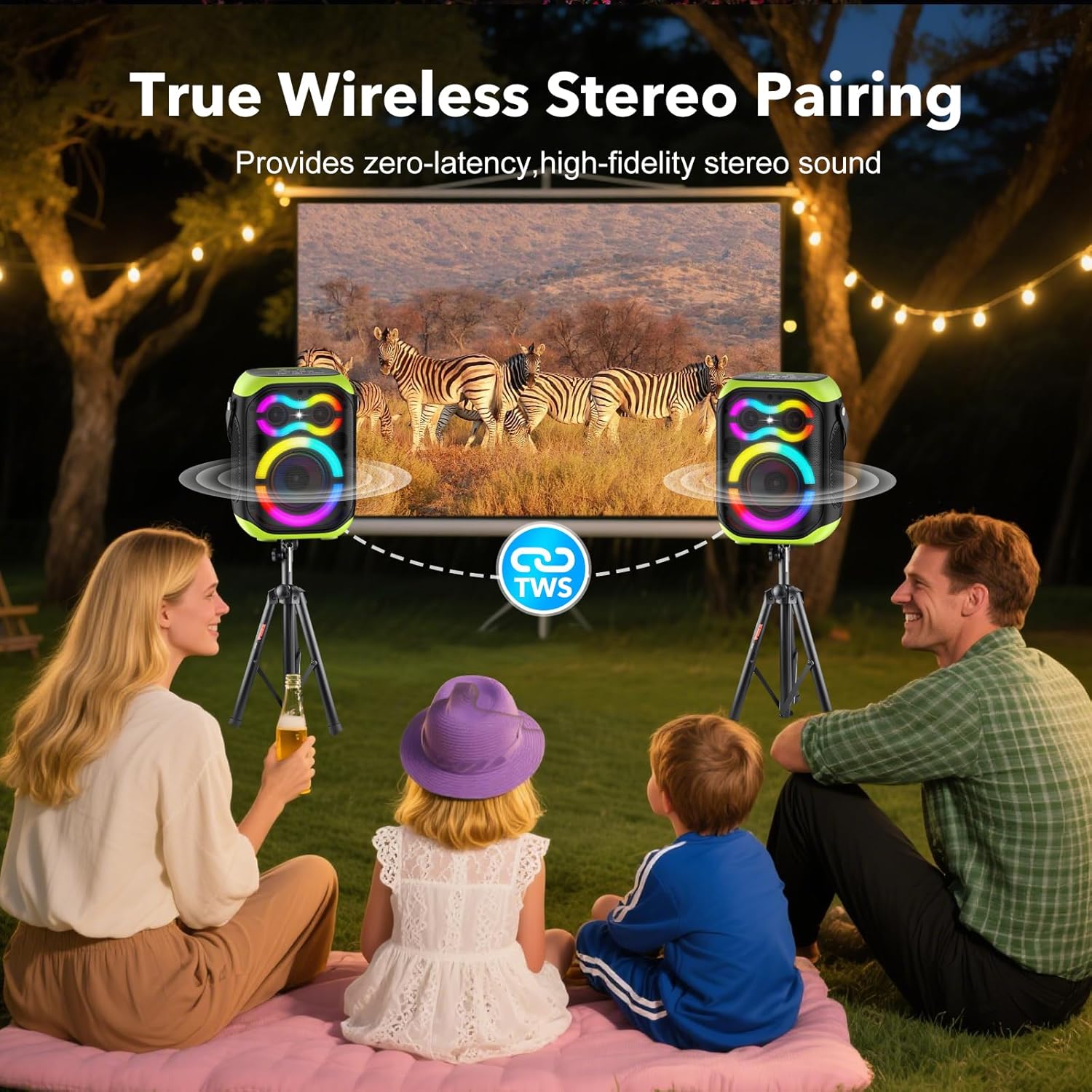
TWS allows you to connect two TYOTY A95 speakers for a powerful 160W stereo sound experience.
- Ensure both A95 speakers are powered on and not connected to any Bluetooth device.
- On one speaker (this will be the primary speaker), press the 'TWS' button. You will hear a prompt indicating TWS pairing mode.
- The primary speaker will automatically search for and connect to the second A95 speaker.
- Once successfully paired, you will hear a confirmation tone. The LED lights on both speakers will synchronize.
- Now, connect your mobile device to the primary speaker via Bluetooth as described in section 5.3. Audio will play through both speakers in stereo.
5.5. Wired Connections
The A95 speaker supports various wired input options:
- AUX Input: Connect external audio devices (e.g., TV, computer, MP3 player) using the provided 3.5mm audio cable. Press the 'Mode' button to switch to AUX mode.
- USB Playback: Insert a USB flash drive with MP3 audio files into the USB port. The speaker will automatically switch to USB mode and begin playback.
- Microphone Input: Connect a 6.35mm microphone to the MIC jack for karaoke or public speaking.
6. Operating the Speaker
6.1. Music Playback
Once connected via Bluetooth or a wired input, use the Play/Pause button to control playback. Use the Previous (⏮) and Next (⏭) buttons to navigate between tracks.
6.2. Volume Control
Adjust the volume using the '+' and '-' buttons on the top panel. You can also control the volume from your connected device.
6.3. LED Lights Control
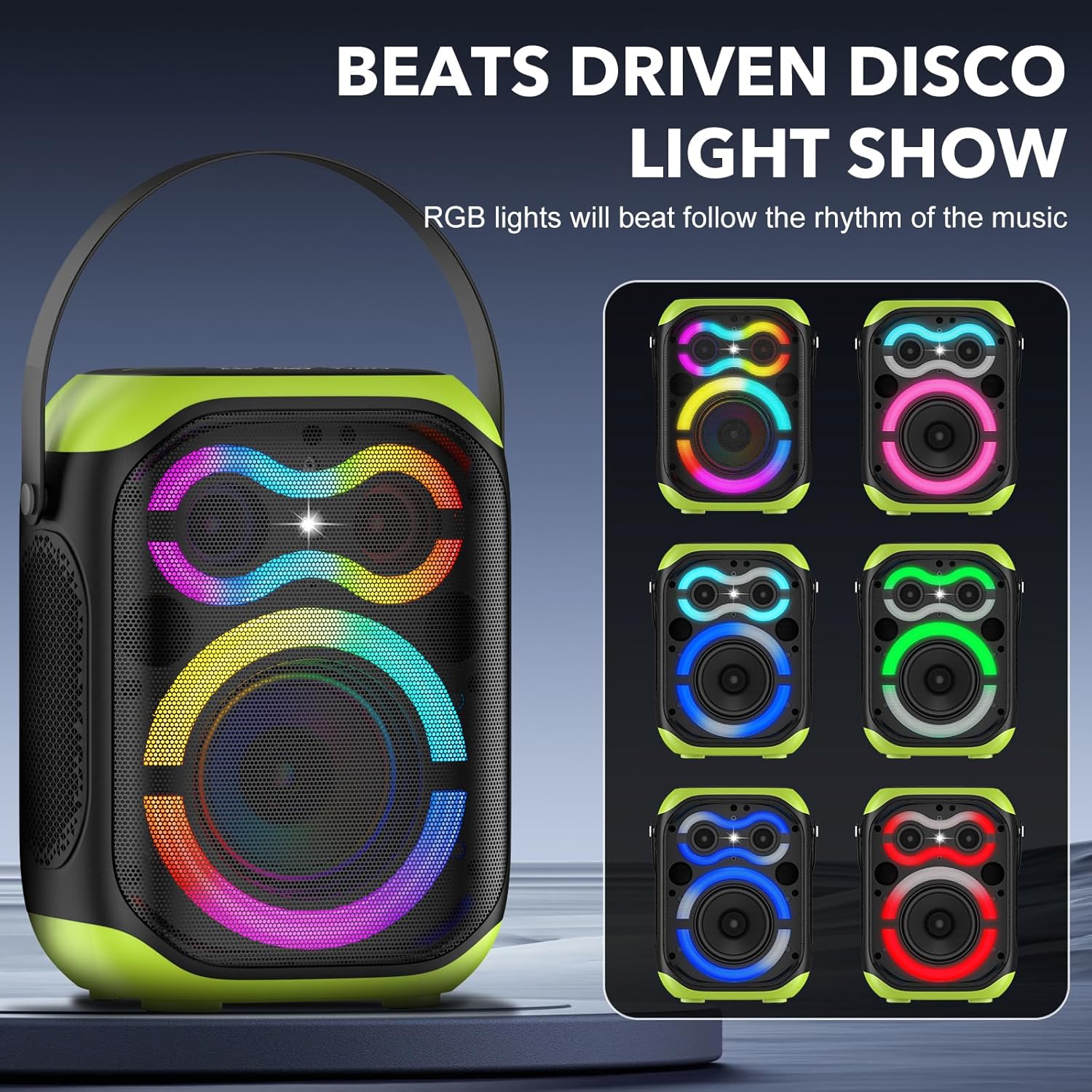
The A95 features dynamic LED lights that can change according to the rhythm of the music. Press the 'LED Light' button (☀️) on the top panel to cycle through different light modes or to turn the lights off.
6.4. EQ Modes
Press the 'EQ' button on the top panel to switch between different equalizer presets, optimizing the sound for various music genres or listening preferences.
7. Maintenance
7.1. Cleaning
Wipe the speaker with a soft, dry cloth. Do not use abrasive cleaners, alcohol, or other chemical solvents, as these may damage the surface.
7.2. Storage
When not in use for extended periods, store the speaker in a cool, dry place away from direct sunlight and extreme temperatures. It is recommended to charge the battery periodically to maintain its lifespan.
8. Troubleshooting
| Problem | Possible Cause | Solution |
|---|---|---|
| Speaker does not power on. | Low battery. | Charge the speaker fully. |
| Cannot pair via Bluetooth. | Speaker is not in pairing mode or too far from device. | Ensure speaker is in Bluetooth mode and within 100ft. Restart both devices. |
| No sound during playback. | Volume too low, incorrect input mode, or device not connected. | Increase volume on speaker and device. Check input mode. Re-pair Bluetooth. |
| TWS pairing fails. | Speakers are already connected to another device or too far apart. | Ensure both speakers are disconnected from other devices. Follow TWS pairing steps carefully. |
| LED lights not working. | Lights are turned off or a specific mode is selected. | Press the 'LED Light' button to cycle through modes or turn them on. |
9. Specifications
- Model Name: A95 Led Party Speaker
- Speaker Type: Portable
- Output Power: 80W (Speaker Maximum Output Power: 120 Watts)
- Connectivity: Bluetooth 5.0, AUX, USB
- Bluetooth Range: Up to 100 feet
- Audio Output Mode: Stereo
- Frequency Response: 60 Hz
- Signal-to-Noise Ratio: 75 dB
- Subwoofer Diameter: 5 Inches
- Tweeter Diameter: 1.5 Inches
- Battery: 8000mAh rechargeable (4 Nonstandard Battery batteries included)
- Charging Time: Approximately 6 hours
- Play Time: 4-15 hours (depends on playing volume)
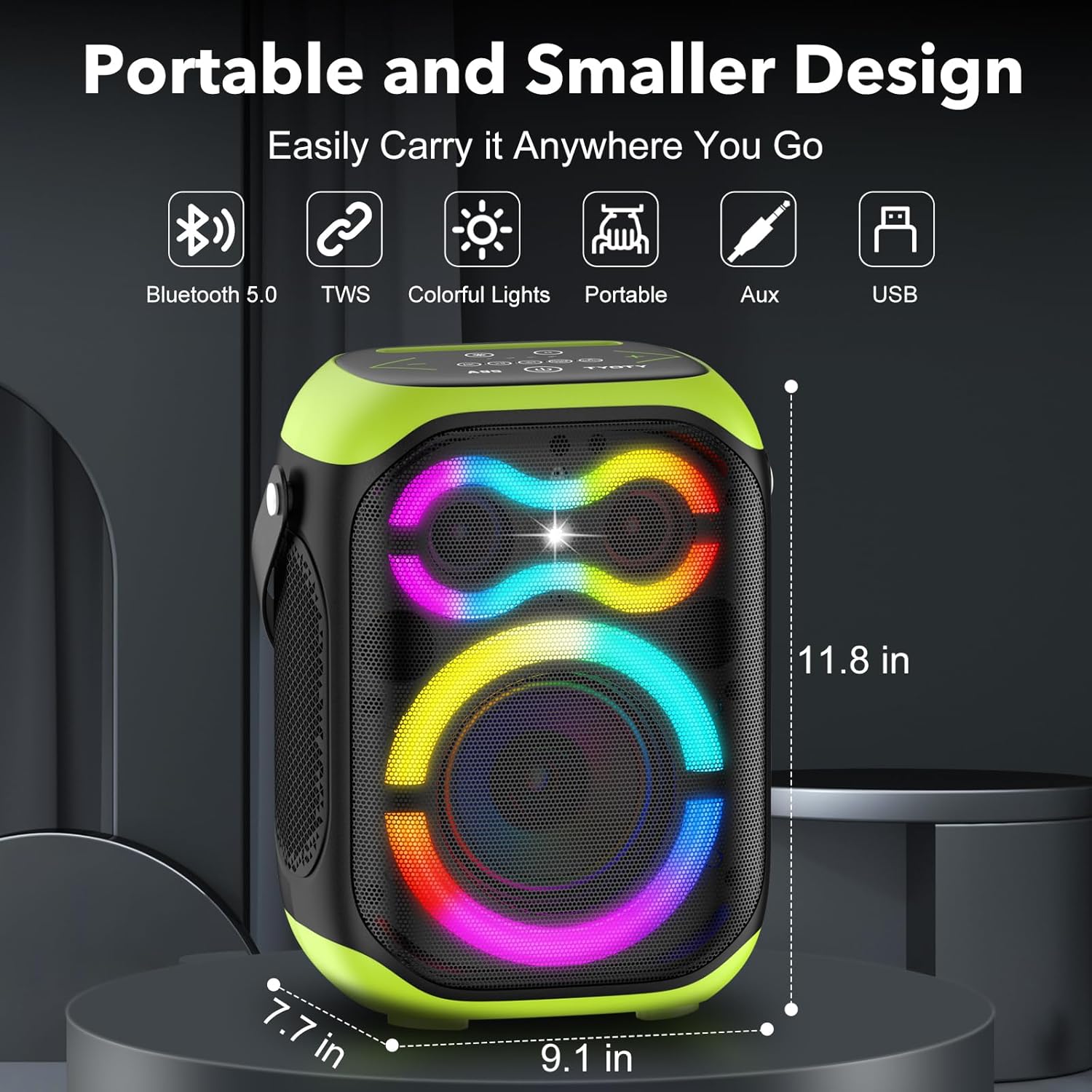
- Dimensions: 7.7"D x 9.1"W x 11.8"H
- Weight: 7.1 pounds
- Material: Plastic
- Special Features: Bass Boost, LED Light, Portable, Stereo Pairing (TWS), USB Port, Microphone Jack
- Water Resistance Level: Not Water Resistant
10. Warranty and Support
The TYOTY A95 Portable Bluetooth Speaker comes with a limited warranty. For any questions, concerns, or technical support, please contact our customer service. We aim to reply within 7-24 hours to provide you with the best customer service.