
Introduction
This manual provides detailed instructions for the safe and efficient use of your TYOTY A98 160W Bluetooth Speaker. Please read this manual thoroughly before operating the device and retain it for future reference.
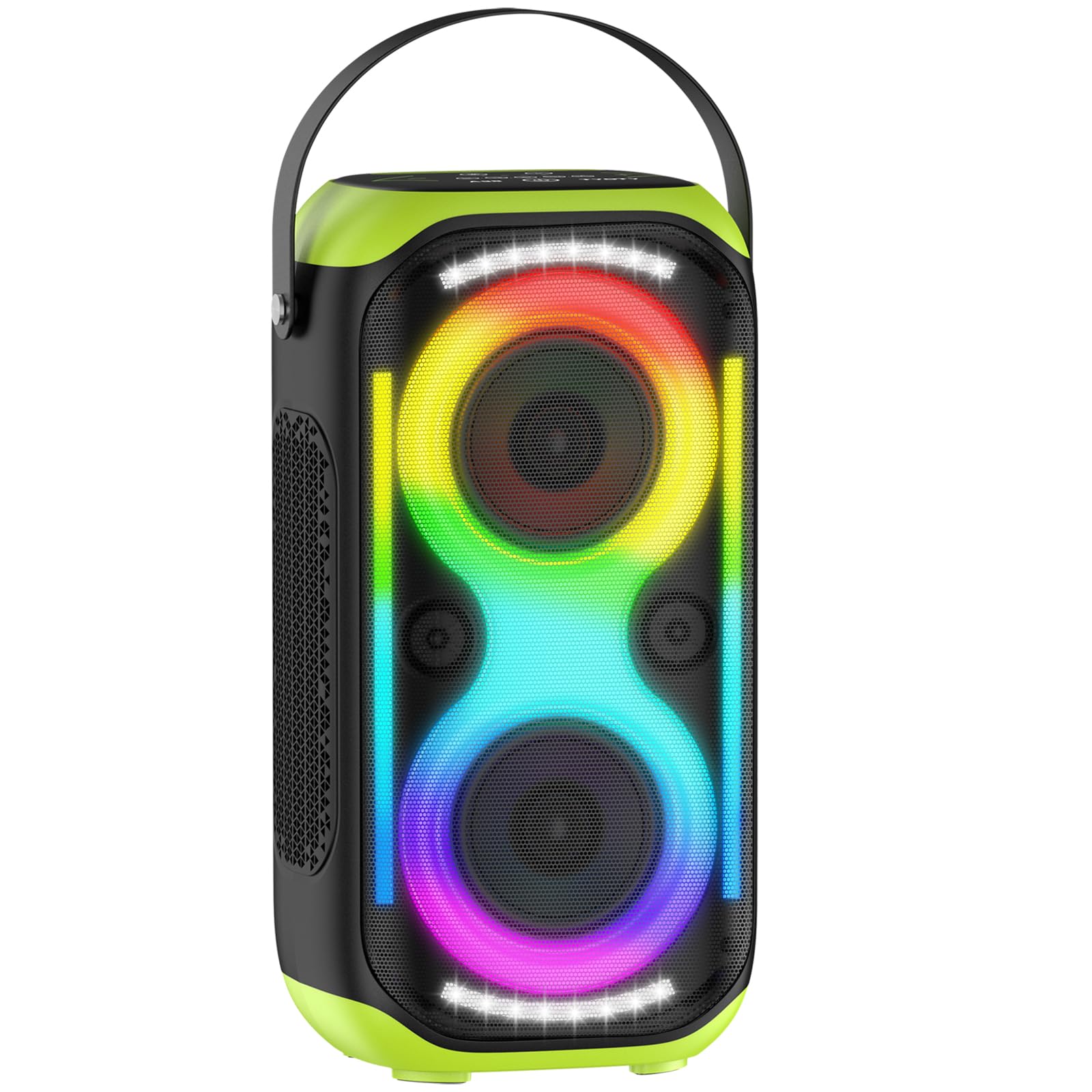
Image: The TYOTY A98 160W Bluetooth Speaker, showcasing its vibrant LED lights and portable design.
What's in the Box
Carefully unpack your TYOTY A98 Bluetooth Speaker and ensure all items are present:
- TYOTY A98 Party Speaker x 1
- USB Charger Cable x 1
- 3.5mm AUX Cable x 1
- User Manual x 1
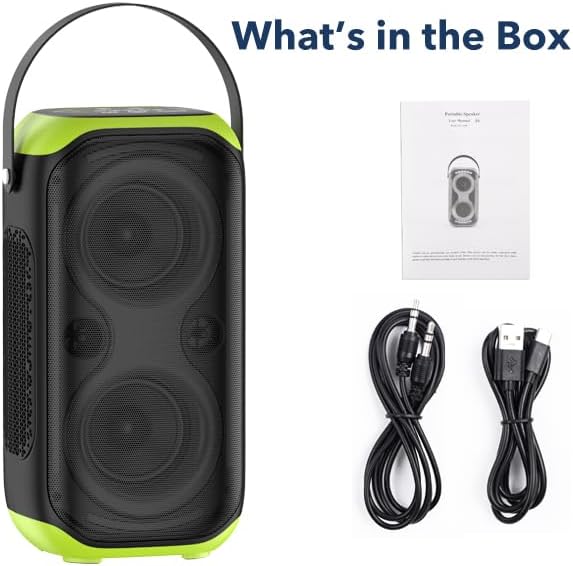
Image: The TYOTY A98 speaker along with its accessories: a USB charging cable, a 3.5mm AUX cable, and the user manual.
Product Overview and Controls
Familiarize yourself with the speaker's layout and control panel for optimal use.

Image: Detailed view of the TYOTY A98 speaker's top control panel, showing buttons for power, mode, volume, track control, EQ, and light settings.
Control Panel Functions:
- Bluetooth Working Indicator: Lights up when Bluetooth is active.
- LED Light Mode Button: Short press to cycle through light modes.
- USB Working Indicator: Lights up when USB playback is active.
- AUX Working Indicator: Lights up when AUX input is active.
- EQ Mode: Press to change equalizer settings.
- Microphone Working Indicator: Lights up when a microphone is connected.
- Volume Down (-): Decrease volume.
- Volume Up (+): Increase volume.
- Previous Song: Go to the previous track.
- Play/Pause: Play or pause current audio.
- Next Song: Go to the next track.
- Power Button: Press and hold to power on/off.
- Mode/TWS Button: Short press to switch input modes (Bluetooth, AUX, USB). Long press for TWS pairing.
- Menu Button: Access additional settings.
Rear Ports:
- DC 5V: USB-C charging port.
- USB: For USB disk music playback.
- AUX: 3.5mm audio input jack.
- MIC: 6.35mm microphone input jack.
Setup
1. Charging the Speaker
Before first use, fully charge the speaker. Connect the provided USB charger cable to the DC 5V port on the back of the speaker and to a compatible USB power adapter (not included). The battery capacity is 12000mAh, providing 4-20 hours of playtime depending on volume, and typically takes 6 hours to fully charge.
2. Power On/Off
Press and hold the Power Button on the control panel to turn the speaker on or off.
3. Bluetooth Pairing
- Power on the speaker. The Bluetooth indicator will flash, indicating it's in pairing mode.
- On your device (smartphone, tablet, laptop), enable Bluetooth and search for available devices.
- Select "A98" from the list of devices.
- Once connected, the Bluetooth indicator will stop flashing and remain solid.
4. TWS (True Wireless Stereo) Pairing
To achieve 320W powerful loud surround stereo sound, you can pair two A98 speakers together:
- Ensure both A98 speakers are powered on and not connected to any other Bluetooth device.
- On one speaker (this will be your primary speaker), long press the Mode/TWS Button. You will hear an indication sound.
- The two speakers will automatically connect to each other. Once connected, you will hear another confirmation sound.
- Now, connect your Bluetooth device to the primary speaker as described in the Bluetooth Pairing section. Audio will play through both speakers in stereo.

Image: Two TYOTY A98 speakers positioned to demonstrate True Wireless Stereo (TWS) pairing, creating an immersive sound experience.
Operating
1. Audio Input Modes
Short press the Mode/TWS Button to cycle through available input modes: Bluetooth (BT), USB, and AUX.
- Bluetooth Mode: Connect wirelessly as described in the Setup section.
- USB Mode: Insert a USB disk with MP3/MP4 audio files into the USB port. The speaker will automatically begin playback.
- AUX Mode: Connect an external audio device (TV, computer, MP3 player) using the 3.5mm AUX cable to the AUX port.
- Microphone Input: Plug a 6.35mm microphone into the MIC port for karaoke or public speaking.
2. Volume and Track Control
- Volume Adjustment: Use the Volume Down (-) and Volume Up (+) buttons.
- Play/Pause: Press the Play/Pause Button to pause or resume playback.
- Previous/Next Track: Use the Previous Song and Next Song buttons to skip tracks.
3. LED Light Modes
The speaker features multiple dynamic LED light modes that can sync with the music rhythm. Short press the LED Light Mode Button to cycle through different lighting effects or turn them off.

Image: The TYOTY A98 speaker showcasing its vibrant, multi-color LED lights, which can change patterns and colors to the beat of the music.
4. EQ Mode
Press the EQ Mode Button to switch between different equalizer presets for optimized sound based on your audio content.
Maintenance
To ensure the longevity and optimal performance of your TYOTY A98 speaker, follow these maintenance guidelines:
- Keep the speaker away from water and excessive moisture. It is not waterproof.
- Clean the speaker with a soft, dry cloth. Do not use abrasive cleaners or solvents.
- Avoid exposing the speaker to extreme temperatures or direct sunlight for prolonged periods.
- Store the speaker in a cool, dry place when not in use.
Troubleshooting
If you encounter any issues with your speaker, refer to the following common solutions:
- No Power: Ensure the speaker is fully charged. Connect it to a power source and try again.
- Cannot Pair Bluetooth: Make sure the speaker is in Bluetooth pairing mode (indicator flashing) and not connected to another device. Disable and re-enable Bluetooth on your device.
- No Sound: Check the volume levels on both the speaker and your connected device. Ensure the correct input mode is selected.
- Distorted Sound: Reduce the volume on both the speaker and your device. Ensure the audio source is of good quality.
- TWS Pairing Failure: Ensure both speakers are powered on, not connected to other devices, and within range of each other. Repeat the TWS pairing steps.
If the problem persists, please contact customer service for assistance.
Specifications
| Feature | Specification |
|---|---|
| Brand | TYOTY |
| Model Number | A98 |
| Speaker Maximum Output Power | 200 Watts |
| Frequency Response | 60 Hz |
| Connectivity Technology | Bluetooth |
| Bluetooth Range | 100 Feet |
| Audio Output Mode | Stereo |
| Speaker Type | Portable |
| Subwoofer Diameter | 5 Inches |
| Woofer Diameter | 5 Inches |
| Tweeter Diameter | 1.5 Inches |
| Battery Capacity | 12000 Milliamp Hours |
| Battery Average Life | 12 Hours (up to 20 hours depending on volume) |
| Battery Charge Time | 6 Hours |
| Is Waterproof | No |
| Control Method | Touch, Button |
| Item Dimensions (D x W x H) | 7.7"D x 9.1"W x 16.9"H |
Official Product Video
Video: An official demonstration of the TYOTY A98 Bluetooth Speaker, highlighting its 160W powerful sound, wireless capabilities, and dynamic LED lighting effects. The video showcases the speaker's design and various features in action.
Warranty and Support
Warranty Information
The TYOTY A98 Bluetooth Speaker comes with a one-year limited warranty. This warranty covers manufacturing defects and ensures the product is free from defects in materials and workmanship under normal use.
Customer Service
For any questions, technical support, or warranty claims, please contact our customer service team. We are committed to providing the best customer service and will respond to your inquiries within 7-24 hours.