Introduction
This manual provides comprehensive instructions for the setup, operation, and maintenance of your OPASKA SILVERCREST SAS 89 Activity Tracker Watch. Please read this manual carefully before using the device to ensure proper function and to maximize your experience.
Product Overview
The OPASKA SILVERCREST SAS 89 is a versatile activity tracker designed to monitor various aspects of your fitness and well-being. It features an OLED touchscreen display and tracks steps, distance, calories, heart rate, and sleep quality.
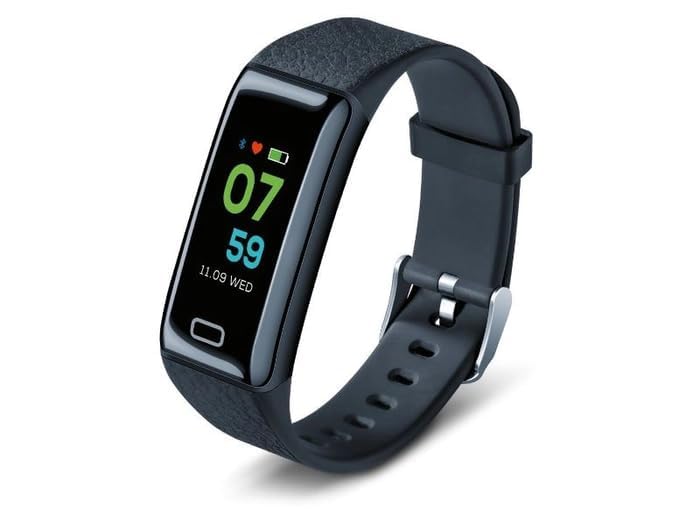
Figure 1: Front view of the OPASKA SILVERCREST SAS 89 Activity Tracker Watch, displaying time, heart rate, and battery status.
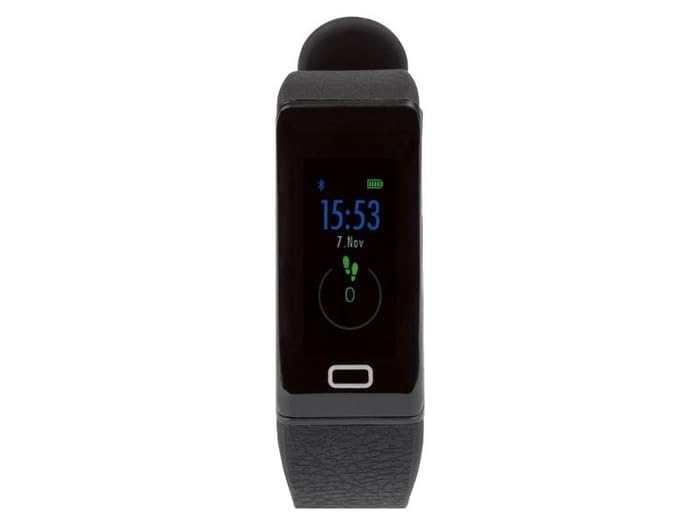
Figure 2: Top-down view of the activity tracker, showing the display and the single control button.
Setup
1. Charging the Device
Before initial use, fully charge your activity tracker. The device has a 105 Milliamp Hours battery capacity.
- Locate the charging port on your device.
- Connect the charging cable to the device and a compatible USB power source.
- The display will indicate charging status. Allow approximately 2 hours for a full charge.
2. App Installation and Pairing
To unlock the full functionality of your activity tracker, you need to pair it with your smartphone via a dedicated application.
- Download the official companion app from your smartphone's app store (compatible with Android Wear 1.4 and above).
- Ensure Bluetooth is enabled on your smartphone.
- Open the app and follow the on-screen instructions to create an account and pair your OPASKA SILVERCREST SAS 89.
- During pairing, the app will guide you through connecting via Bluetooth.
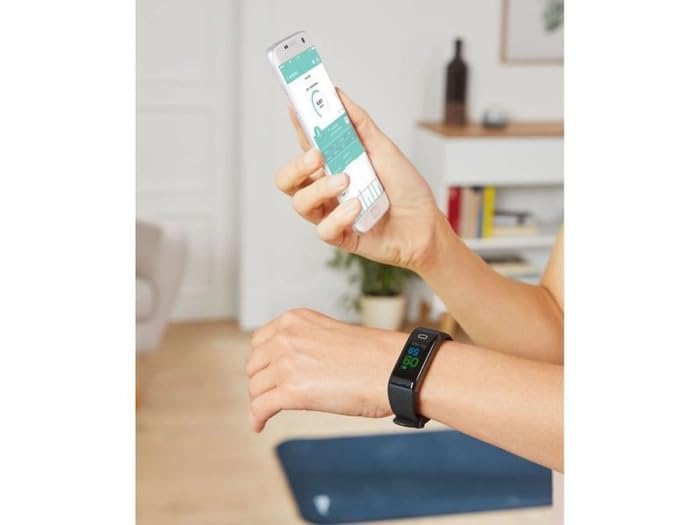
Figure 3: A user viewing fitness data on a smartphone app while wearing the activity tracker.
Operating Instructions
1. Basic Navigation
The device features an OLED touchscreen display for interaction. Swipe up, down, left, or right to navigate through different screens and functions. Tap to select an option.
2. Activity Tracking
The tracker automatically monitors your daily activity:
- Steps: Counts the number of steps taken.
- Distance: Estimates the distance covered based on your steps.
- Calories Burned: Calculates estimated calorie expenditure.
3. Heart Rate Monitoring
The device includes a built-in heart rate monitor:
- Navigate to the heart rate screen on the device.
- Ensure the tracker is snug on your wrist for accurate readings.
- Real-time heart rate data will be displayed.
4. Sleep Tracking
Wear the device while sleeping to monitor your sleep patterns. The app will provide detailed analysis of your sleep quality.
5. Smartphone Notifications
Once paired with your smartphone, the tracker can display notifications for calls, messages, and social media alerts. Ensure notification permissions are granted in the companion app.
6. Water Resistance
The OPASKA SILVERCREST SAS 89 is water and sweat-resistant, making it suitable for workouts and daily activities. Avoid prolonged submersion or use in hot water.
Maintenance
1. Cleaning
Regularly clean your activity tracker to maintain hygiene and performance:
- Wipe the device and strap with a soft, damp cloth.
- Avoid using harsh chemicals or abrasive materials.
- Ensure the charging contacts are clean and dry.
2. Battery Care
- To prolong battery life, avoid fully discharging the device frequently.
- Store the device in a cool, dry place when not in use for extended periods.
Troubleshooting
- Device not turning on: Ensure the device is fully charged. Connect it to the charger and wait a few minutes.
- Not pairing with smartphone: Check if Bluetooth is enabled on your phone. Restart both the tracker and your phone. Ensure the app is updated to the latest version.
- Inaccurate heart rate readings: Ensure the tracker is worn snugly on your wrist, not too loose or too tight. Clean the sensor on the back of the device.
- Notifications not appearing: Verify that notification permissions are enabled for the companion app in your phone's settings. Check the app's settings to ensure notifications are enabled for the tracker.
Specifications
| Feature | Detail |
|---|---|
| Brand | Generic |
| Model | FITNESS TRACKER-01 |
| Model Name | OPASKA SILVERCREST SAS 89 ACTIVITY TRACKER KOMPLE |
| Item Weight | 100 g |
| Memory Storage Capacity | 20 MB |
| Operating System | Android Wear 1.4 |
| Compatible Devices | Smartphone, Tablet, Computer |
| Special Features | Heart Rate Monitor, Water Resistance, Smartphone Notifications |
| Display Type | OLED |
| Battery Capacity | 105 Milliamp Hours |
| Wireless Type | Bluetooth |
| Device Interface - Primary | Touchscreen |
Warranty and Support
This product comes with a standard warranty. For detailed information regarding warranty coverage and terms, please refer to the Warranty Policy provided with your purchase or contact customer support.
For further assistance, technical support, or service inquiries, please refer to the contact information provided by the retailer or manufacturer.


