
Colorcool S7
Colorcool S7 MP3 Player User Manual
Model: S7
1. Introduction
Thank you for choosing the Colorcool S7 MP3 Player. This device is designed to provide a versatile portable audio experience, featuring Bluetooth 5.4 connectivity, a built-in speaker, FM radio, voice recording, and support for expandable storage. This manual will guide you through the setup, operation, and maintenance of your new MP3 player.
2. Safety Information
- Do not expose the device to extreme temperatures, direct sunlight, or high humidity.
- Avoid dropping or subjecting the device to strong impacts.
- Keep the device away from water and other liquids.
- Do not attempt to disassemble or repair the device yourself. Contact qualified service personnel.
- Use only the provided charging cable and accessories.
- Prolonged listening at high volume levels may cause hearing damage.
3. Product Overview
The Colorcool S7 MP3 Player features a compact design with a full touch screen interface and physical buttons for essential controls.

Image: Front and back view of the Colorcool S7 MP3 Player, showcasing the touch screen interface on the front and the textured back panel with a speaker grille at the bottom.
Device Components:
- Touch Screen Display: For navigation and interaction.
- Power Button: To turn the device on/off and lock/unlock the screen.
- Volume Buttons: To adjust audio output.
- Micro SD Card Slot: For memory expansion.
- USB-C Port: For charging and data transfer.
- 3.5mm Audio Jack: For wired earphones.
- Built-in Speaker: For audio playback without earphones.
- Microphone: For voice recording.
4. Setup
4.1 Charging the Device
Before first use, fully charge the MP3 player. Connect the provided USB-C charging cable to the device's USB-C port and the other end to a USB power adapter (not included) or a computer's USB port. The battery indicator on the screen will show charging status.
4.2 Power On/Off
- To Power On: Press and hold the Power button until the screen lights up.
- To Power Off: Press and hold the Power button, then select 'Power Off' on the screen.
- To Lock/Unlock Screen: Briefly press the Power button.
4.3 Memory Expansion (Micro SD Card)
The device has 16GB of built-in memory and supports Micro SD cards up to 512GB for additional storage.
- Locate the Micro SD card slot on the side of the device.
- Insert the Micro SD card into the slot with the gold contacts facing down until it clicks into place.
- To remove, gently push the card in until it clicks, then release to eject.

Image: The Colorcool S7 MP3 Player displaying its interface, with an illustration of music notes and data flowing into the device, symbolizing its 16GB built-in storage and expandable memory up to 512GB via a Micro SD card.
4.4 File Transfer
Connect the MP3 player to your computer using the provided USB-C cable. The device will appear as a removable disk. You can then drag and drop audio, video, image, or e-book files into the appropriate folders on the device or the inserted Micro SD card.
5. Operating Instructions
5.1 Basic Navigation
The device features a full touch screen. Tap icons to open applications, swipe to navigate menus, and use the back arrow icon on the top left of the screen to return to the previous menu.
5.2 Music Playback
Tap the 'Music' icon on the home screen. You can browse your music by artist, album, genre, or folder. Supported audio formats include MP3, WMA, APE, FLAC, WAV, DRM, and ACELP.
5.3 Bluetooth Connection
The MP3 player features Bluetooth 5.4 for wireless audio streaming to compatible headphones or speakers. Note: This device cannot pair with mobile phones or personal computers via Bluetooth.
- From the home screen, tap the 'Bluetooth' icon or navigate to 'Settings' and select 'Bluetooth'.
- Turn on Bluetooth. The device will scan for available Bluetooth audio devices.
- Select your desired Bluetooth headphones or speaker from the list to pair.
- Once paired, audio will play through the connected Bluetooth device.

Image: A person wearing over-ear Bluetooth headphones, writing at a desk, with the Colorcool S7 MP3 Player shown nearby. An icon indicates compatibility with Bluetooth audio devices and a crossed-out phone/PC icon clarifies that it does not pair with phones or computers.
5.4 FM Radio
To use the FM radio, ensure wired earphones are connected as they act as the antenna. Tap the 'Radio' icon on the home screen.
- Auto Scan: The device can automatically scan and save available FM stations.
- Manual Tuning: Adjust the frequency manually to find stations.
- Recording: The FM radio includes a recording function. Tap the record icon to capture live broadcasts.

Image: The Colorcool S7 MP3 Player displaying its FM radio interface with a frequency of 88.68 MHz, connected to wired earphones. Illustrations below show people listening to the radio during a workout, while cooking, and outdoors, highlighting its portability and recording capability.
5.5 Voice Recording
Tap the 'Recorded AT' (Voice Recorder) icon. Tap the record button to start recording and tap again to stop. Recordings are saved to the device's memory.
5.6 Video Playback
Tap the 'Video' icon. The device supports various video formats. Ensure videos are in a compatible format for smooth playback.
5.7 E-book Reader
Tap the 'Book' icon to access the e-book reader. The device supports text files for reading.
5.8 Settings and Features
The Colorcool S7 offers multiple functions and customization options:

Image: The Colorcool S7 MP3 Player at the center, surrounded by icons representing its 10-in-1 multi-functions, including Music, Video, Picture, E-book, Bluetooth, Tools, SD Card, Theme, Movement, and File management.
- Equalizer: Adjust audio output with preset equalizer modes or custom settings.
- Playback Modes: Options like repeat all, repeat one, shuffle, and A-B repeat.
- Speed Playback: Adjust playback speed for audio.
- Themes: Customize the user interface with different visual themes.

Image: The Colorcool S7 MP3 Player displaying its default interface, flanked by two other versions of its interface with different color schemes and icon arrangements, illustrating the 'Four Style Themes' feature.
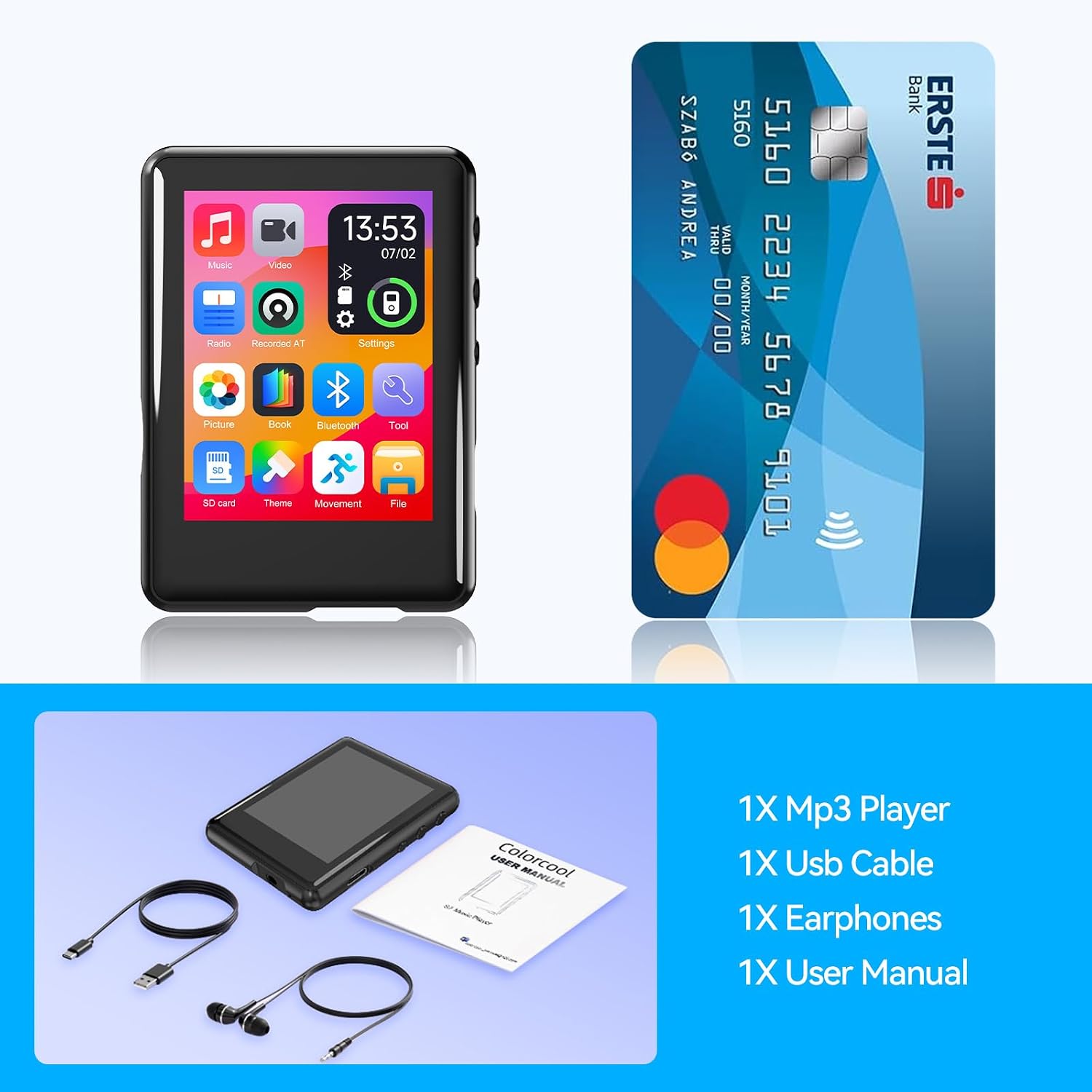
Image: A person sitting on a grassy field, listening to music with headphones, while the Colorcool S7 MP3 Player is shown with icons representing various playback settings: 4 Playback Mode, 8 Speed Playback, Equalizer, AB Repeat, and Shuffle.
6. Maintenance
6.1 Cleaning
Wipe the device with a soft, dry cloth. Do not use liquid cleaners or abrasive materials.
6.2 Storage
Store the device in a cool, dry place away from direct sunlight and extreme temperatures when not in use for extended periods.
7. Troubleshooting
- Device does not power on: Ensure the battery is charged. Connect to a power source and try again.
- No sound: Check volume levels. Ensure earphones are properly connected or Bluetooth device is paired and connected. If using wired earphones, try another pair to rule out earphone malfunction.
- Bluetooth connection issues: Ensure the MP3 player's Bluetooth is enabled and the target device is in pairing mode. Keep devices within range. Remember, the MP3 player cannot pair with phones or PCs.
- Files not playing: Verify that the file format is supported by the device. Ensure files are not corrupted.
- Screen unresponsive: Try restarting the device by holding the power button. If the issue persists, allow the battery to fully discharge and then recharge.
- Audio cuts out or skips: This could indicate an issue with the audio jack or the audio file. Test with different earphones and different audio files. If the issue is consistent with the audio jack, contact support.
8. Specifications
| Brand | Colorcool |
| Model Name | S7 |
| Memory Storage Capacity | 16 GB (Expandable up to 512 GB via Micro SD) |
| Connectivity Technology | Aux, Bluetooth 5.4, USB |
| Screen Size | 2.4 Inches |
| Special Features | Built-In Speaker, Equalizer, FM Radio, Touch Screen, Voice Recorder |
| Compatible Devices | Personal Computer (MAC needs OTG adapter) |
| Media Type | Micro SD |
| Item Weight | 1.13 ounces |
9. Warranty and Support
For warranty information and technical support, please refer to the contact details provided with your purchase or visit the official Colorcool website. Keep your proof of purchase for warranty claims.
10. Package Contents
The following items are included in your Colorcool S7 MP3 Player package:
- 1 x Bluetooth MP3 Player
- 1 x Type-C Charging Cable
- 1 x Wired Earphone
- 1 x User Manual (this document)
- 1 x MP3 Player Case

Image: The Colorcool S7 MP3 Player, a USB-C charging cable, wired earphones, a user manual, and a protective case, laid out to show the complete package contents.
Ask a question about this manual
Ask about setup, troubleshooting, compatibility, parts, safety, or missing instructions. Manuals+ will review the question and use this page’s manual context to help answer it.