
Introduction
This manual provides instructions for the ZWP replacement remote control, designed for seamless operation with various LEVOIT Tower Fan models. This remote offers a convenient way to control your fan's functions from a distance.
Compatible Models:
- LEVOIT Tower Fan LTF-F422S-WUS
- LEVOIT Tower Fan LTF-F422-WUS
- LEVOIT Tower Fan LTF-F362S-WUSR
- LEVOIT Tower Fan LTF-F361-WUS
- LEVOIT Tower Fan LTF-F361-KEUR

Image: The ZWP replacement remote control, showcasing its design and buttons.

Image: A side-by-side comparison illustrating the ZWP replacement remote on the left and the original LEVOIT remote on the right, highlighting their similar button layouts.
Setup
Battery Installation
The remote control requires two 1.5V AAA batteries (not included). Follow these steps to install them:
- Locate the battery compartment on the back of the remote control.
- Slide the battery cover downwards to open it.
- Insert two AAA batteries, ensuring the positive (+) and negative (-) terminals align correctly with the markings inside the compartment.
- Slide the battery cover back into place until it clicks securely.
No programming is required. Once batteries are installed, the remote is ready for use.
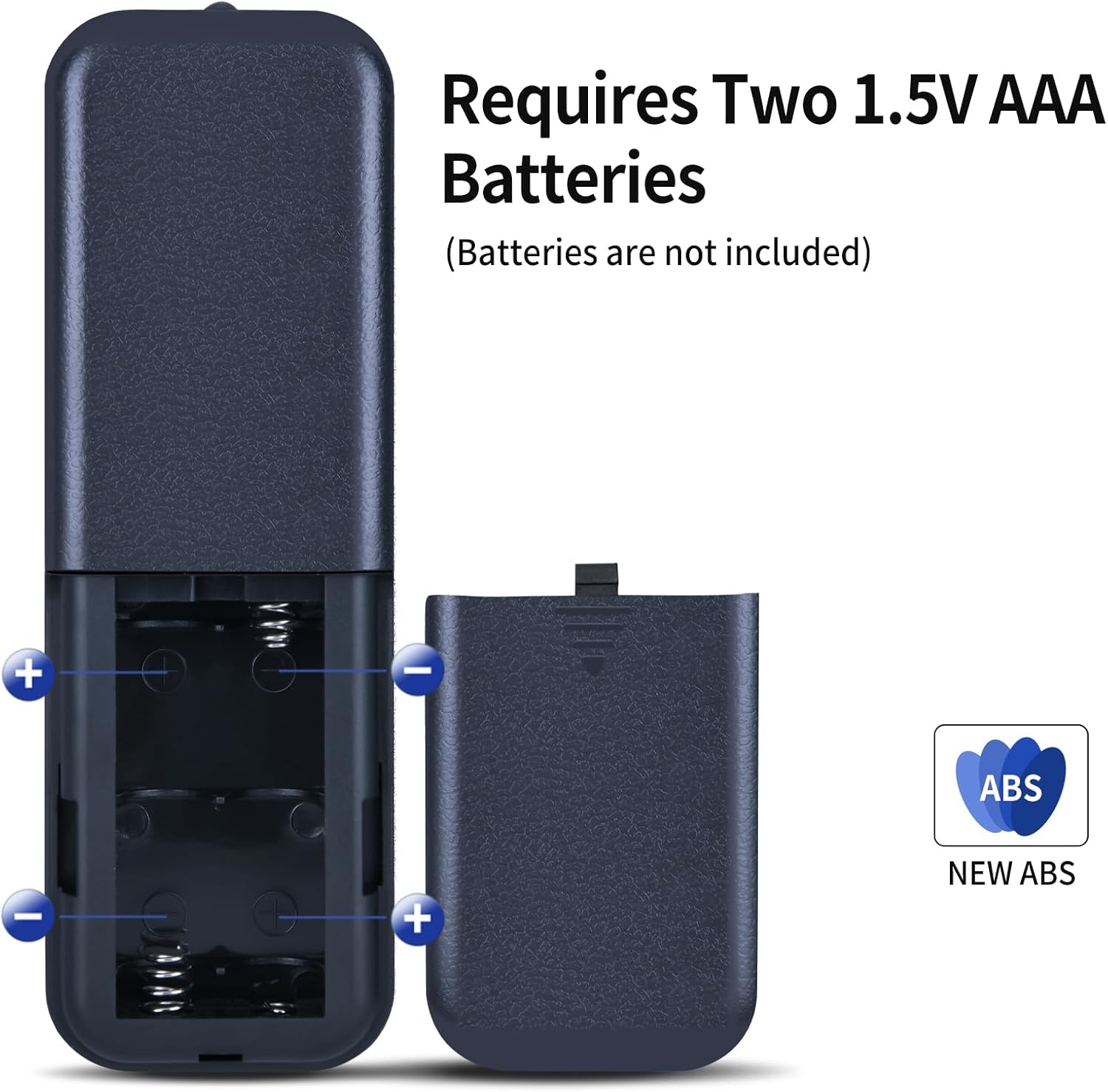
Image: Diagram showing the battery compartment of the remote control and how to insert two 1.5V AAA batteries, indicating positive and negative terminals.
Operating Instructions
Point the remote control directly at the LEVOIT Tower Fan for optimal performance. The operational distance is approximately 8 meters (26 feet).

Image: An illustration demonstrating the remote control's effective operational distance of 8 meters from the tower fan.
Button Functions
The remote control features intuitive buttons for various fan functions:
- Power Button (⏻): Turns the fan On or Off.
- Oscillation Button (↻): Activates or deactivates the fan's oscillation feature.
- Fan Speed Buttons (+ / -): Adjusts the fan speed. Use '+' to increase and '-' to decrease.
- Mode Button (⌛): Cycles through different fan modes (e.g., Normal, Natural, Sleep).
- Timer Button (⏱): Sets the fan's auto-off timer.
- Night Mode Button (🌛): Activates or deactivates night mode for quieter operation and dimmed display.
- Mute Button (🔇): Mutes or unmutes the fan's operational sounds.

Image: A hand holding the remote control, demonstrating its use in proximity to a LEVOIT Tower Fan.

Image: A detailed view of the remote control's buttons, emphasizing the need to distinguish carefully between similar remote models based on button layout.
Maintenance
Cleaning the Remote
To maintain the remote control's appearance and functionality:
- Wipe the surface with a soft, dry cloth.
- For stubborn dirt, slightly dampen the cloth with water and a mild detergent, then wipe dry immediately.
- Do not use abrasive cleaners, alcohol, or solvents, as these can damage the surface or internal components.
Storage
When not in use for extended periods, remove the batteries to prevent leakage and corrosion. Store the remote in a cool, dry place away from direct sunlight and extreme temperatures.
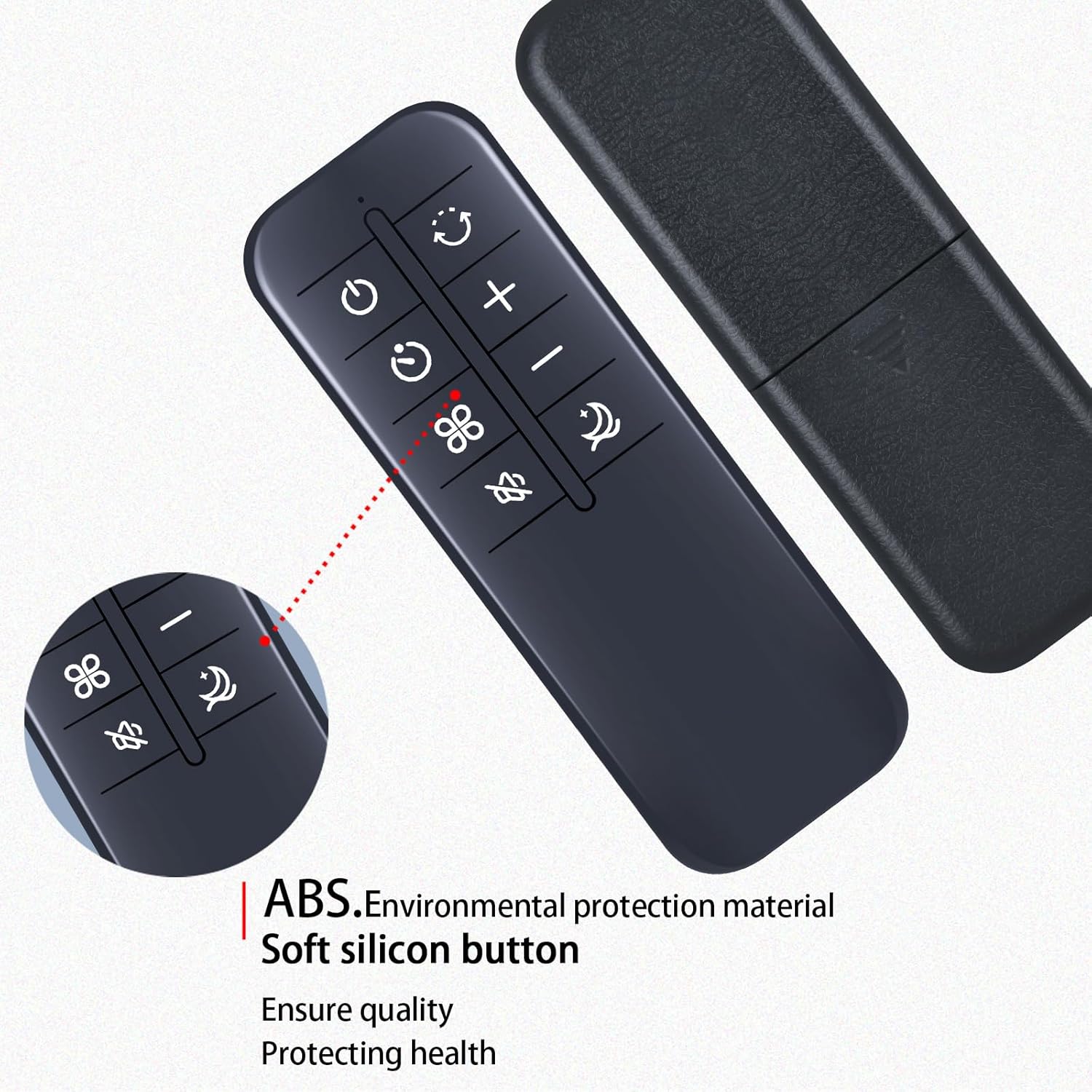
Image: A detailed view of the remote control, highlighting its construction from high-quality ABS environmental protection material and soft silicon buttons, designed for durability and comfortable use.
Troubleshooting
| Problem | Possible Cause | Solution |
|---|---|---|
| Remote not responding |
|
|
| Intermittent response |
|
|
Specifications
- Brand: ZWP
- Compatible Devices: LEVOIT Tower Fans (Models: LTF-F422S-WUS, LTF-F422-WUS, LTF-F362S-WUSR, LTF-F361-WUS, LTF-F361-KEUR)
- Power Source: 2 x 1.5V AAA Batteries (not included)
- Material: High-quality ABS
- Color: Black
- Special Feature: Ergonomic design
- Operational Distance: Approximately 8 meters (26 feet)
- Item Weight: 2.08 ounces (approx. 59 grams)
- Package Dimensions: 6.8 x 2.3 x 1 inches (approx. 17.3 x 5.8 x 2.5 cm)
Support
For any questions or assistance regarding your ZWP replacement remote control, please do not hesitate to contact us. We are committed to helping you resolve any issues you may encounter.
Thank you for choosing ZWP.