
1. Introduction
This manual provides instructions for the ZWP Replacement Remote Control, designed for use with the Holmes 40-inch Tower Fan, model 32510397. This remote control offers a convenient way to operate your fan from a distance.
The remote control is constructed from high-quality ABS material, ensuring durability and a comfortable hand feeling. It features soft silicone buttons for reliable operation.
2. Package Contents
- 1 x ZWP Replacement Remote Control
Note: Batteries are not included in the package.
3. Setup
The ZWP Replacement Remote Control requires two (2) 1.5V AAA batteries for operation. No programming is required; simply insert the batteries, and the remote will be ready for use.
3.1 Battery Installation
- Locate the battery compartment on the back of the remote control.
- Slide the battery compartment cover downwards to open it.
- Insert two (2) 1.5V AAA batteries, ensuring the positive (+) and negative (-) terminals align correctly with the markings inside the compartment.
- Slide the battery compartment cover back into place until it clicks securely.
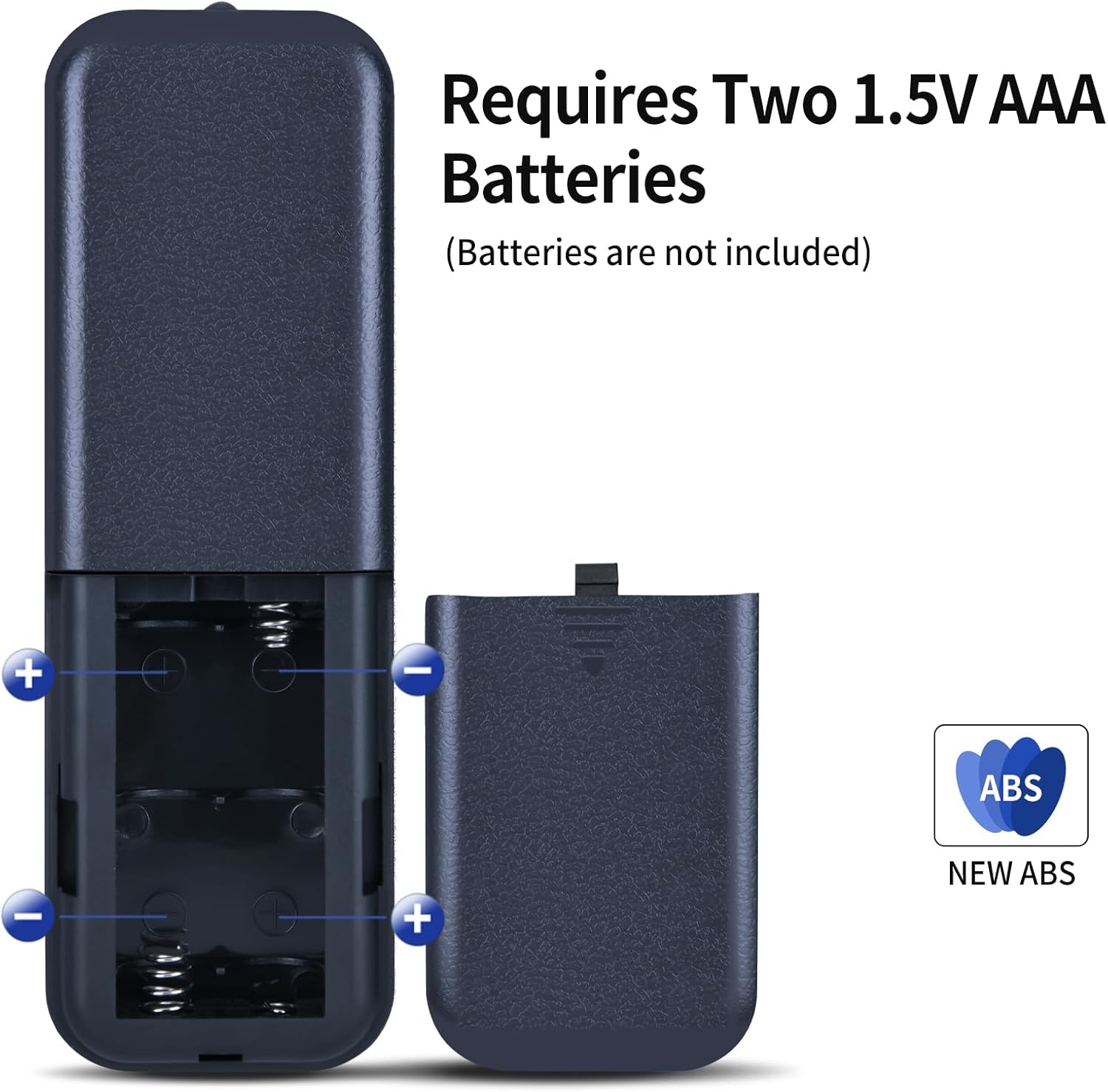
Figure 3.1: Battery installation for the ZWP Replacement Remote Control. The image clearly shows the open battery compartment, indicating the placement for two 1.5V AAA batteries, which are not included.
4. Operating Instructions
Once batteries are installed, the remote control is ready to operate your Holmes 40" Tower Fan Model 32510397. Point the remote control directly at the fan for optimal performance.
4.1 Basic Functions
- Power Button: Turns the fan On or Off.
- Mode/Speed Buttons: Adjusts fan speed or operating mode (e.g., normal, natural, sleep).
- Oscillation Button: Activates or deactivates the fan's oscillation feature.
- Timer Button: Sets the fan's operating timer.

Figure 4.1: Demonstrating typical use of the remote control with a tower fan. The remote is held in hand, ready to send commands to the fan.
4.2 Operational Distance
The remote control has an effective operational distance of up to 8 meters (approximately 26 feet), allowing for convenient control from various locations within a room.

Figure 4.2: Visual representation of the remote control's effective range, highlighting its capability for long-distance operation up to 8 meters.
5. Compatibility
This ZWP Replacement Remote Control is specifically designed to be compatible with the Holmes 40" Tower Fan, model 32510397. It functions as a direct replacement for the original remote control.

Figure 5.1: Comparison of the ZWP replacement remote control (left) and the original remote control (right), indicating direct compatibility.

Figure 5.2: Close-up of the remote control's buttons. When purchasing, it is important to carefully distinguish between remote controls with similar button layouts to ensure correct compatibility.
6. Maintenance
To ensure the longevity and proper functioning of your remote control, follow these maintenance guidelines:
- Cleaning: Wipe the remote control with a soft, dry cloth. Do not use liquid cleaners or abrasive materials.
- Battery Replacement: Replace batteries promptly when the remote's performance diminishes or it stops responding. Always replace both batteries at the same time with new ones of the same type (1.5V AAA).
- Storage: Store the remote control in a cool, dry place away from direct sunlight and extreme temperatures. If storing for extended periods, remove the batteries to prevent leakage.

Figure 6.1: The remote control is made from durable ABS and features soft silicone buttons, designed for quality and user comfort.
7. Troubleshooting
If you experience issues with your remote control, refer to the following troubleshooting steps:
- Remote not responding:
- Check if the batteries are inserted correctly with the correct polarity.
- Replace old batteries with new 1.5V AAA batteries.
- Ensure there are no obstructions between the remote control and the fan's receiver.
- Make sure you are within the operational distance of 8 meters.
- Intermittent response:
- This may indicate low battery power. Replace the batteries.
- Ensure a clear line of sight to the fan.
8. Specifications
| Feature | Detail |
|---|---|
| Brand | ZWP |
| Compatible Model | Holmes 40" Tower Fan 32510397 |
| Power Source | 2 x 1.5V AAA Batteries (not included) |
| Material | High-quality ABS, Soft Silicone Buttons |
| Operational Distance | Up to 8 meters |
| Color | Black |
| Special Feature | Ergonomic design |
| Package Dimensions | 6.8 x 2.3 x 1 inches |
| Item Weight | 2.08 ounces |
9. Warranty and Support
For any questions or concerns regarding your ZWP Replacement Remote Control, please contact the manufacturer or seller directly through your purchase platform. They will assist you with product support and warranty information.