
Introduction
Thank you for choosing the Gueray Portable CD Player G-Y-01. This device offers versatile audio playback options, including CD, Bluetooth 5.0 (receive/transmit), FM Radio, USB, and AUX input/output. Designed for both desktop and wall-mounted use, it features dual speakers and a rechargeable battery for portable convenience. Please read this manual thoroughly to ensure proper use and optimal performance.
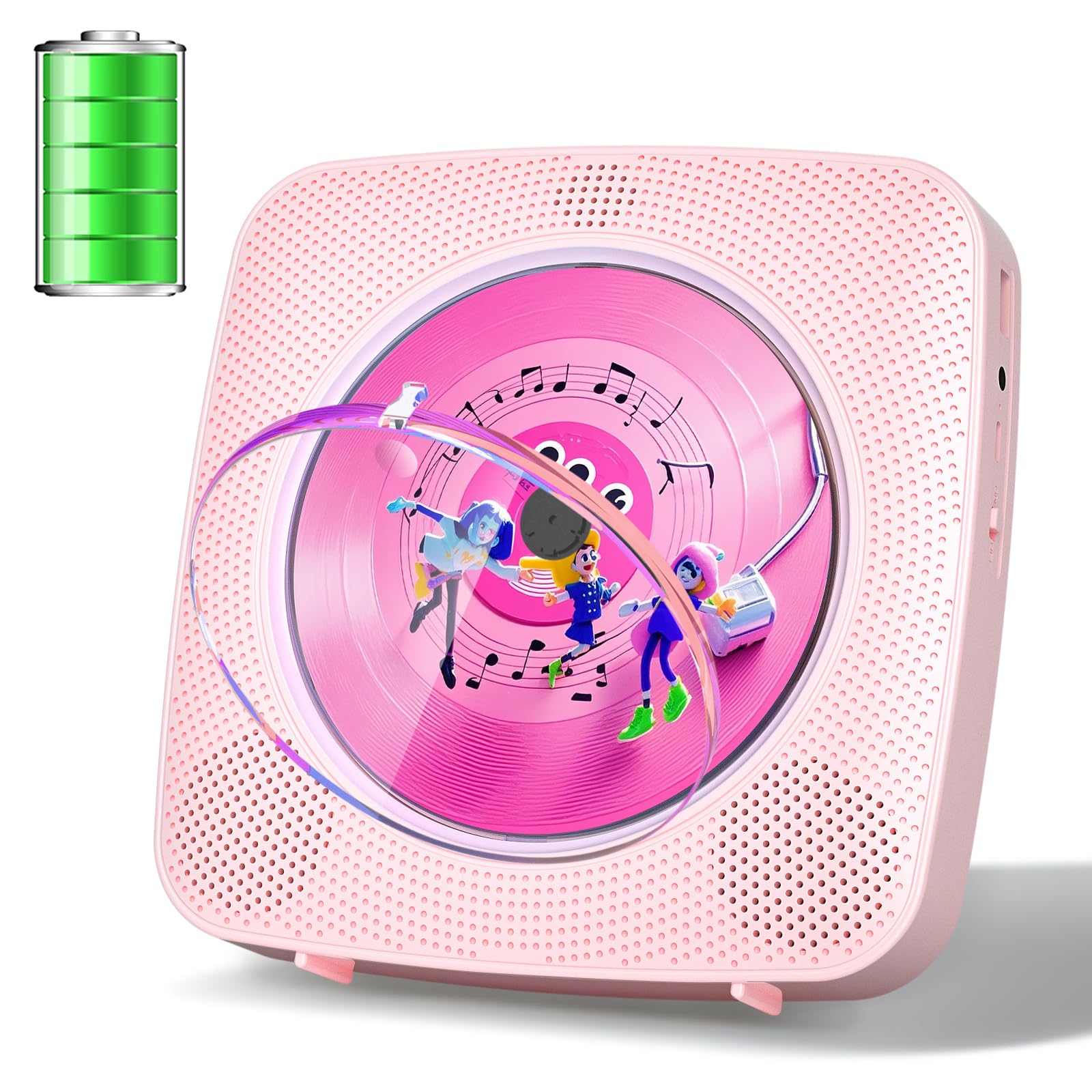
Image: The Gueray Portable CD Player G-Y-01 in pink, showcasing its compact design.
Package Contents
Ensure all items are present in the package:
- CD Player
- Remote control
- Four screws (for wall mounting)
- Wall plate (for wall mounting)
- Charging cable (USB Type-C)

Image: An illustration detailing the contents of the product package, including the CD player, remote control, screws, wall plate, and charging cable.
Product Overview and Features
The Gueray G-Y-01 is a versatile audio device designed for various listening preferences. Key features include:
- All-in-1 Playback: Supports CD, CD-R/RW, MP3, WMA formats.
- Dual Bluetooth 5.0: Functions as both a Bluetooth receiver (stream from phone/laptop to player) and transmitter (stream from player to Bluetooth headphones/speakers).
- Integrated Speakers: Built-in dual Hi-Fi speakers deliver clear and balanced audio.
- Rechargeable Battery: Equipped with an 1800mAh rechargeable battery for extended portable use.
- Multiple Inputs/Outputs: Includes USB port for MP3 playback, 3.5mm AUX input/output, and a headphone jack.
- FM Radio: Built-in FM radio tuner.
- Convenient Design: Features a sleep timer, A-B repeat function, and a removable dust cover.
- Flexible Placement: Designed for both desktop use with a built-in stand and wall mounting.

Image: A visual representation highlighting the multi-functional capabilities of the CD player, including various playback modes and features.
Controls and Ports
Familiarize yourself with the device's controls and connection ports:
- USB Port: For USB flash drive playback.
- Earphones Port: 3.5mm jack for headphones.
- Power Indicator: LED light indicating power status.
- Type-C Charging Port: For charging the device.
- Power Switch: On/Off slider switch.
- Mode Button: Cycles through CD, Bluetooth, FM, USB, AUX modes.
- Volume -: Decreases volume.
- Volume +: Increases volume.
- Previous Song/Fast Back: Navigates to the previous track or fast rewinds.
- Play/Pause: Starts or pauses playback.
- Next Song/Fast Forward: Navigates to the next track or fast forwards.
- Dust Cover: Removable cover for CD compartment.

Image: A diagram showing the layout of the CD player's controls and ports, including the USB port, earphone jack, Type-C charging port, power switch, mode button, volume controls, track navigation, play/pause, and the removable dust cover.
Setup
Charging the Device
The CD player is equipped with an 1800mAh rechargeable battery. Before first use, fully charge the device. Connect the provided Type-C charging cable to the charging port on the device and the other end to a standard 5V/2A USB power adapter (not included). The power indicator light will show charging status and turn off when fully charged. A full charge provides several hours of continuous playback.
Mounting Options
The Gueray G-Y-01 offers flexible placement options:
- Desktop Use: Utilize the built-in back brace for stable support on any flat surface.
- Wall Mounting: For space-saving or a unique setup, use the included wall plate and screws to mount the player securely to a wall.
Image: The CD player positioned on a desktop, demonstrating its integrated stand for stable placement.

Image: A step-by-step illustration demonstrating how to securely install the CD player on a wall using the provided mounting hardware.
Operating Instructions
Power On/Off
Slide the Power Switch to the "ON" position to turn on the device. The power indicator will light up. To turn off, slide the Power Switch to the "OFF" position.
CD Playback
- Ensure the device is powered on.
- Gently press the center of the dust cover to open the CD compartment.
- Place a CD (CD, CD-R/RW, MP3, WMA format) onto the spindle, ensuring it is centered.
- Close the dust cover by aligning the bottom of the lid with the player's slot and pressing down until it clicks.
- The player will automatically detect the CD and begin playback. Use the Play/Pause, Previous/Fast Back, and Next/Fast Forward buttons to control playback.
Video: A demonstration of the Gueray CD Player in operation, showing a CD spinning and music playing.
Bluetooth Mode (Receive/Transmit)
Press the Mode button until "BT" appears on the display.
- Bluetooth Receiving: The player will enter pairing mode. On your smartphone, tablet, or other Bluetooth device, search for "G-Y-01" and connect. Audio from your device will now play through the CD player's speakers.
- Bluetooth Transmitting: To connect to Bluetooth headphones or external speakers, ensure they are in pairing mode. The CD player will automatically search and connect. Once connected, audio from the CD player will transmit to your paired Bluetooth device.
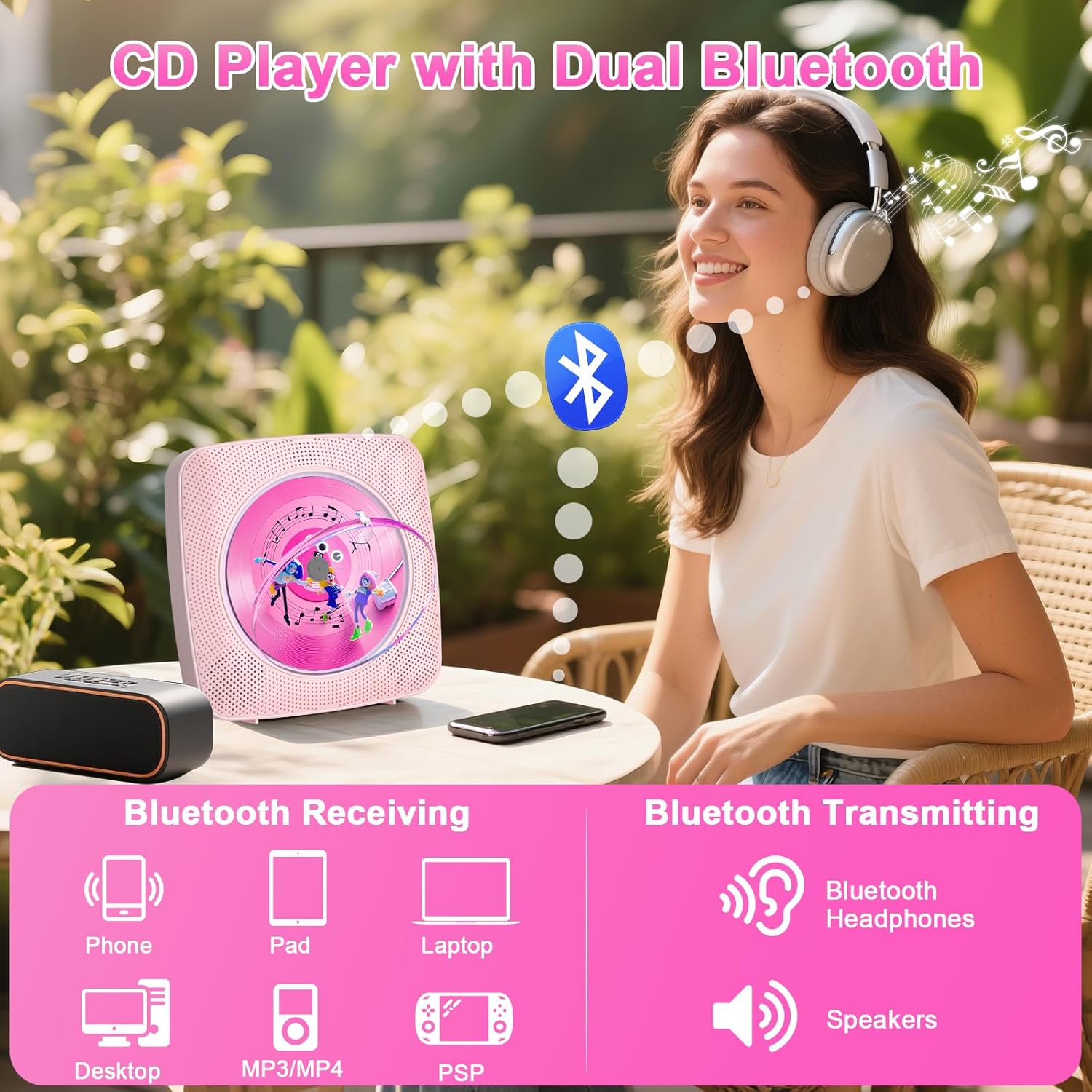
Image: A visual guide to using the CD player's dual Bluetooth functionality, demonstrating how to connect to various devices for both receiving and transmitting audio.

Image: An illustration demonstrating the Bluetooth pairing process, showing how to connect the CD player to a smartphone for receiving audio and to Bluetooth headphones for transmitting audio.
FM Radio Mode
Press the Mode button until "FM" appears on the display. Use the Previous/Next buttons to scan for radio stations. Adjust volume with the Volume +/- buttons.

Image: The CD player functioning as an FM radio, illustrating its capability to receive radio broadcasts.
USB Playback
Insert a USB flash drive containing MP3 or WMA audio files into the USB port. Press the Mode button until "USB" appears. The player will automatically detect and begin playing files from the USB drive. Use the playback controls for navigation.

Image: The CD player connected to a USB flash drive, demonstrating its ability to play music directly from USB storage.
AUX Input/Output
Connect an external audio device (e.g., smartphone, MP3 player) to the AUX port using a 3.5mm audio cable. Press the Mode button until "AUX" appears. Audio from the external device will play through the CD player's speakers. Alternatively, connect the AUX output to external speakers for amplified sound.
Image: The CD player connected to an external speaker using an AUX cable, illustrating its AUX input/output capability.
Headphone Use
For private listening, plug 3.5mm headphones into the Earphones Port. The internal speakers will mute automatically.

Image: A user enjoying music from the CD player through wired headphones, highlighting the private listening option.
Remote Control
The included remote control allows convenient operation from a distance. It features buttons for power, mode selection (BT, CD, FM, USB), volume control, track navigation, play/pause, stop, repeat, and A-B repeat. Ensure the main power switch on the player is ON for the remote to function.
Image: The remote control for the CD player, displaying its full array of buttons for convenient remote operation.
Maintenance
To ensure the longevity and optimal performance of your Gueray CD Player, follow these maintenance guidelines:
- Cleaning: Use a soft, dry cloth to clean the exterior of the device. Do not use liquid cleaners or abrasive materials.
- Dust Cover: The removable dust cover helps protect the CD mechanism from dust and debris. Ensure it is properly closed when a CD is not in use or when the player is not operating.
- CD Handling: Always handle CDs by their edges to avoid fingerprints and scratches. Store CDs in their cases when not in use.
- Storage: When not in use for extended periods, store the player in a cool, dry place away from direct sunlight and extreme temperatures.
Image: An illustration showing the process of removing and reattaching the dust cover, emphasizing its role in protecting the CD player's internal components.
Troubleshooting
If you encounter issues with your Gueray CD Player, refer to the following common problems and solutions:
| Problem | Possible Cause | Solution |
|---|---|---|
| Device does not power on. | Battery is depleted; Power switch is off. | Charge the device using the Type-C cable and a 5V/2A adapter. Ensure the Power Switch is in the "ON" position. |
| CD does not play or skips. | CD is dirty, scratched, or inserted incorrectly; CD format not supported. | Clean the CD with a soft cloth. Reinsert the CD correctly. Ensure the CD is a supported format (CD, CD-R/RW, MP3, WMA). |
| No sound from speakers. | Volume is too low; Headphones are connected; Incorrect mode selected. | Increase the volume. Disconnect headphones if not needed. Press the Mode button to select the correct playback mode. |
| Bluetooth pairing fails. | Device is not in Bluetooth mode; Target device is not in pairing mode or too far. | Ensure the CD player is in Bluetooth mode. Place the target Bluetooth device in pairing mode and close to the CD player. Try restarting both devices. |
| Remote control not working. | Batteries are dead; Player's main power switch is off; Obstruction between remote and player. | Replace remote batteries (AAA, not included). Ensure the player's main power switch is ON. Remove any obstructions. |
Specifications
| Feature | Detail |
|---|---|
| Brand | Gueray |
| Model Name | G-Y-01 |
| Connectivity Technology | Auxiliary, Bluetooth, USB |
| Special Features | CD-R/RW Compatible, Lightweight, Portable, Programmable Memory, Rechargeable |
| Number of Discs | 1 |
| Supported Audio Format | WAV, MP3, WMA (from feature bullets) |
| Connector Type | 3.5mm Jack (Headphones/AUX), USB, Type-C |
| Number of Channels | 2 (Dual Speakers) |
| Media Format Type | Audio CD |
| Compatible Devices | Speaker, Headphone, Smartphone, Tablet, Laptop, MP3 Player |
| Headphones Jack | 3.5mm Jack |
| MP3 Player Functionality | Yes (via USB) |
| Battery | 1800mAh Lithium Polymer (included) |
Warranty and Support
This Gueray CD Player G-Y-01 comes with a 6-month warranty from the date of purchase. For warranty claims, technical support, or any inquiries, please contact Gueray customer service through the retailer where the product was purchased or visit the official Gueray website.
Please retain your proof of purchase for warranty validation.
