
Introduction
This manual provides detailed instructions for the installation, operation, and maintenance of your MSI PRO B840M-B Motherboard. Please read this manual thoroughly before proceeding with installation to ensure proper setup and optimal performance. Keep this manual for future reference.
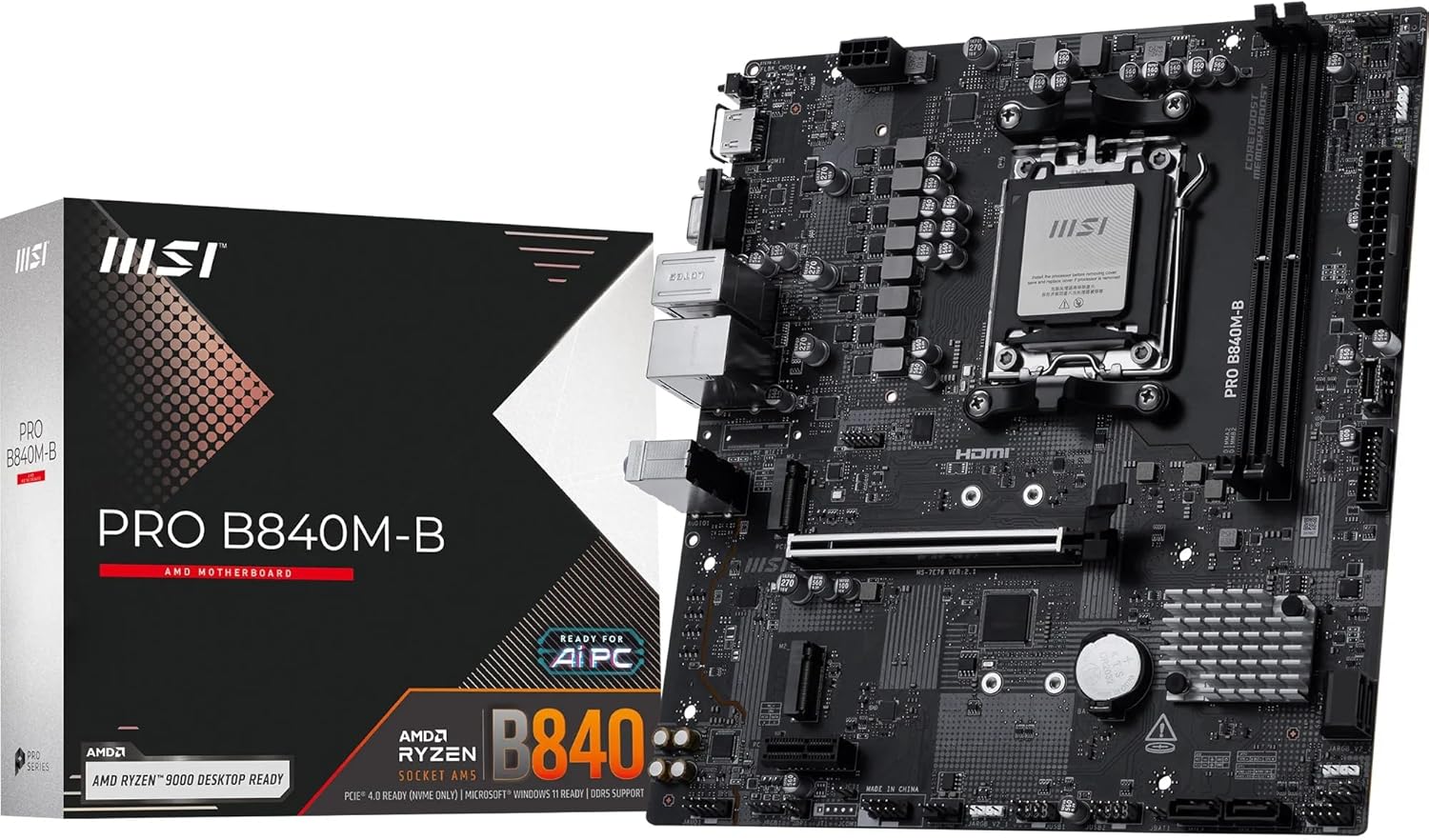
Image 1: MSI PRO B840M-B Motherboard and its retail packaging. This image shows the overall product and its branding.
Setup and Installation
Before beginning installation, ensure your workspace is static-free. Always handle the motherboard by its edges to prevent damage to components.
1. Package Contents
Verify that all components are present in the package:
- MSI PRO B840M-B Motherboard
- SATA Cables
- M.2 Screws
- User Manual (this document)
- Driver CD/USB (if included)

Image 2: The MSI PRO B840M-B Motherboard alongside its standard accessories, including SATA cables and M.2 mounting hardware.
2. Motherboard Layout
Familiarize yourself with the key components and connectors on the motherboard.

Image 3: A top-down view of the MSI PRO B840M-B Motherboard, showing the CPU socket, DIMM slots, PCIe slots, and various headers.
3. Processor Installation (AM5 Socket)
- Open the CPU socket retention lever.
- Carefully align the processor with the socket, ensuring the triangular mark on the CPU matches the mark on the socket.
- Gently place the CPU into the socket without applying force.
- Close the retention lever to secure the CPU.
4. Memory (DDR5) Installation
- Open the clips at both ends of the DDR5 DIMM slots.
- Align the memory module with the slot, ensuring the notch on the module matches the key in the slot.
- Press down firmly on both ends of the memory module until the clips snap into place.
5. Storage Device Installation (M.2 SSD)
The motherboard features M.2 Gen4 x4 slots for high-speed storage.
- Locate the M.2 slots on the motherboard.
- Insert the M.2 SSD into the slot at an angle.
- Gently push down the SSD and secure it with the provided M.2 screw or EZ M.2 clip.

Image 4: Close-up view of the motherboard showing the EZ Debug LED indicators and the convenient EZ M.2 clips for tool-less SSD installation.
6. Graphics Card Installation (PCIe 4.0 x16)
- Open the retention clip on the PCIe 4.0 x16 slot.
- Align your graphics card with the slot and press down firmly until it is fully seated and the retention clip locks.
- Secure the graphics card to your PC case with screws.

Image 5: The MSI PRO B840M-B Motherboard illustrating the locations of the PCIe Gen4 x16 slot and M.2 Gen4 slots, indicating high-speed data transfer capabilities.
7. Connecting Peripherals (Rear I/O)
Connect your monitor, keyboard, mouse, and other peripherals to the appropriate ports on the rear I/O panel.

Image 6: A detailed diagram of the MSI PRO B840M-B Motherboard's rear I/O panel, showing ports for HDMI, VGA, USB 5Gbps Type-A, USB 2.0, 2.5G LAN, and 7.1 HD Audio.
Operating Instructions
First Boot
- After connecting all components and peripherals, power on your system.
- Access the BIOS/UEFI setup by pressing the designated key (usually Del or F2) during startup.
- Configure boot order and other necessary settings.
- Install your operating system.
BIOS/UEFI Features
- MSI Core Boost: Enhances stability and performance for AMD Ryzen processors.
- DDR5 Memory Boost: Supports extreme memory overclocking speeds up to 8000+ MT/s (OC).
- Frozr AI Cooling: Automatically adjusts system fan settings based on CPU and GPU temperatures for optimal thermal management.
Maintenance
Regular maintenance ensures the longevity and stable operation of your motherboard.
- Dust Removal: Periodically clean dust from the motherboard and components using compressed air. Ensure the system is powered off and unplugged before cleaning.
- BIOS Updates: Check the official MSI website for the latest BIOS updates. Updating the BIOS can improve compatibility, stability, and performance. Follow the instructions provided by MSI carefully during the update process.
- Driver Updates: Keep all system drivers (chipset, LAN, audio, etc.) updated to ensure optimal performance and compatibility.
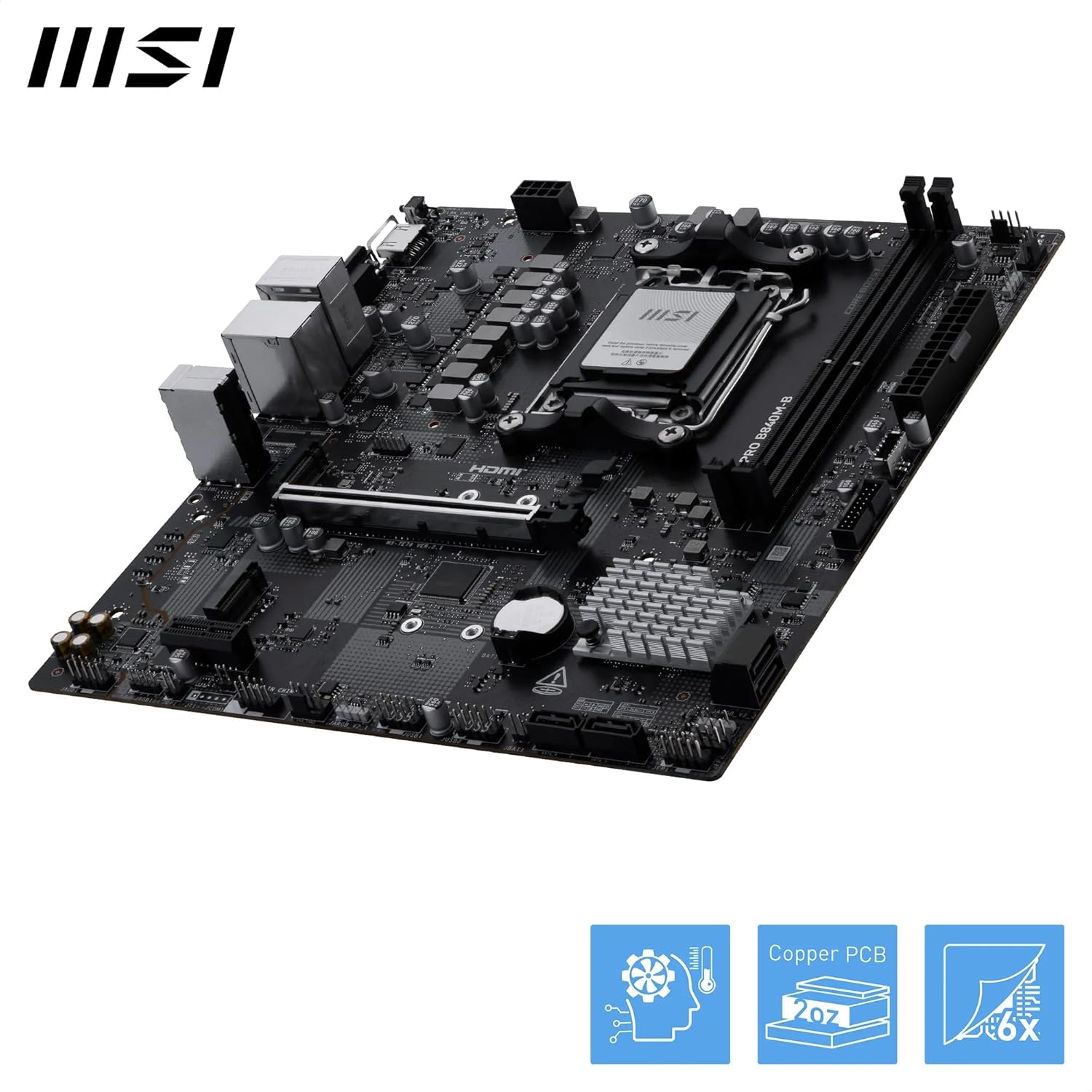
Image 7: An angled view of the MSI PRO B840M-B Motherboard, emphasizing its cooling solutions such as chipset heatsinks and the 2oz Copper PCB design for efficient heat dissipation.
Troubleshooting
This section addresses common issues you might encounter.
| Problem | Possible Cause | Solution |
|---|---|---|
| System does not power on. | Power supply issue, incorrect power connections. | Check all power cables (24-pin ATX, 8-pin CPU) are securely connected. Verify power supply functionality. |
| No display output. | Graphics card not seated correctly, monitor cable issue, incorrect display output selected. | Reseat the graphics card. Ensure monitor cable is connected to the graphics card (not motherboard I/O if a dedicated GPU is present). Check monitor input source. |
| System reboots unexpectedly. | Overheating, unstable power, faulty RAM. | Check CPU/GPU temperatures. Ensure adequate cooling. Test RAM modules individually. |
| Operating system not detected. | Incorrect boot order, faulty storage drive, OS not installed. | Verify boot order in BIOS. Check SATA/M.2 connections. Reinstall OS if necessary. |
For further assistance, refer to the MSI support website or contact technical support.
Specifications
| Feature | Detail |
|---|---|
| Model Name | PRO B840M-B |
| CPU Socket | AMD AM5 |
| Compatible Processors | AMD Ryzen 9000/8000/7000 Series Processors |
| Chipset | AMD B840 |
| RAM Memory Technology | DDR5 |
| Memory Slots | 2 x DDR5 DIMM slots |
| Max Memory Speed (OC) | 8000+ MT/s |
| PCIe Slot | 1 x PCIe 4.0 x16 slot (with Steel Armor) |
| M.2 Connectors | 2 x M.2 Gen4 x4 64Gbps slots |
| LAN | 2.5Gbps LAN |
| USB Ports (Rear) | USB 5Gbps Type-A, USB 2.0 |
| Audio | 7.1 HD Audio with Audio Boost |
| Form Factor | mATX |
| Dimensions | 95.67 x 119.69 x 27.56 inches (Product Dimensions) |
| Item Weight | 2.2 pounds |
Warranty Information
Warranty terms and conditions for the MSI PRO B840M-B Motherboard are subject to the region of purchase and local regulations. For detailed warranty information, please refer to the official MSI website or contact your local retailer.
Typically, MSI products come with a limited warranty covering manufacturing defects. Keep your proof of purchase for warranty claims.
Support and Contact
For technical support, driver downloads, BIOS updates, and frequently asked questions, please visit the official MSI support website:
You may also contact MSI customer service directly through their website for personalized assistance.


