
1. Introduction
This manual provides detailed instructions for the safe and effective operation of your PPMIC 66PRO Portable Karaoke Machine. Please read this manual thoroughly before using the product and retain it for future reference. This device is designed to deliver high-quality audio and an interactive entertainment experience with its versatile connectivity options and dual wireless microphones.
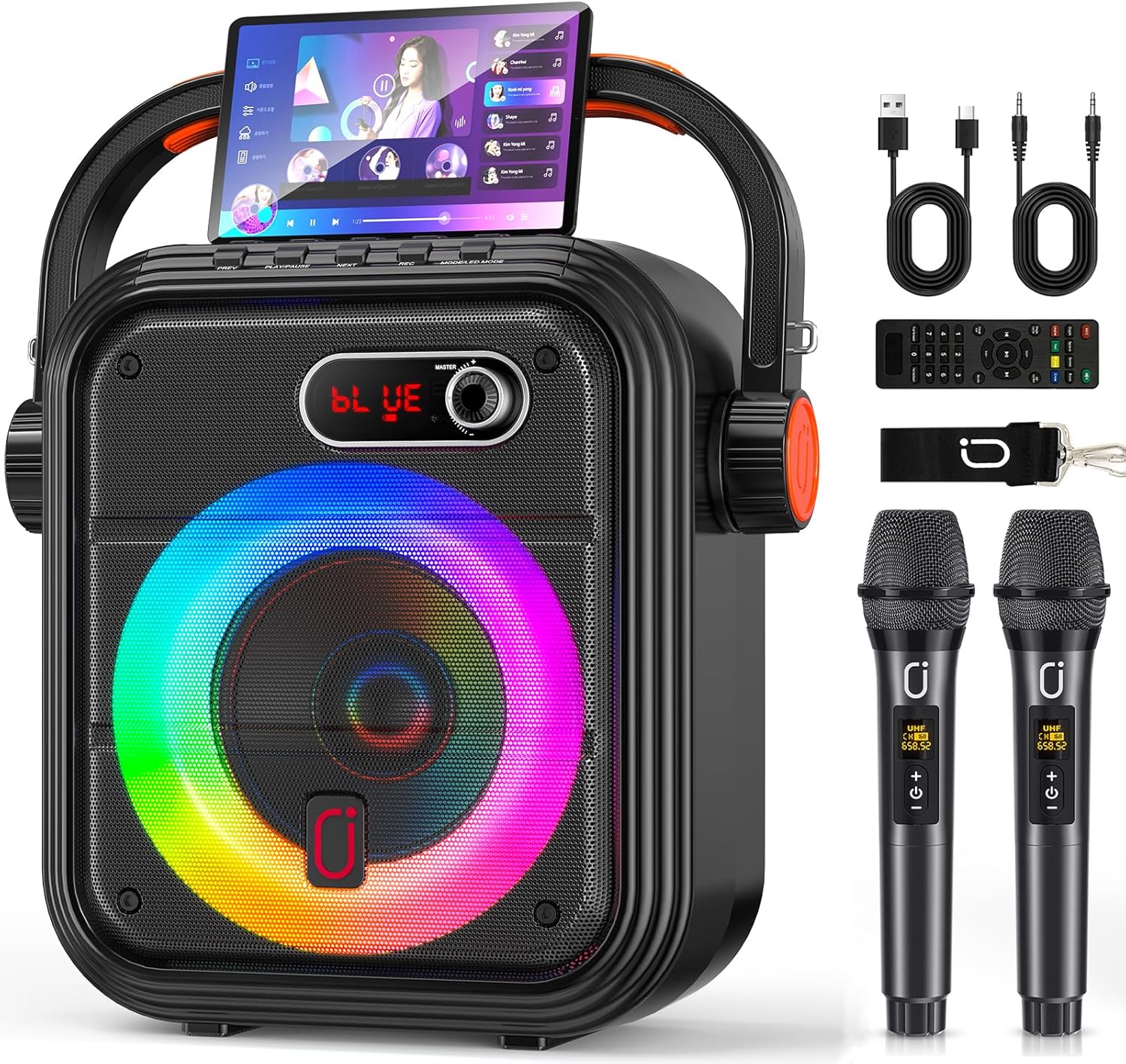
Image 1.1: The PPMIC 66PRO Portable Karaoke Machine, showcasing the main unit, two wireless microphones, remote control, and various cables.
2. What's in the Box
Upon unpacking, please ensure all items listed below are present and in good condition:
- 1 x Karaoke Machine (PPMIC 66PRO Main Unit)
- 2 x Wireless Microphones
- 1 x Remote Control
- 1 x AUX-in Cable
- 1 x USB Charging Cable
- 1 x Shoulder Strap

Image 2.1: The PPMIC 66PRO Portable Karaoke Machine with its included shoulder strap, demonstrating its portability.
3. Product Features
- Full-Range Audio with Adjustable Reverb: Equipped with a 5.25-inch woofer and 2-inch tweeter for balanced sound. Reverb function allows fine-tuning of vocal effects.
- Versatile Connectivity: Supports TV connection via AUX or Bluetooth, and external audio inputs (MIC, AUX) for guitars or other instruments.
- Live Streaming Function: Headphone jack provides real-time monitoring for vocals and instruments, suitable for live broadcasts.
- Portable Design: Features a carrying handle and shoulder strap for easy transport, ideal for various scenarios.
- TWS Wireless Stereo: Connect two PPMIC-66PRO speakers wirelessly for a wider, more powerful stereo sound experience.
- Extended Playtime & Dynamic Lights: Built-in 5200mAh battery offers over 12 hours of continuous play. Integrated disco lights sync with music to enhance atmosphere.
- Multiple Playback Modes: Supports Bluetooth, USB, TF card, and AUX inputs.
- Vocal Removal & Independent Mic Control: Remote control allows vocal removal for backing tracks and independent adjustment of microphone volume.

Image 3.1: An exploded view of the PPMIC 66PRO speaker, illustrating its 5.25-inch woofer and 2-inch tweeter, alongside a diagram of wireless microphone range up to 200ft.
4. Setup
4.1 Initial Charging
Before first use, fully charge the karaoke machine using the provided USB charging cable. The digital screen will indicate battery status. The unit supports playback while charging.
4.2 Microphone Battery Installation
The wireless microphones require 2 AA batteries each (not included). Open the battery compartment at the bottom of each microphone and insert the batteries, ensuring correct polarity.
4.3 Powering On
Locate the Master Power knob on the control panel. Turn the knob clockwise to power on the unit. The digital display will show "BLUE" indicating Bluetooth pairing mode.
4.4 Bluetooth Pairing
- Ensure the karaoke machine is powered on and in "BLUE" mode.
- Activate Bluetooth on your smartphone, tablet, or other audio device.
- Search for "T21" or "PPMIC-66PRO" in your device's Bluetooth settings.
- Select the device to pair. A confirmation tone will sound upon successful connection.
4.5 Connecting External Devices
- AUX-in: Connect your TV or other audio source using the provided AUX-in cable.
- USB/TF Card: Insert a USB drive or TF card into the respective slots on the control panel for direct media playback.
- Microphone/Instrument Input: Use the MIC IN or Instrument input jacks to connect wired microphones or musical instruments like guitars.

Image 4.1: The PPMIC 66PRO unit highlighting its various input options: USB, TF card, AUX, and Bluetooth 5.3.
5. Operating Instructions
5.1 Control Panel Overview
The main control panel features knobs for adjusting various audio parameters and buttons for mode selection and playback control. A detailed diagram is provided below.

Image 5.1: Close-up of the PPMIC 66PRO control panel, showing knobs for Echo, Mic Vol, Bass, Treble, and Master volume, along with buttons for mode, record, playback, and track navigation.
5.2 Audio Adjustments
- Master Volume: Use the "Master" knob to adjust the overall speaker volume.
- Microphone Volume: Use the "MIC VOL" knob to adjust the volume of the connected microphones.
- Echo: Use the "Echo" knob to add or reduce reverb effects to vocals.
- Bass/Treble: Use the "Bass" and "Treble" knobs to fine-tune the low and high frequencies of the audio output.
5.3 Mode Selection & Playback
- Mode Button: Press the "Mode" button to cycle through available input modes: Bluetooth, USB, TF Card, AUX, and FM Radio.
- Play/Pause: Press the "Play/Pause" button to start or pause playback.
- Previous/Next: Use the "Prev" and "Next" buttons to skip tracks.
- Record/Playback: Use the "Rec/Playback" button to record your performance (with TF card/USB) or play back recordings.
- Vocal Removal: On the remote control, press the "Vocal Cut" button to remove vocals from a track, leaving only the backing music.
5.4 TWS (True Wireless Stereo) Pairing
To connect two PPMIC-66PRO speakers for a stereo experience:
- Ensure both speakers are powered on and in Bluetooth mode, but not yet connected to any device.
- Press and hold the "TWS" button on one of the speakers. It will emit a pairing tone.
- The two speakers will automatically connect to each other. A confirmation tone will sound.
- Now, connect your audio device to the primary speaker via Bluetooth. Audio will play in stereo across both units.
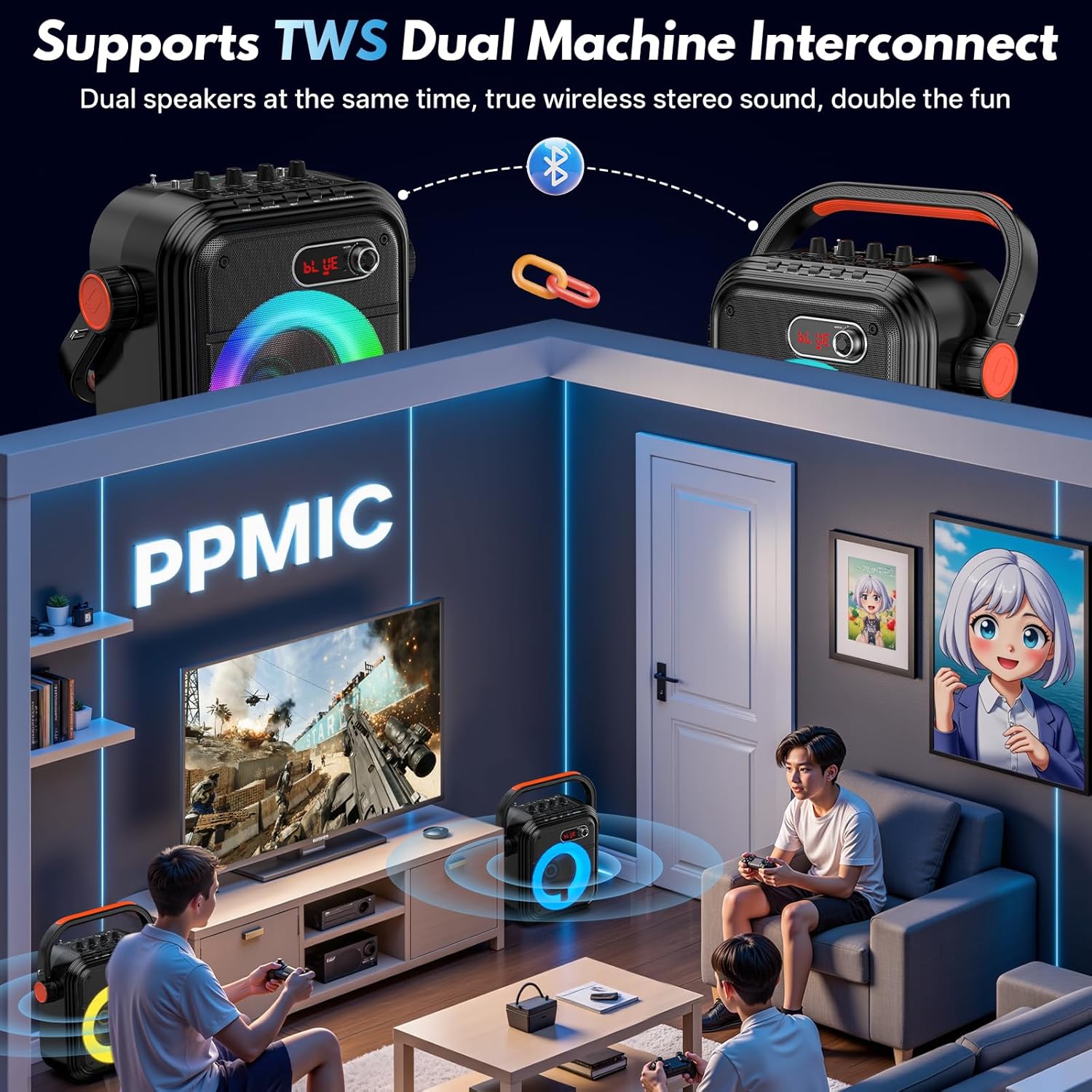
Image 5.2: Two PPMIC 66PRO units demonstrating TWS (True Wireless Stereo) functionality for enhanced audio.
5.5 Dynamic Disco Lights
The built-in LED disco lights can be activated and changed using the "LED/TWS" button on the control panel or the remote. The lights sync with the music beat, creating a lively atmosphere.

Image 5.3: The PPMIC 66PRO unit displaying its colorful LED disco lights and illustrating its long battery life.
5.6 Official Product Video
Video 5.1: An official product video from PPMIC showcasing the 66PRO Karaoke Machine with its two microphones and various features.
6. Maintenance
- Cleaning: Wipe the unit and microphones with a soft, dry cloth. Do not use harsh chemicals or abrasive cleaners.
- Battery Care: For microphones, remove batteries if the device will not be used for an extended period to prevent leakage.
- Storage: Store the karaoke machine in a cool, dry place away from direct sunlight and extreme temperatures.
7. Troubleshooting
- No Sound: Check master volume, microphone volume, and ensure the correct input mode is selected. Verify Bluetooth connection.
- Microphone Not Working: Ensure microphone batteries are correctly installed and charged. Verify microphones are powered on and paired.
- Bluetooth Disconnection: Ensure the device is within range (up to 200ft). Disconnect and re-pair if issues persist.
- Charging Issues: Ensure the USB cable is securely connected to both the unit and a power source.
8. Specifications
- Brand: PPMIC
- Model: 66PRO
- Item Weight: 8.69 pounds
- Product Dimensions: 14 x 7 x 10 inches
- Speaker Count: 2 (5.25-inch woofer, 2-inch tweeter)
- Power Source: Battery Powered (Built-in 5200mAh)
- Playtime: 12+ Hours at maximum volume
- Charging Time: Approximately 2 hours
- Compatible Devices: Smartphones, Tablets, Computers, TV, Guitar, External Audio Inputs
- Connector Type: USB Type C, USB, TF Card, AUX
- Special Features: Adjustable Microphone Sensitivity, Stereo Pairing (TWS), Supports TV, Guitar, Live Streaming, Vocal Removal, Dynamic Disco Lights
9. Warranty & Support
For warranty information, technical support, or any inquiries regarding your PPMIC 66PRO Karaoke Machine, please refer to the contact details provided on the product packaging or visit the official PPMIC website.


