
1. Product Overview
The Philips FY2200/30 is an original replacement filter designed for Philips 2200 series air purifiers. This filter combines HEPA NanoProtect and Activated Carbon technologies to ensure optimal air purification in your home. It is engineered to capture 99.97% of particles down to 0.003 microns, including pollutants, viruses, allergens, bacteria, and odors.
For optimal performance and to maintain the warranty of your Philips air purifier, always use genuine Philips replacement filters.

Image 1.1: The Philips FY2200/30 replacement filter.
2. Compatibility
This replacement filter is compatible with the following Philips PureProtect Quiet 2200 Series air purifier models:
- AC2210
- AC2220
- AC2221
You can locate the model number of your air purifier on the back of the device.

Image 2.1: The FY2200 filter shown with compatible Philips 2200 series air purifiers.
3. Setup and Installation
Follow these steps to replace the filter in your Philips 2200 series air purifier:
- Unpack the new filter: Carefully remove the new Philips FY2200/30 filter from its packaging. The filter features a sustainable design with 30% smaller packaging and uses 35% less plastic.
- Power off and unplug: Before attempting any filter replacement, ensure your air purifier is turned off and unplugged from the power outlet for safety.
- Access the filter compartment: Refer to your air purifier's user manual for specific instructions on how to open the filter compartment. Typically, this involves removing the back or bottom cover of the device.
- Remove the old filter: Carefully pull out the used filter. Dispose of the old filter according to local regulations.
- Insert the new filter: Place the new Philips FY2200/30 filter into the compartment. Ensure it is seated correctly and securely. The filter is designed for a perfect fit.

Image 3.1: Unpacking the new filter from its sustainable packaging.
- Close the compartment: Reattach the cover of the filter compartment, ensuring it is properly closed and secured.
- Plug in and power on: Plug the air purifier back into the power outlet and turn it on.
- Reset filter life indicator: After replacing the filter, you must reset the filter lifetime indicator on your air purifier. Consult your air purifier's manual for specific instructions on how to perform this reset. This step is crucial for accurate filter life monitoring.
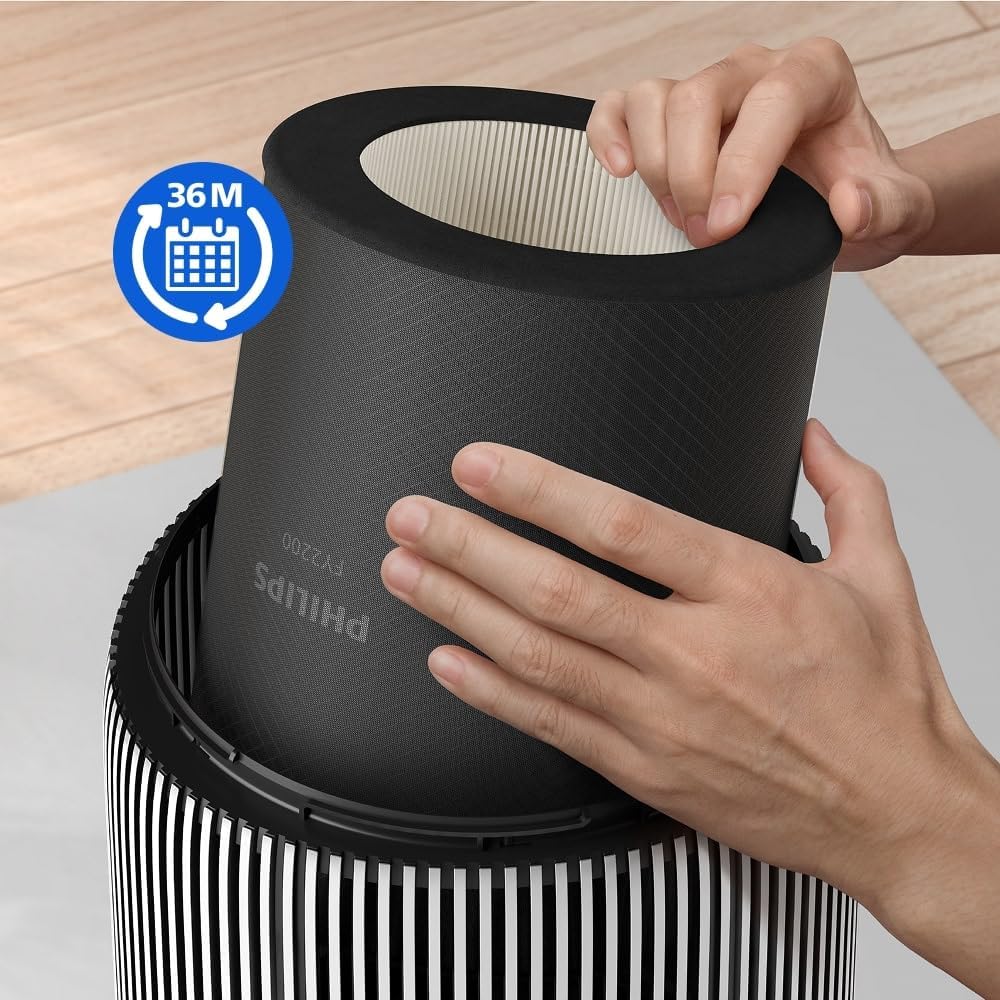
Image 3.2: Proper insertion of the FY2200/30 filter into the air purifier.

Image 3.3: Ensuring correct filter placement for optimal air quality monitoring.
4. Operating with the New Filter
Once the new Philips FY2200/30 filter is installed and the filter life indicator is reset, your air purifier is ready for operation. The filter's 3-layer filtration system, consisting of a pre-filter, HEPA NanoProtect, and activated carbon, will immediately begin purifying the air.
- Pre-filter: Captures large particles like dust and pet hair.
- Activated Carbon: Absorbs harmful gases and odors.
- HEPA NanoProtect: Traps ultra-fine particles, including allergens, bacteria, and viruses.
For detailed instructions on operating your Philips 2200 series air purifier, please refer to the specific user manual provided with your air purifier unit.

Image 4.1: Illustration of the 3-layer filtration system.
5. Maintenance and Filter Replacement Schedule
The Philips FY2200/30 filter is designed for a long lifespan, providing optimal filtration performance for up to 36 months (3 years). The actual lifespan may vary depending on air quality and usage frequency.
- Filter Lifetime Indicator: Your Philips air purifier is equipped with a filter lifetime indicator that will alert you when the filter needs to be replaced. Pay attention to this indicator for timely replacement.
- Disposal: When replacing the filter, dispose of the old filter responsibly according to your local waste disposal guidelines.
Regular replacement of the filter ensures continuous high-quality air purification and extends the life of your air purifier.
6. Troubleshooting
If you encounter issues after replacing your filter, consider the following:
- Filter Not Recognized: Ensure the filter is correctly seated in its compartment. Remove and reinsert it firmly.
- Filter Life Indicator Not Reset: Confirm that you have followed the instructions in your air purifier's manual to reset the filter lifetime indicator. Without this step, the purifier may still show a 'replace filter' alert.
- Air Quality Not Improving: Verify that the air purifier is operating correctly. If the issue persists, consult your air purifier's main user manual for further troubleshooting steps or contact Philips customer support.
7. Specifications
| Feature | Detail |
|---|---|
| Brand | PHILIPS |
| Model Number | FY2200/30 |
| Color | Black |
| Product Dimensions (L x W x H) | 30 x 13 x 28.8 cm |
| Item Weight | 680 g |
| Filtration Type | 3-layer (Pre-filter, HEPA NanoProtect, Activated Carbon) |
| Particle Capture Efficiency | 99.97% of particles down to 0.003 microns |
| Estimated Lifespan | Up to 36 months (3 years) |
| Country of Origin | China |
8. Warranty and Support
This Philips original replacement filter is covered by Philips' standard warranty. For specific warranty terms and conditions, please refer to the documentation included with your air purifier or visit the official Philips website.
For technical support, product inquiries, or warranty claims, please contact Philips customer service. Contact information can typically be found on the Philips website or in your air purifier's user manual.
Using non-original replacement filters may void your air purifier's warranty and could compromise its performance and safety.


